
If you don't have the "Analytics: Manage" permission, you can only share dashboards you've created.
Share an Analytics dashboard
Select Analytics in the sidebar or select it in More.
Click the dashboard.
Click Share on the upper-right of the page.
In the pop-up window, search and select the groups from the dropdown menu.
Click Done.
Click Share dashboard.
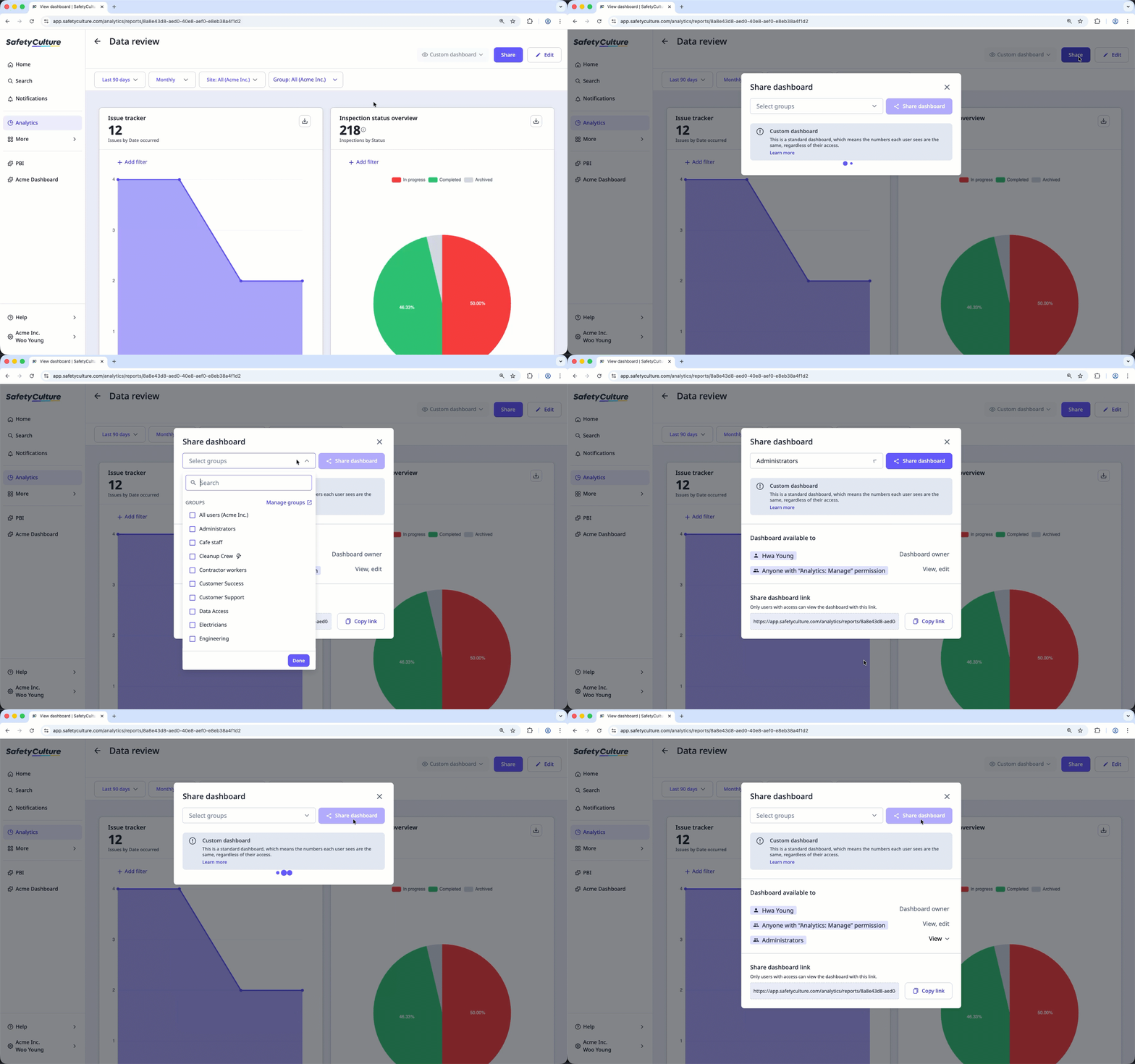
By default, each group is given the "View" access level to the Analytics dashboard. You can click View next to each group to remove their access.
You can also share a dashboard with users by clicking Copy link in the pop-up window.


