Why add templates to actions?
Creating an action allows you to identify and track tasks as a team. Typically, an inspection is needed to conduct a more detailed observation before completing a task. By adding templates to action types, your team can have readily available templates to streamline task completion and ensure that details are captured accurately.
By default, organizations can't add templates to actions or start inspections directly from an action unless they turn on the option to link templates to an action type.
If you have "Actions: Settings" permission, you can turn on the option to link templates to an action type. This allows your team to add a template and start an inspection directly from an action.
What you'll need
You can add up to 25 templates to an action, one at a time.
Add a template to an action
Select Actions in the sidebar or select it in More.
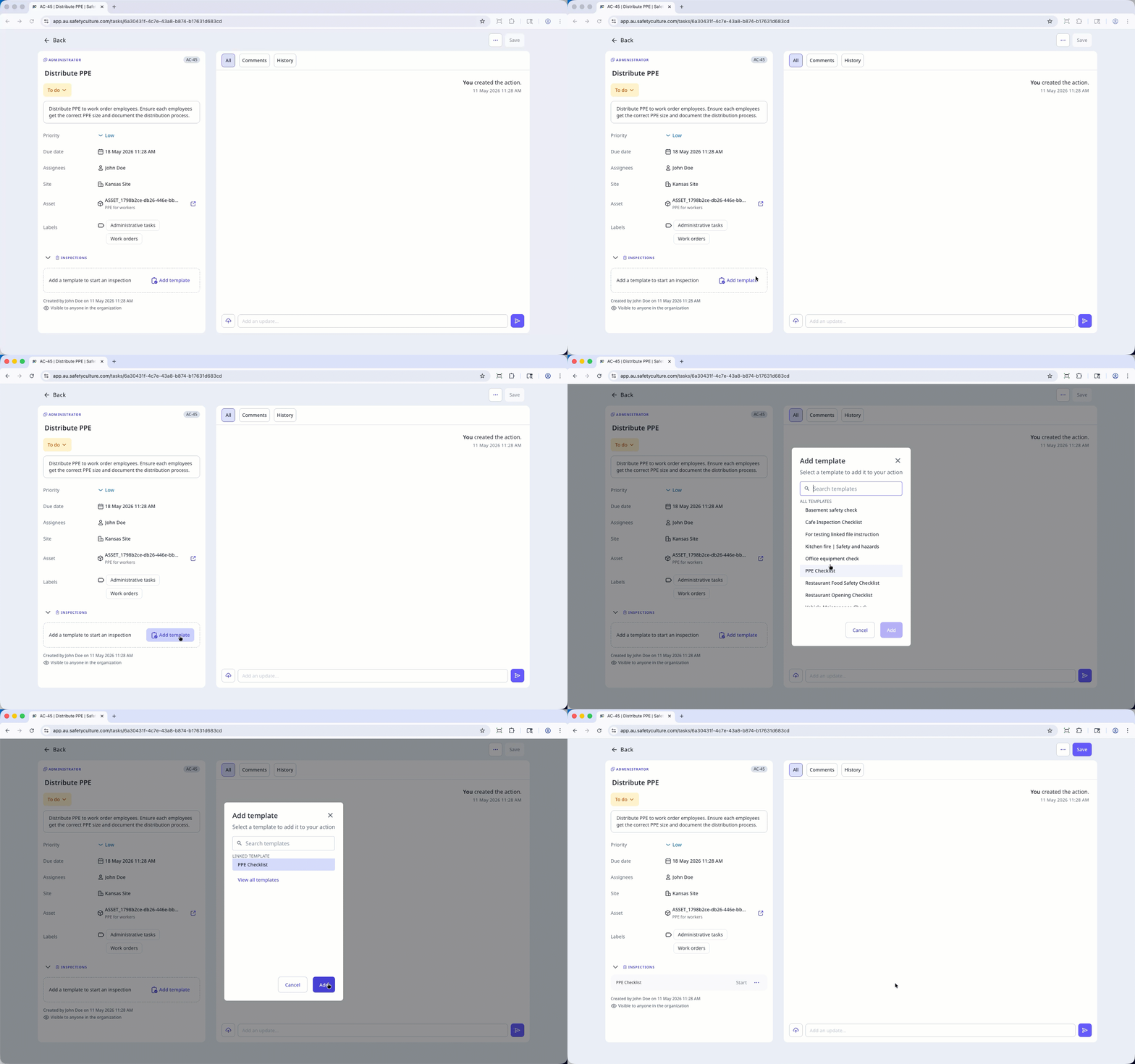
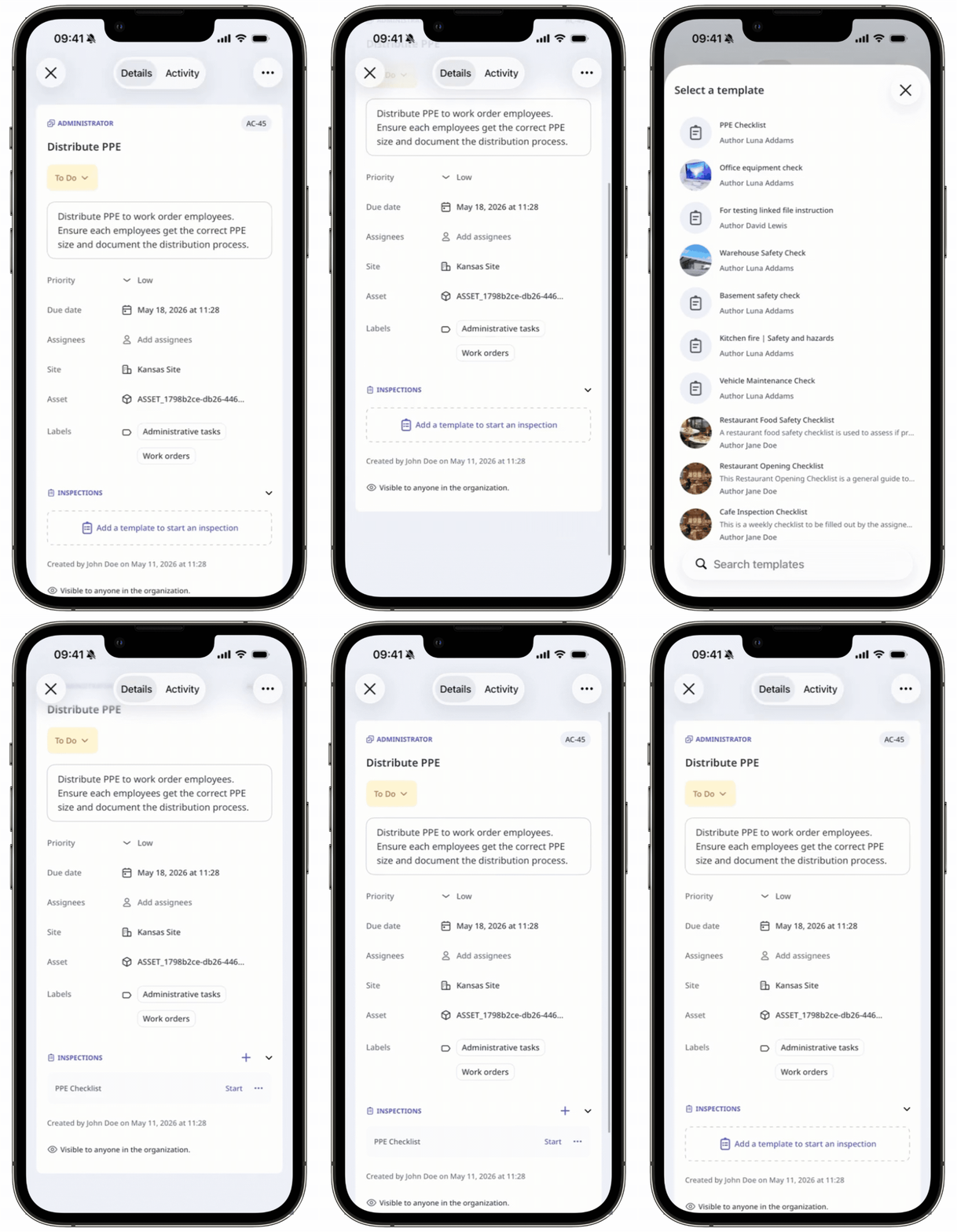
In the Inspections sections, click Add template. If there are templates already, click .
In the pop-up window, select the template and click Add.
To preview or remove the template, click and select Preview or
 Remove.
Click Create if you are adding a template to a new action, or Save if you are adding a template to an existing action.