
What you'll need
Want to track your organization's asset usage? Capture asset readings manually via inspections or automatically via telematics.
The odometer units shown in the utilization charts and CSV are dependent on the distance metric you have set.
Download asset readings as CSV
Select Assets in the sidebar or select it in More.
You can choose how you want to view your assets by selecting between Table, Gallery, and Map on the upper-right of the page.
Select an asset.
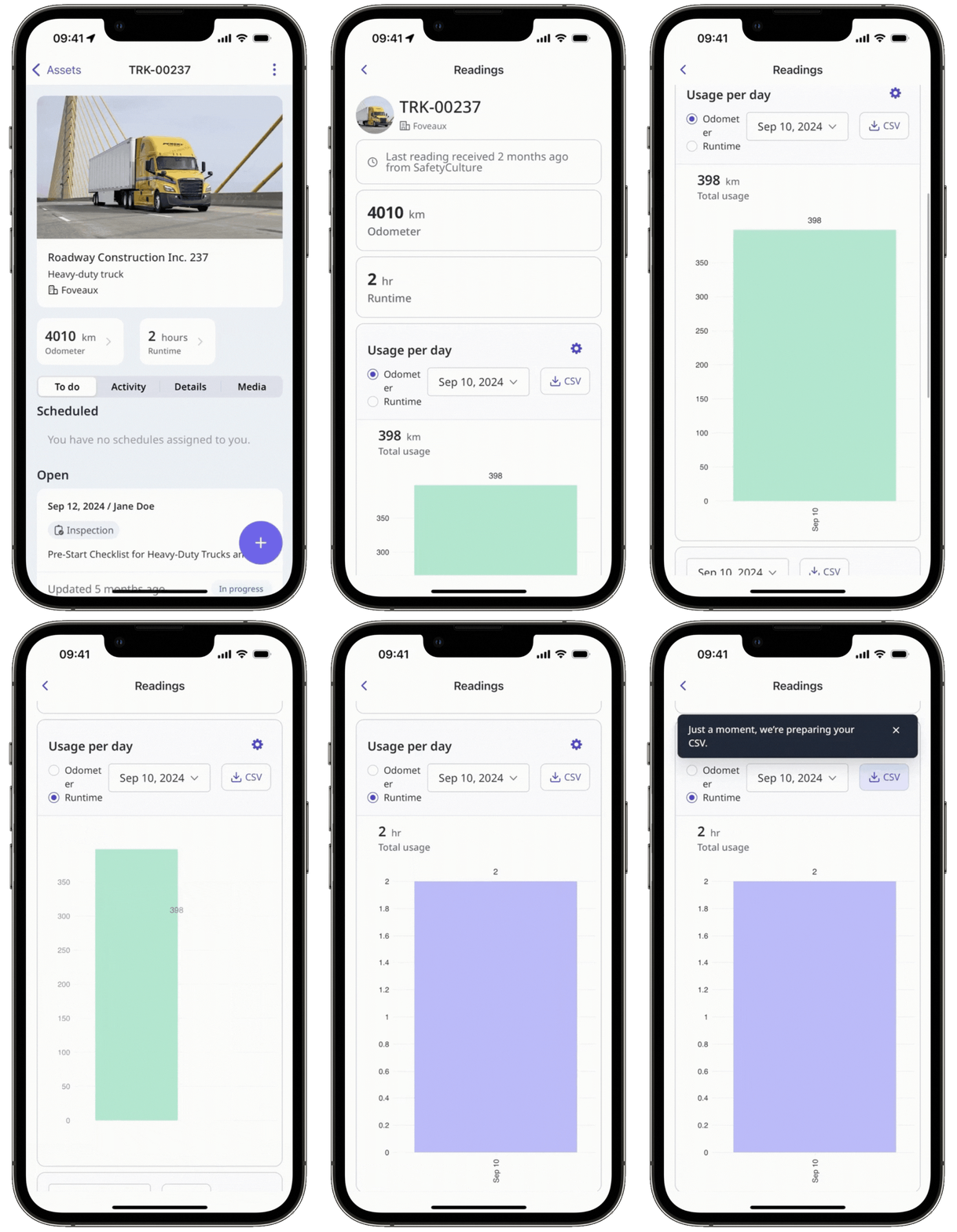
In the asset profile, you'll find the latest readings below the asset details. Click any of the readings.
On this page, you can view the following readings:
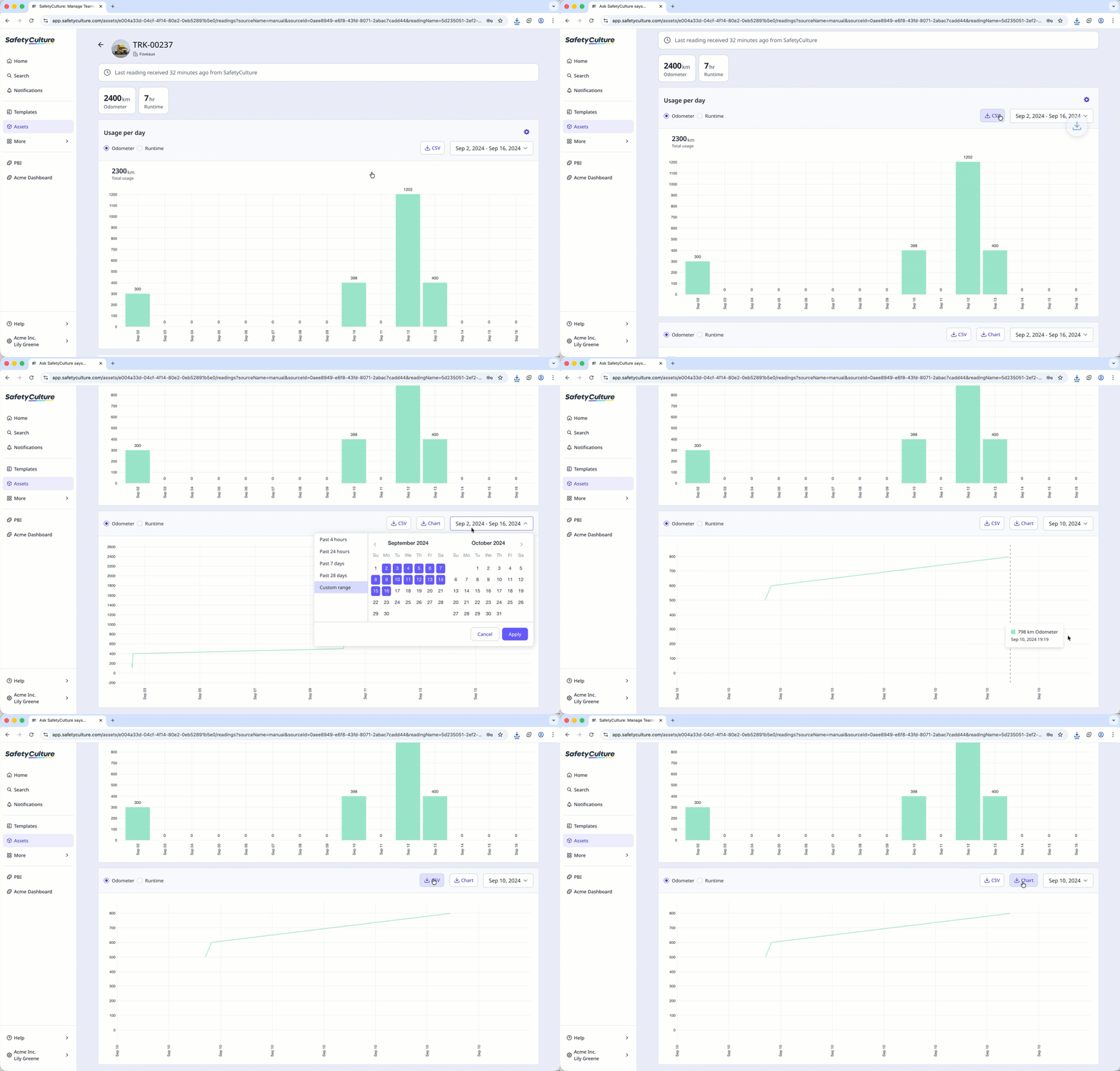
The latest readings are shown above the bar chart.
The bar chart shows individual readings captured during the day in the specified date range.
The line chart shows asset usage trends over time.
Select a reading above any of the charts.
Click the dropdown menu above any of the charts to select the date range to filter the data you want to view and download.
Click CSV.
CSV column headers
Readings from inspections
Depending on the asset readings collected via inspections, some columns may not be shown.
Column header | Description |
|---|---|
DeviceId | The unique identifier automatically generated for the virtual sensor used to store captured readings via inspections. |
ReadingTime | The time of an asset's reading in a selected time zone. |
Odometer (km) | The total distance covered by an asset in kilometers from a specific reading time. |
Odometer (mi) | The total distance covered by an asset in miles from a specific reading time. |
Runtime (hr) | The total hours the asset was used in hours from a specific reading time. |
Runtime (min) | The total hours the asset was used in hours from a specific reading time. |
Readings from telematics
Depending on the asset readings collected via telematics, some columns may not be shown.
Column header | Description |
|---|---|
DeviceId | The unique identifier of the sensor device used to capture the reading. |
ReadingTime | The time of an asset's reading in a selected time zone. |
Odometer (km) | The total distance covered by an asset in kilometers from a specific reading time. |
Odometer (mi) | The total distance covered by an asset in miles from a specific reading time. |
RunningTime (hours) | The total hours the asset was used in hours from a specific reading time via telematics. |
Latitude | The latitude GPS coordinate of an asset. |
Longitude | The longitude GPS coordinate of an asset. |
Temperature (C) | A temperature reading in Celsius. |
Temperature (F) | A temperature reading in Fahrenheit. |


