
What are course discussions?
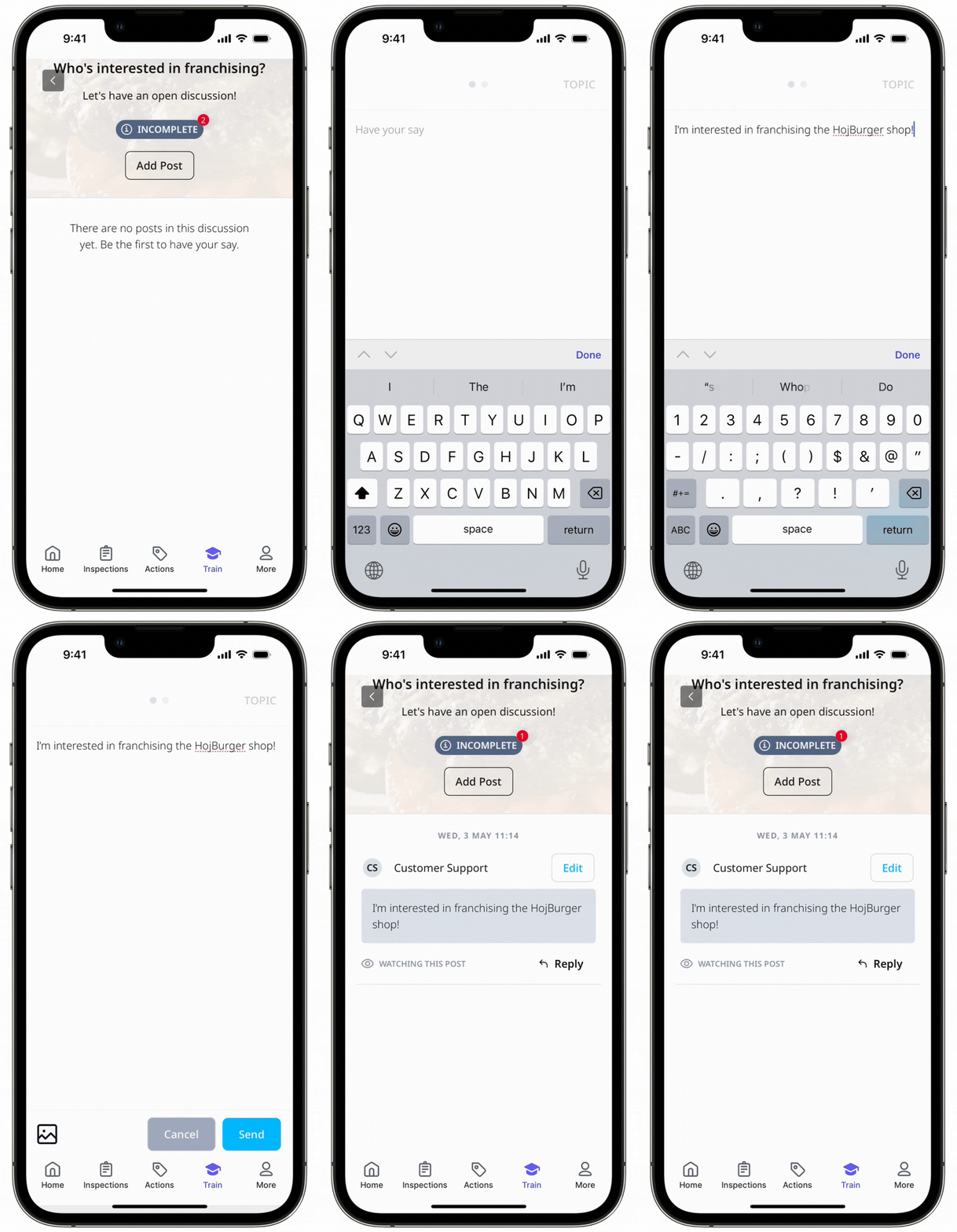
Course discussions are a "forum" style space where your team members can exchange ideas, knowledge, and thoughts with their peers and administrators. In a discussion, you can post a question or topic related to the lesson and start an open discussion amongst your team members.
Users assigned to the course can post their ideas through posts, comment on others' posts, and reply to comments. Administrators can also oversee and moderate the discussion by editing and deleting comments as needed.
What you'll need
If you have "Training: Administration" permission, you can manage course discussions in your organization.
Create a discussion lesson
Select Training in the sidebar or select it in More.
If you're on the "Learn" page, click Content at the top of the page and select Courses.
Create a new course or click View or Edit on an existing one.
If you're editing an existing course and it's published, click Edit on the upper-right of the page.
Click on the upper-left and select Discussion.
On the side panel, configure your discussion:
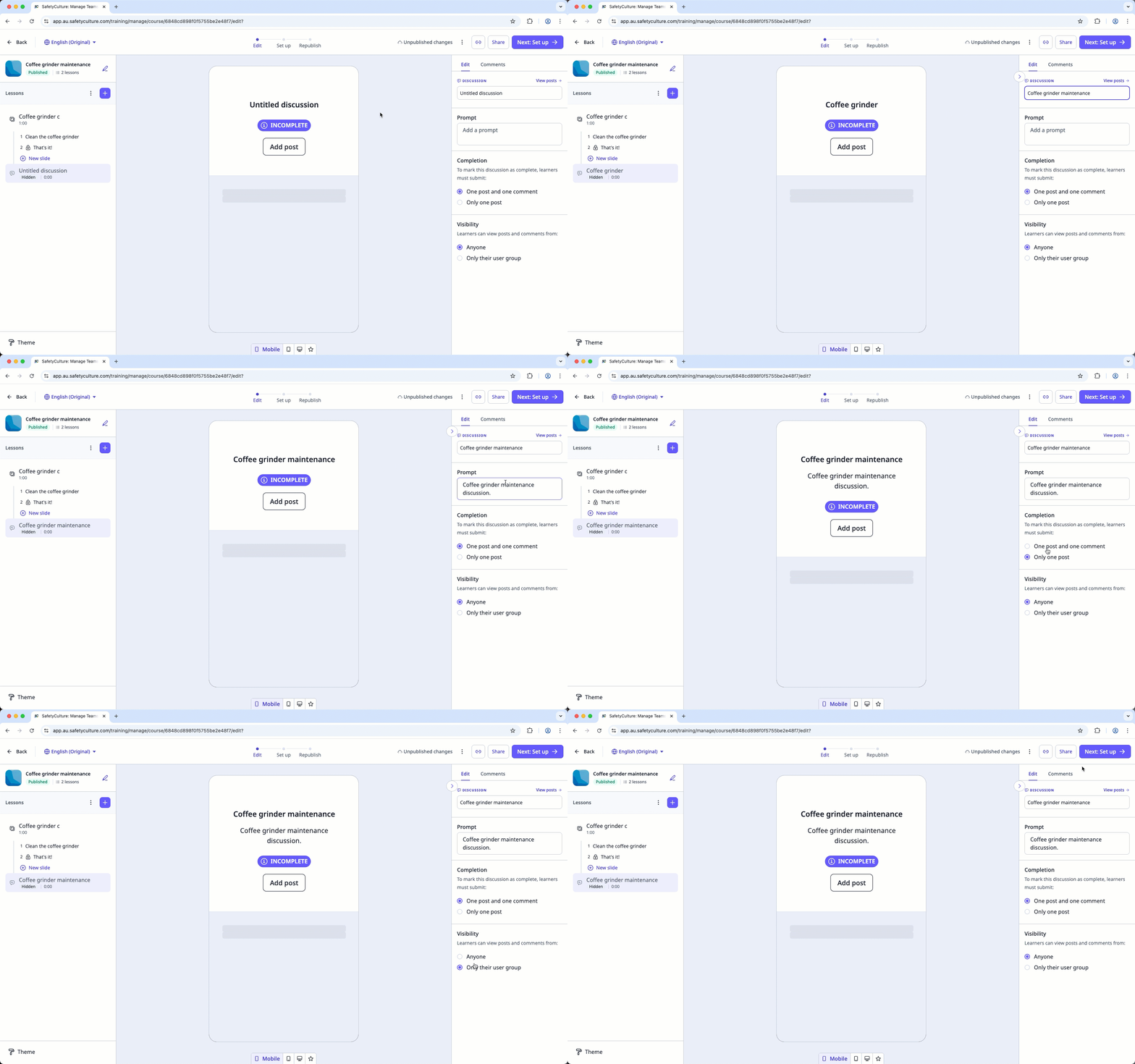
Discussion: The title of the discussion.
Prompt: The topic or question for the discussion.
Completion: Set how the discussion can be marked as completed for learners by choosing between "One post and one comment" or "Only one post".
Visibility: Set which posts and comments are visible to learners by choosing between "Anyone" or "Only their user group".
Changes are saved automatically.
If your course is currently a draft, remember to publish it to make your changes available to your team.


