
What are course discussions?
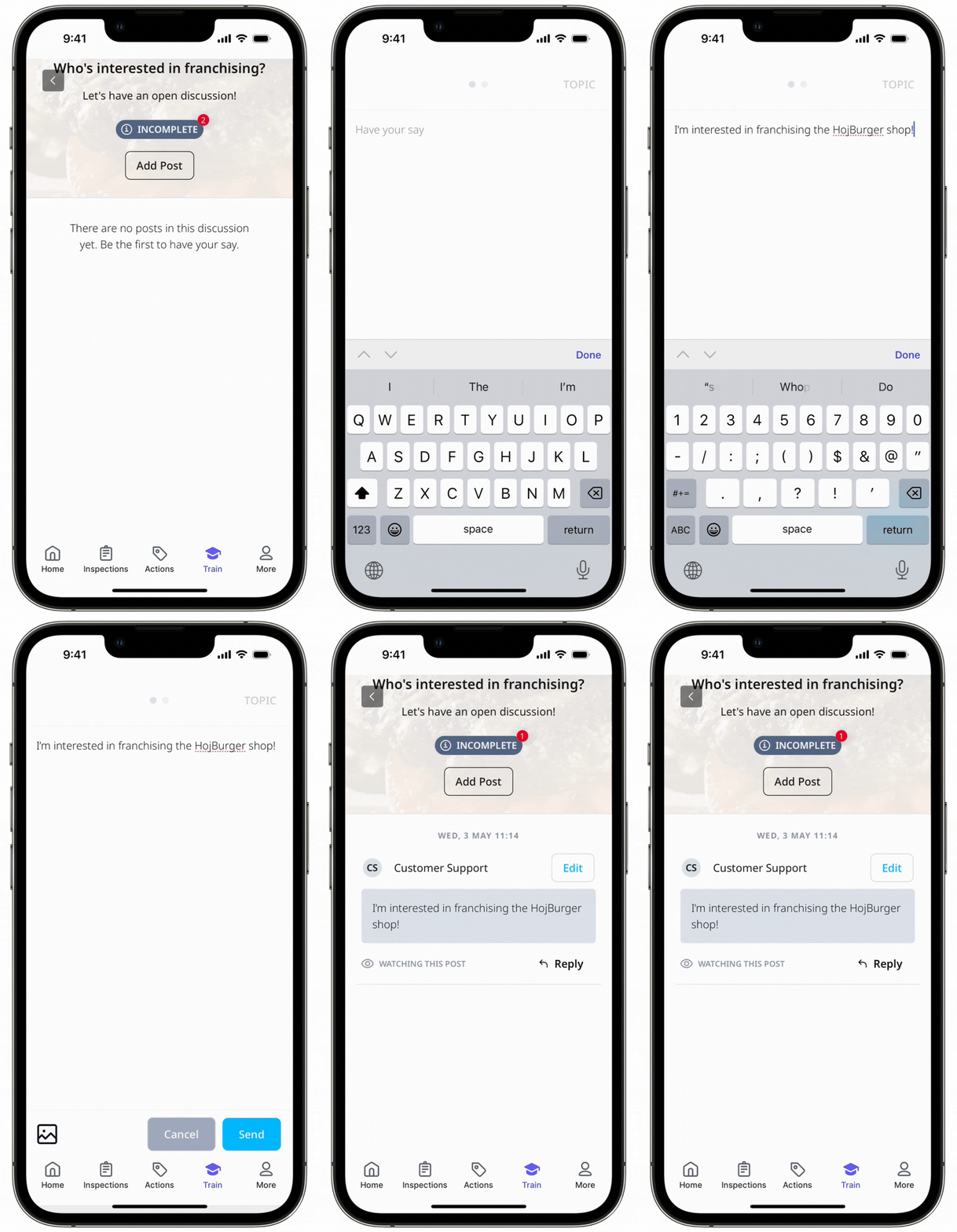
Course discussions are a "forum" style space where your team members can exchange ideas, knowledge, and thoughts with their peers and administrators. In a discussion, you can post a question or topic related to the lesson and start an open discussion amongst your team members.
Users assigned to the course can post their ideas through posts, comment on others' posts, and reply to comments. Administrators can also oversee and moderate the discussion by editing and deleting comments as needed.
What you'll need
Manage a course discussion
Select Training in the sidebar or select it in More.
If you're on the "Learn" page, click Facilitate at the top of the page and select Discussions.
Click View Discussion next to the discussion you want to manage.
On this page, you can delete or reply to posts and delete or edit comments.
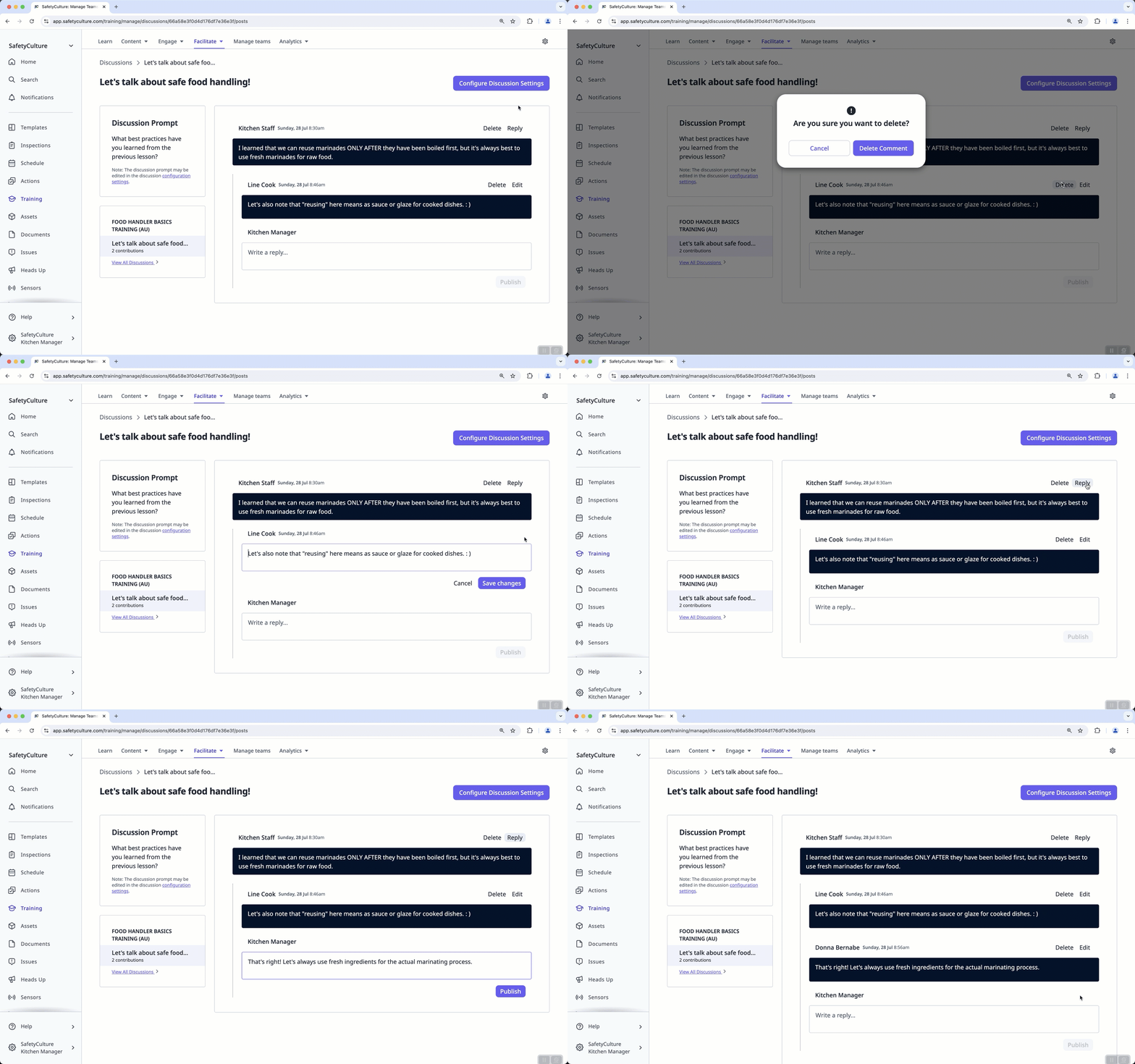
Click Configure Discussion Settings if you wish to edit the discussion prompt.


