
What are file versions?
File versions are different copies of a file you upload over time. Each time you upload a new version of a file, the previous ones are saved, so you can easily reference the old file if needed. This makes it easy to track earlier versions and compare files. If you upload a new version by mistake or need to recover something from an older one, you can quickly switch back and pick up where you left off.
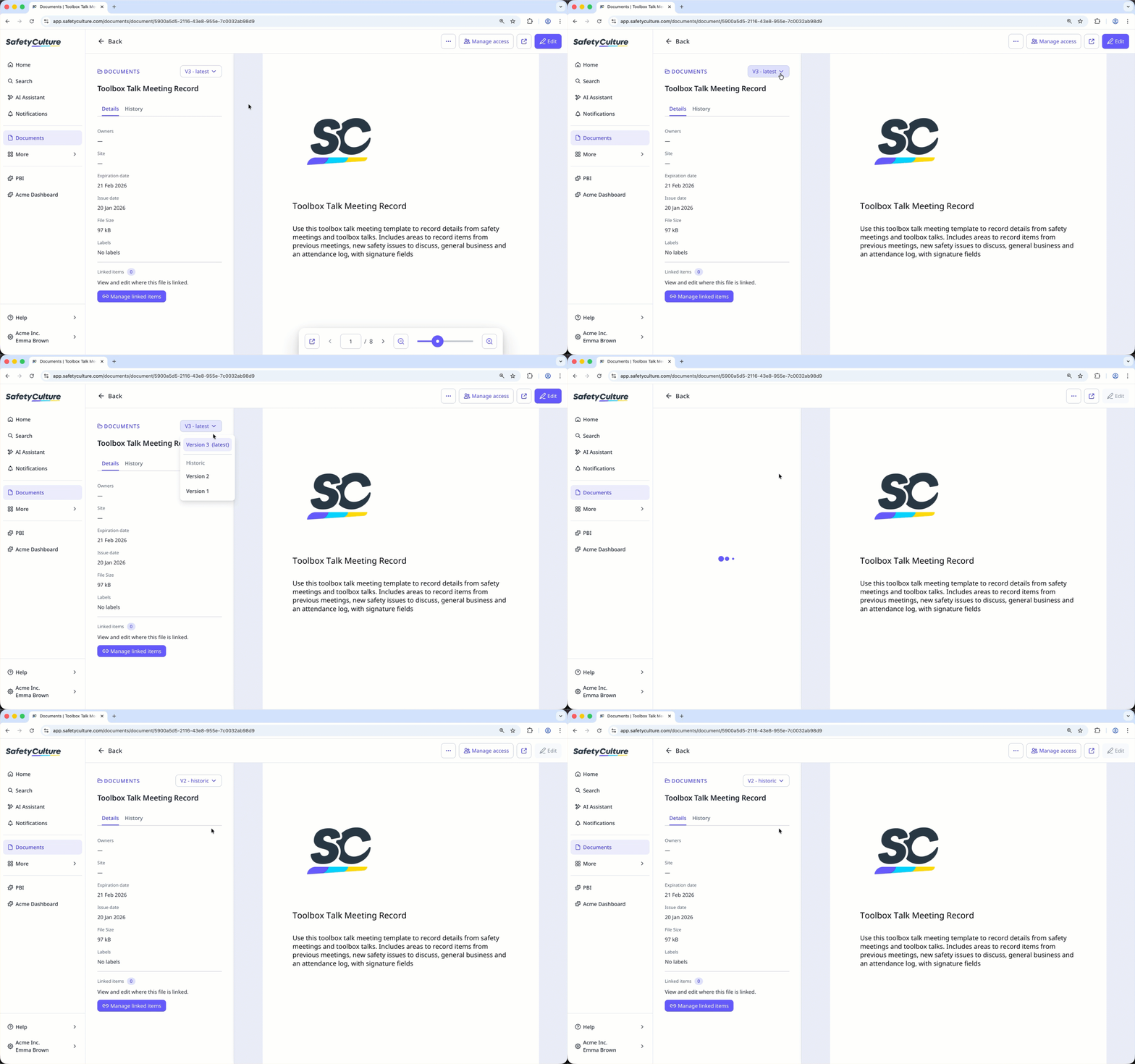
You can view earlier versions of the file, but they cannot be restored or replaced by the latest version. To restore an older version, archive the latest one first, then upload the previous file again.
View a file's version
Select Documents in the sidebar or select it in More.
Select a file.
Click latest on the left-hand side of the page and select the version you want to view.
You can create a Heads Up directly from recently uploaded file versions to quickly notify your team about important changes.


