What are issue categories?
Issue categories allow you to manage who can report incidents in your organization, arrange information that's included in the initial report, and edit the contents and recipients of your issue notifications. You can also use categories to set up Critical Alerts for high-priority issues to ensure that users receive notifications even when their devices are on mute or in "Do not Disturb" mode. Plus, with issue categories, you can suggest templates for more detailed analyses of specific issues.
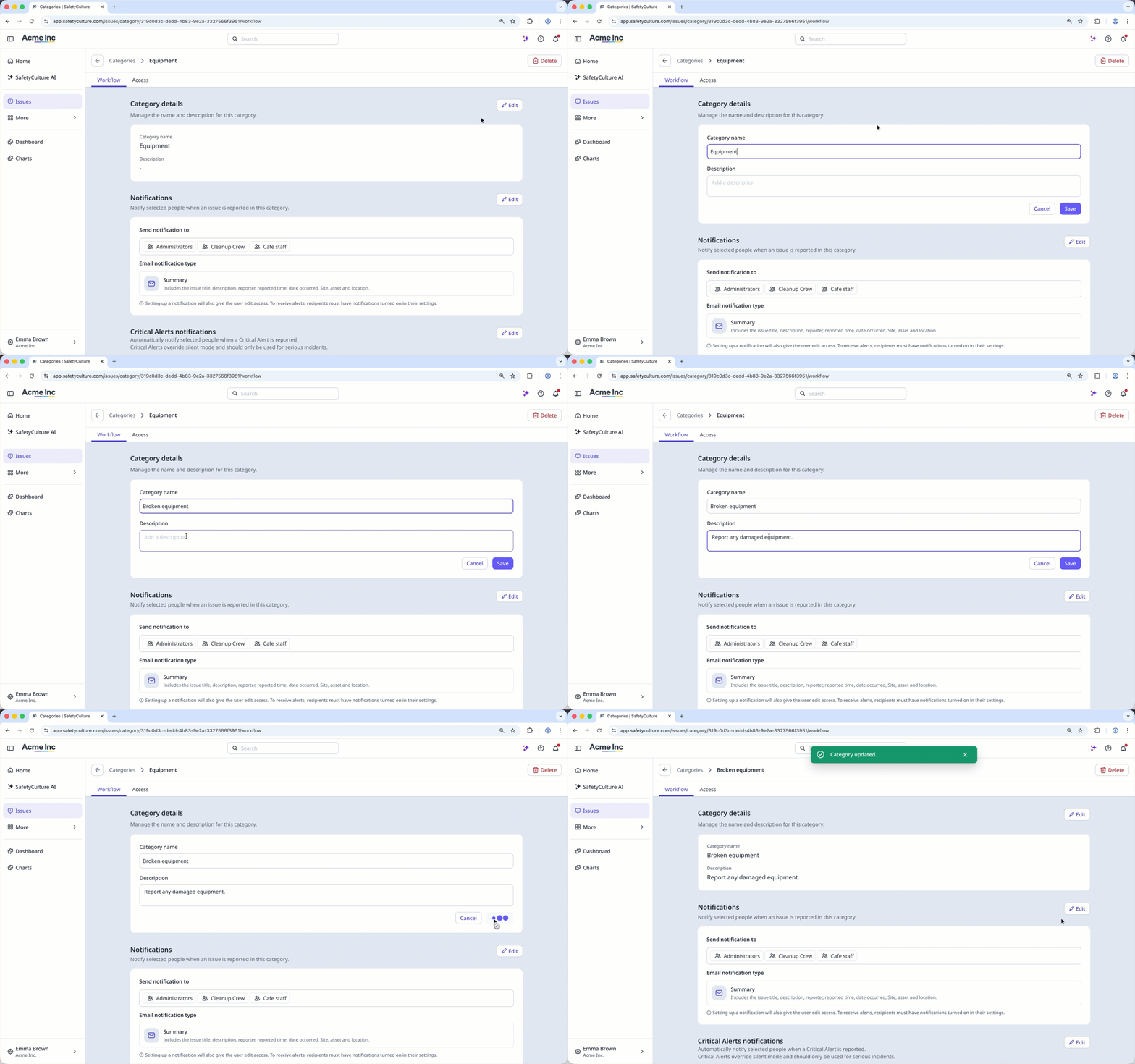
Changes to issue category names will also apply to existing issues reported under that category.
Edit an issue category name
Select Issues in the sidebar or select it in More.
Select Categories at the top of the page.
Click on the right-hand side of the category, and select Edit.
Click Edit on the right-hand side of the “Category details” section, and enter the new category name.
Click Save.