What you'll need
Bulk editing options
In the Template Editor, you have the following options to bulk edit selected questions:
Add logic fields to questions that have flagged responses to require action, notes, or media.
Once you leave the Template Editor or refresh the page, you can't reverse or undo any bulk edits unless you revert to the last published version of the template, where the edits haven't been applied.
Bulk edit questions in a template
Select Templates in the sidebar or select it in More.
Click a template and select Edit template in the side panel.
Click and drag your cursor over the questions you want to bulk edit, then click at the bottom of the page.
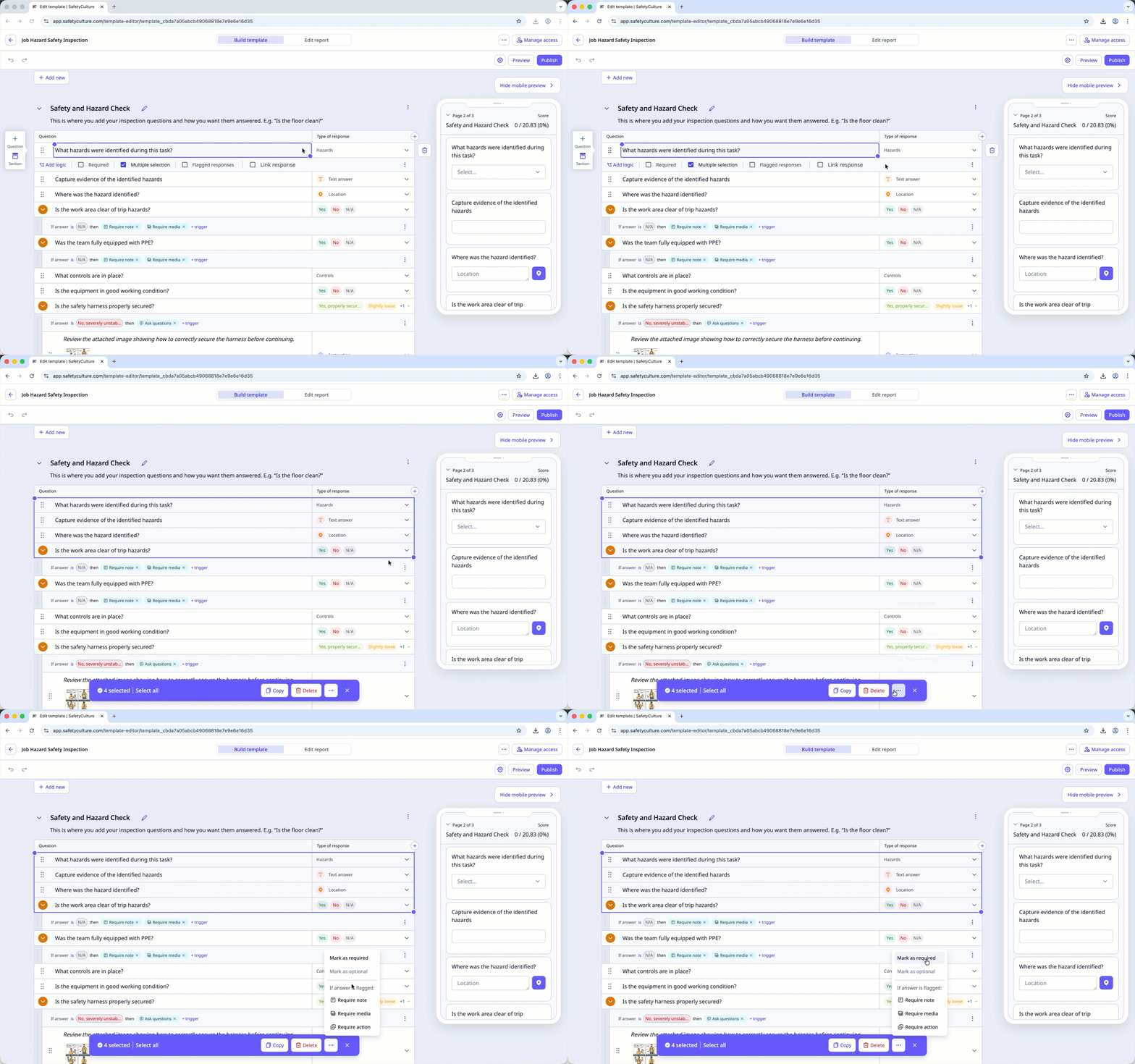
In the pop-up window, select the bulk edit you want to make.
Click Publish on the upper-right of the page to publish the template. If you're not ready to publish the template, you can go back to the templates list and come back when you're ready.
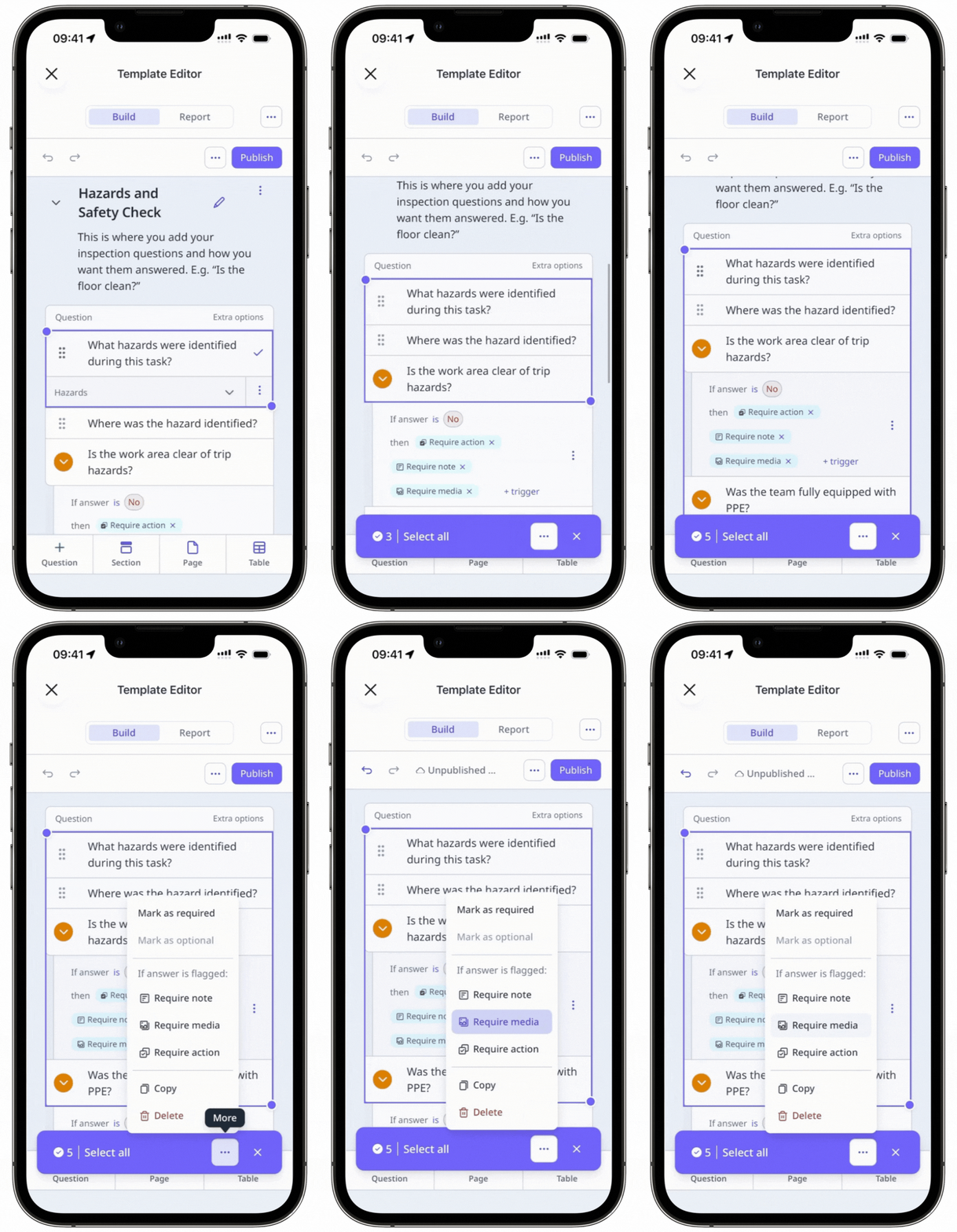
Published changes made to templates only apply to new inspections moving forward.