Que sont les alertes Code Rouge ?
Code Rouge est un outil d'alerte d'urgence dans Travailleur isolé qui permet aux responsables de contacter instantanément les travailleurs isolés en cas de crise. Lorsqu'une urgence touche plusieurs employés, les responsables ont besoin d'un moyen rapide pour joindre tout le monde en même temps et confirmer leur statut.
Les responsables peuvent créer une alerte, sélectionner les destinataires à avertir en fonction de leur position, groupe ou site, puis l'envoyer simultanément par notification push, SMS et appel automatisé. Les employés peuvent alors répondre d’un simple clic pour confirmer qu’ils sont en sécurité ou qu’ils ont besoin d’aide, et les responsables voient ces réponses en temps réel. Code Rouge garantit aux employés qu’ils sont surveillés en toute sécurité tout en offrant aux responsables un moyen clair d’agir immédiatement.
Ce dont vous aurez besoin
Créer et envoyer une alerte
Select Travailleur isolé in the sidebar or select it in Plus.
Click Code Rouge at the top of the page.
Click Créer un nouveau.
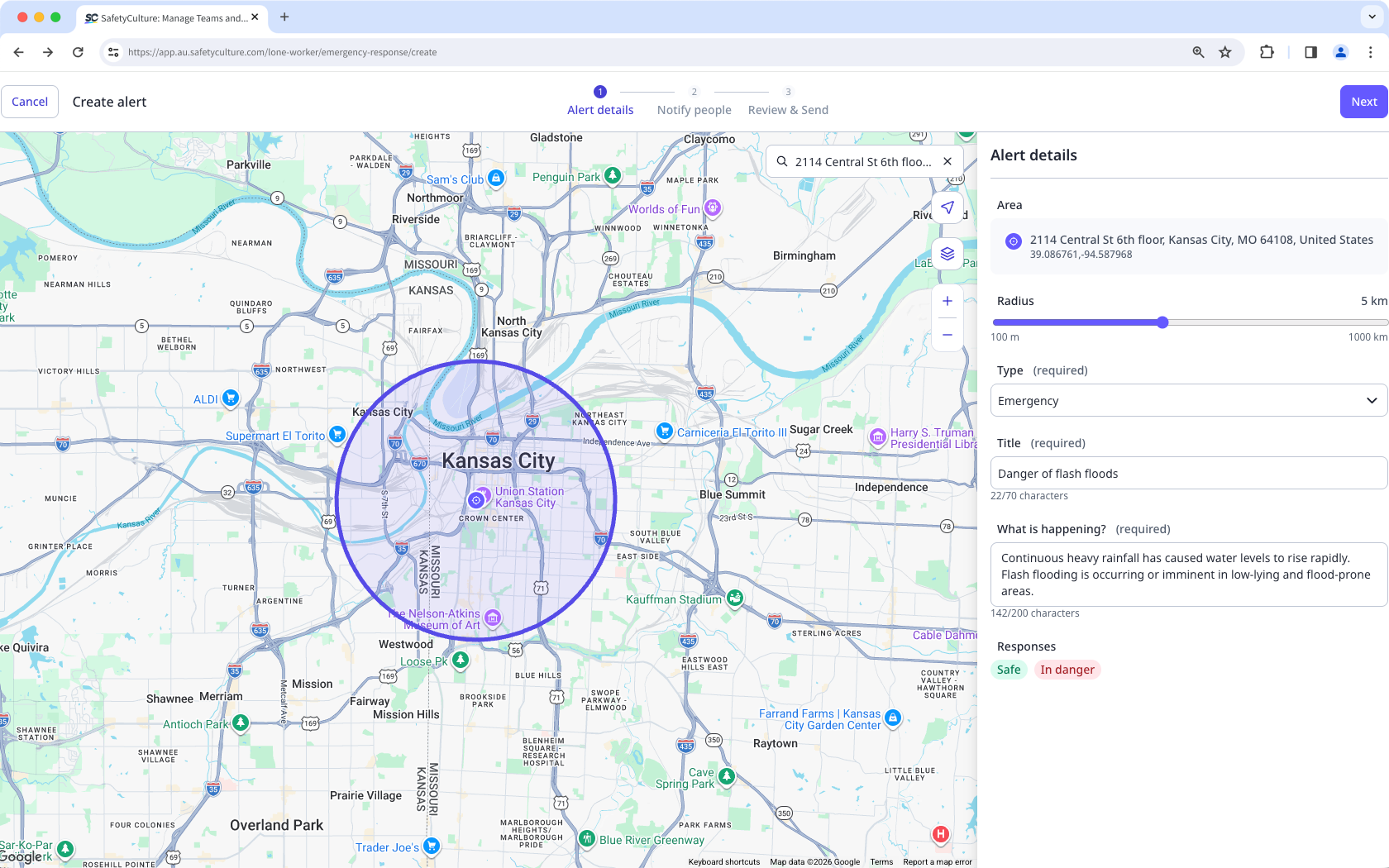
In Alert details, configure the following:
Area: Click the location on the map or search for an address.
Radius: Adjust the radius from the center to define the alert-covered area.
Type: In the dropdown menu, select the alert type:
Emergency: Select this alert type to ask workers to confirm their safety. Workers respond by tapping I'm safe or In danger.
Notification: Select this alert type to share information that workers need to acknowledge. Workers respond by tapping Reçu.
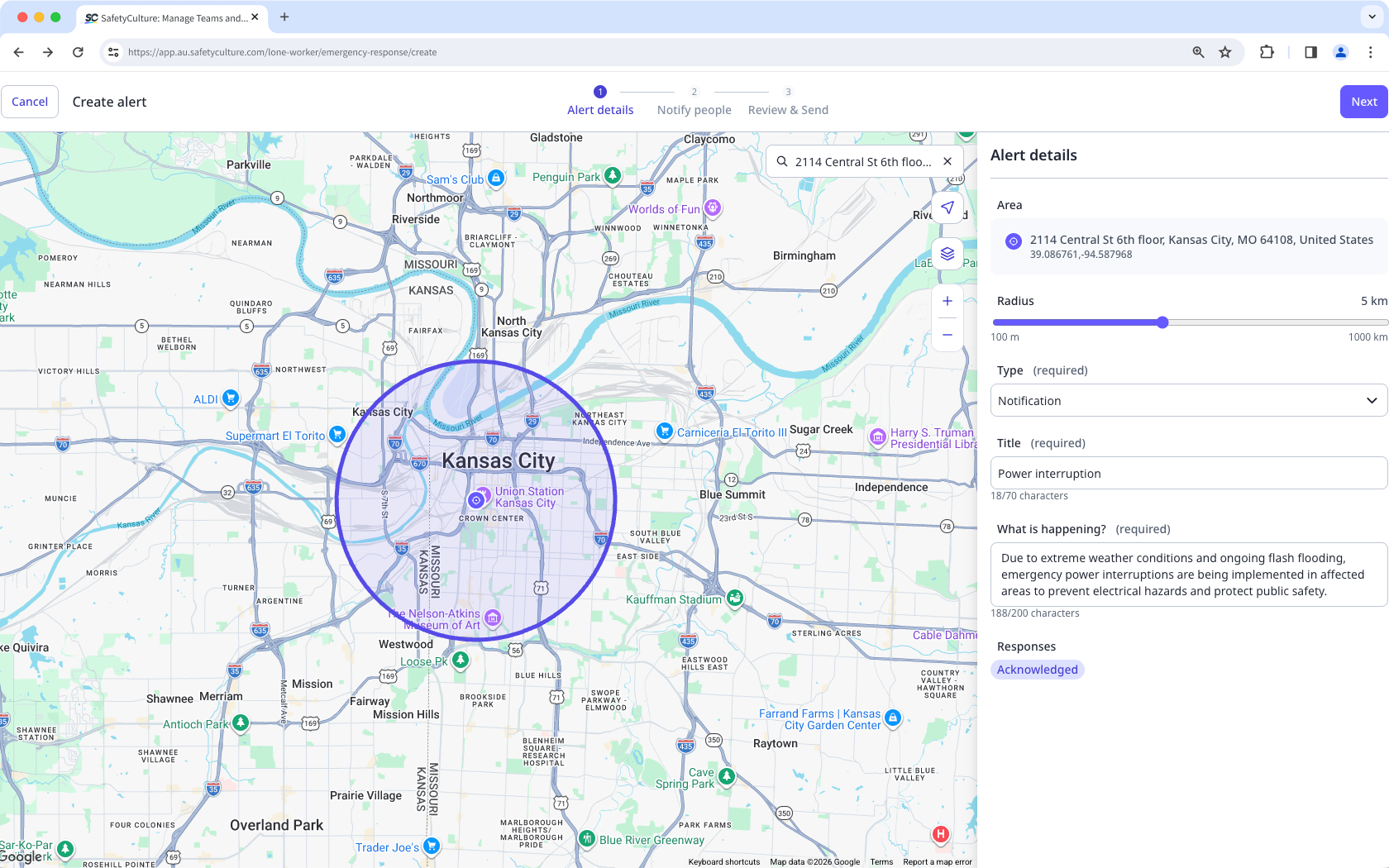
Title: Enter the title of your alert.
What's happening?: Add detailed information on the reason for the alert.
Responses: Default responses are set when you select the alert type.
Click Suivant on the upper-right of the page.
In Notifier des personnes, select Intérieur or Extérieur the location radius or those with Activer work. Alternatively, you can select workers according to their group or site.
Select the individual users.
Click Suivant on the upper-right of the page.
In Review & Send, review the details and the message of your alert.
Select the channels to notify.
Click Send alert on the upper-right of the page.
Les options de réponse Code Rouge pour les travailleurs sont définies par type d'alerte. Les alertes d'urgence utilisent I'm safe et In danger. Les alertes de notification utilisent Reçu.
Renvoyer une alerte
Select Travailleur isolé in the sidebar or select it in Plus.
Click Code Rouge at the top of the page.
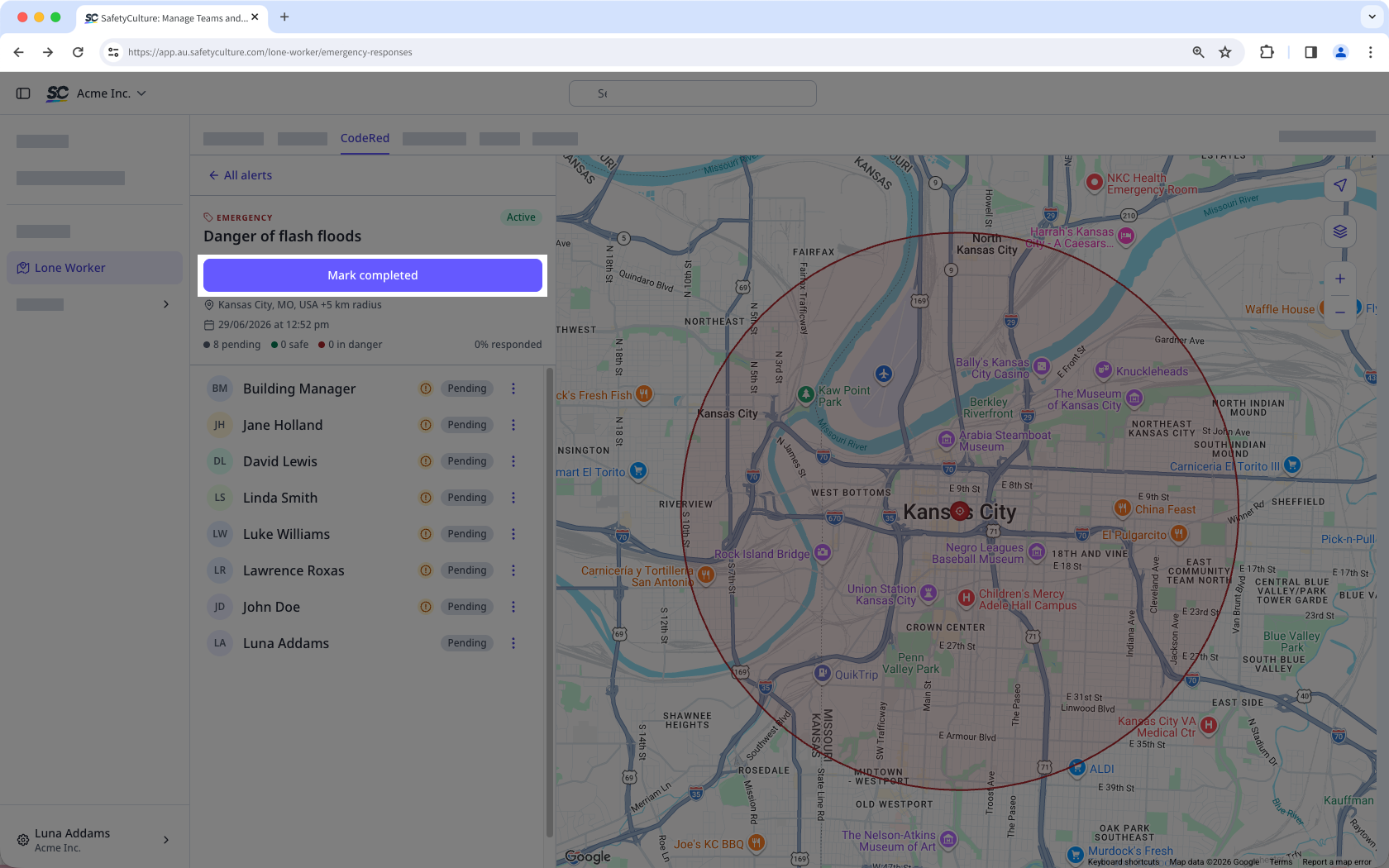
Select the active alert you want to resend.
Click on the right-hand side of the user's name and select the channels to notify.
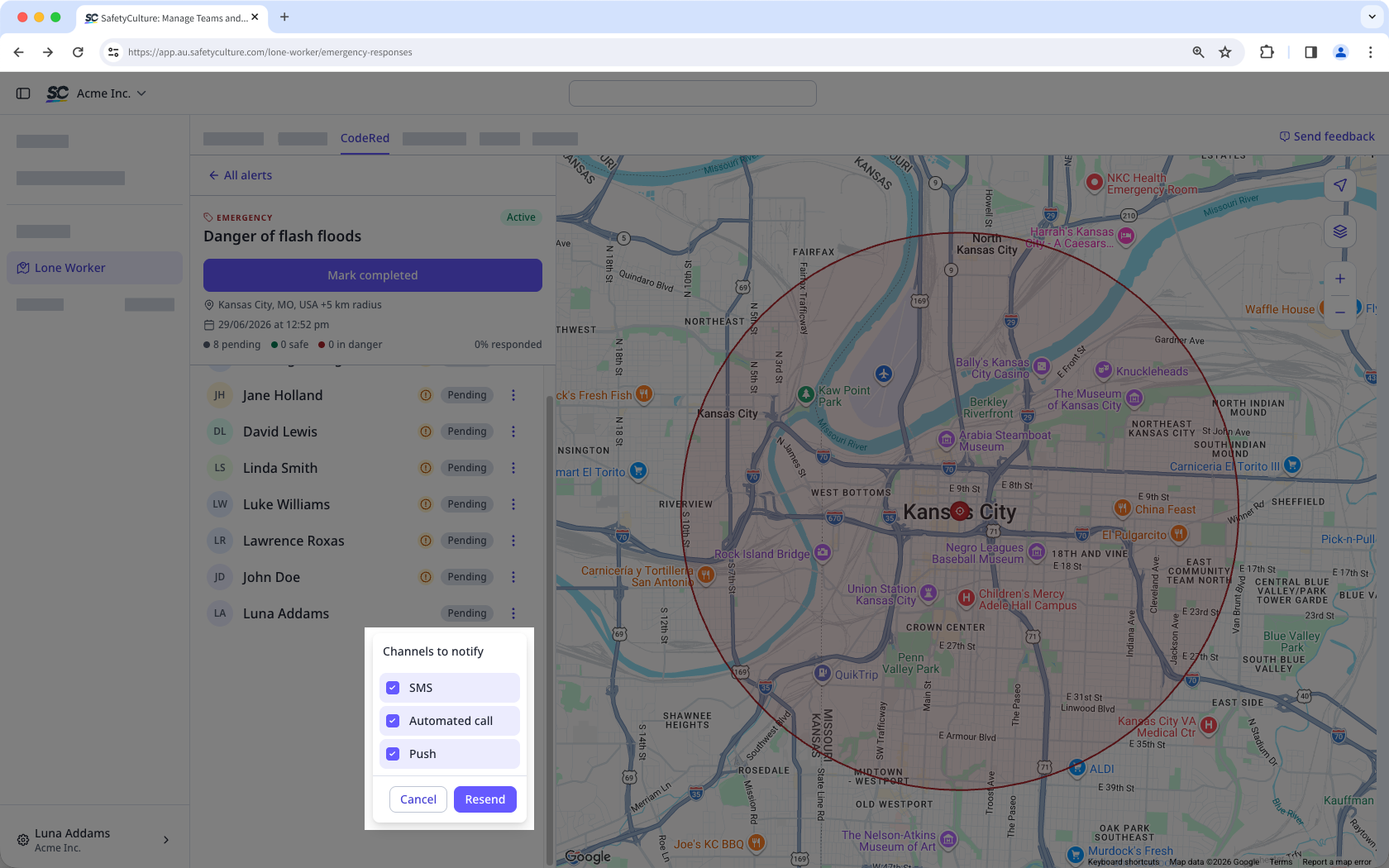
Click Resend.
Complete an alert
Select Travailleur isolé in the sidebar or select it in Plus.
Click Code Rouge at the top of the page.
Select the active alert you want to mark as completed.
Click Mark completed.