Ce dont vous aurez besoin
Move a dashboard to a folder
Sélectionnez Données analytiques dans la barre latérale ou sélectionnez-le dans Plus.
Cliquez sur à droite du tableau de bord et sélectionnez
 Déplacer vers le dossier.
Dans la fenêtre pop-up, cliquez sur le menu déroulant « Sélectionner un dossier ».
Sélectionnez le dossier vers lequel vous souhaitez déplacer le tableau de bord ou cliquez sur Créer un dossier pour en créer un nouveau.
Cliquez sur Déplacer ou Créer un dossier.
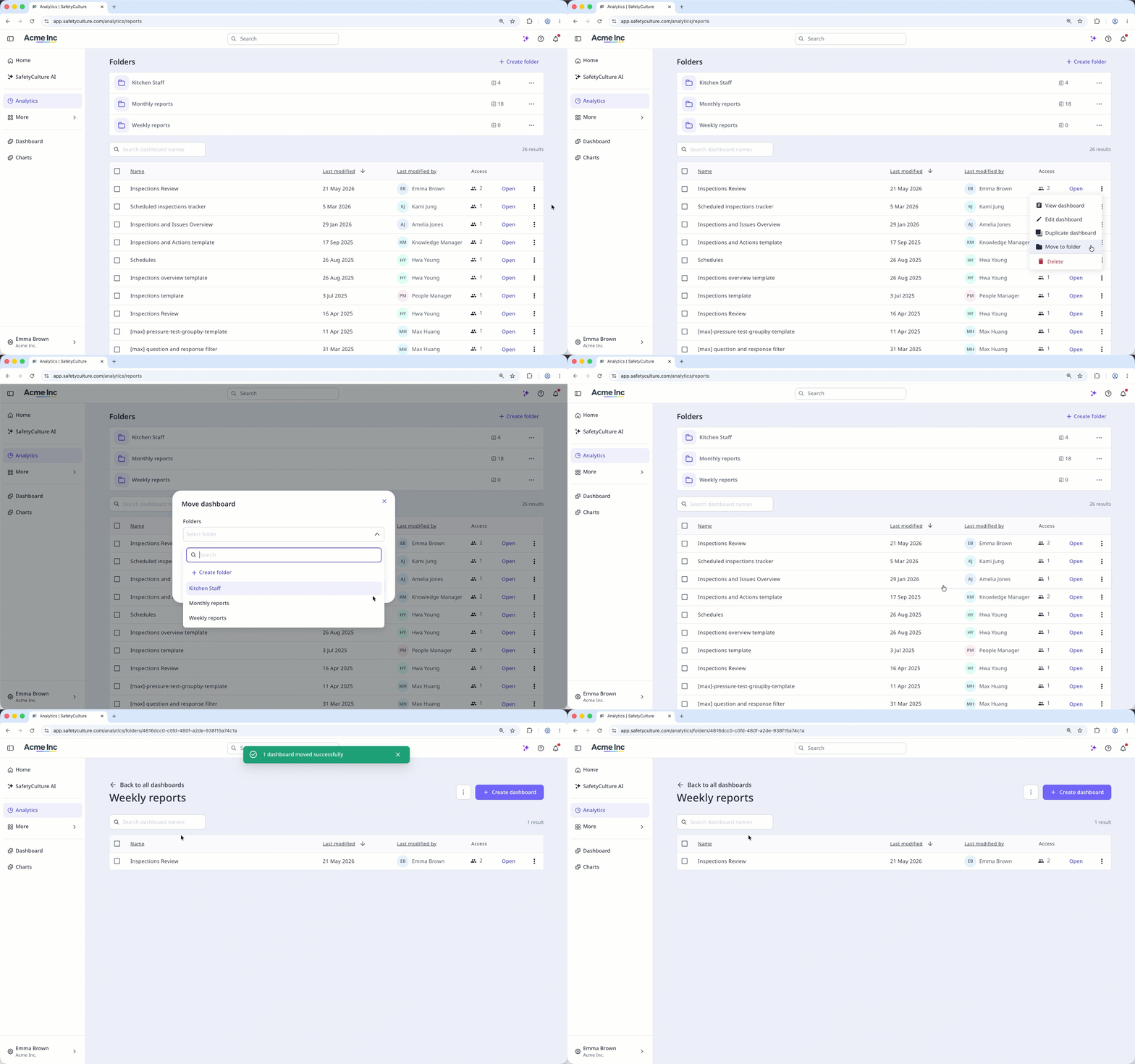
The dashboard stays on the dashboard list after moving it to a folder.
Déplacer des tableaux de bord vers un dossier de façon groupée : Application Web
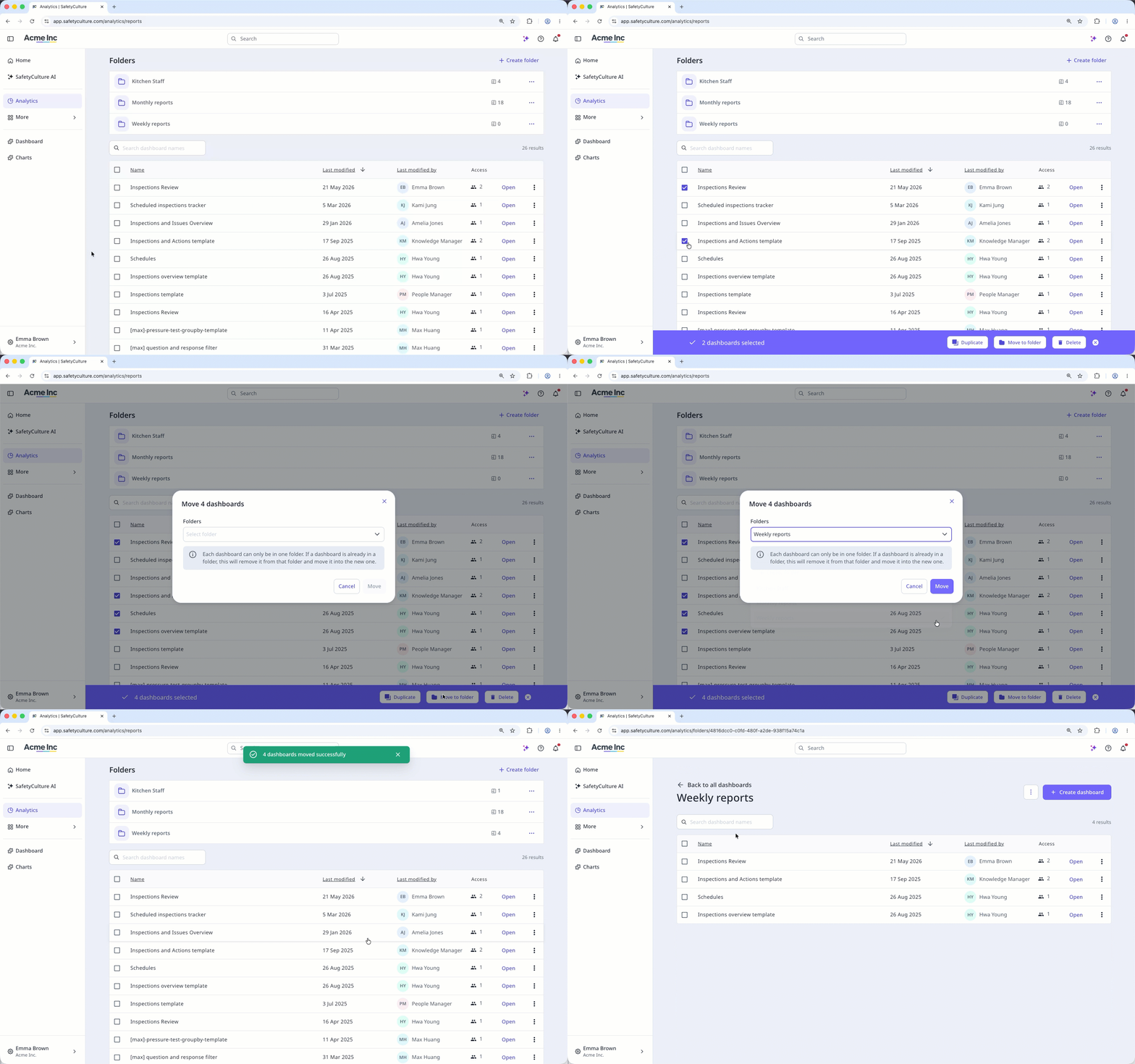
Select Données analytiques in the sidebar or select it in Plus.
Select the dashboards you want to move by checking the box on the left-hand side of each dashboard.
Click
Déplacer vers le dossier at the bottom of the page.In the pop-up window, click the "Select folder" dropdown menu.
Select the folder you want to move the dashboard to or click Créer un dossier to create a new one.
Remove a dashboard from a folder
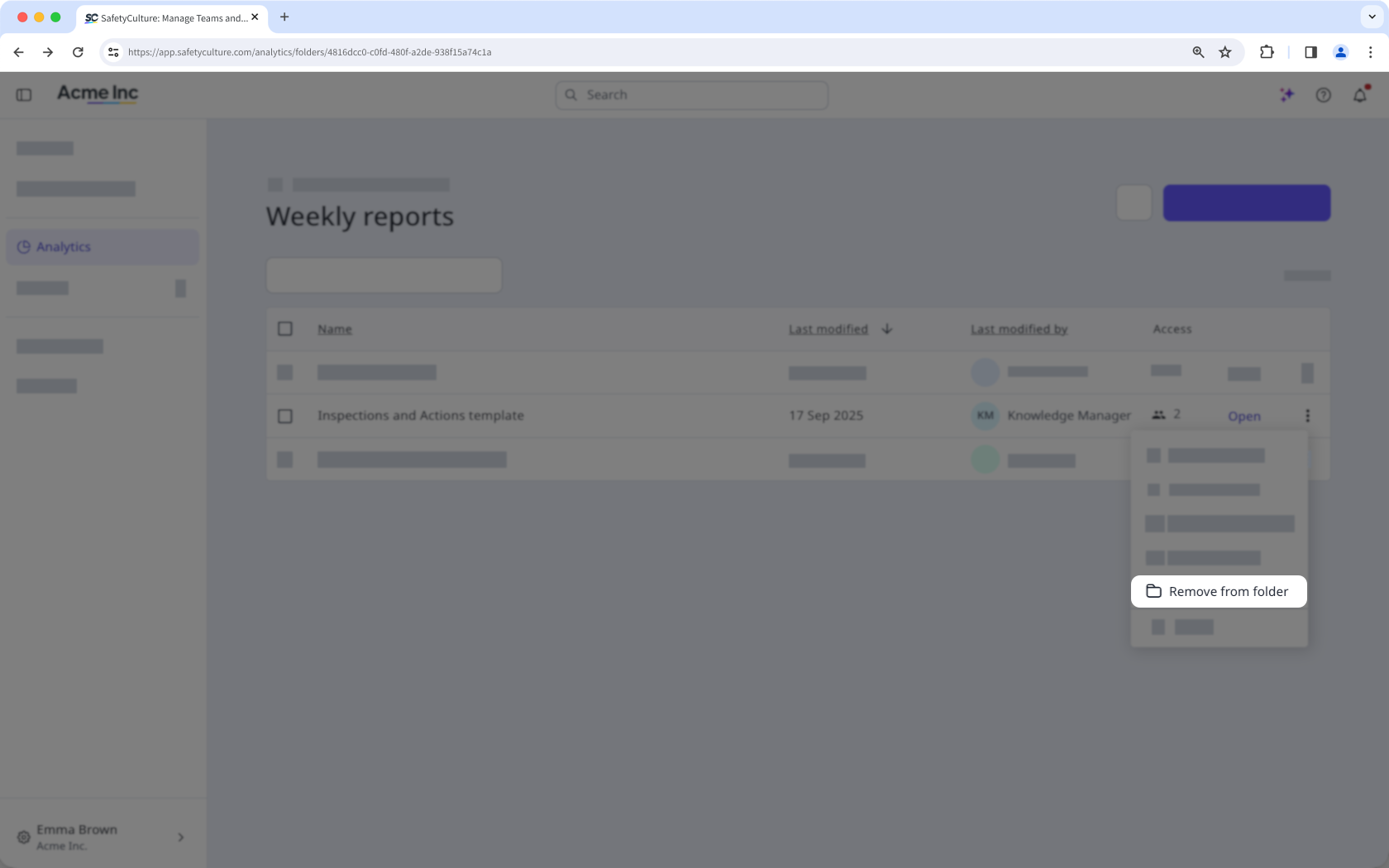
Select Données analytiques in the sidebar or select it in Plus.
Click the folder from the "Folders" section.
Click on the right-hand side of the dashboard and select
 Supprimer du dossier.
If you don't have Autorisation « Données analytiques : Gérer », you can only move dashboards you've created to folders.
Limitations
Each organization can only have up to 200 folders.
Each dashboard can only be in one folder. If a dashboard is already in a folder, moving it to a new one will remove it from its current folder.
Users can only see dashboards they have access to when browsing folders.