¿Qué significa gestionar usuarios en masa mediante CSV o Excel?
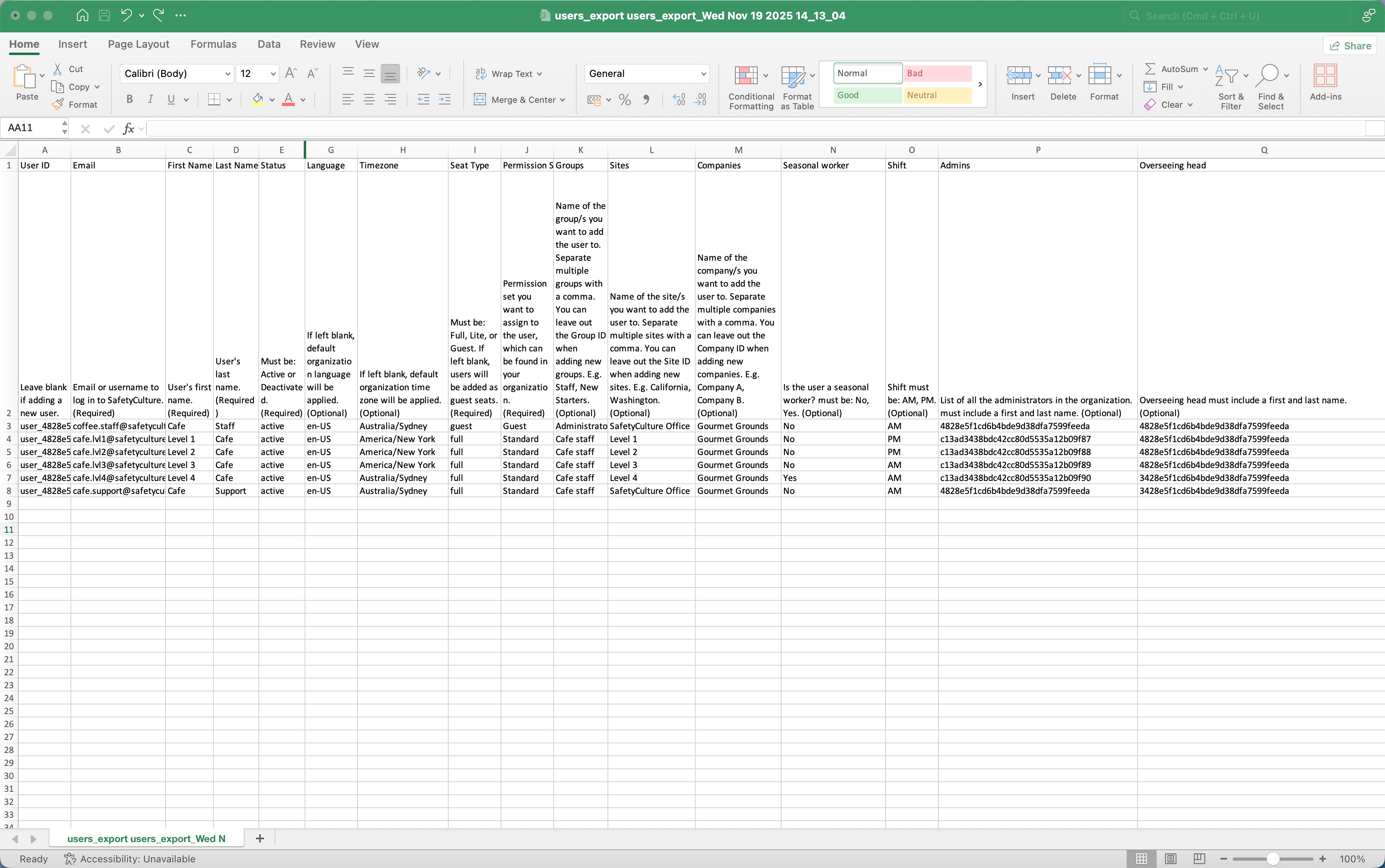
Gestionar usuarios uno a uno puede llevar mucho tiempo, sobre todo cuando trabaja con un equipo grande y muchos datos. Al gestionar usuarios en masa, puede añadir nuevos usuarios y actualizar los existentes de una sola vez, lo que hace que sea fácil mantener actualizados los detalles de los usuarios como tipos de licencias, conjuntos de permisos, sitios (opens in new tab), grupos y campos de usuario utilizando un archivo CSV o Excel. Es una forma sencilla de mantener eficazmente su lista de usuarios y de que su organización funcione sin problemas.
How does bulk user management in SafetyCulture differ from EdApp?
Feature | EdApp | SafetyCulture |
|---|---|---|
CSV functionality | It exports and edits users with fields such as name, username, first name, last name, user groups, roles, password, external ID, and custom fields. | It exports user list to add and update users, including user details such as seat types, permission sets, groups, sites, companies, language, timezone and custom user fields. |
Password handling | Passwords for existing users can be updated via CSV. Leaving the password field blank keeps the learner's current password. | Passwords can only be set for new users being added to the organization. Bulk updating existing users’ passwords is not supported. |
Group and site membership | Admins can choose whether CSV updates to user groups and roles will add to current membership or replace them. | CSV data will overwrite existing group and site membership. |
Delimiters | Values in CSV are separated by a semicolon (;). | Values in CSV are separated by a comma (,). |