Why view actions for maintenance plans?
Viewing actions for maintenance plans gives you a clear overview of all tasks tied to a plan, helping make sure nothing is missed and responsibilities are properly assigned. You can verify task coverage, spot gaps, and confirm that the right work is allocated to the right people.
By reviewing linked actions, you can ensure dependent tasks are completed in the right order. Over time, this visibility helps identify the inefficiencies, reduce duplicated work, and improve how maintenance plans are structured and executed.
What you'll need
View actions for maintenance plans
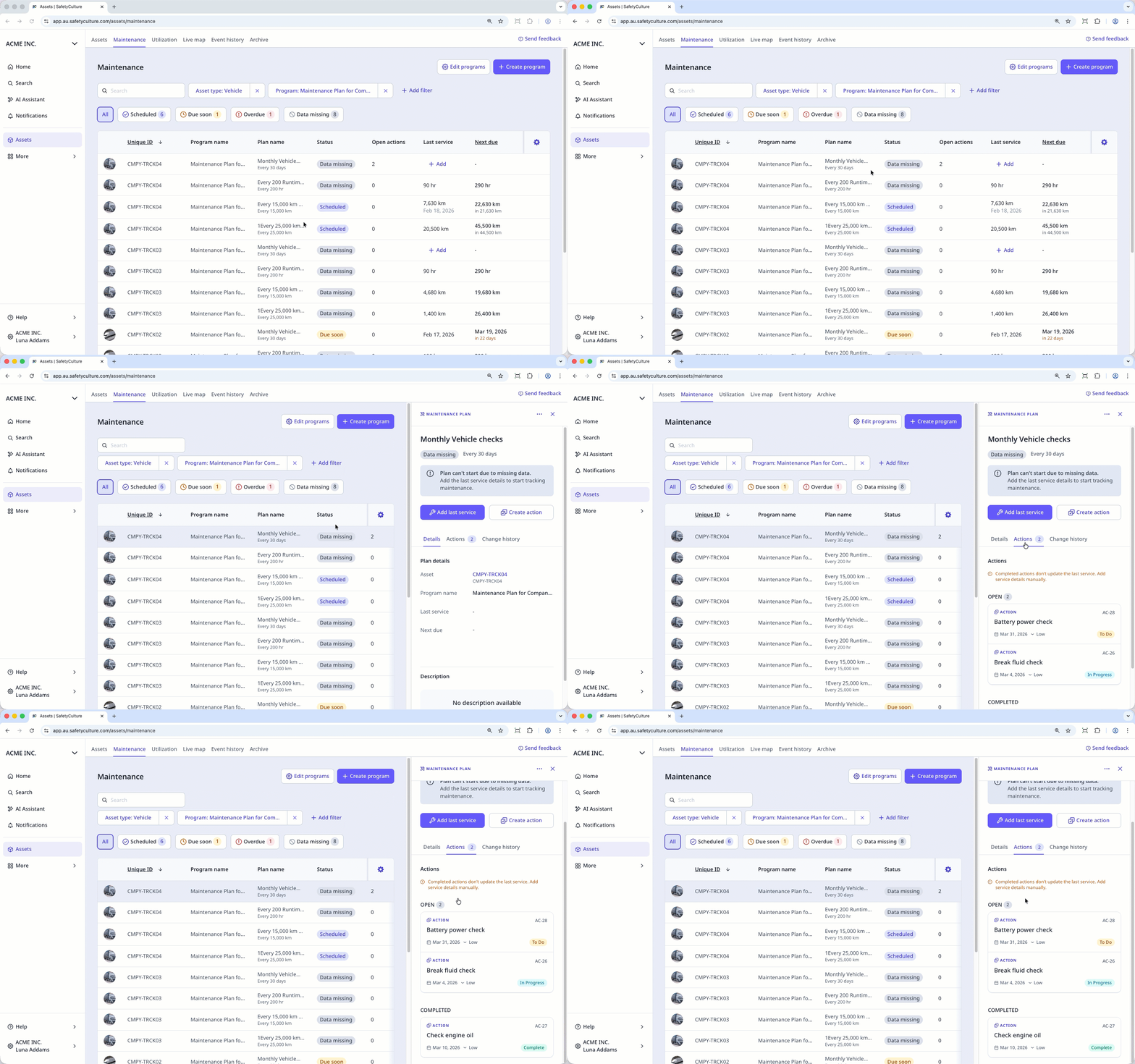
Select Assets in the sidebar or select it in More.
Select Maintenance from the tab at the top of the page.
Select the maintenance plan.
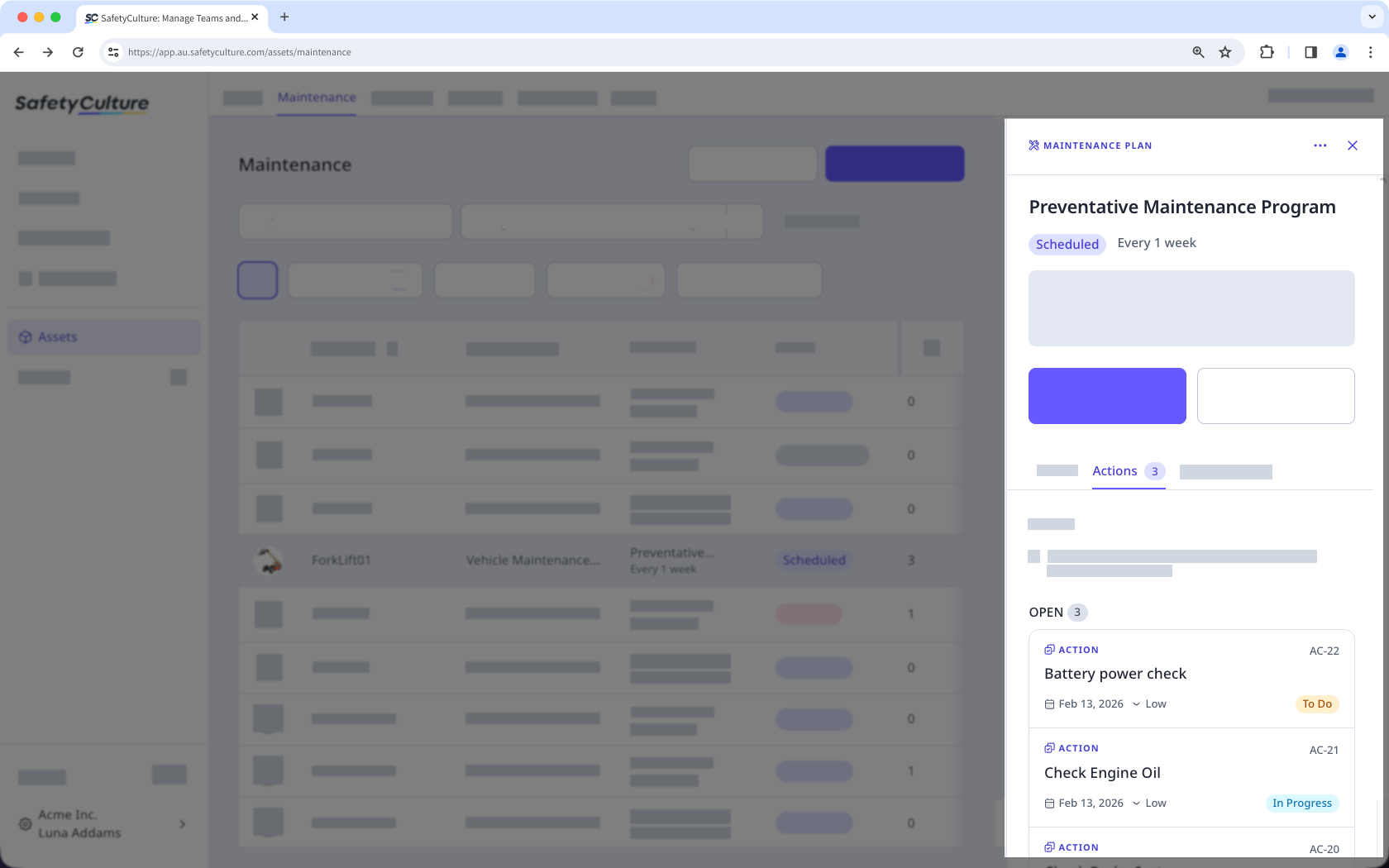
In the side panel, click the Actions tab at the center of the page.
View the actions created for the maintenance plan.
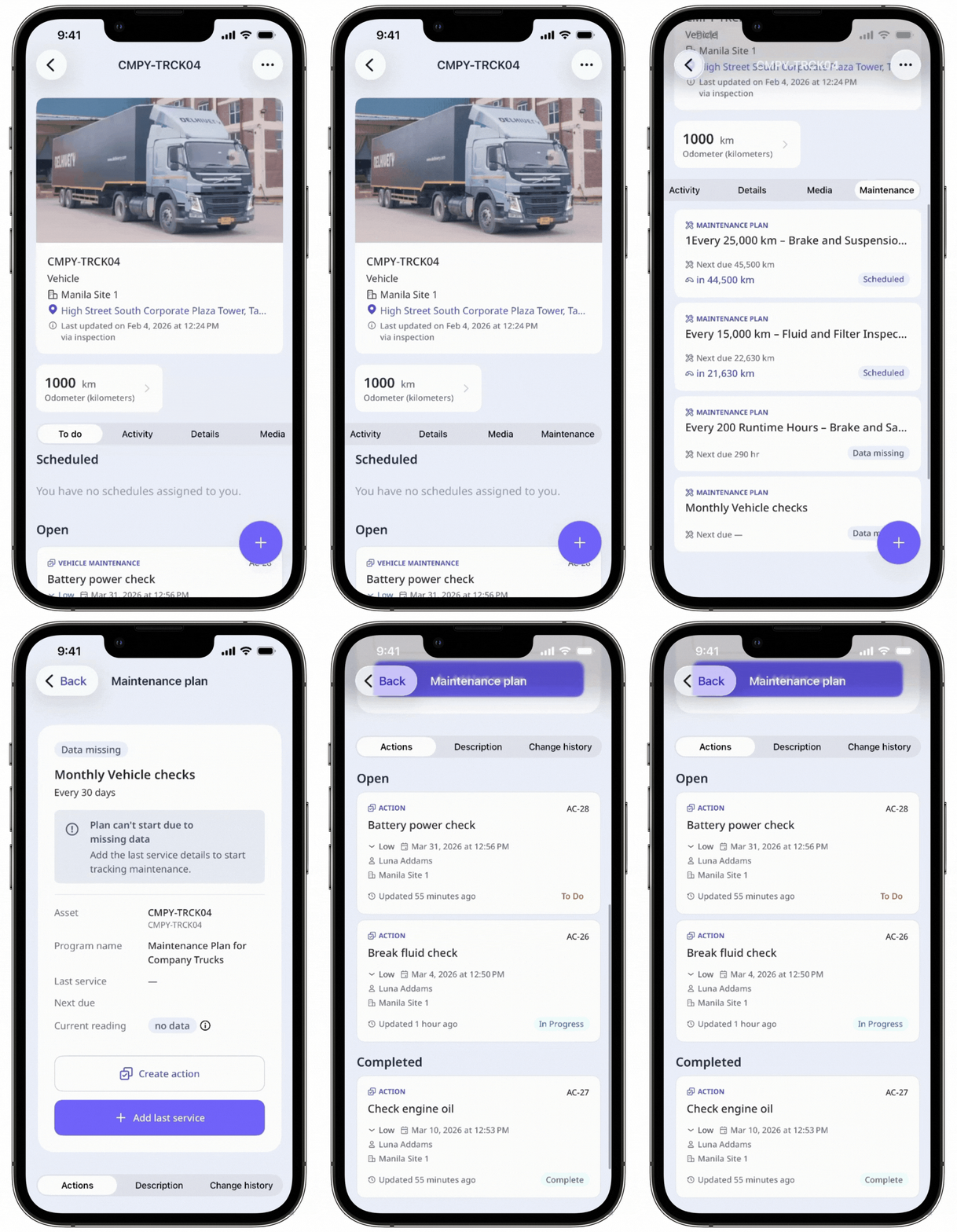
Actions created from a maintenance plan are standalone actions and follow your existing access settings.