What are investigations in SafetyCulture?
The Investigations feature in SafetyCulture is designed to help teams streamline incident management by capturing key incident details, gathering evidence, and analyzing root causes. It allows you to customize workflows with custom statuses, categories, detail fields, and sections, manage granular access for secure collaboration, and assign corrective actions to ensure timely and effective resolution.
You can also document and share detailed investigation findings with stakeholders for transparency and drive continuous improvement in incident prevention and response.
Ensure you set up investigation statuses and description fields before creating a new investigation.
Create and complete investigations
Select
 Investigations in the sidebar or select it in More .
Click Create investigation on the upper right-hand side of the page.
In the pop-up window, select the status and enter the investigation title.
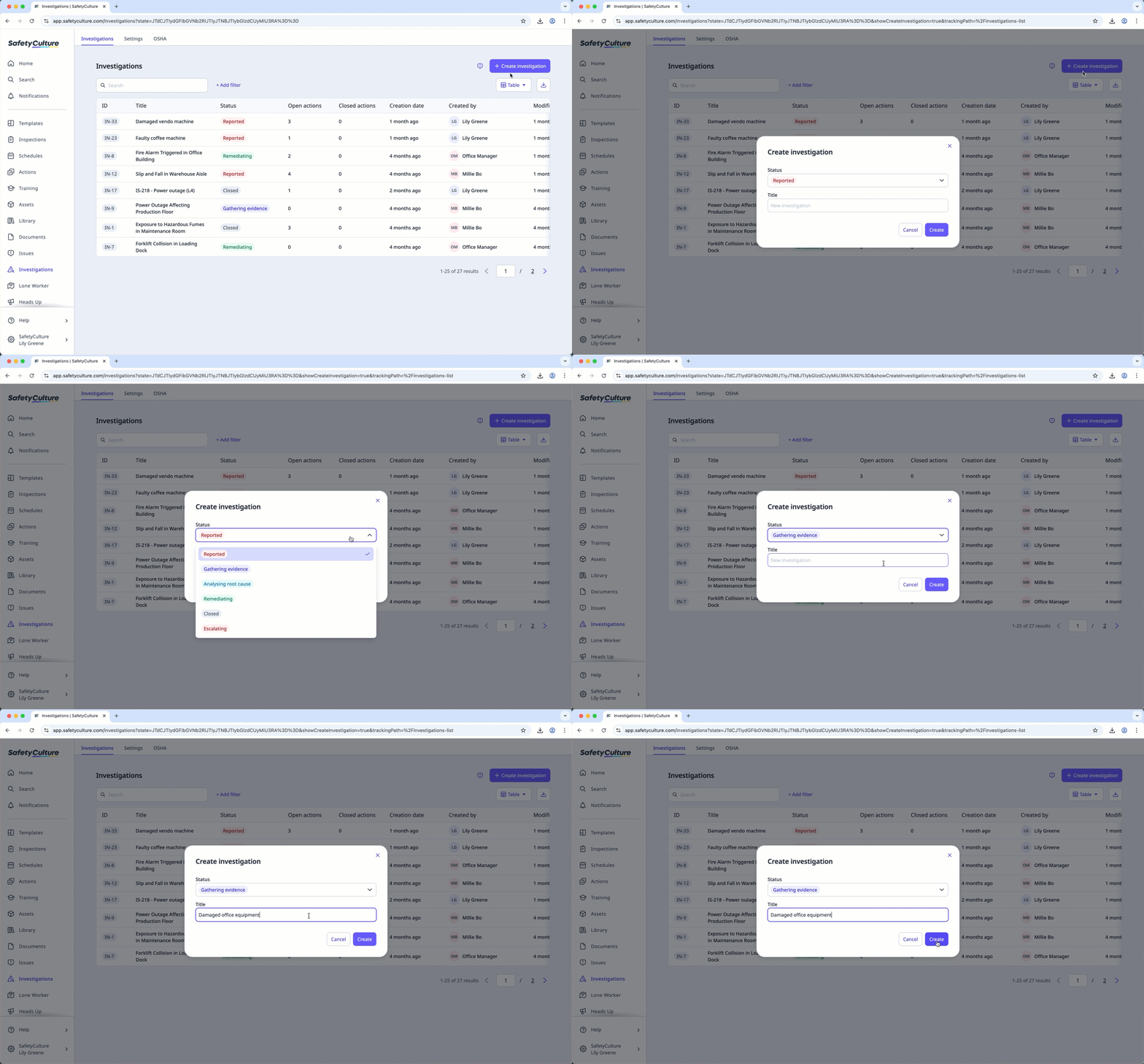
Click Create .
In Overview , add the following investigation details and supporting evidences:
Fill out the description fields.
Add relevant issues to provide context and link related findings.
Upload images, videos, or documents related to the incident.
Add existing inspections or start a new one to help identify the root cause.
Add existing actions or create a new one to assign corrective measures and resolve the investigation.
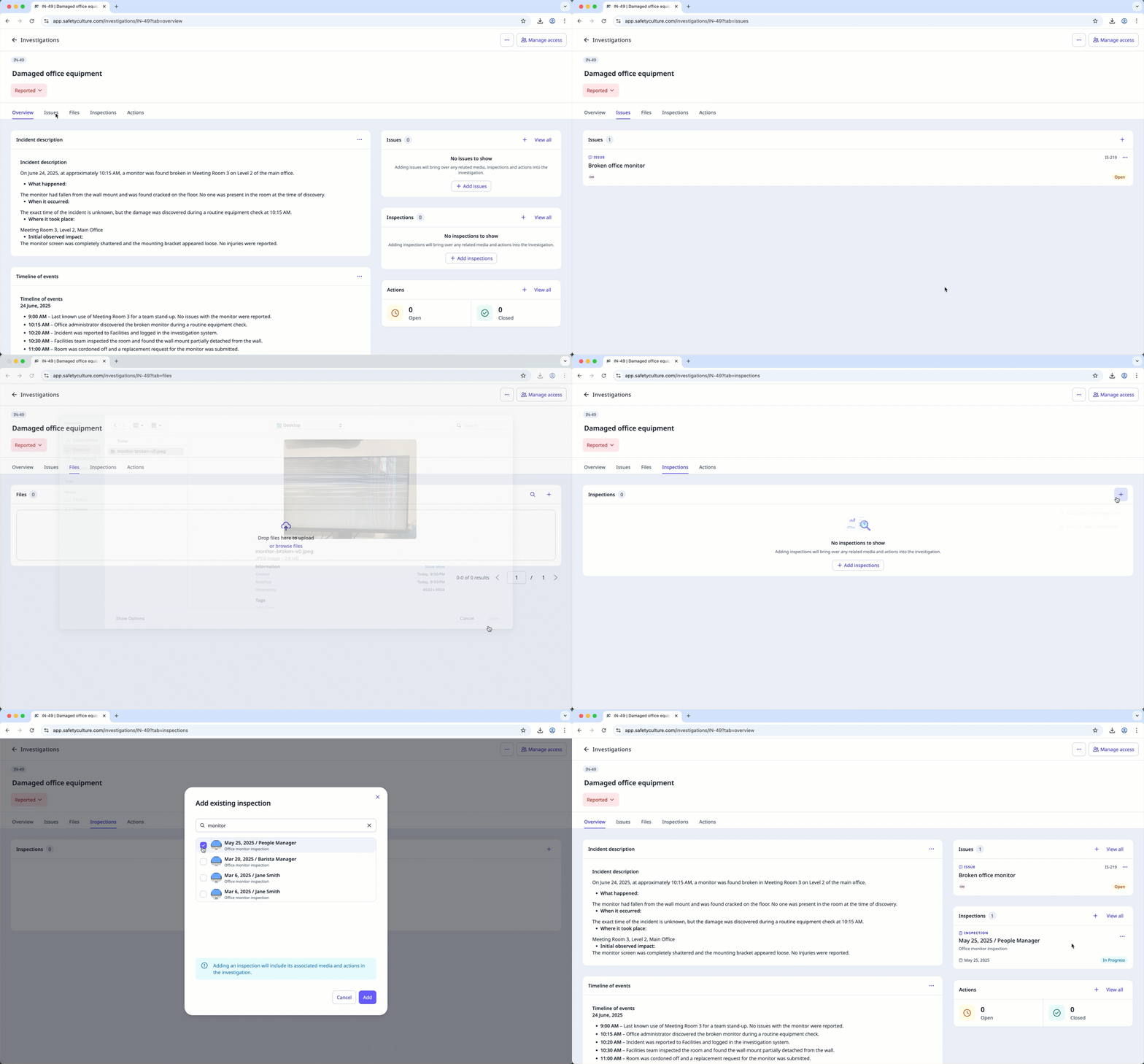
Alternatively, use the Issues , Files , Inspections , or Actions tabs if you prefer working with each item separately.
Update the status to mark the investigation as complete. Use your organization’s designated status, such as Closed or Resolved.
Depending on your access to an investigation, you can view or edit investigation details.