What are Lone Worker timesheets?
Lone Worker timesheets let you track the hours your lone workers log during their shifts. Timesheets give managers a clear view of when workers started and ended their shifts, how long their breaks were, and how the shift is distributed across the team. Reviewing timesheets helps you identify shift duration patterns, spot time gaps for faster incident follow-up, and maintain an auditable record of lone-work activity for compliance reporting.
Timesheets are linked directly to your shifts, so they record automatically as soon as a worker starts their shift, begins a job, or raises a panic alert.
Was Sie brauchen
You need to configure your filters each time you view timesheets. Your selections won't be saved after you leave the page.
Ansicht und Export von Stundenzetteln für Alleinarbeiter
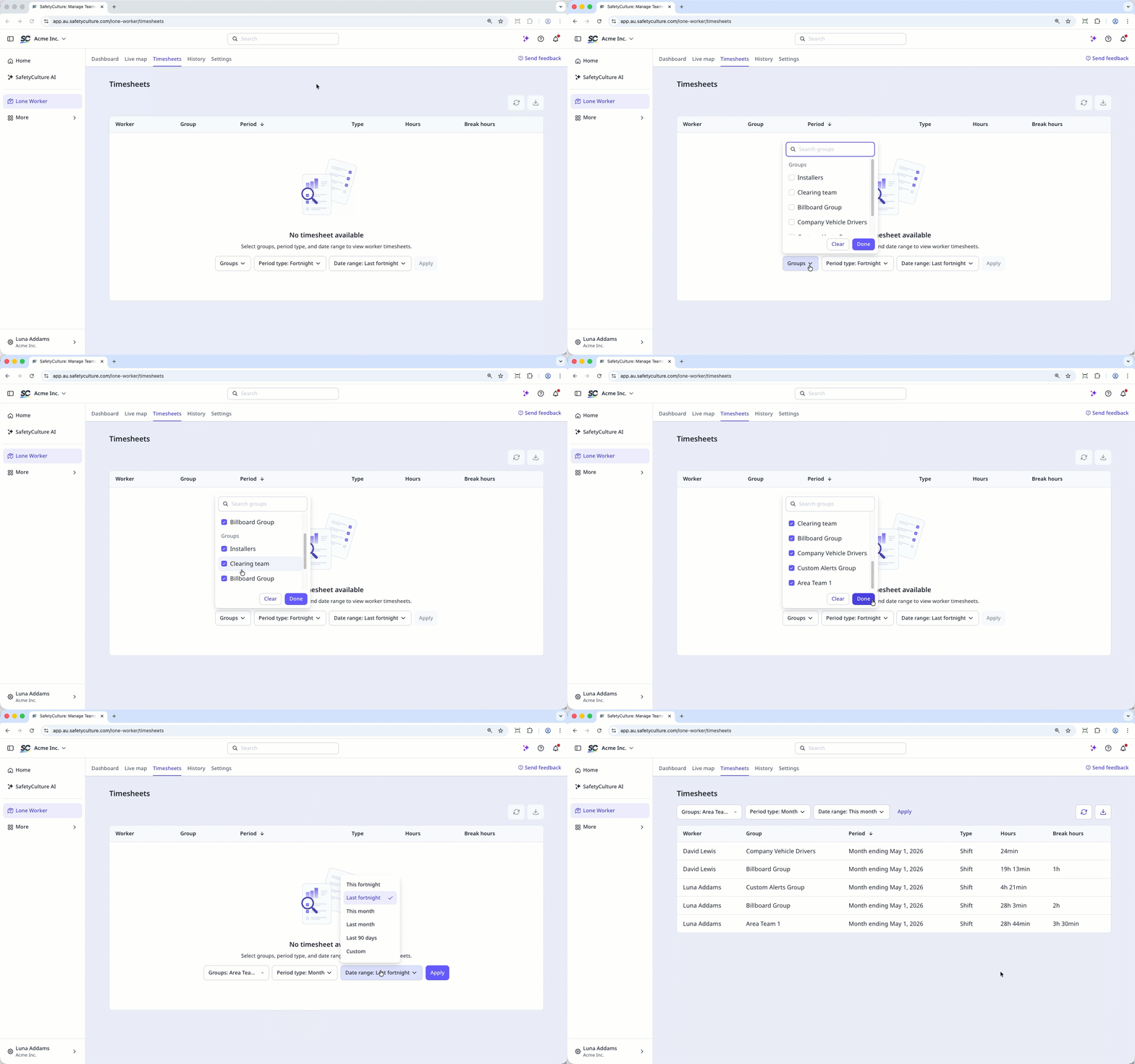
Select Alleinarbeiter in the sidebar or select it in Mehr.
Select Stundenzettel at the top of the page.
Configure your filters accordingly.
Gruppen: Click the dropdown menu and select the groups you want to view timesheets for.
Periodentyp: Click the dropdown menu and select how you want the timesheet data grouped.
Datumsbereich: Click the dropdown menu and select the time period you want to view.
Click Anwenden at the center of the page.
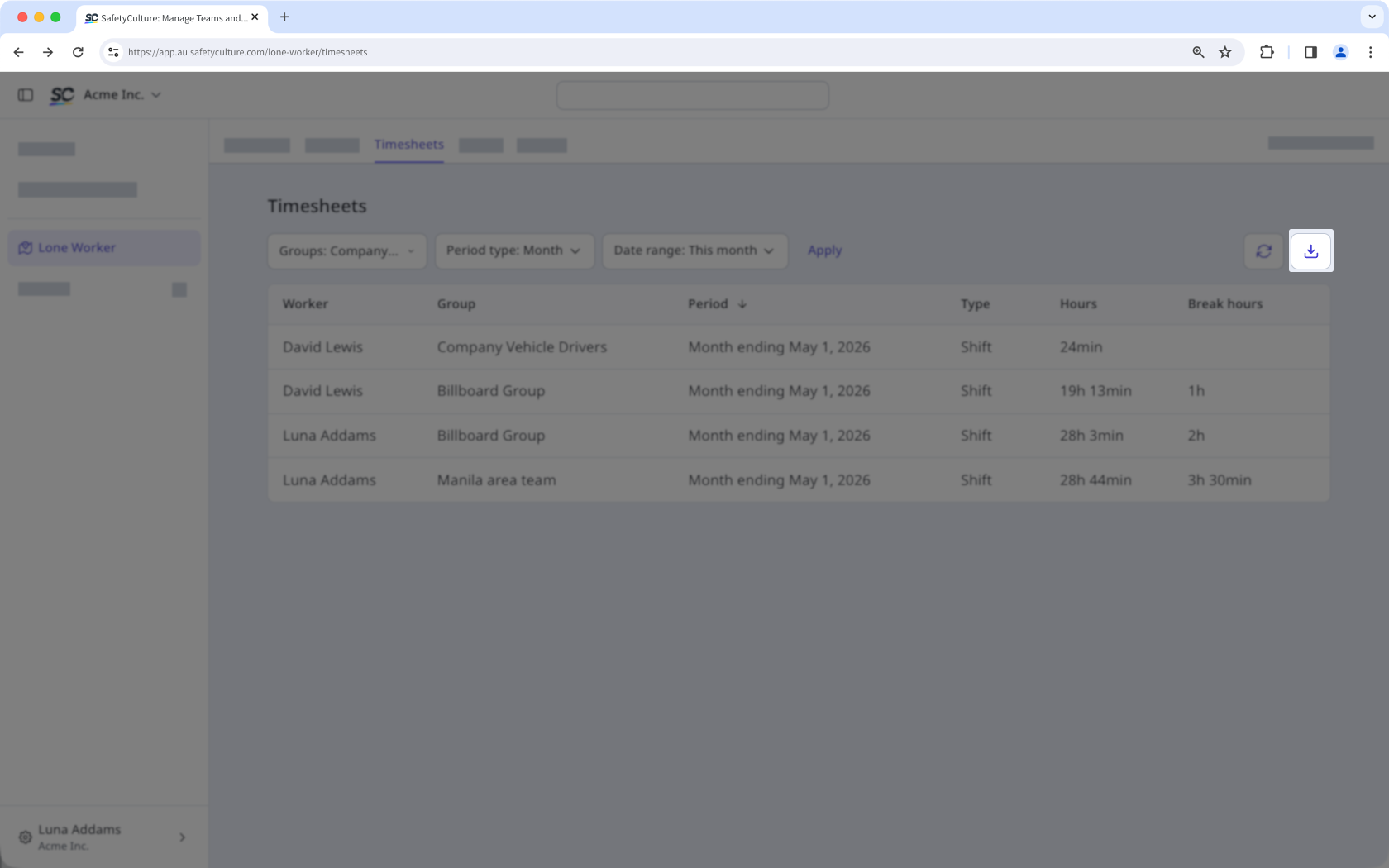
Click on the upper-right of the page to export the timesheets as a CSV.
CSV column headers
Column header | Description |
|---|---|
Worker | The user who worked on the shift. |
Group | The group the user belongs to. |
Period | The time period of the timesheet. |
Type | The type of lone-work shift. |
Hours | The total time taken to complete the shift. |
Break hours | The total break time taken during the shift. |