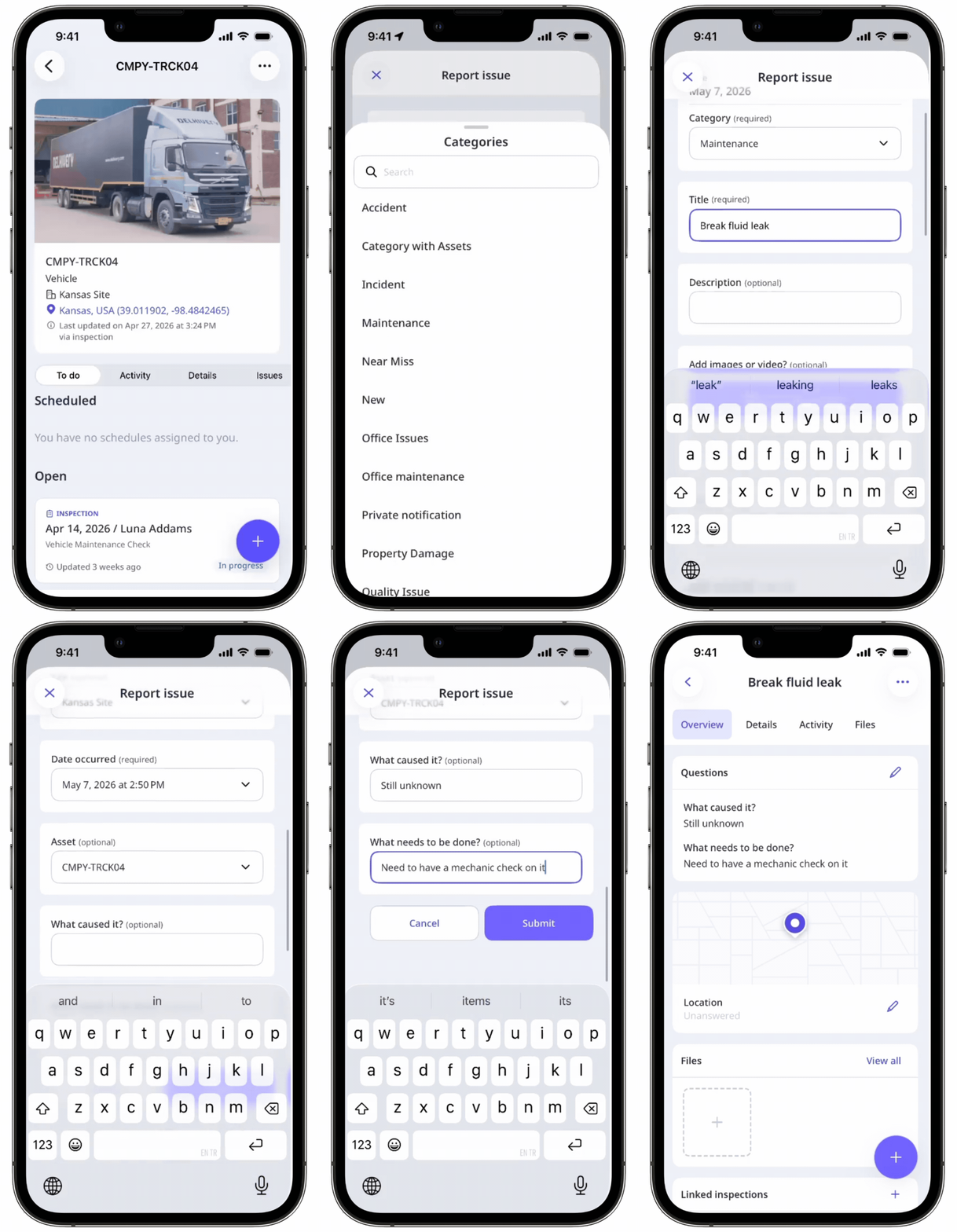
Why report issues from assets?
Reporting an issue from an asset links your issue reporting workflow and asset management together. This allows your team to keep all relevant details in one place without manually filtering through issues across your organization. It's especially useful when checking an asset before use, following up on a known fault, or handing it over to another team member. Over time, linked issues build a complete picture of each asset's condition, helping your team make more informed decisions about repairs, servicing, or when to take it out of service.
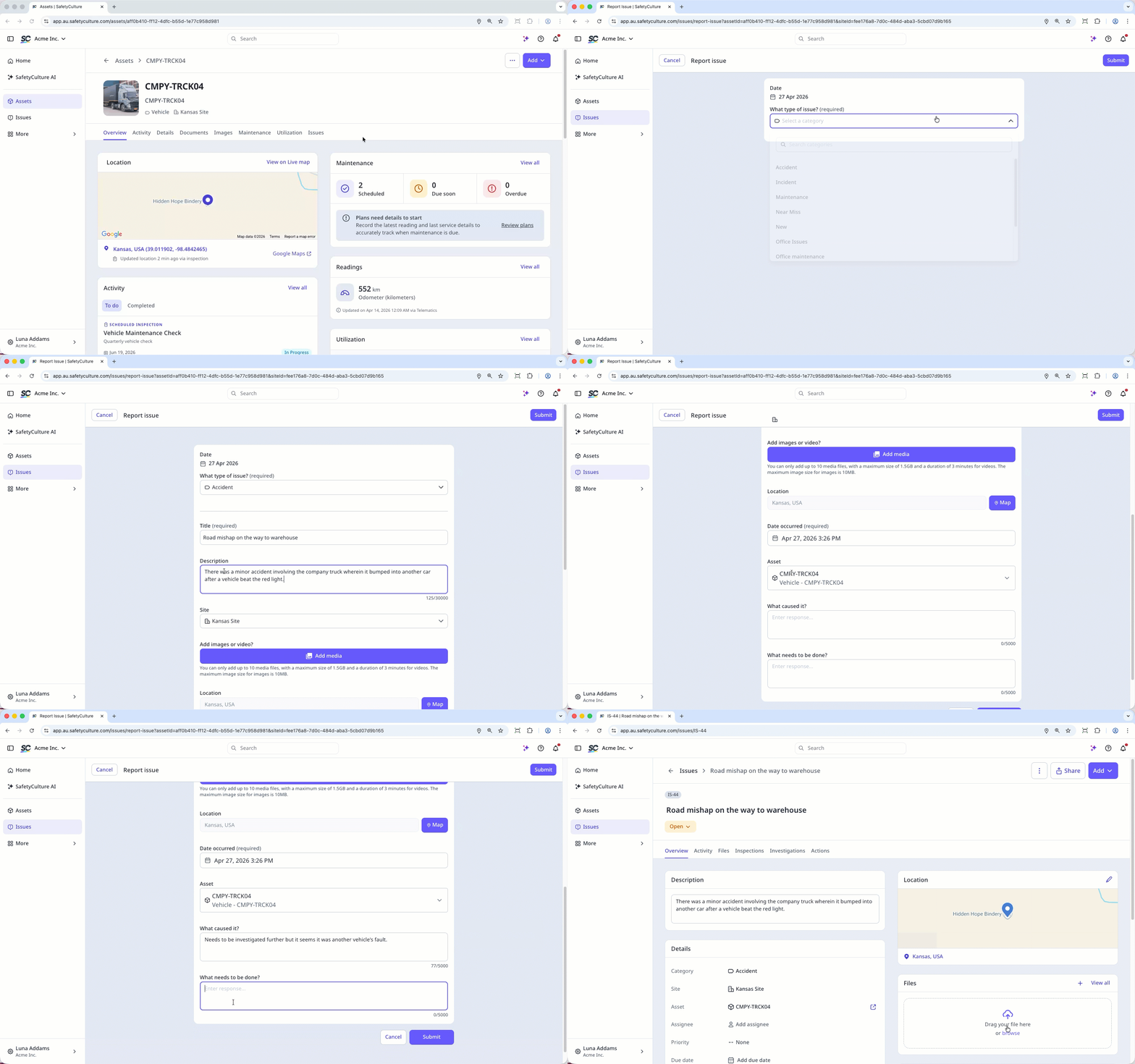
What you'll need
Report an issue from an asset
Select Assets in the sidebar or select it in More.
You can choose how you want to view your assets by selecting Table, Gallery, or Map on the upper-right of the page. You can also filter by type or site.
Search and select the asset.
Report an issue from the asset profile using one of the following methods:
C lick Add on the upper-right of the page and select Report issue.
In Overview tab, scroll down to Issues and click Report issue.
In Issues tab, click Report issue.
Fill out the issue details.