
What is course versioning?
Course versioning tracks changes to a published course each time you edit and republish it. It allows you to update courses without disrupting users. Your changes stay in draft until you republish them. Each version is recorded so you can manage content updates, meet compliance requirements, and track changes over time.
How does versioning affect courses?
Editing courses
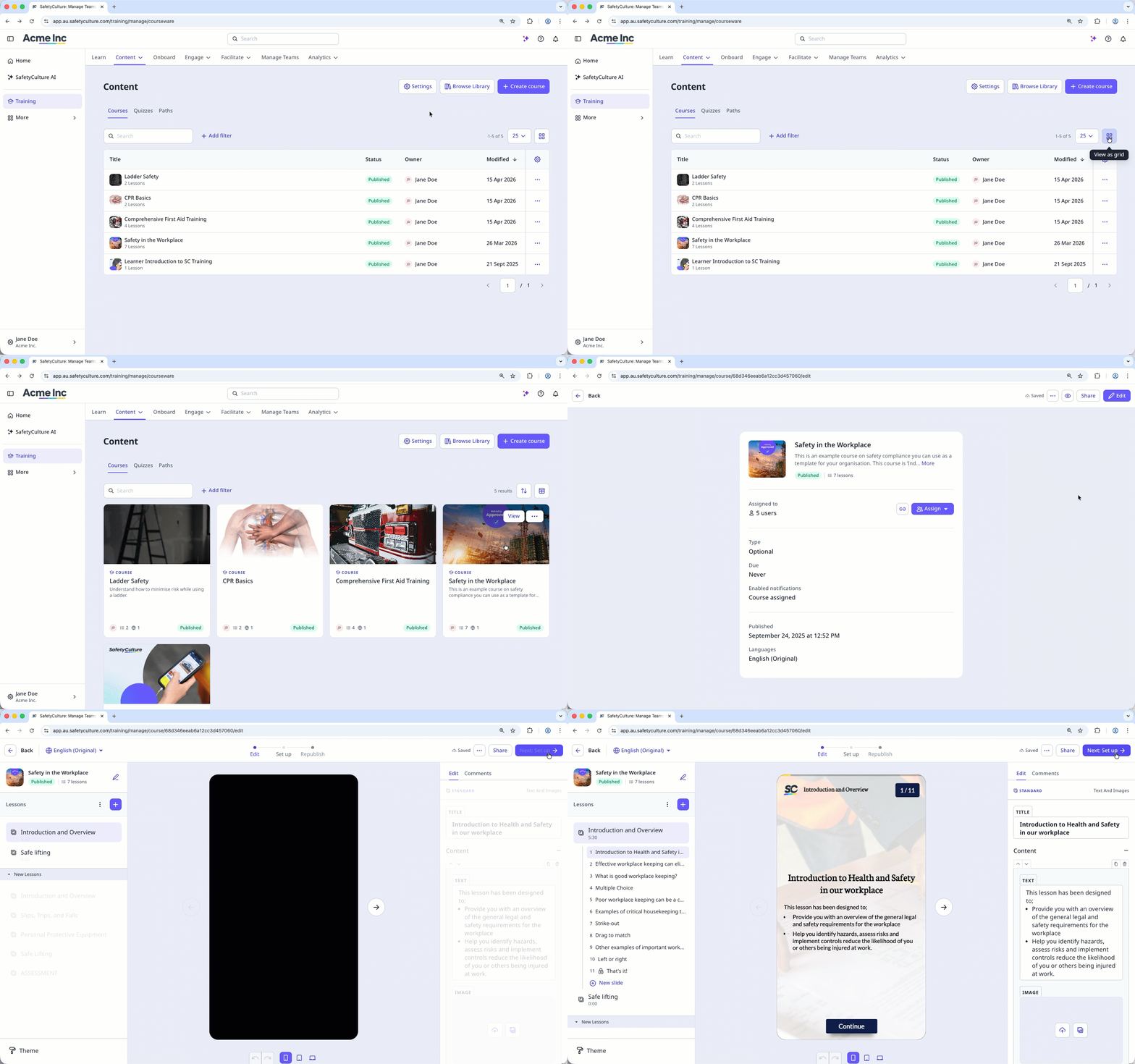
When you edit a published course, a new unpublished version is created in the background. Your changes are saved to this draft version while users continue to access the current published version. Users won't see your updates until you republish the course.
If your course is still in draft and hasn't been published, any edits update the same draft. The first time you publish the course, it becomes version 1.
Republishing courses
After editing a published course, you can republish it to make the latest version available to your team. When you republish, the most recently edited version becomes the current published version. Users see the updated content the next time they open the course.
You can only republish when there are unpublished changes. If no edits have been made since the last publish, the course stays on its current version. Before republishing, you can review the course details and add a version note to describe what changed.
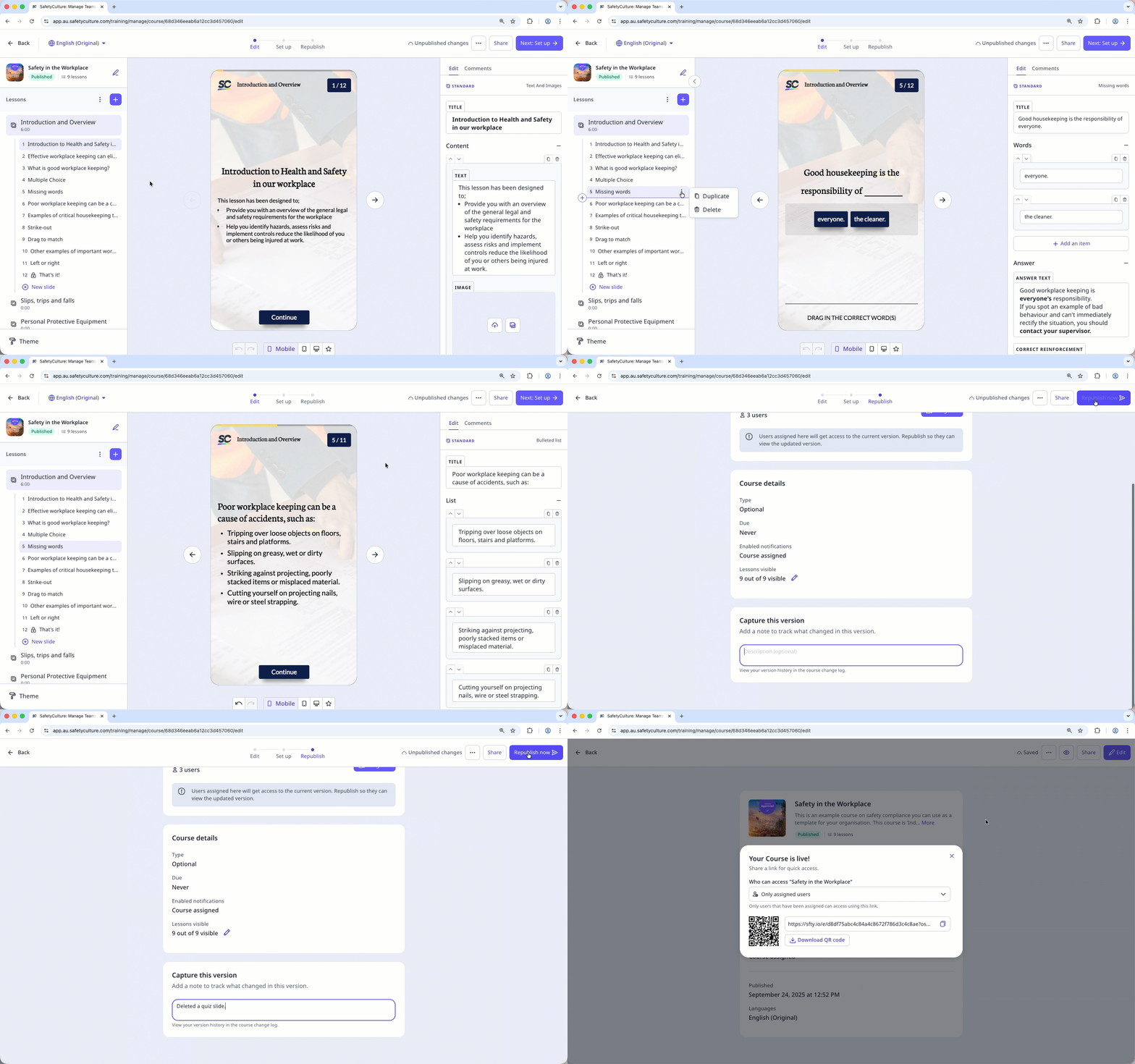
If you assign users before republishing, they can access the current published version of the course immediately.
Tracking changes between versions
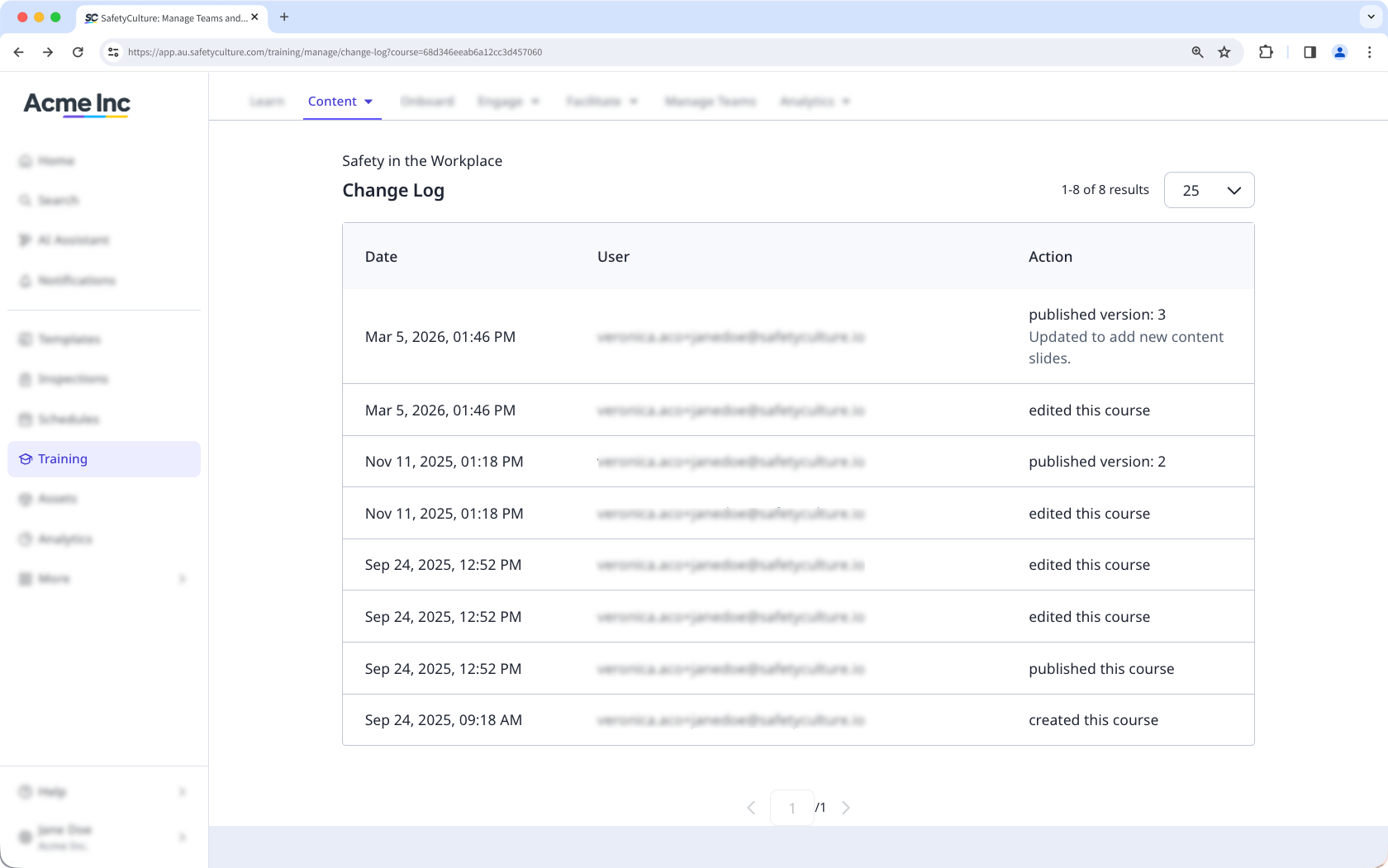
Course versions are recorded in the course change log, which provides an audit trail of all published versions. Each time you republish a course, a new entry is added to the change log that includes:
Who published the version
When it was published
Any version notes added
Versioning in Training analytics
When a course has versions, the Course Completion by Users includes version data so you can track which version each user completed.
This includes two columns:
Completed version: The latest version of the course the user completed.
Published version: The latest published version of the course.
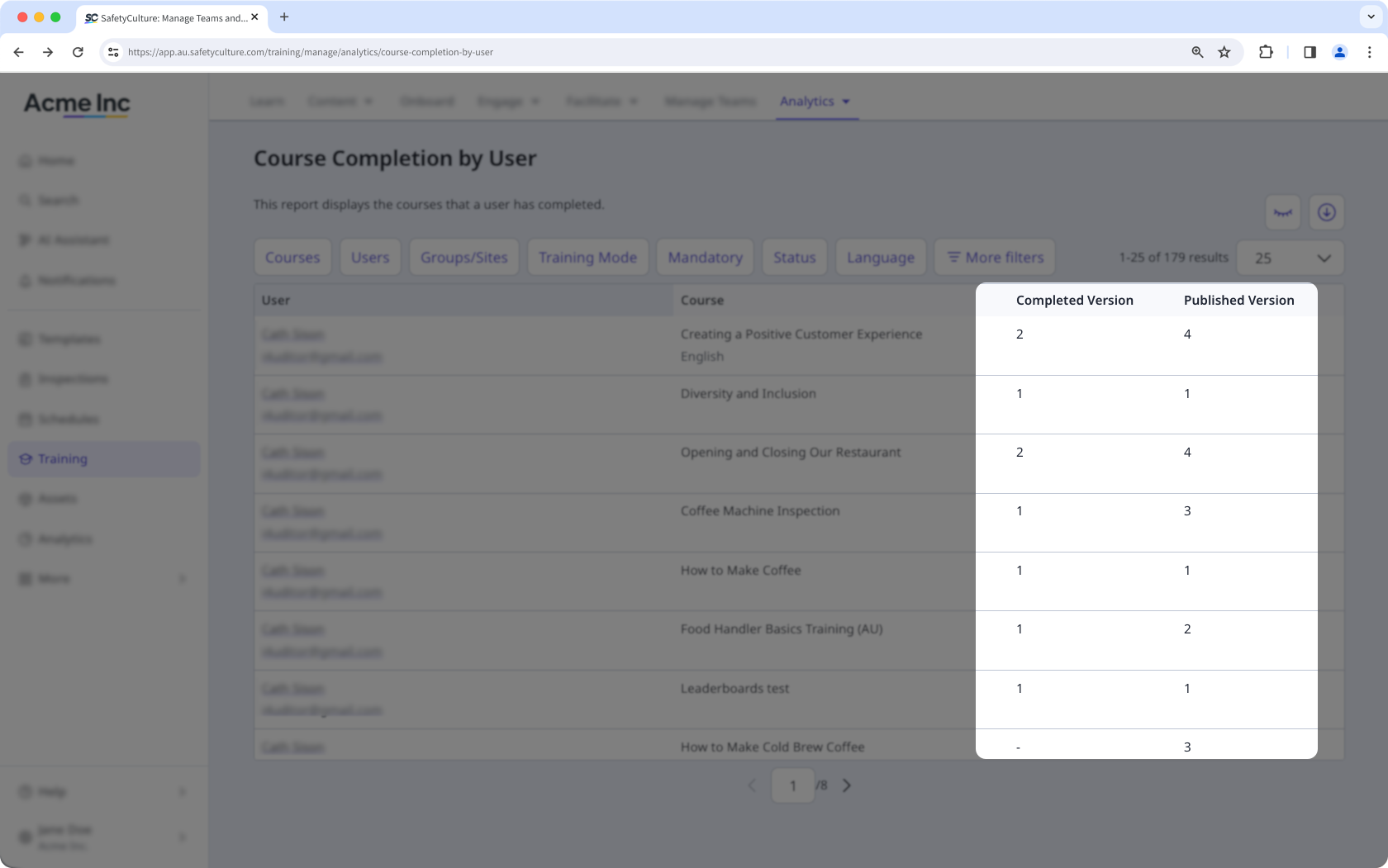
When you republish a course, existing completions aren't reset. Users who already completed the course keep their original completed version value. The published version column updates to reflect the latest version, making it easy to see who completed an earlier version and decide whether they need to retake the updated course.


