What are course change logs?
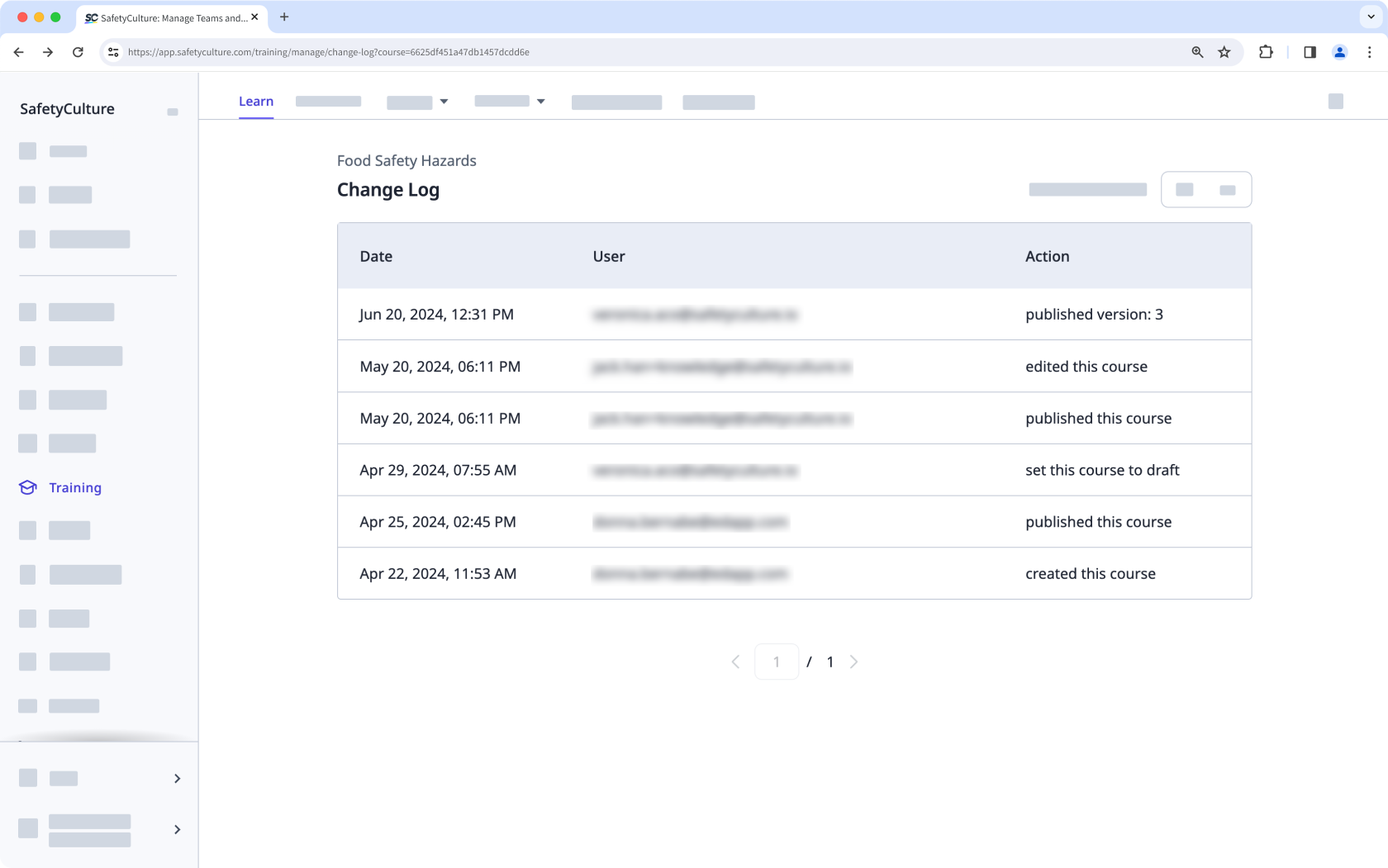
Course change logs help track all the changes made to your training courses. Each change done to your published course is automatically recorded, including the date, the user responsible for the changes, and the specific action taken to ensure you maintain a detailed record of all course updates.
View a course’s change log
Select Training in the sidebar or select it in More.
If you're on the "Learn" page, click Content at the top of the page and select Courses.
Select the course you want to view.
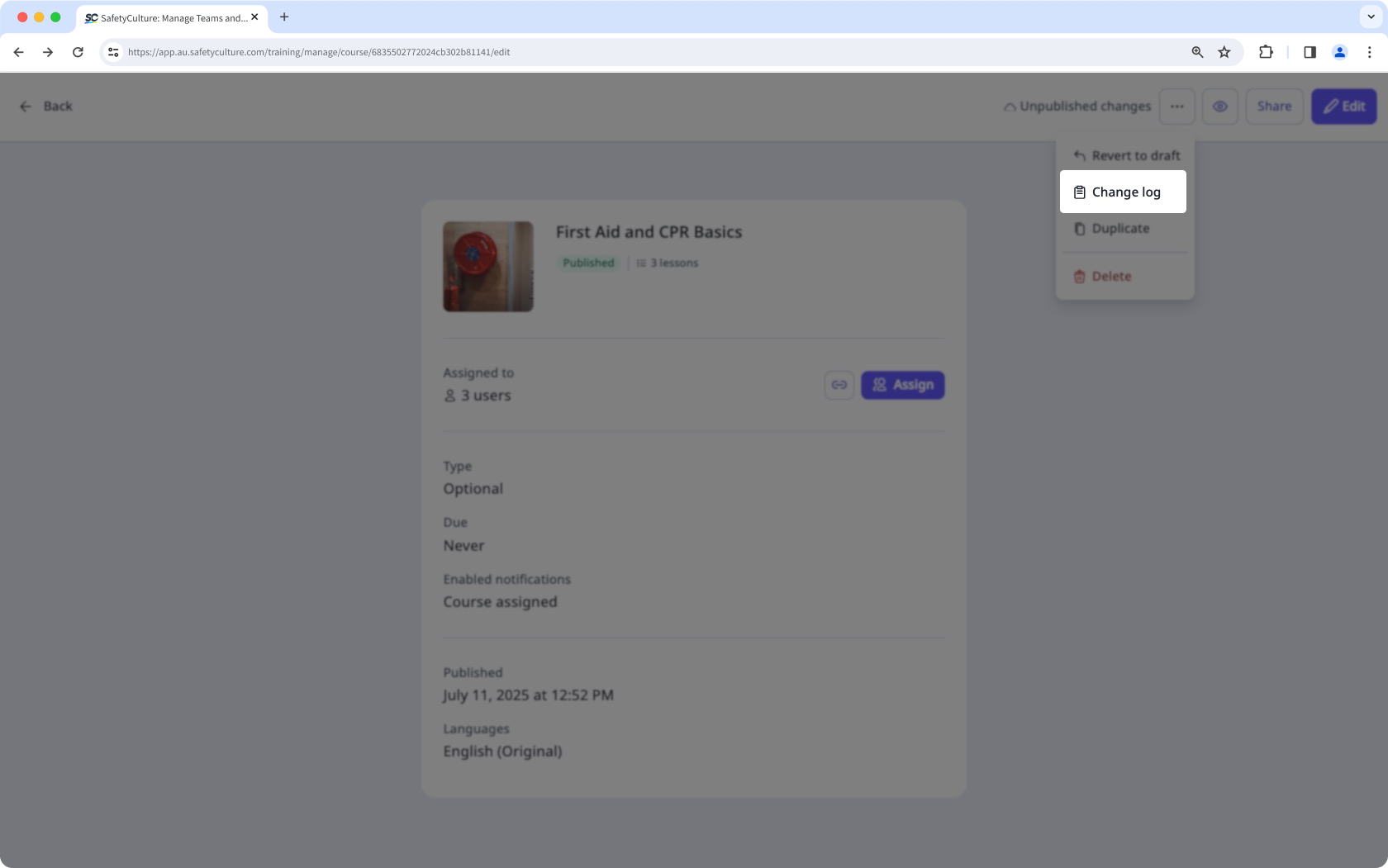
Click on the upper-right side of the page.
Select Change log to view the log of changes done to the course.