Unlink a file from a Heads Up
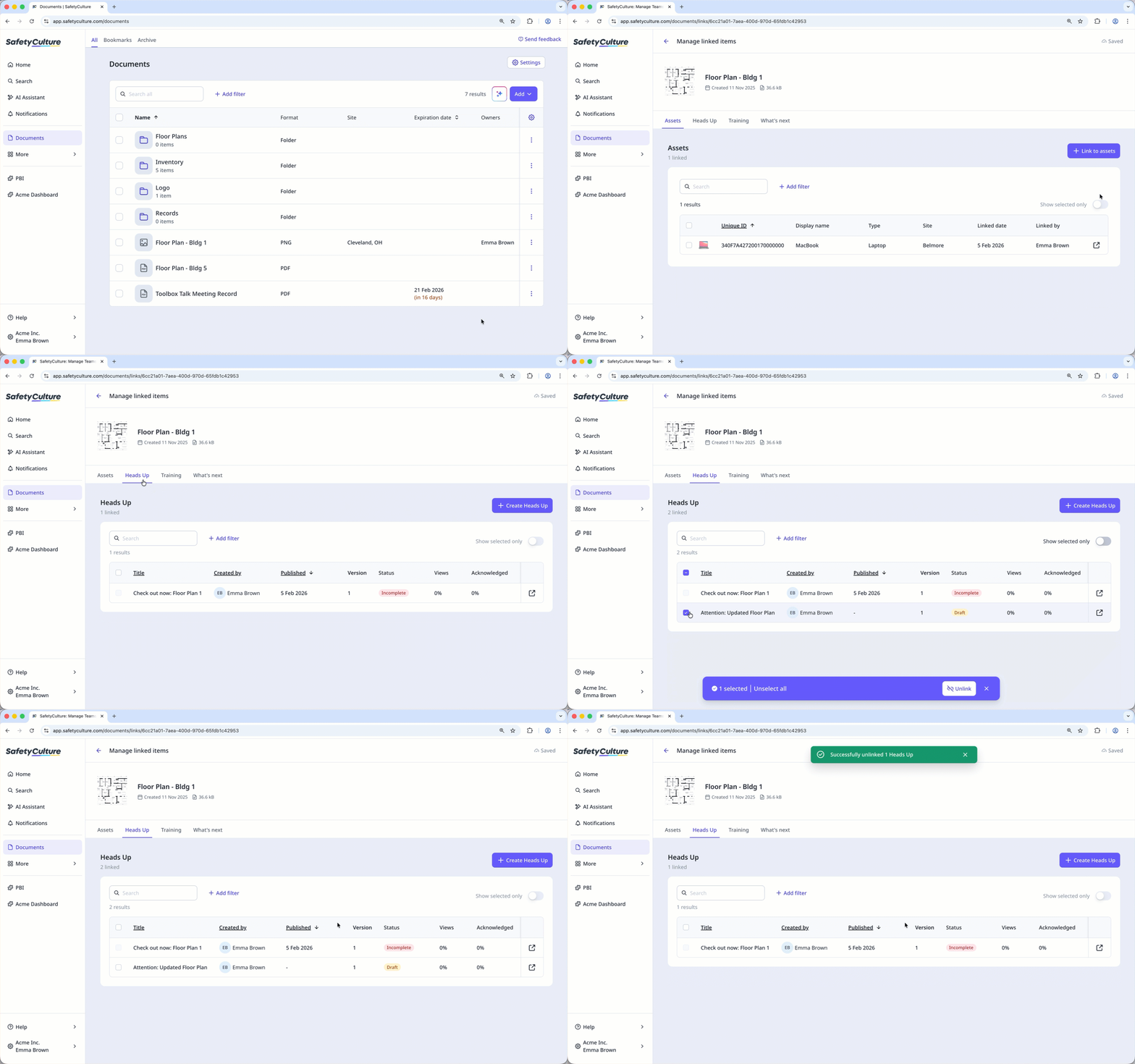
Select Documents in the sidebar or select it in More.
Click on the file's right-hand side and select
 Manage linked items.
Select Heads Up at the top of the page.
Check the box on the Heads Up's left-hand side.
Click Unlink at the bottom of the page.
In the pop-up window, click Remove.
You can only unlink files from unpublished Heads Ups.