How does displaying Microsoft Power BI dashboards in SafetyCulture work?
Displaying Microsoft Power BI dashboards in SafetyCulture lets teams access real-time data alongside their daily workflows, improving decision-making without switching between apps. Public dashboards can be viewed without signing in to Power BI, while private dashboards require users to log in for secure access. This integration helps teams respond to insights faster, aligns data with operational tasks, and ensures consistent reporting across the organization.
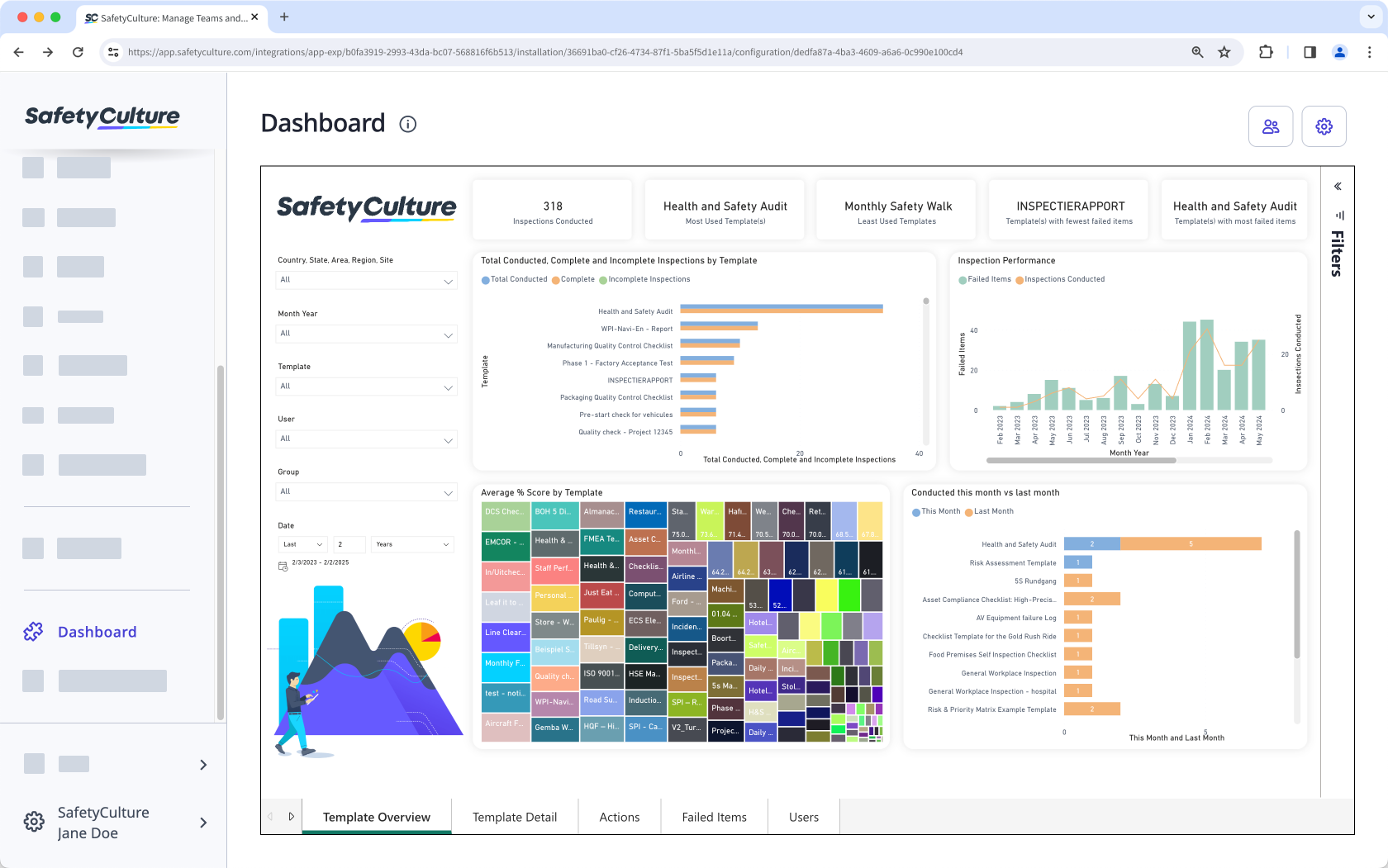
Embed your favorite productivity apps in SafetyCulture and transform your digital workspace into the ultimate collaboration tool.
What you'll need
To share and publish your private dashboards, you need a paid Microsoft Power BI license.
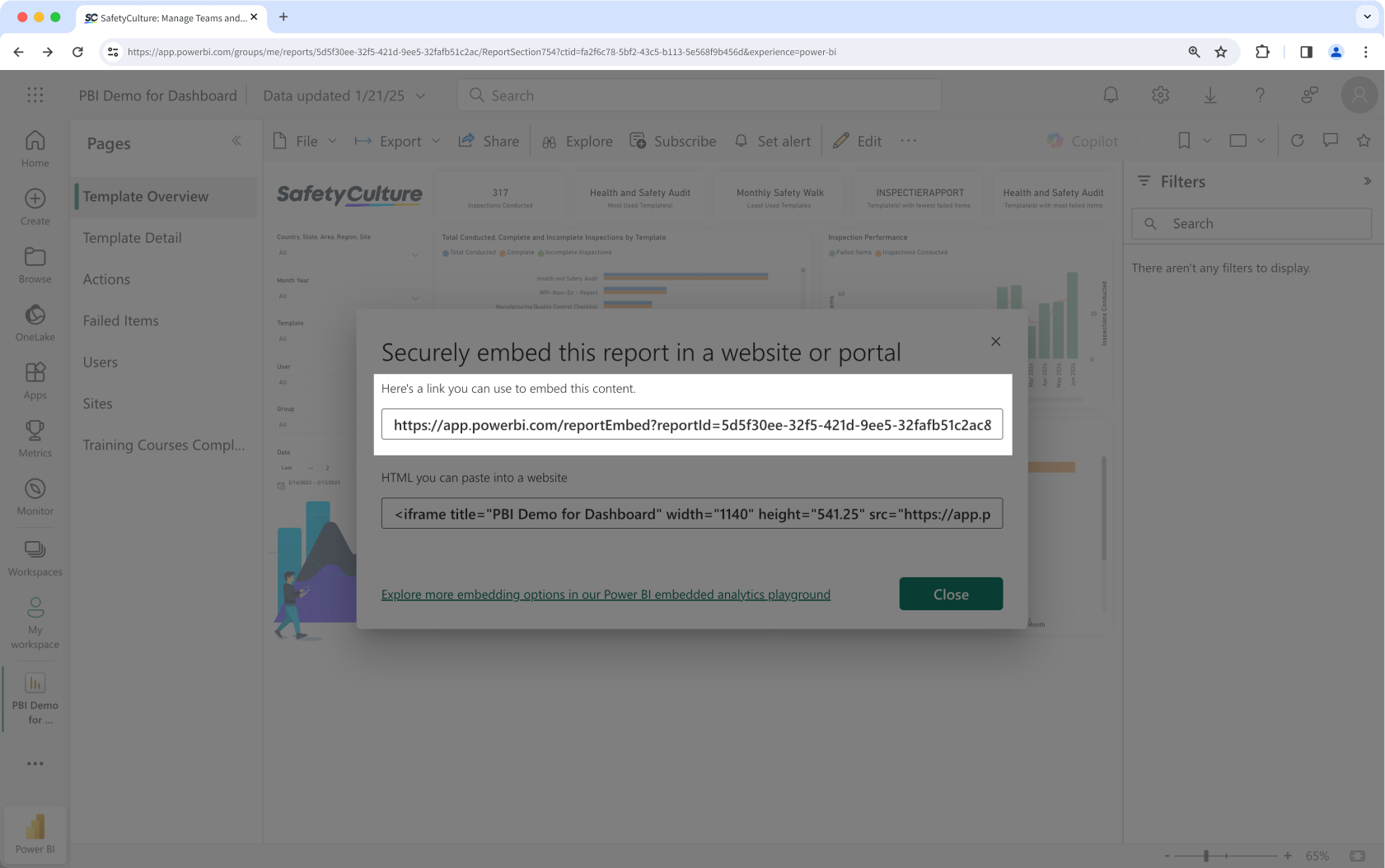
1. Get a Microsoft Power BI dashboard embed link
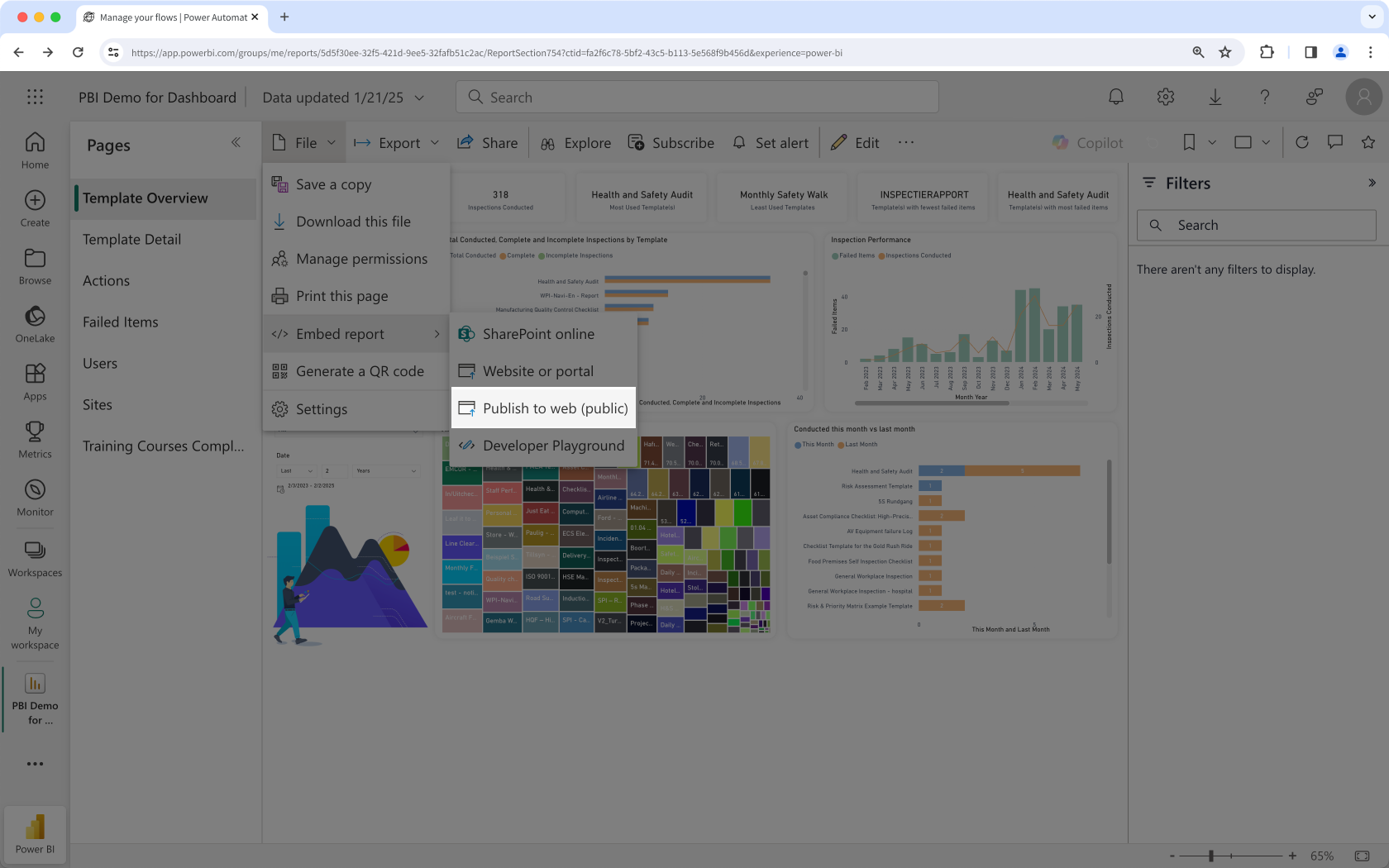
Click File.
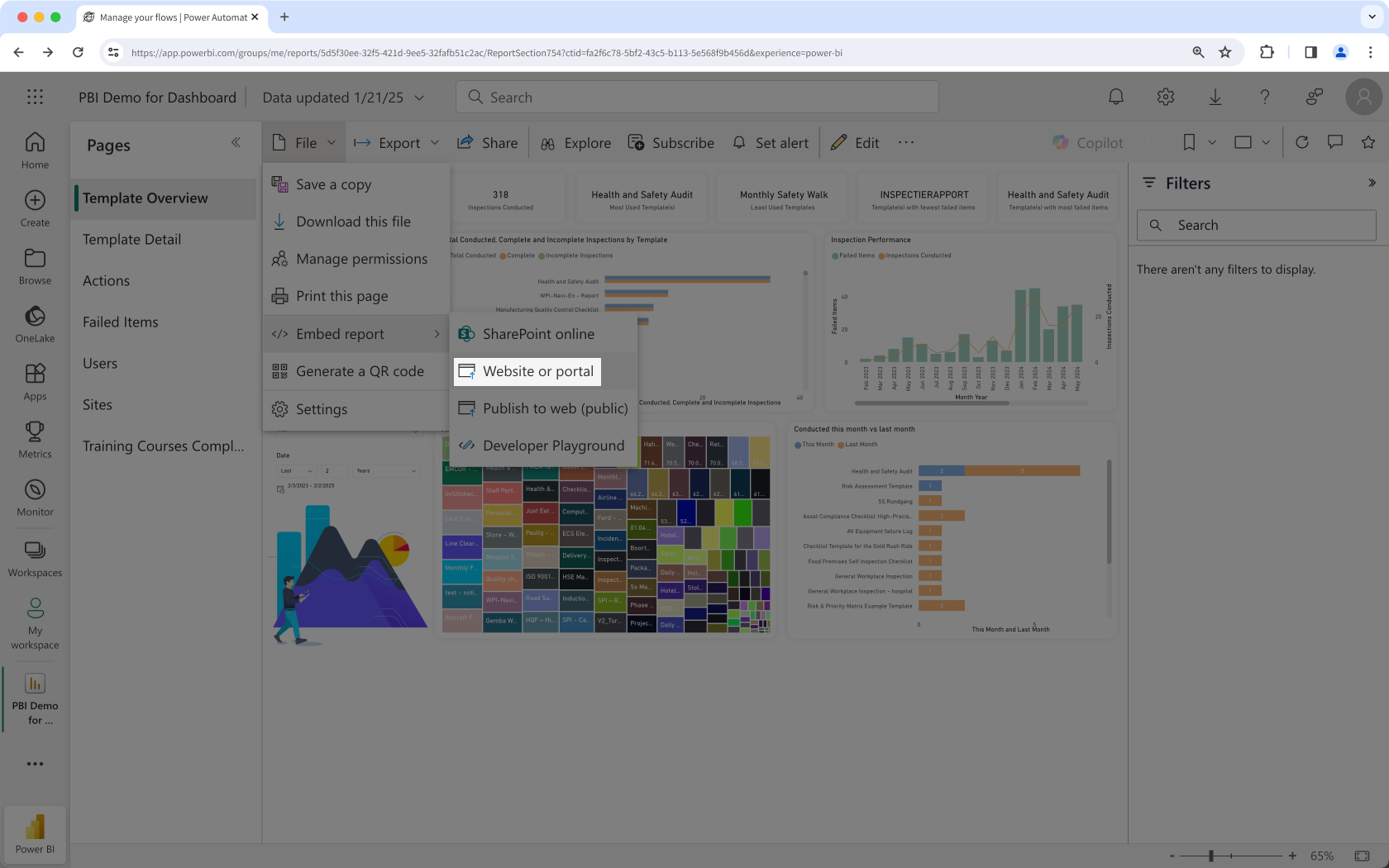
Click Embed report.
Select Publish to web (public).
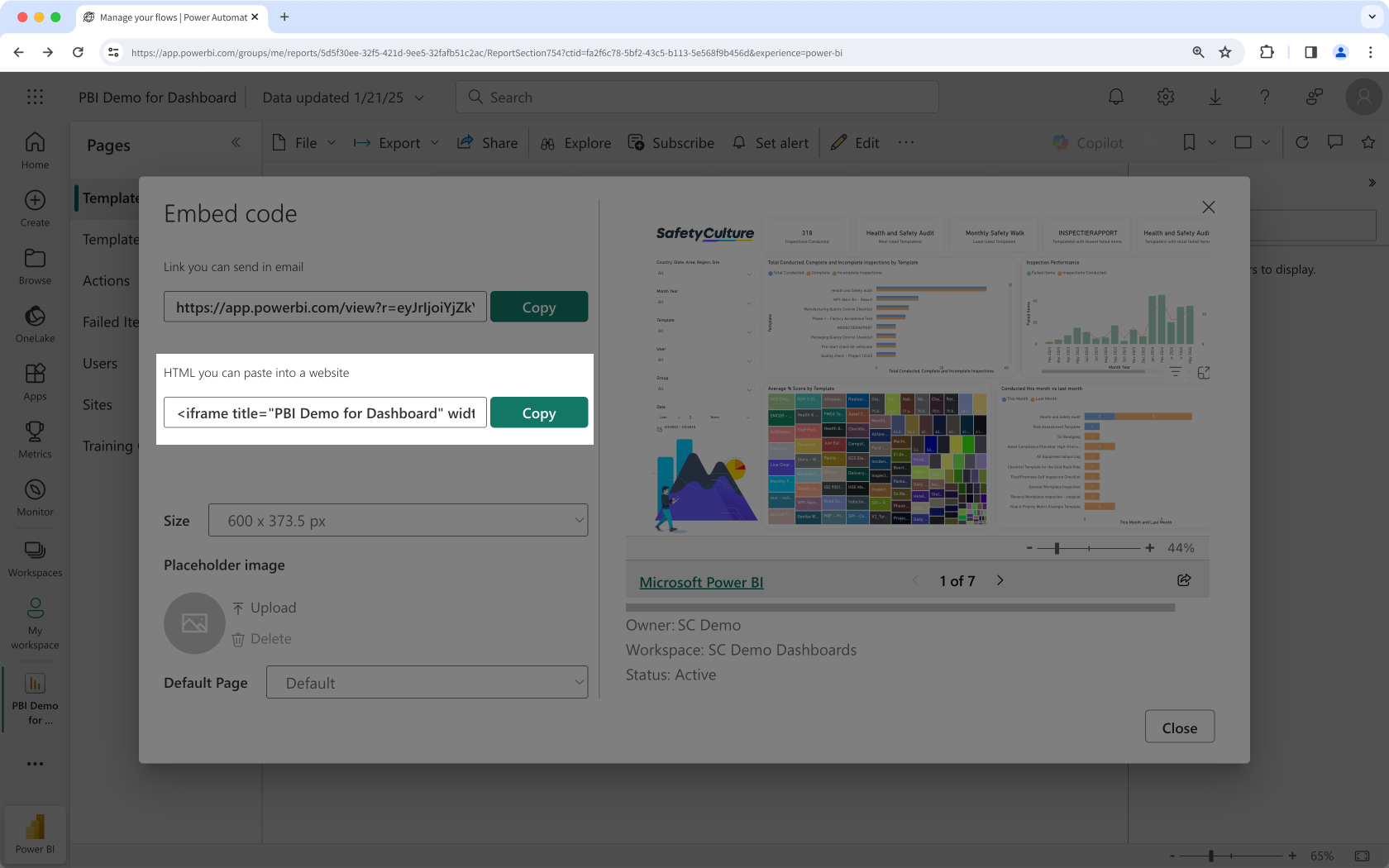
In the pop-up window, copy the public embed HTML code.
2. Display a Microsoft Power BI dashboard
Click your organization name on the lower-left corner of the page and select Integrations.
Search for "Microsoft Power BI" and select the integration.
Click Install at the center of the page.
In the pop-up window, click Install.
Click Add page.
In the pop-up window, add the following details:
Label: Enter a name. This will appear on the left-hand side menu.
URL: Enter a Microsoft Power BI dashboard embed link.
Click Save.
Click Add page to add another dashboard. You can add up to 10 dashboards for your organization.
View your Microsoft Power BI dashboard from the menu on the left-hand side.