
What you'll need
Deleting courses, lessons, and lesson slides is permanent and cannot be undone. Deleting a course will also erase all associated progress and data, and it will be removed from all analytics.
Delete a course
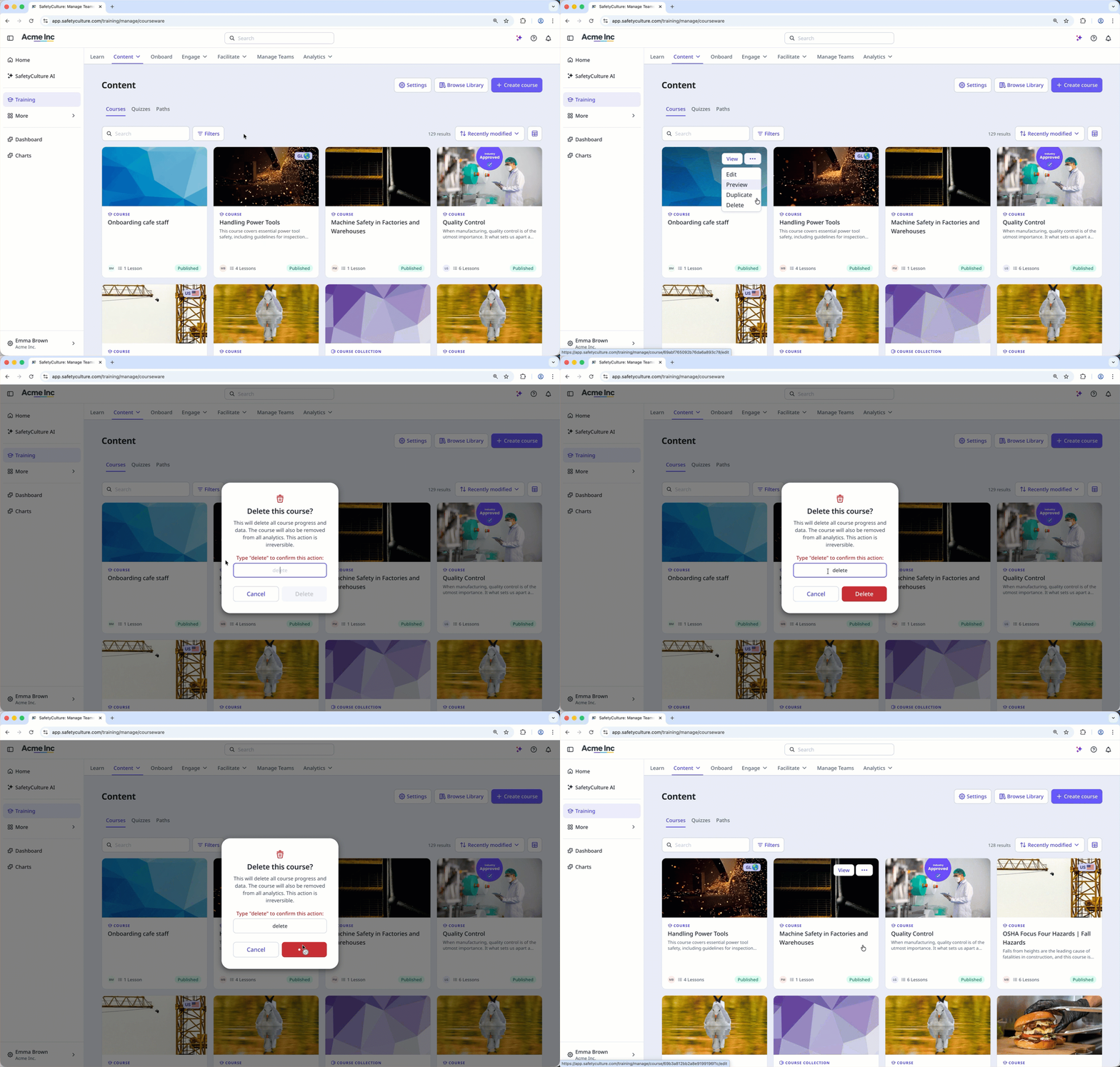
Select Training in the sidebar or select it in More.
If you're on the "Learn" page, click Content at the top of the page and select Courses.
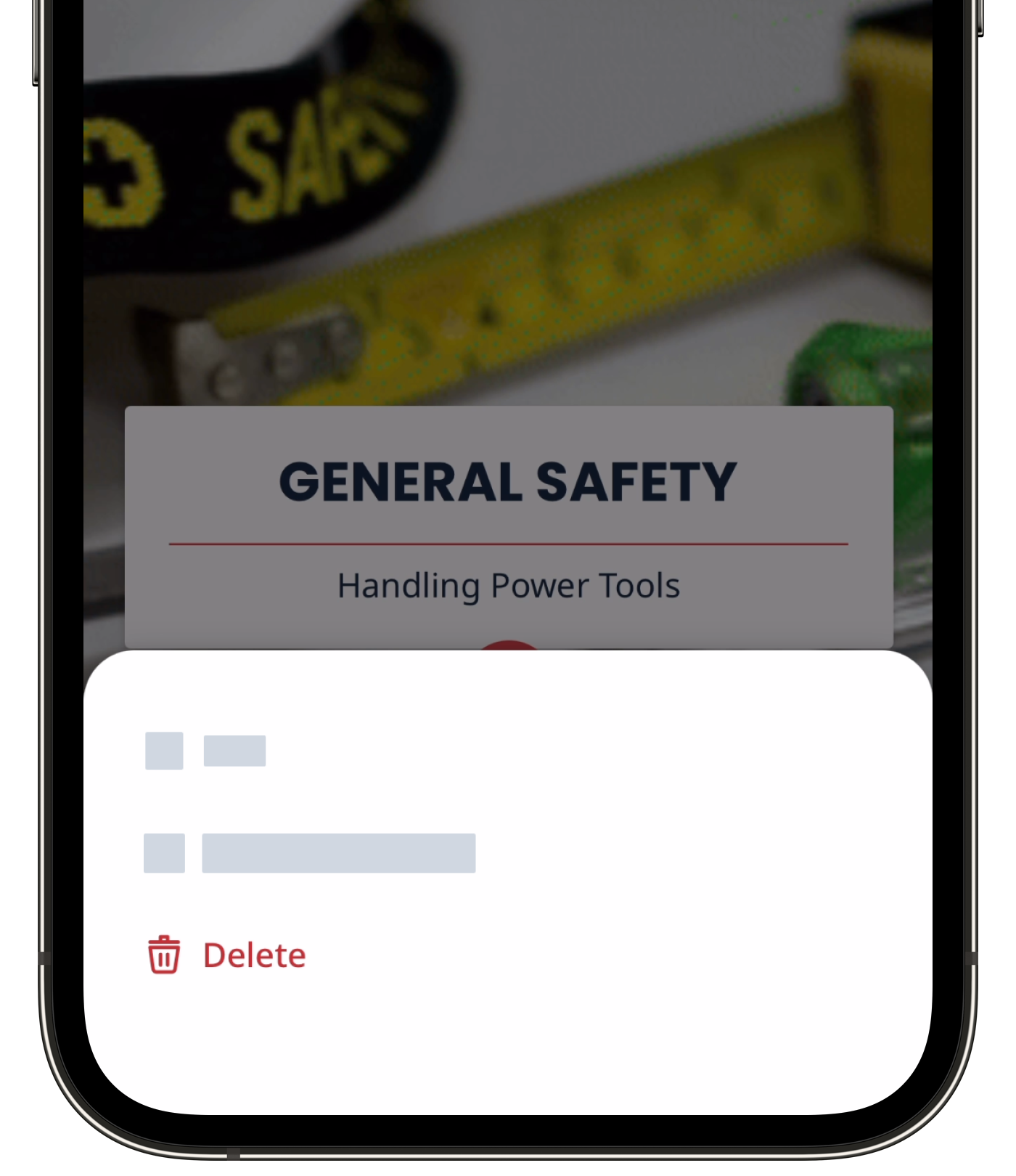
Hover your cursor over the course, then click , and select Delete.
In the pop-up window, enter “delete” and click Delete.
If a published course is part of an onboarding workflow, make sure to remove the course from the onboarding steps before deleting or reverting it to draft.
Delete a lesson
Select Training in the sidebar or select it in More.
If you're on the "Learn" page, click Content at the top of the page and select Courses.
Create a new course or click Edit on an existing one.
If you're editing an existing course and it's published, click Edit on the upper-right of the page.
Hover your cursor over the lesson you want to delete, then click , and select Delete.
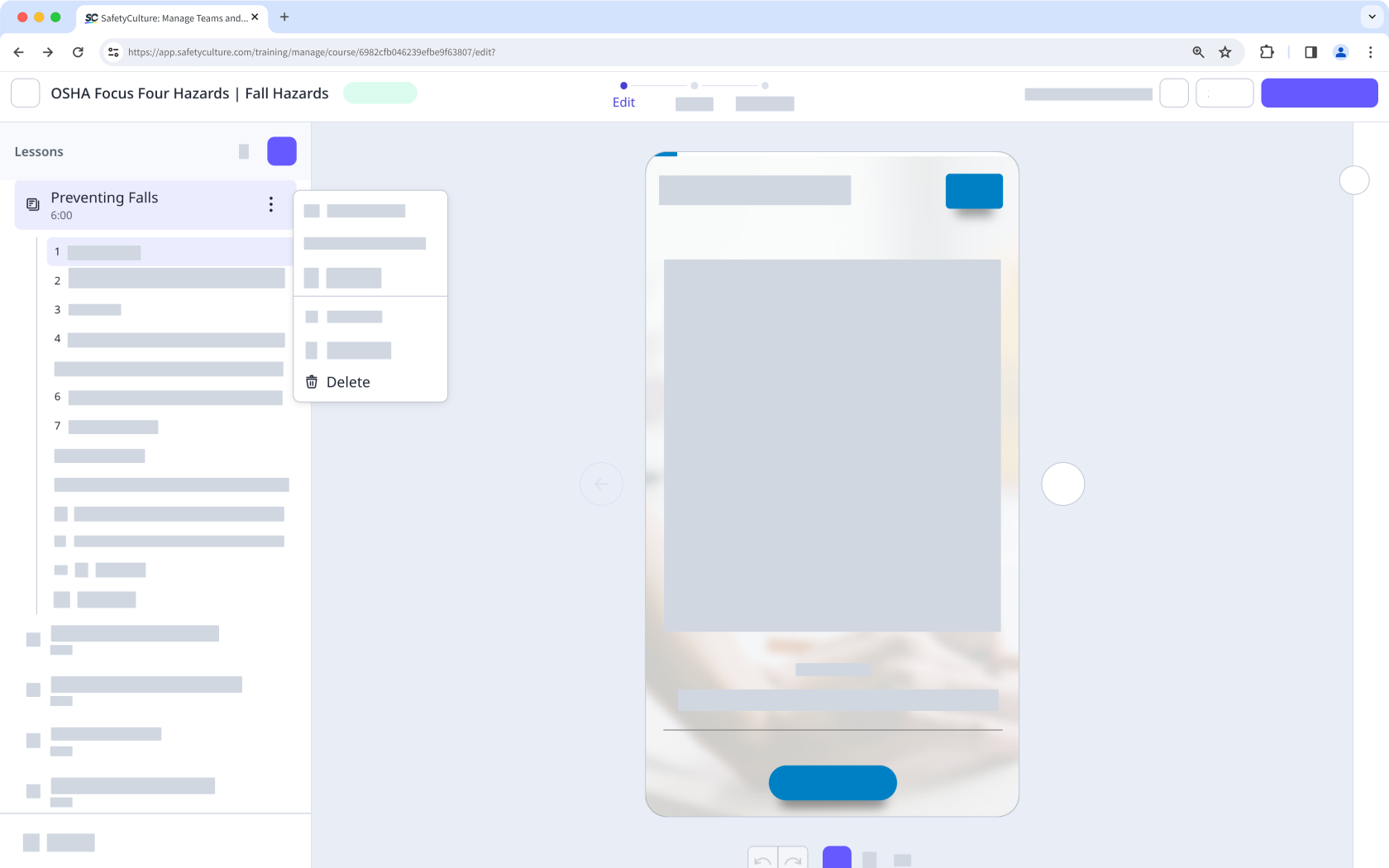
In the pop-up window, click Delete.
Delete a lesson slide
Select Training in the sidebar or select it in More.
If you're on the "Learn" page, click Content at the top of the page and select Courses.
Create a new course or click Edit on an existing one.
If you're editing an existing course and it's published, click Edit on the upper-right of the page.
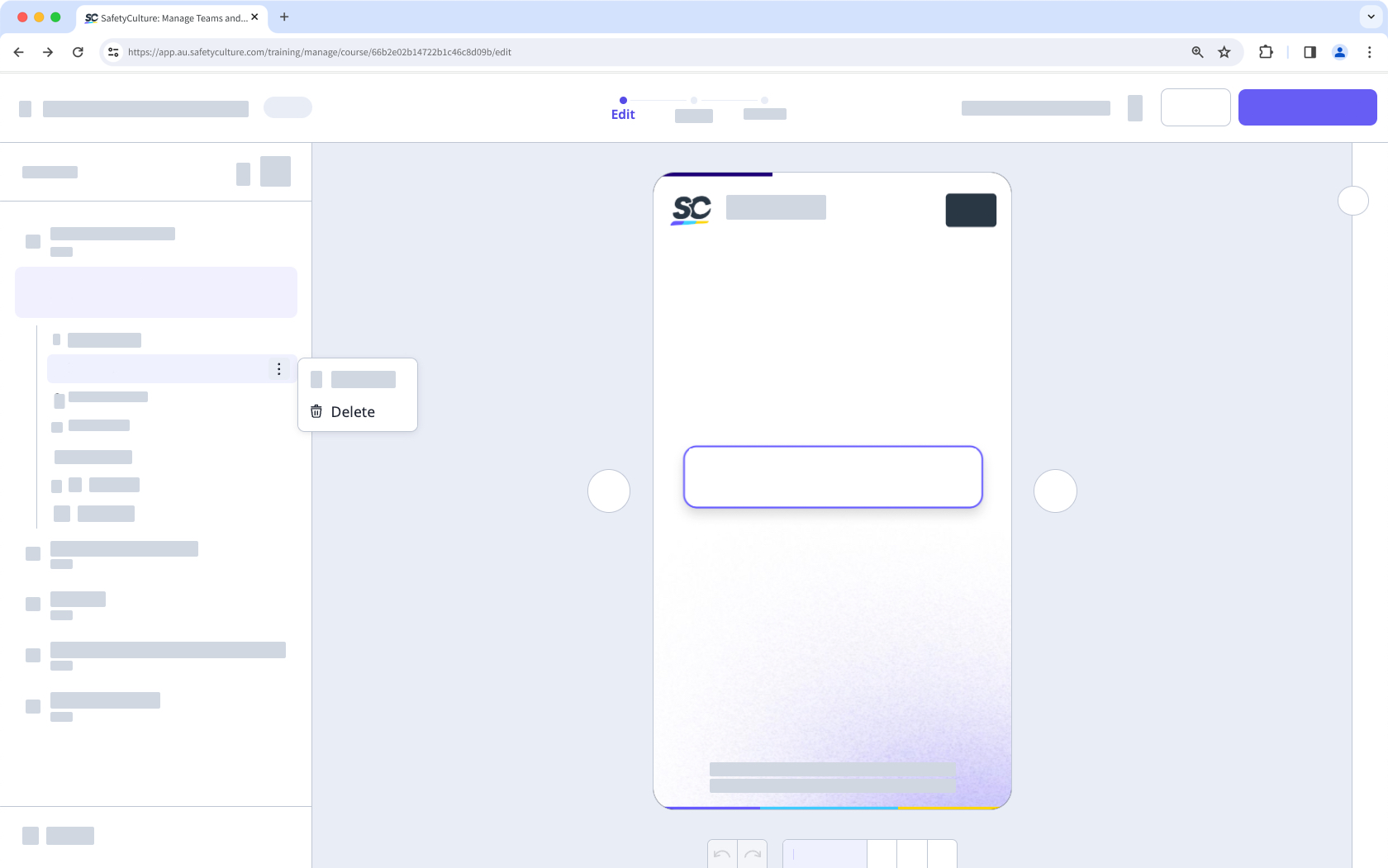
Select a lesson and hover your cursor over the lesson slide you want to delete.
Click and select Delete.
If your course is currently a draft, remember to publish it to make your changes available to your team.


