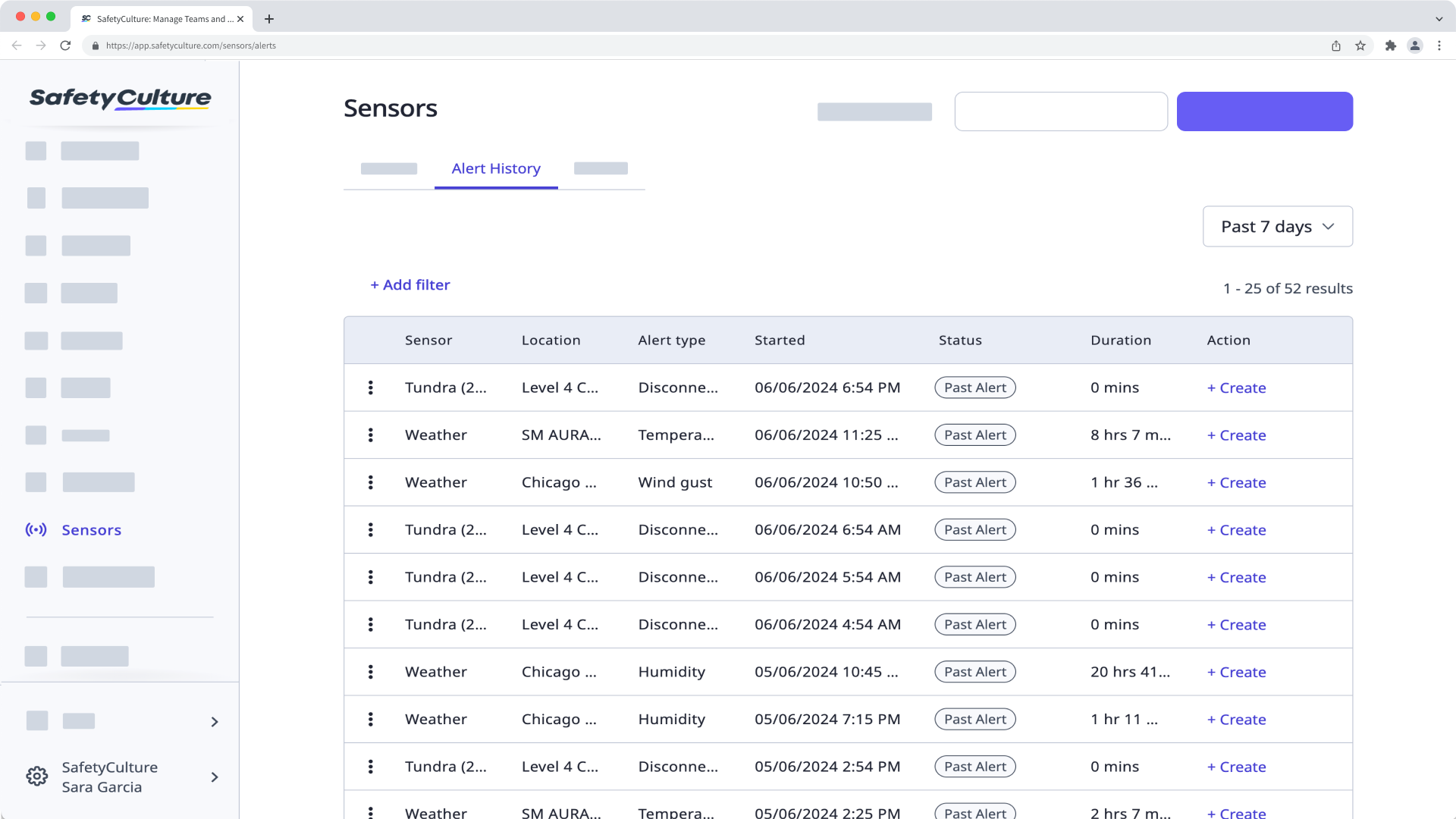
What is a sensor alert history?
Monitor what matters to your business using sensor alerts. Define your own critical thresholds and escalations to be alerted when readings fall outside specific ranges. Then, use alert history for active and archived sensors to find live and past alerts from a timeframe you are interested in. This helps you analyze patterns and trends in sensor alerts over time, and aids in planning maintenance for your equipment. You can also create a sensor alert action to specify what needs to be done when a sensor transmits an unusual reading.
What you'll need
You can only view alerts from a specific date range. You can backtrack your alerts manually using the Custom range option.
View alert history
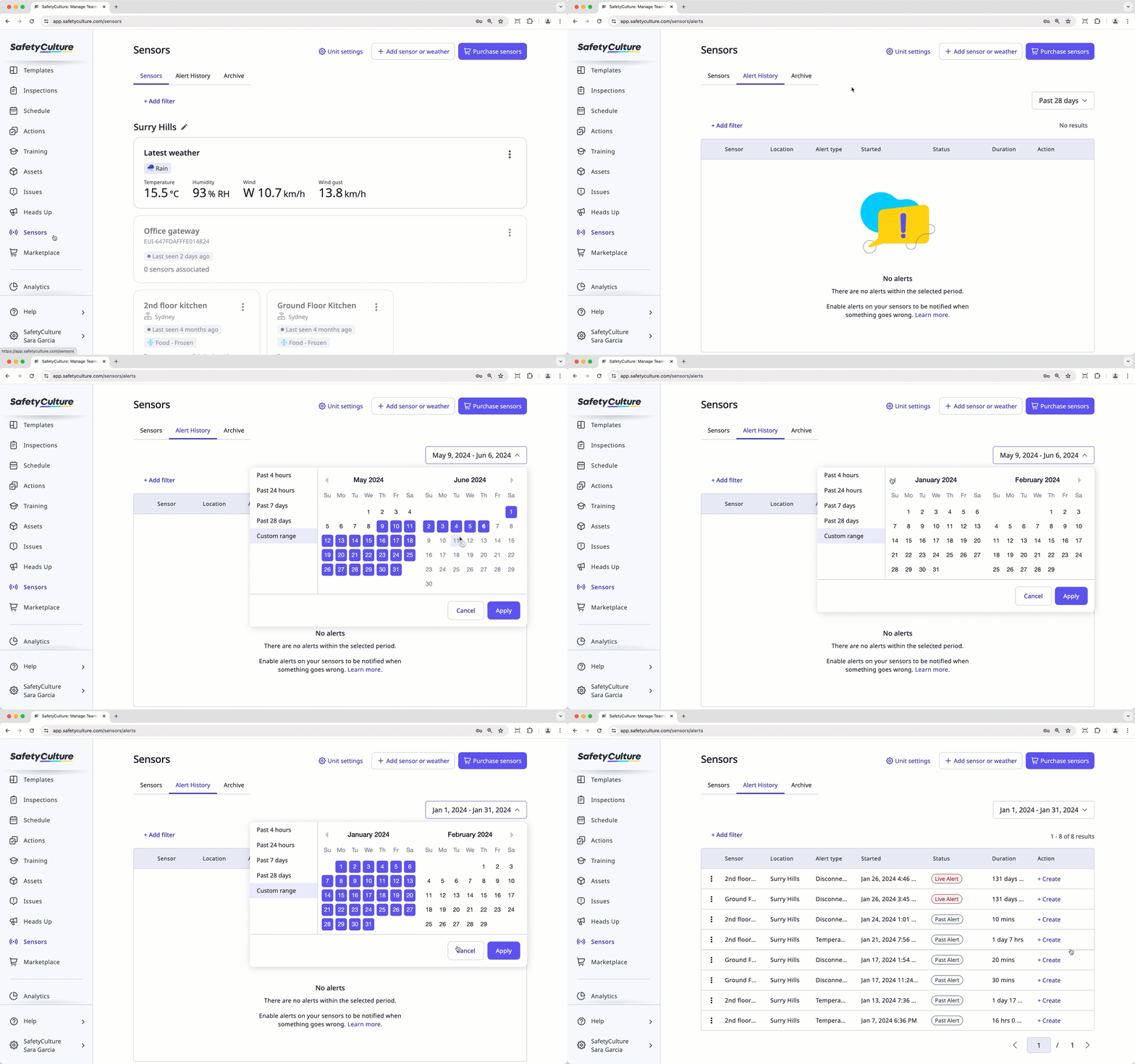
Select Sensors in the sidebar or select it in More.
Select Alert History from the tab at the top of the page.
Click the date picker on the right-hand side, and select any of the following options:
Past 4 hours
Past 24 hours
Past 7 days
Past 28 days
Custom range

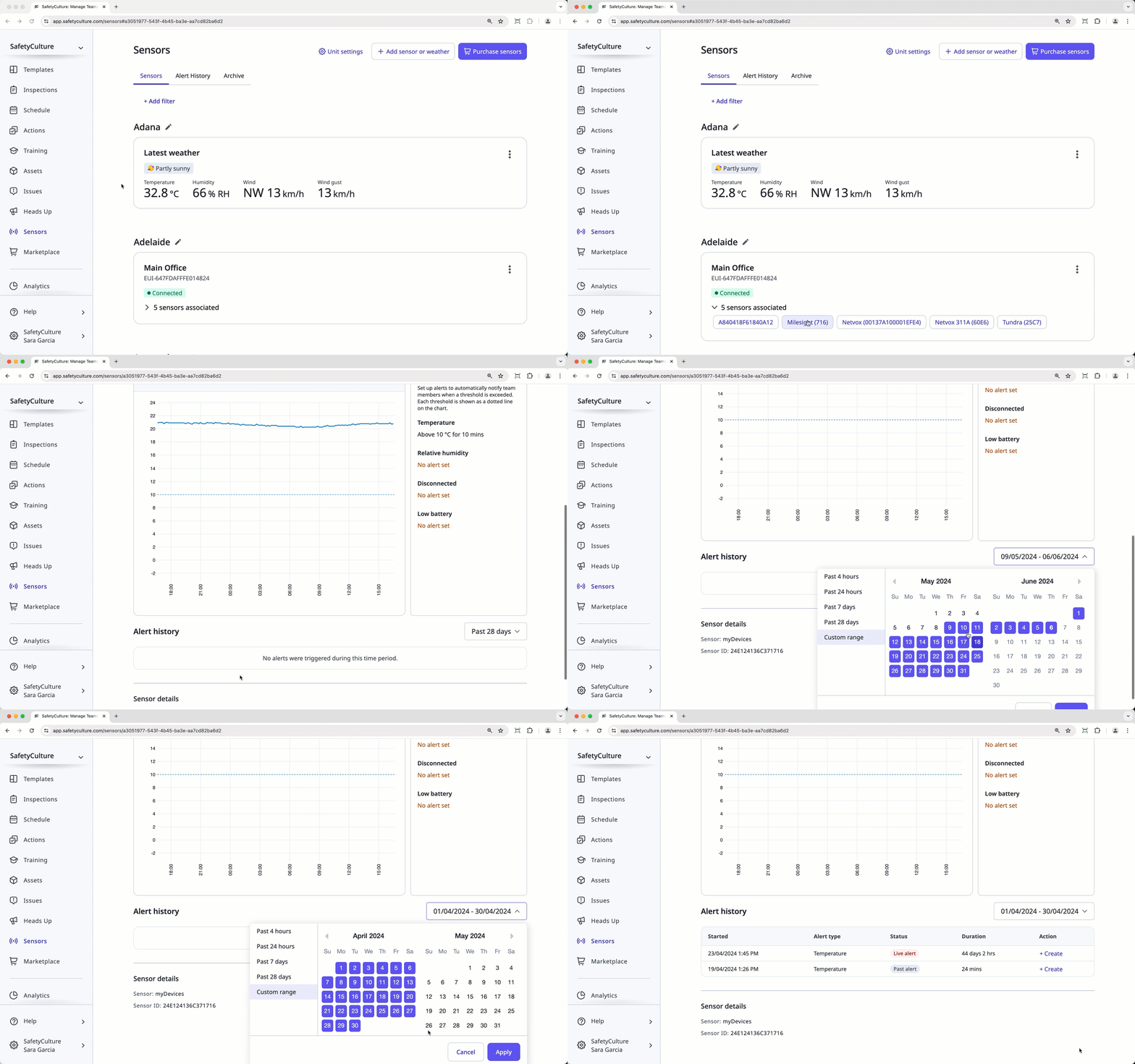
View a sensor's alert history
Select Sensors in the sidebar or select it in More.
Select Sensors from the tab at the top of the page.
Click the sensor you want to view the alert history for.
In the Sensor details tab, go to the "Alert history" section.
Click the date picker on the right-hand side, and select any of the following options:
Past 4 hours
Past 24 hours
Past 7 days
Past 28 days
Custom range

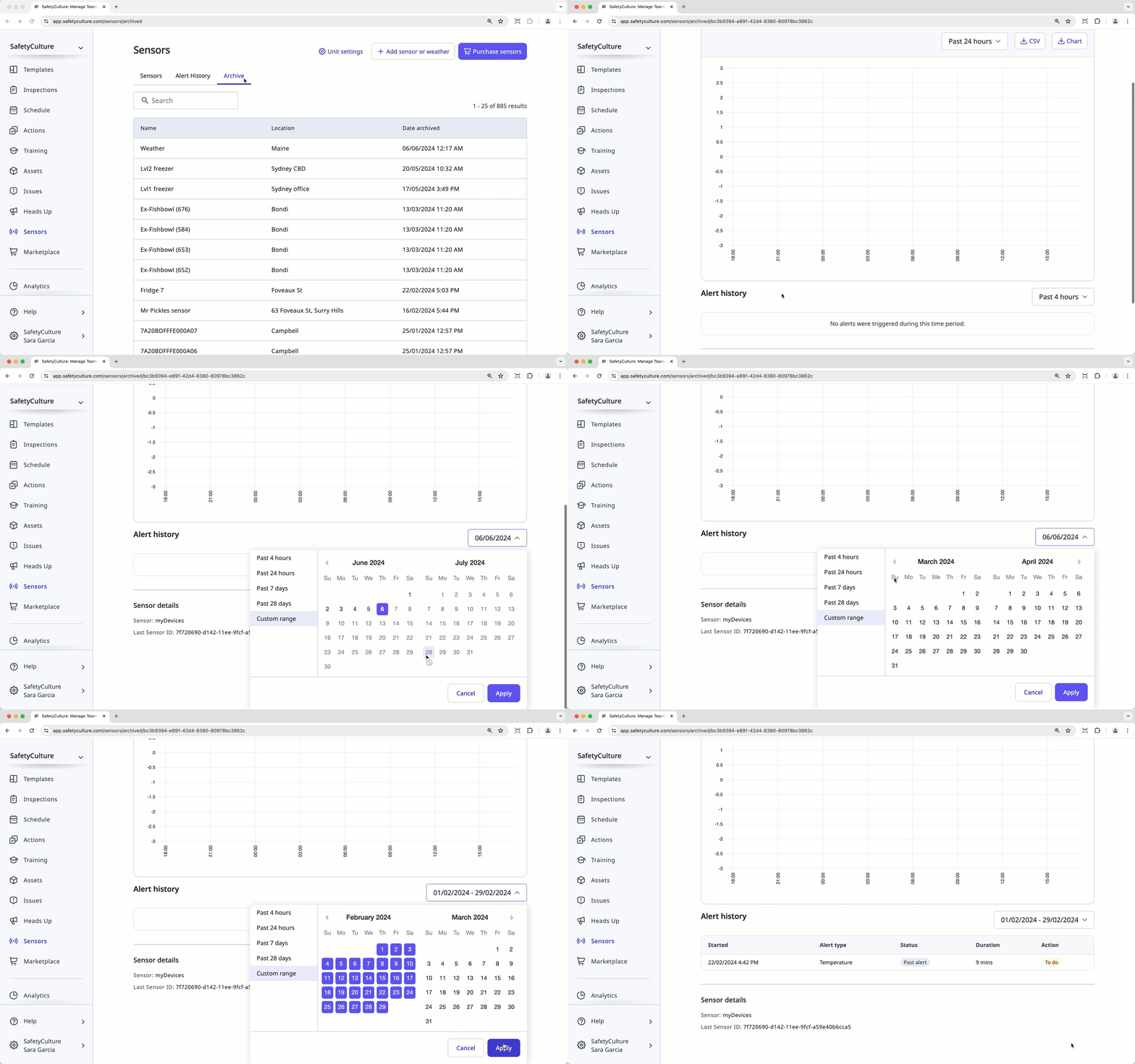
View an archived sensor's alert history
Select Sensors in the sidebar or select it in More.
Select Archive from the tab at the top of the page.
Click the sensor you want to view the alert history for.
In the "Alert history" section, click the date picker on the right-hand side, and select any of the following options:
Past 4 hours
Past 24 hours
Past 7 days
Past 28 days
Custom range