
What are sensor alert actions?
It's important to know if something goes out of critical range. With SafetyCulture, you can set up alerts which create actions to automatically notify stakeholders if any assets that you are monitoring are not within ideal conditions.
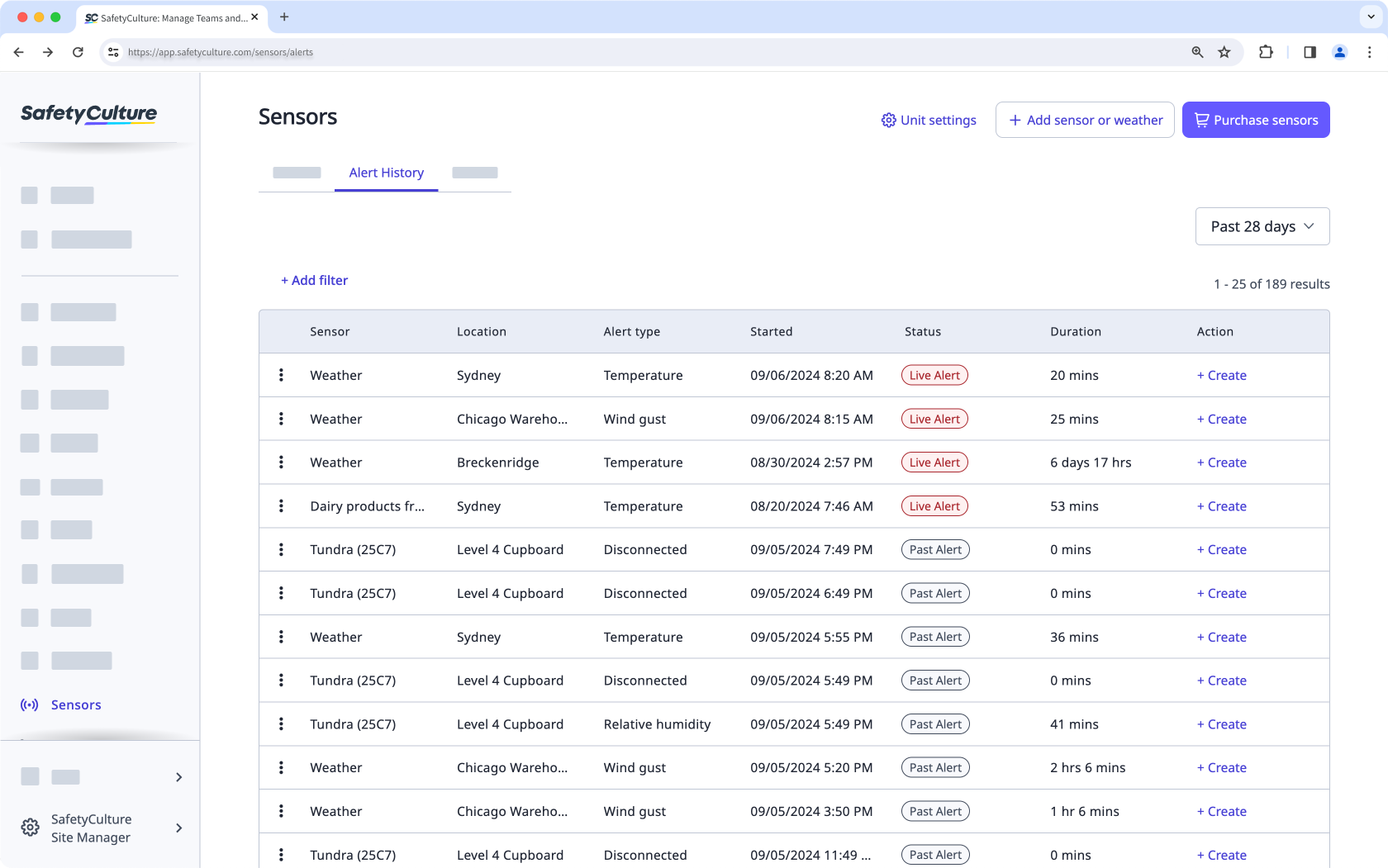
You can only view alerts from a specific date range. You can backtrack your alerts manually using the Custom range option.
What you'll need
Create a sensor alert action
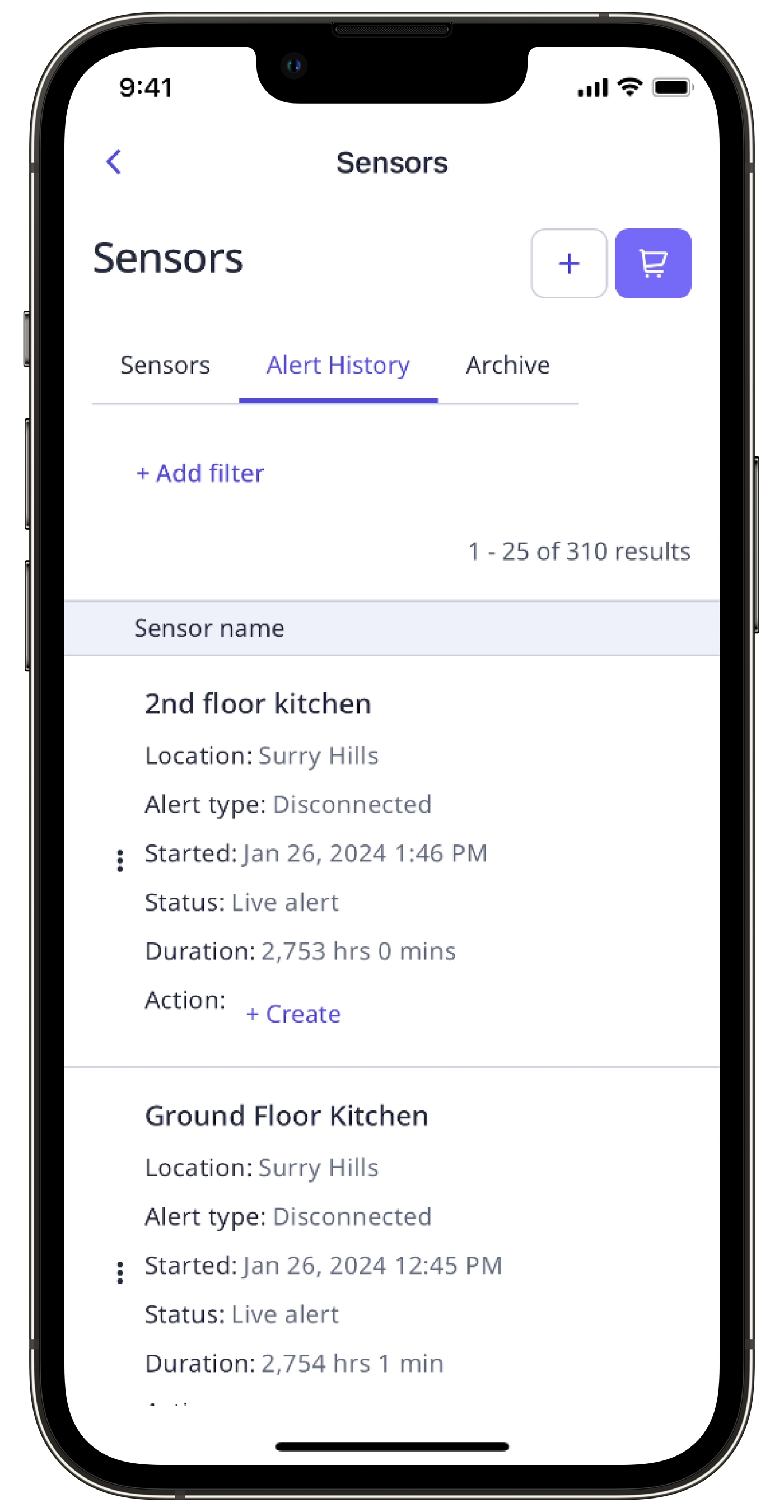
Select Sensors in the sidebar or select it in More.
Select the Alert History tab at the top of the page.
Find the sensor that received the alert and click Create on its right-hand side.
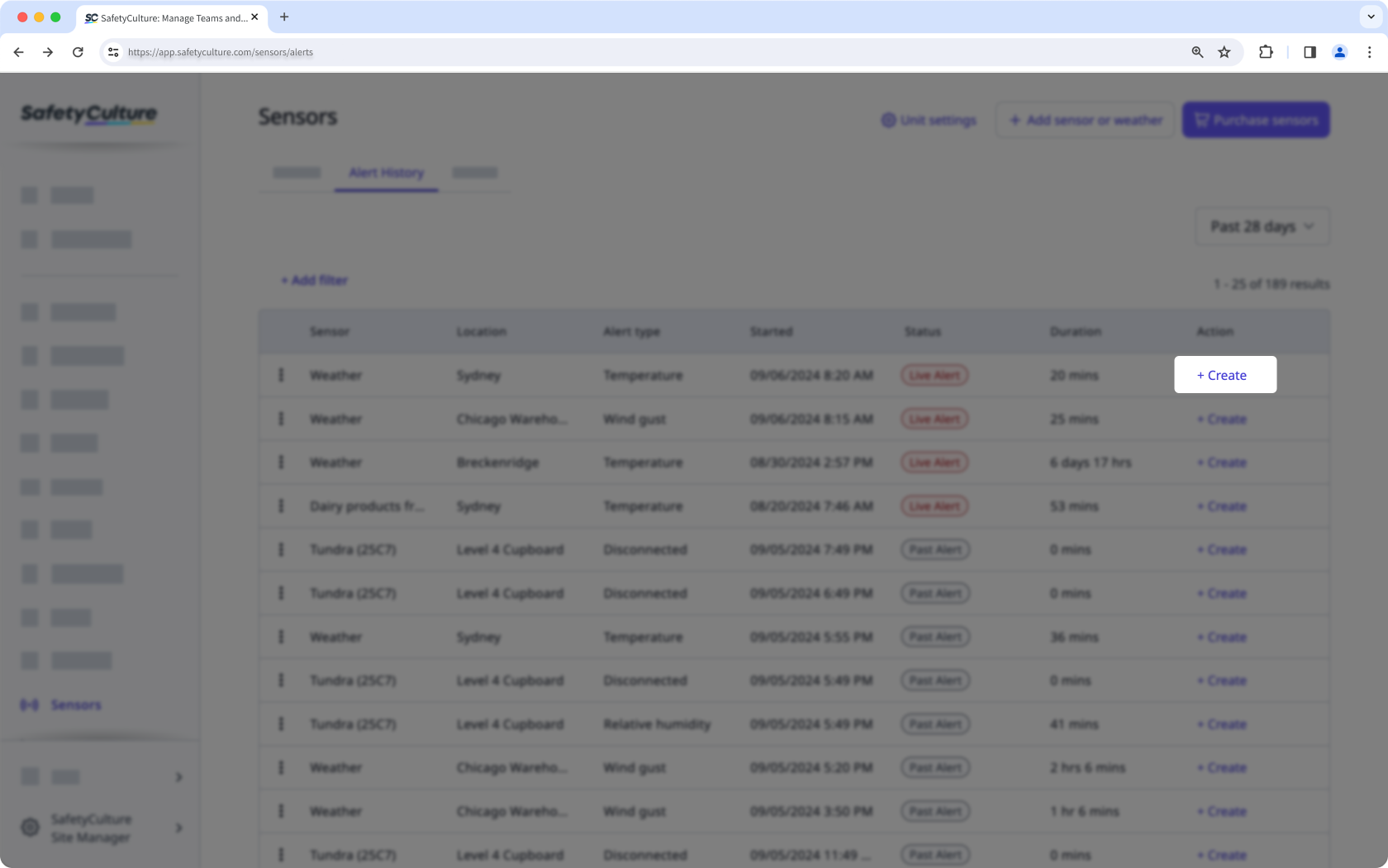
In the pop-up window, the action title should be prefilled in the format of "[Sensor alert] <sensor name> at <sensor location name> - <alert date>". For example, "[Sensor alert] Primary fridge at 72 Foveaux Street - 4 May 2022". You can edit the title and add a description to provide more action details.
Click Create.
While there is no limit on the number of actions you can create, only one action can be linked or associated with a sensor alert.


