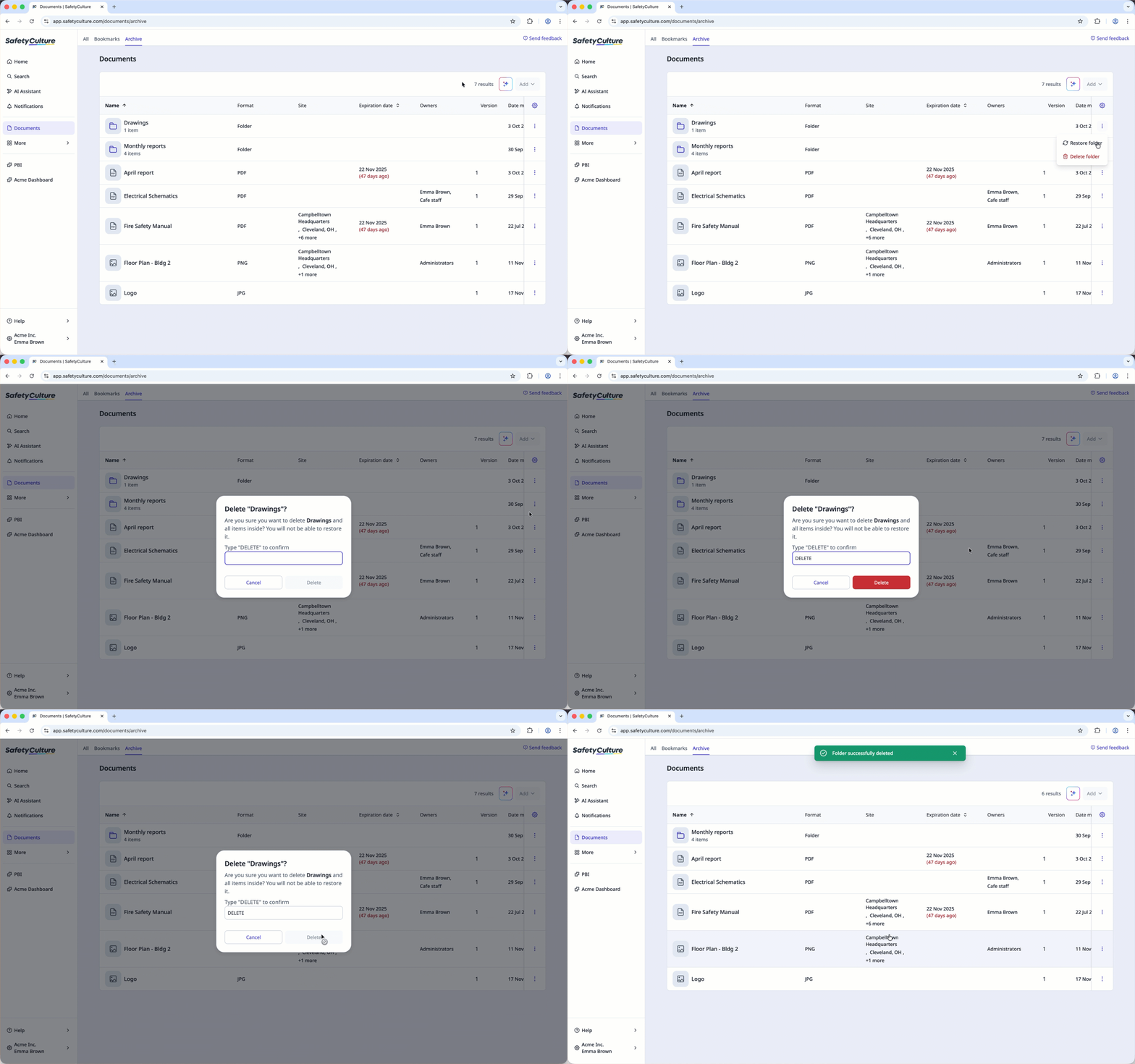
A file or folder needs to be archived first before being deleted.
Deleting is irreversible, and we cannot restore permanently deleted items. Confirmation is always required before any deletion, so be sure you're not accidentally deleting the wrong item.
Delete a file or a folder
Select Documents in the sidebar or select it in More.
Select Archive tab on the top of the page.
Click on the file or folder's right-hand side and select Delete or Delete folder.
In the pop-up window, enter "DELETE" and click Delete.