Why review inspections, actions, or issues without sites?
Review inspections, issues, or actions without a site so you can assign them to the correct one after submission. This is useful when items are created without a site selected, helping you find all unassigned items in one place instead of tracking them down individually. Assigning them correctly helps keep your data organized, improves reporting accuracy, and ensures follow-up workflows stay on track.
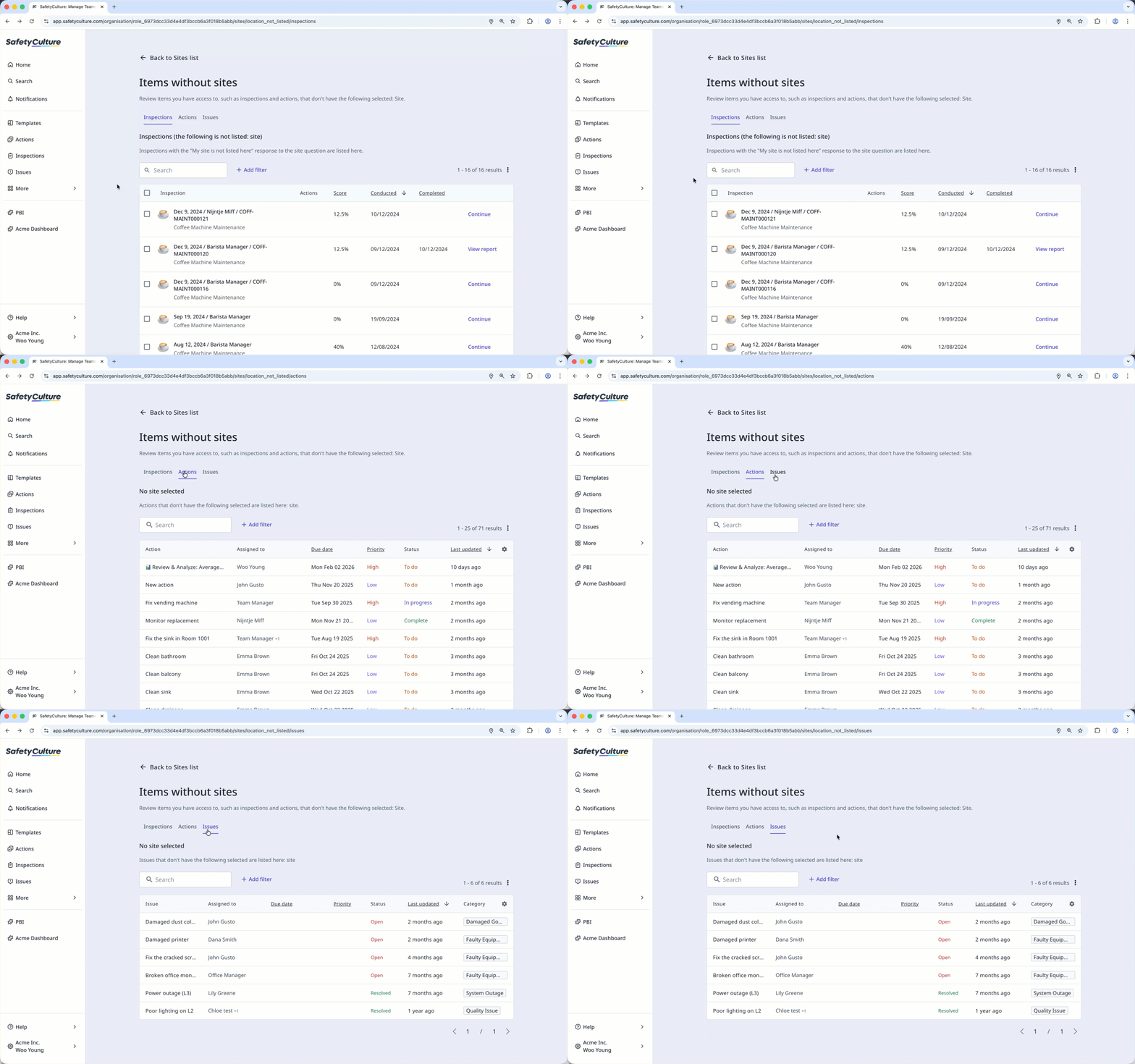
Only inspections where "My site is not listed here" was selected can be reviewed. Inspections without a site selected aren’t supported.
Review inspections, actions, or issues without sites
Click your organization name on the lower-left corner of the page and select Sites.
Click on the upper-right of the page and select Items without sites.
Go through each tab to review inspections, actions, or issues without sites.
In each tab, you can assign sites to the inspections, actions, or issues you have access to edit.
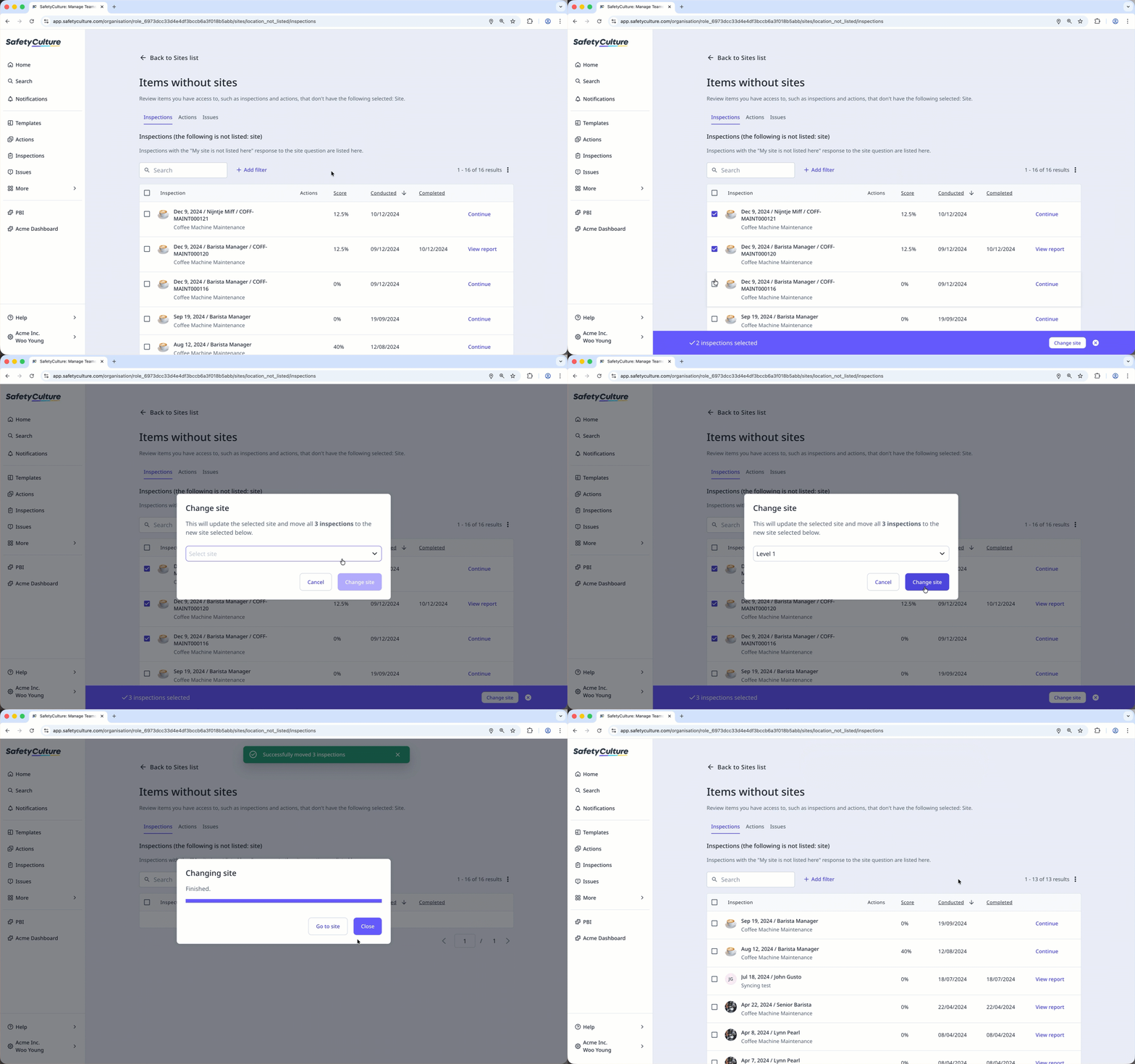
Inspections: Check the boxes on the left-hand side of the inspections and click Change site at the bottom of the page. In the pop-up window, select the site you want to assign them to.
Actions: Click the action and select the site in the side panel.
Issues: Click the issue and select the site in the side panel.
If you have "Platform management: Sites" permission, you can turn the "My site is not listed here" option on for your organization to easily reassign inspections to sites after submission.