
How does retroactively giving inspection access work?
Access rules can change over time. When you retroactively give inspection access, it applies your current access rules to past inspections. This means you and your team will have access to future inspection results and also gain visibility into all the existing inspections.
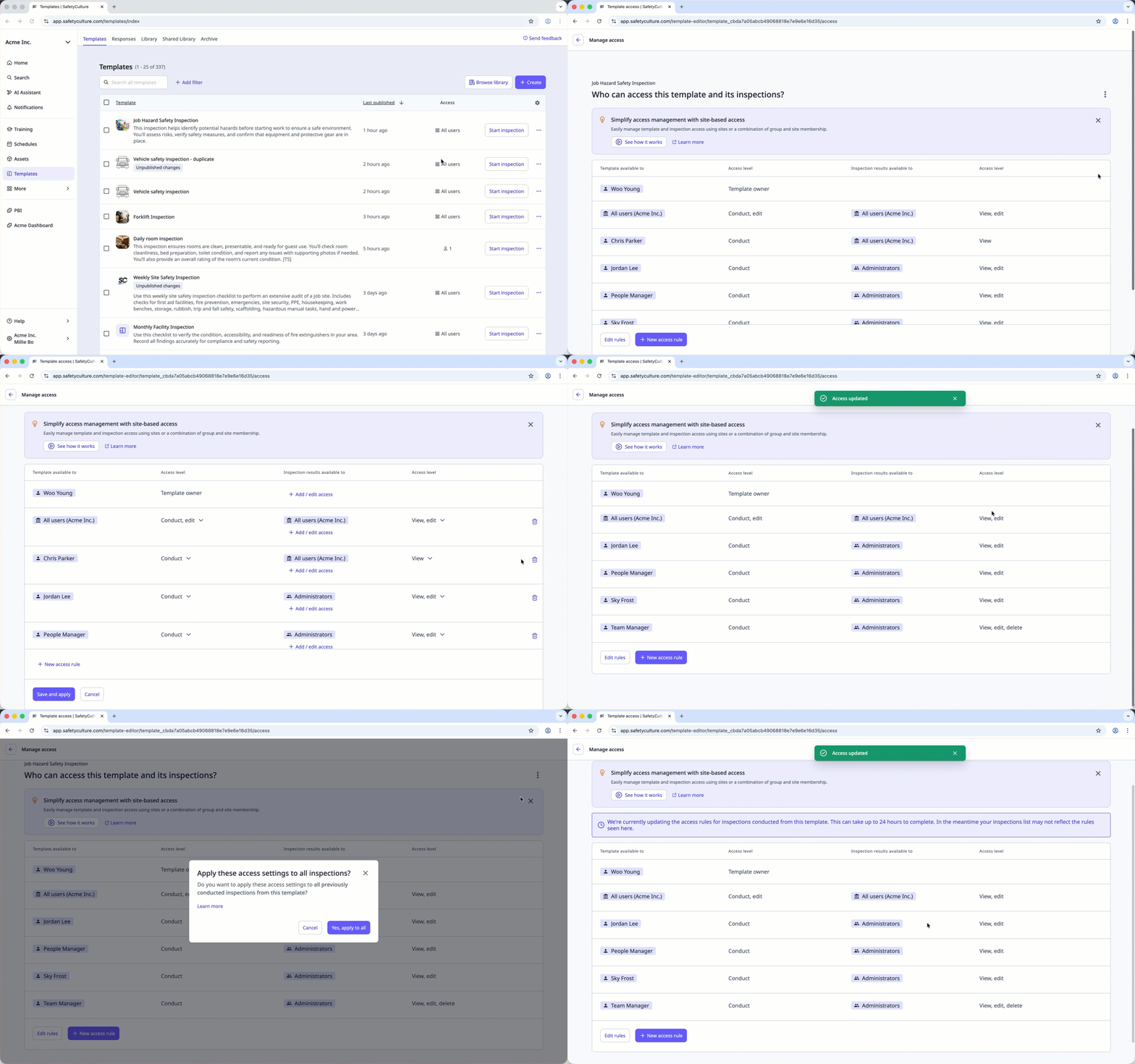
For example, your organization has been conducting monthly safety inspections for the past year. When a new team member joins, they may need access to review those inspections. Retroactively giving them inspection access applies your current access rules to past inspections, allowing the new member to see the full inspection history, not just the inspections conducted after they joined. This provides visibility over all inspections conducted in the organization.
Updating inspection access rules may remove approvers' access to inspections in progress.
What you'll need
The "Yes, apply to all" option overrides access to existing inspections. For example, if you update access rules for a new user, choosing "Yes, apply to all" will grant them retroactive access to past inspections.
Retroactively give inspection access
Select Templates in the sidebar or select it in More.
Click the template and select Manage access in the side panel.
Click and select Apply rules to past inspections.
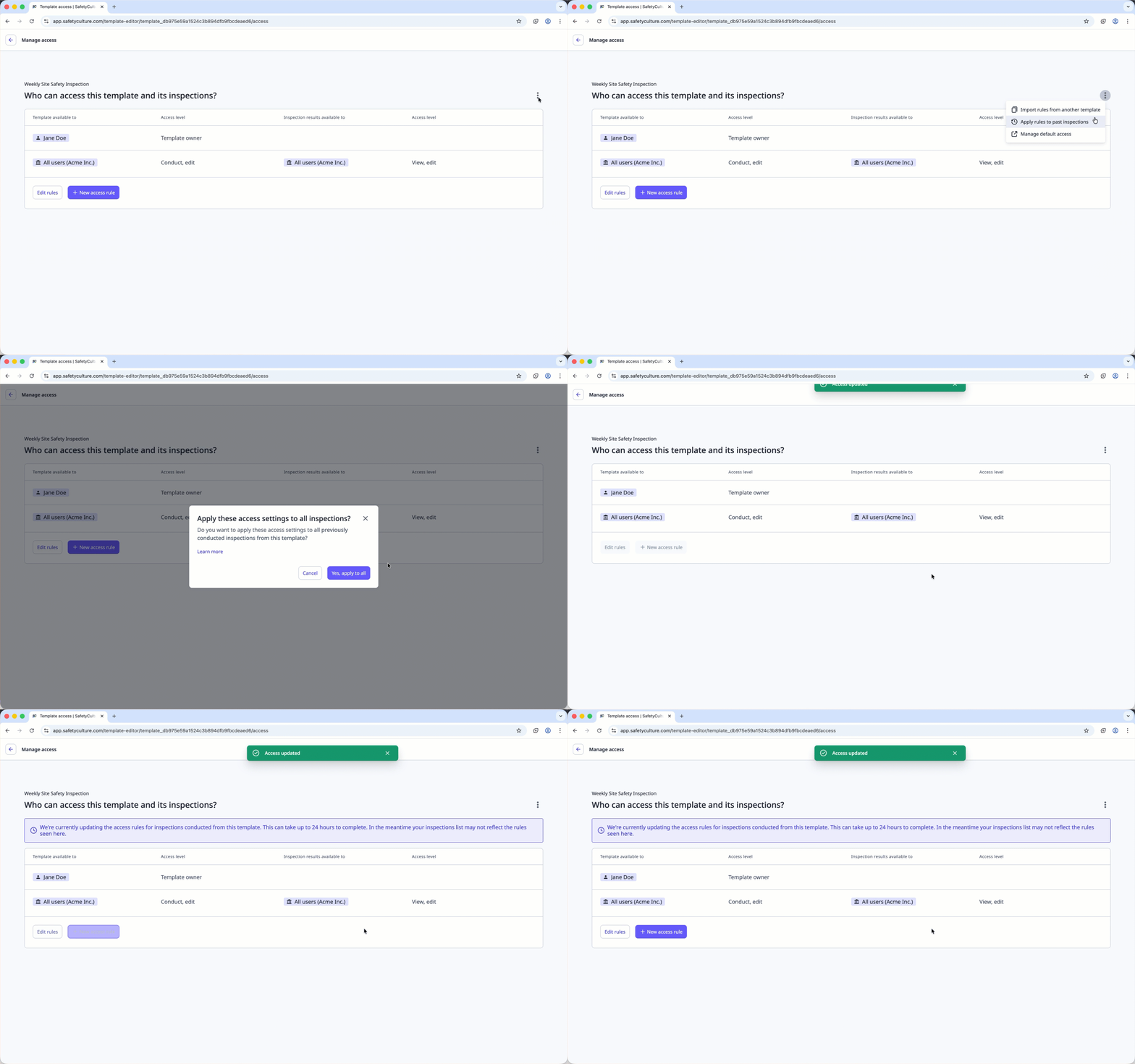
In the pop-up window, click Yes, apply to all.
Giving inspection access retroactively applies only to users in your organization. If inspections are shared externally, the other organizations must apply the inspection rules retroactively on their end.


