
What you'll need
To approve inspections on the mobile app, users must be on version 24.23 and above.
Approve an inspection
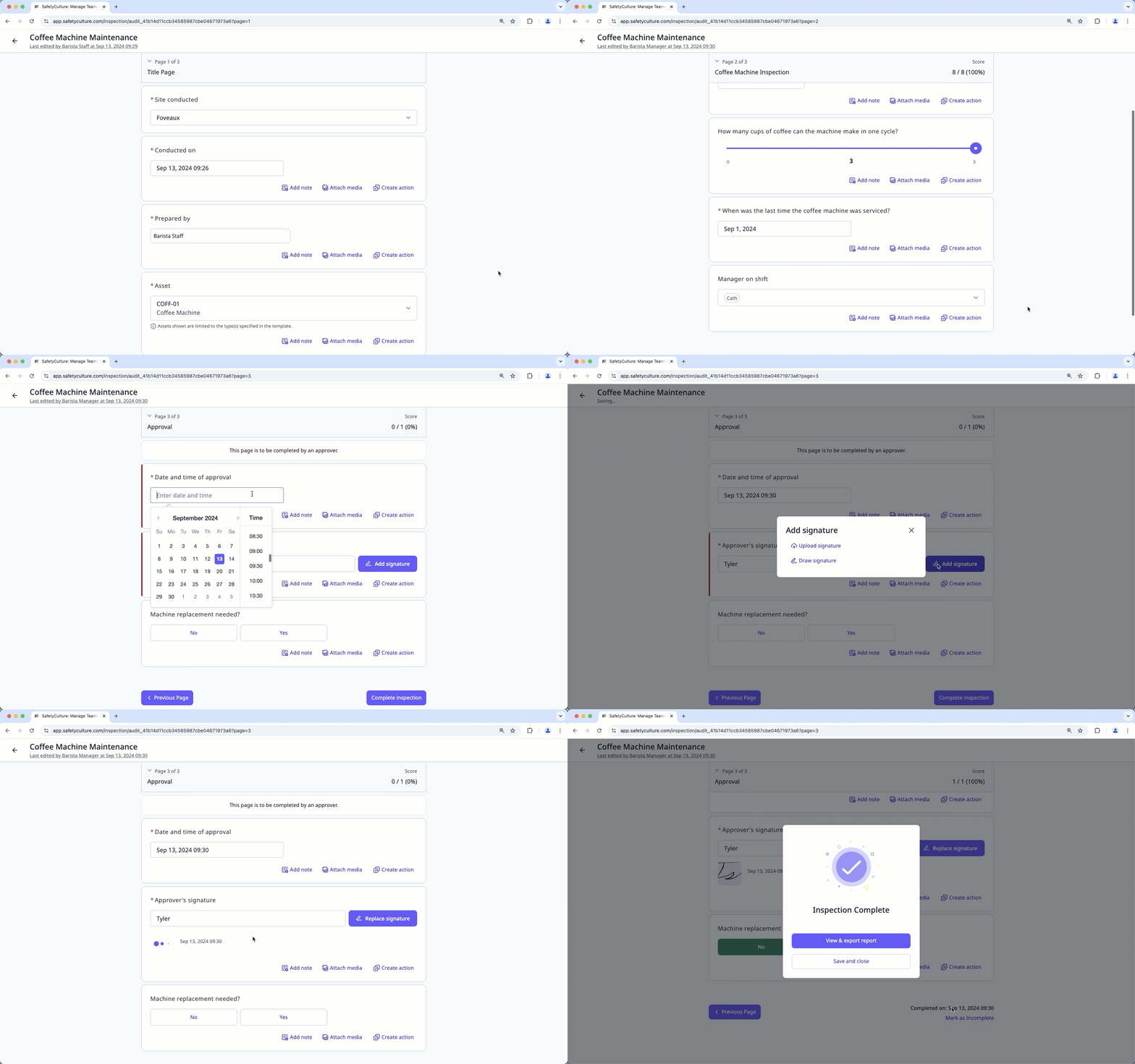
Select Inspections in the sidebar or select it in More.
Click Continue on the inspection's right-hand side.
After reviewing the inspection, navigate to the approval page and answer the questions accordingly.
Click Complete to approve the inspection.
The user will be notified that their inspection has been approved. Please note that approval notifications are subject to the recipients' notification settings.
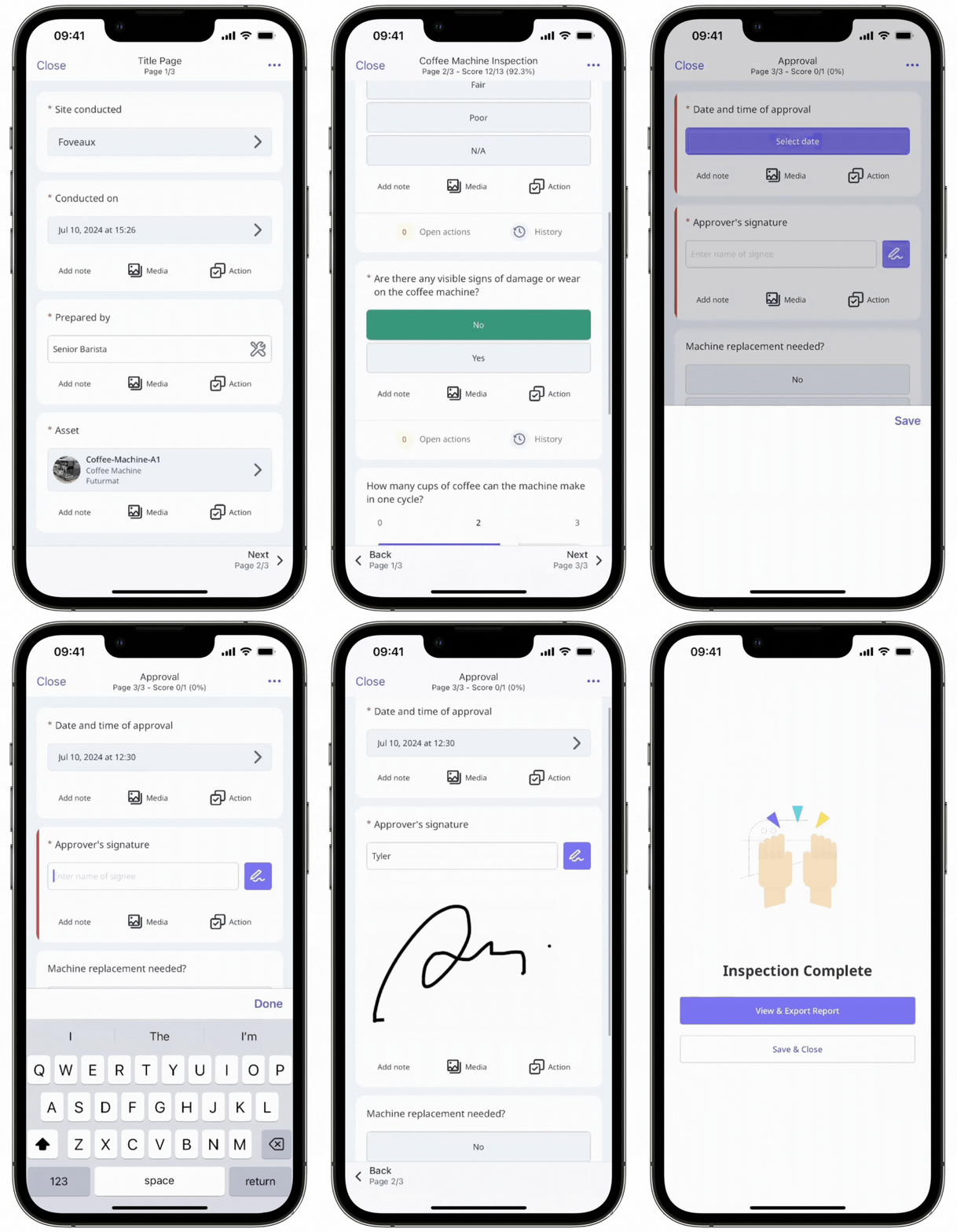
You can open the approval notification you receive, or open the relevant inspection from your Agenda to review and approve its details.


