Why should I update my organization's details?
Keeping your organization details up to date helps keep your name, primary contact information, and branding accurate across SafetyCulture. It also helps make sure important notifications, such as legal and security alerts, are sent to the right people.
For example, after a leadership change, you can update the organization owner’s email and phone number so system alerts go to the new owner instead of a former employee.
What you'll need
If your organization is on the Premium Plan or Enterprise Plan, you can update your billing details such as your credit card, or billing address, through the "Billing" page. If you want to update your billing name, please contact our customer support team.
Update your organization's details
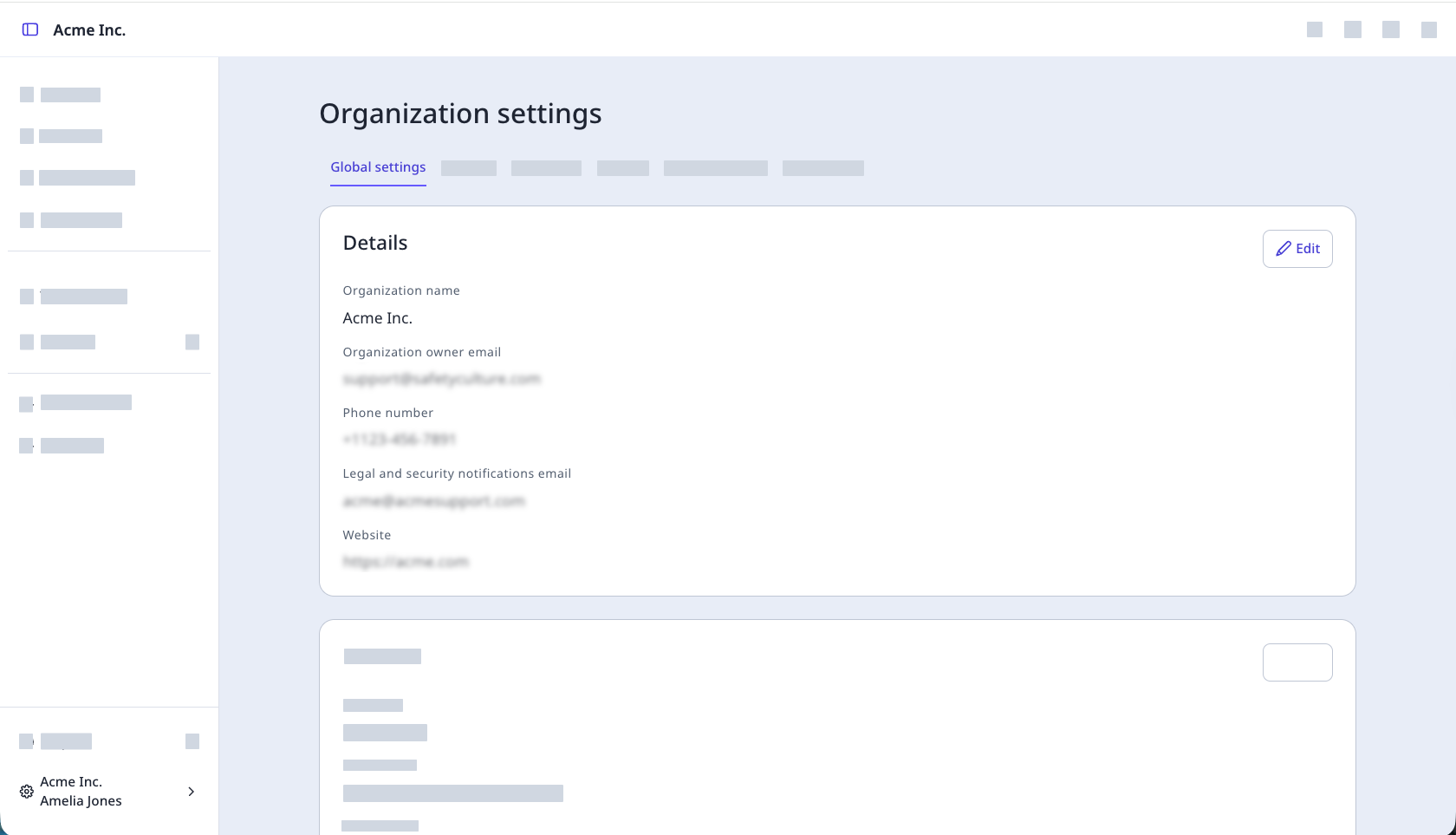
Click your organization name on the lower-left corner of the page and select Organization settings.
Select Global settings at the top of the page.
Click Edit on the upper-right of the "Details" section to update your organization’s details:
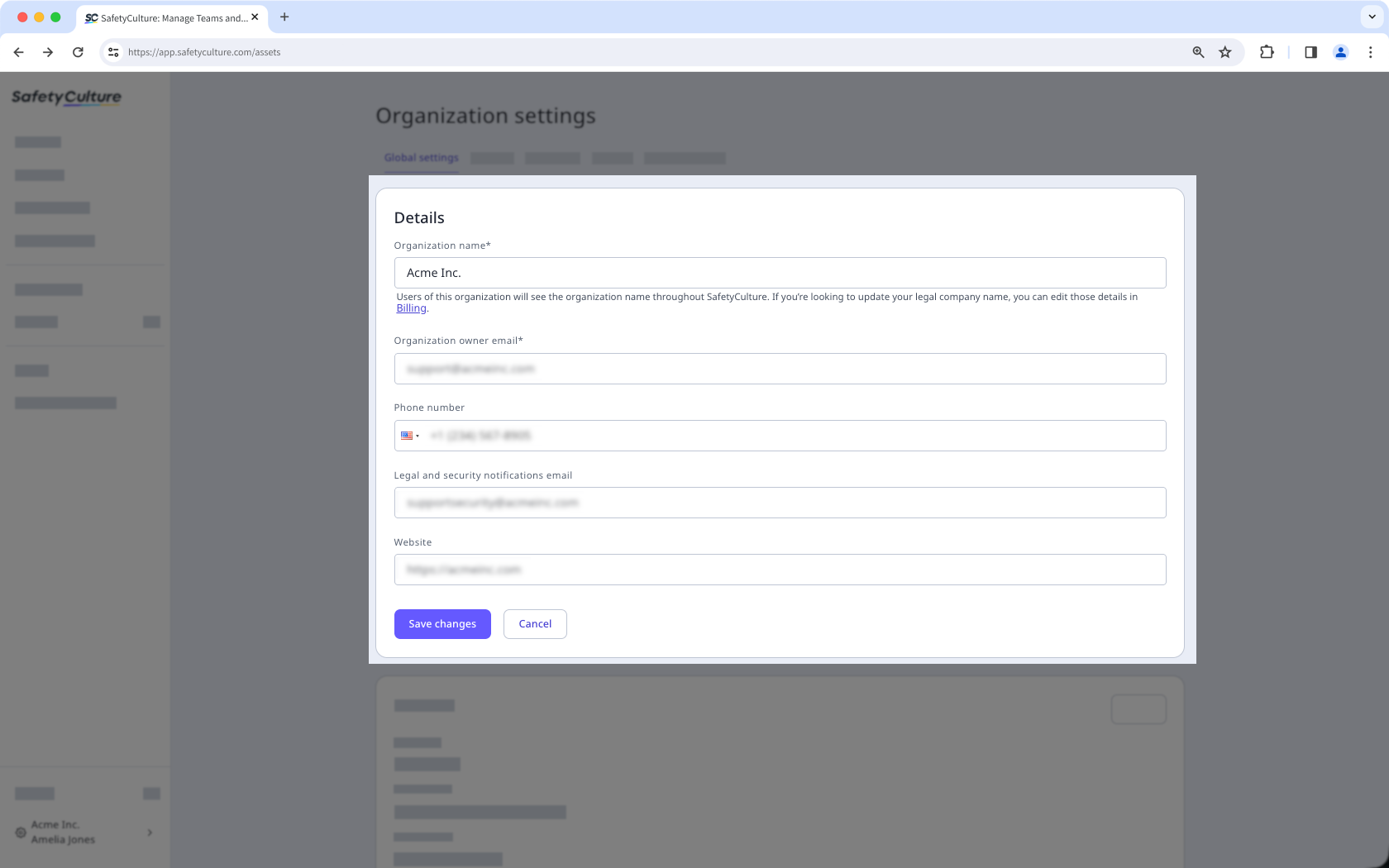
Click Save changes.