
Why store inspections on your device?
Storing inspections on your device allows you to keep them readily available whenever you need them. This is especially useful when you're working in areas with limited or unstable internet connection and still need to start, continue, or complete inspections. To help you manage storage efficiently, you can set a limit to store inspections that were modified within timeframes such as 1 week, 2 weeks, 1 month, 3 months, or 6 months. This ensures the most relevant inspections remain accessible and helps you complete required inspections more efficiently in any environment.
What you'll need
Store inspections on your device
Open the mobile app.
Tap your user profile icon at the upper-right corner of your screen.
In the pop-up menu, select Settings.
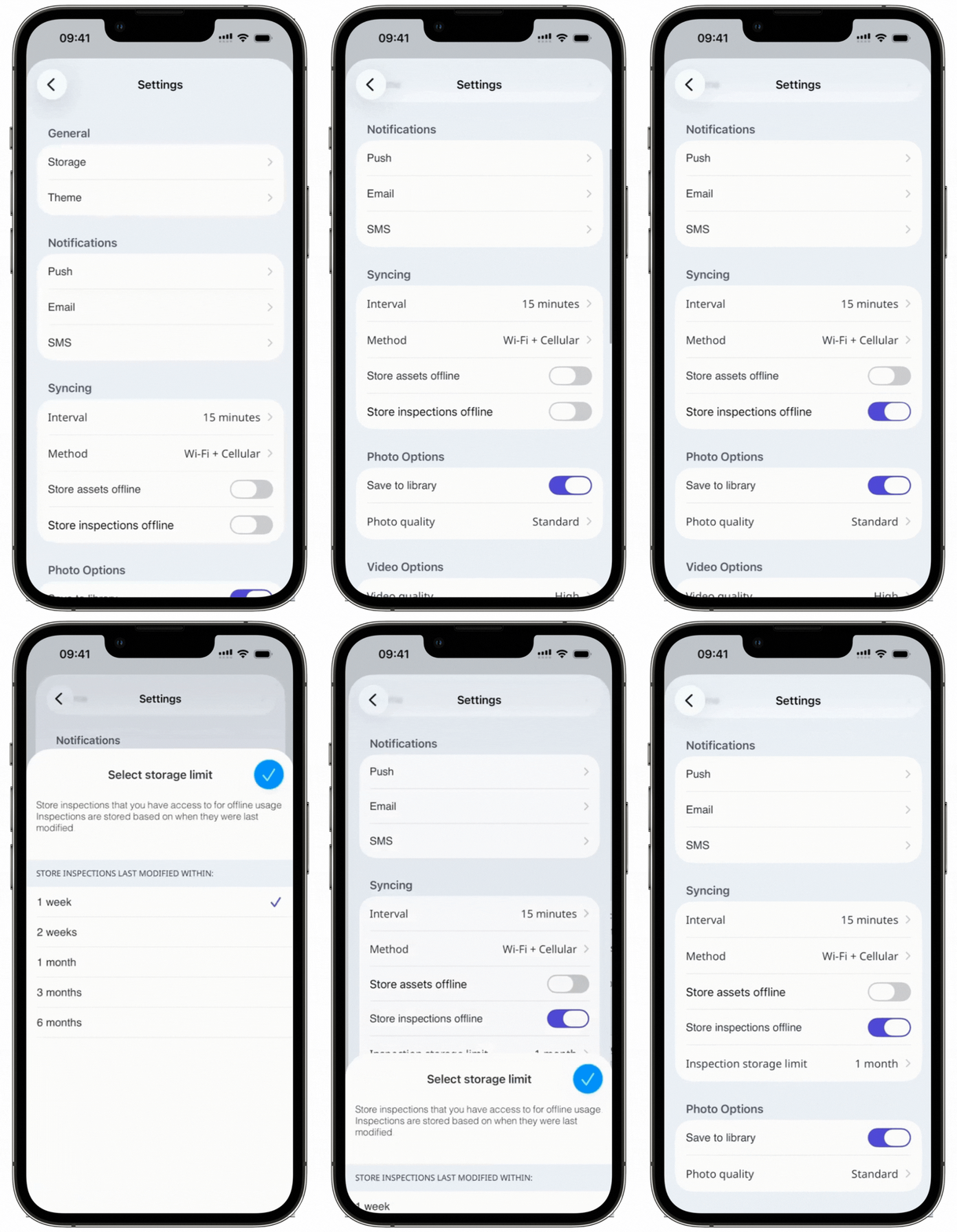
Scroll down to the "Syncing" section.
Turn Store inspections offline on or off.
Tap Inspection storage limit and select the timeframe accordingly.
Only inspections stored on your device can be edited offline.


