¿Qué son las traducciones de cursos?
Las traducciones de cursos son versiones de un curso en un idioma específico que coexisten con el original. Puede transferir material de formación multilingüe a SafetyCulture sin tener que reconstruir los cursos para cada idioma. Las traducciones se gestionan en los ajustes del curso, donde puede añadirlas manualmente o con IA. Esto le permite dar soporte técnico a equipos de distintas regiones en su idioma de preferencia sin duplicar el contenido del curso.
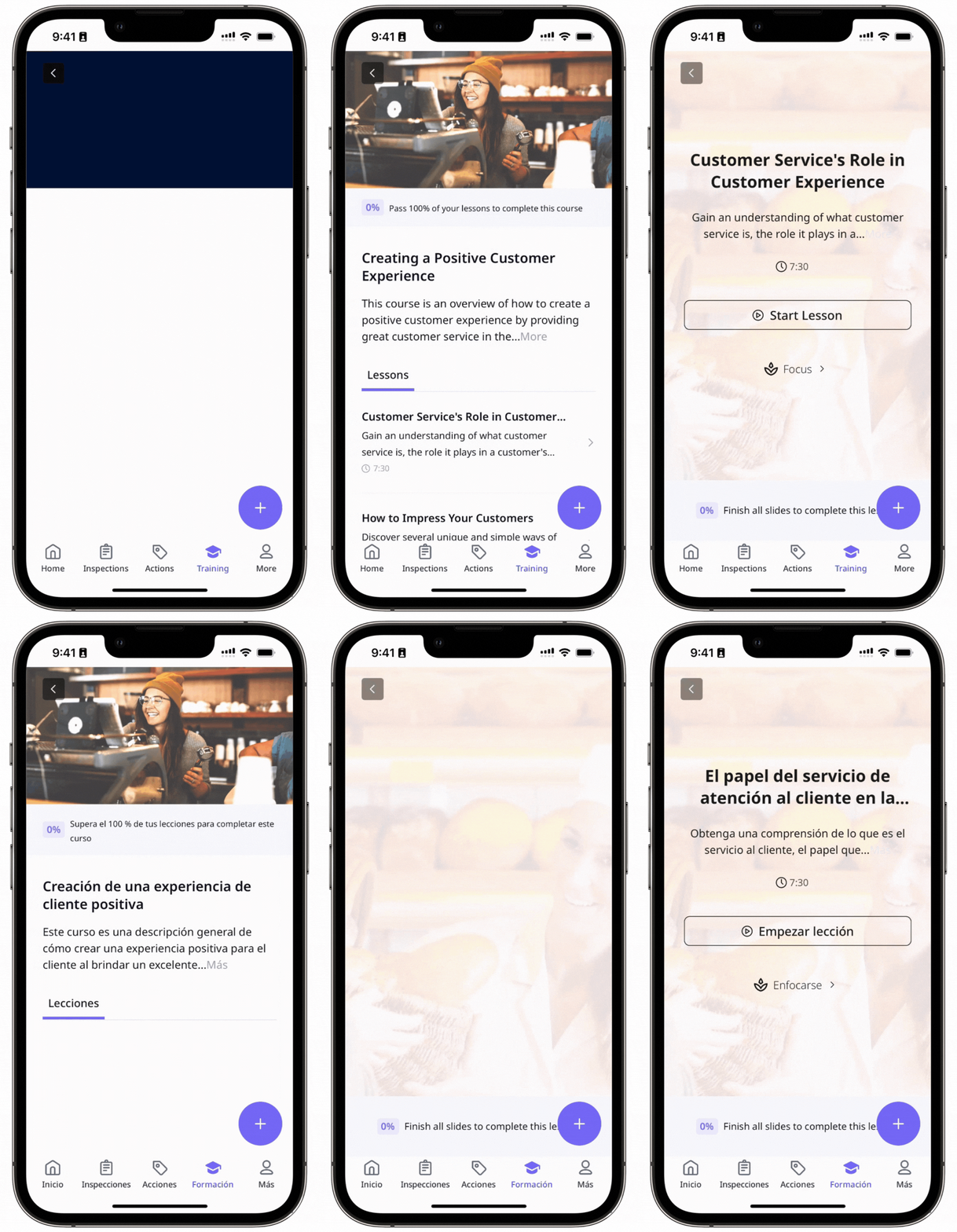
El siguiente ejemplo muestra un curso disponible en inglés y español utilizando el mismo contenido:
What are the differences between the legacy and new course translation experience?
Aspect | Legacy experience | New experience |
|---|---|---|
Course structure | Each translated language was created as a complete duplicate course linked to the original. | All translated texts are saved within the same course. |
Settings and theme consistency | Learner assignment and access rules were shared from the original, but structure, settings, and theme were not reliably kept in sync. | Each translated version of your course will keep the same structure, settings, theme, and user management of the original. |
Slide and content sync | Changes to the original do not flow to translations automatically, so translated versions must be updated separately. | If you add, reorder, or delete a slide in the original course, it will instantly update across all translations. These edits can only be made to the original course. |
Editing experience | Edits are done manually to the separated courses, so to view the original course, you had to switch back to it. | While editing a translation, you can view the original text directly below the input fields. |
Language switching | Due to separate translated courses, switching languages was disruptive for learners. | There's a translation switcher to toggle between languages or add a new one. Learners can choose their preferred language before starting, and progress is retained if they switch languages mid-course. |
Analytics and completion | Completion results can become fragmented when learners complete parts of a course in different languages or on different devices. | Multilingual analytics is supported, and switching-related completion issues are avoided. |
Version alignment | Because each language behaves like a separate course, versions can drift over time through mismatched slides, lessons, settings, publish state, or media. | Publishing is blocked when translations are incomplete, helping keep language versions aligned. |
Publishing the course will publish all languages at once.