How does PPTX file conversion to training courses work?
SafetyCulture helps organizations transform existing training and compliance PowerPoint presentations into modern, digital, and mobile-friendly training courses. Instead of rebuilding content from scratch, you can upload your existing PPTX file and SafetyCulture will automatically convert it into an interactive course.
The converted course is organized into short, easy-to-complete lessons that learners can access from any device. You can then review, edit, and customize the generated content as needed before publishing it to your team.
This makes it easy to reuse existing training materials, reduce manual work, and deliver engaging learning experiences across your organization.
You can also use the AI Assistant to convert your PPTX files into training courses with the help of AI.
What you'll need
The converter supports PPTX files with a maximum file size of 100MB. If your file exceeds this limit, try splitting it and converting it separately.
Convert a PPTX file to a training course
Make sure you review and update the slide layout before editing the course. You can't go back to the slide layout after you start editing the course content.
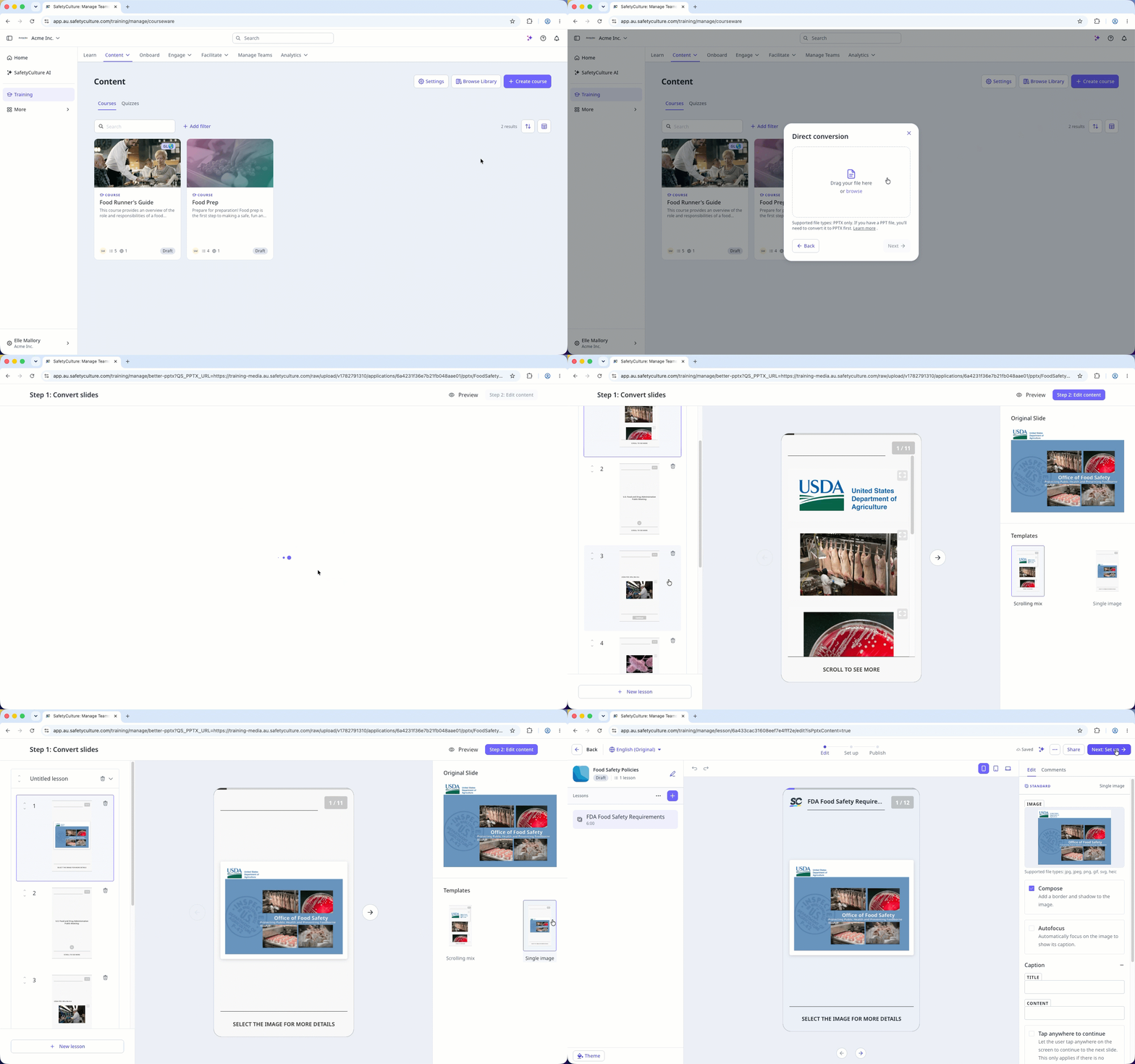
Select Training in the sidebar or select it in More.
If you're on the "Learn" page, click Content at the top of the page.
Click Create course on the upper-right of the page.
Select Convert PowerPoint.
In the pop-up window, click Direct conversion.
Drag your file in the pop-up window or click browse and select the file.
Click Next.
Review each slide on the left panel.
Select a template on the right panel to improve the slide layout. For slides with a complex layout, select the "Single Image" template to use a screenshot of your original slide.
Click Step 2: Edit content on the upper-right of the page to edit the course.
If your course is currently a draft, remember to publish it to make your changes available to your team.
Limitations
Our document conversion feature will try to output text as close as possible to the original file uploaded, but since it generates text, it may not be an exact one-to-one representation of the document.
Diagrams may be difficult to extract, particularly diagrams from PPTX presentations.