Was bedeutet es, die Standorte der Inspektionsmaßnahmen auf einer Karte anzuzeigen?
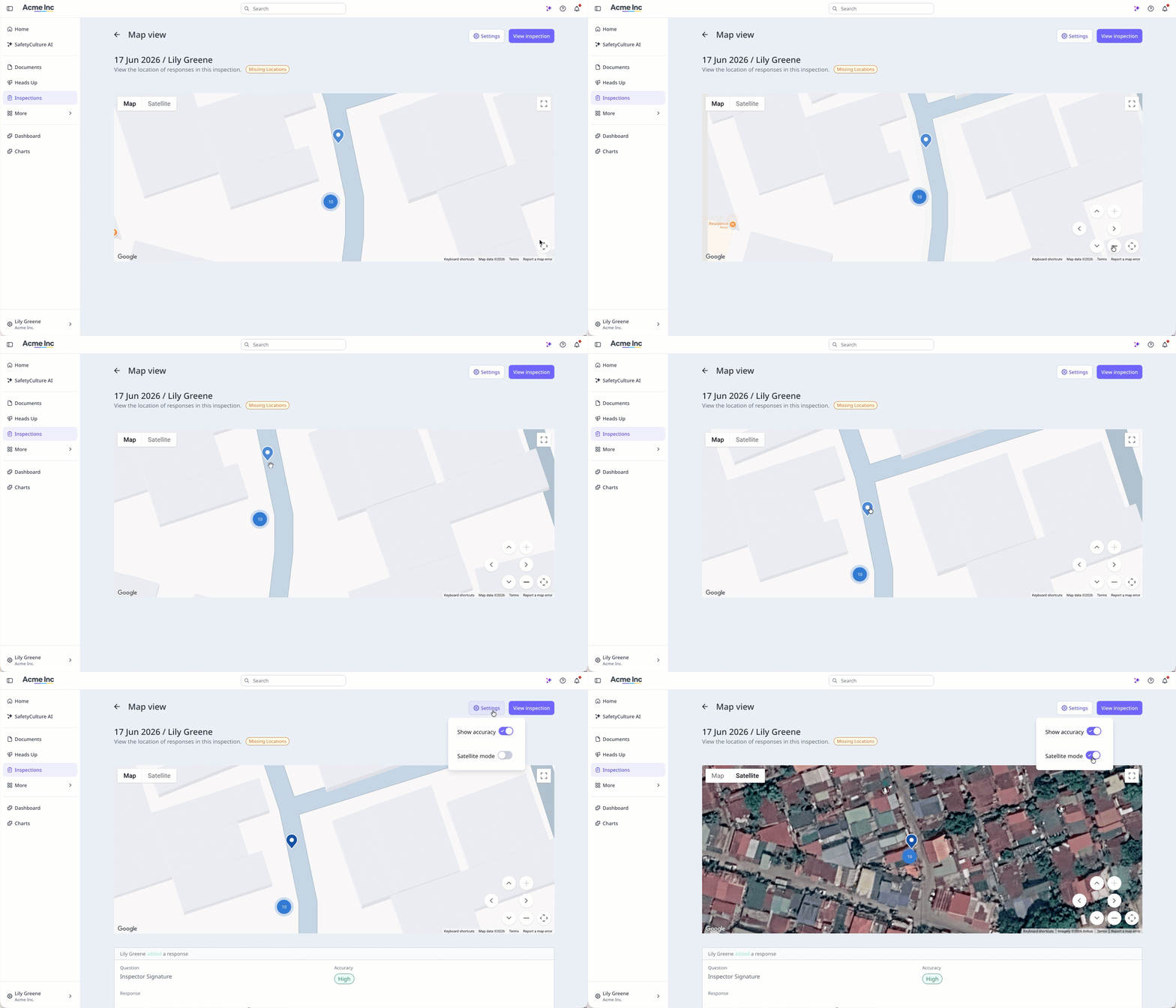
Die Anzeige der Inspektionsstandorte auf einer Karte zeigt, wo die einzelnen Maßnahmen während einer Inspektion erfasst wurden, und liefert Ihnen so einen visuellen Überblick darüber, wo Ihr Team seine Arbeit erledigt hat. Jeder Standort wird über die mobile App erfasst, sofern die Standortdienste für das Gerät aktiviert sind, und die Karte zeigt die Genauigkeit jedes erfassten Standorts an. Sollte das Gerät keine Standortdaten erfassen können, steht die Kartenansicht für diese Inspektion nicht zur Verfügung. Dies hilft Teams, die sicherstellen müssen, dass Inspektionen am richtigen Ort durchgeführt wurden, insbesondere wenn sich die Arbeiten auf mehrere Standorte verteilen.
Was Sie brauchen
Wenn die Inspektionskartenansicht für Ihre Organisation aktiviert ist, können Sie auch die Einstellung für Antwortstandorte in den Vorlageneinstellungen im Vorlageneditor anzeigen. Die Einstellung gilt für alle Vorlagen in der Organisation.
Inspektionskartenansicht ein- oder ausschalten
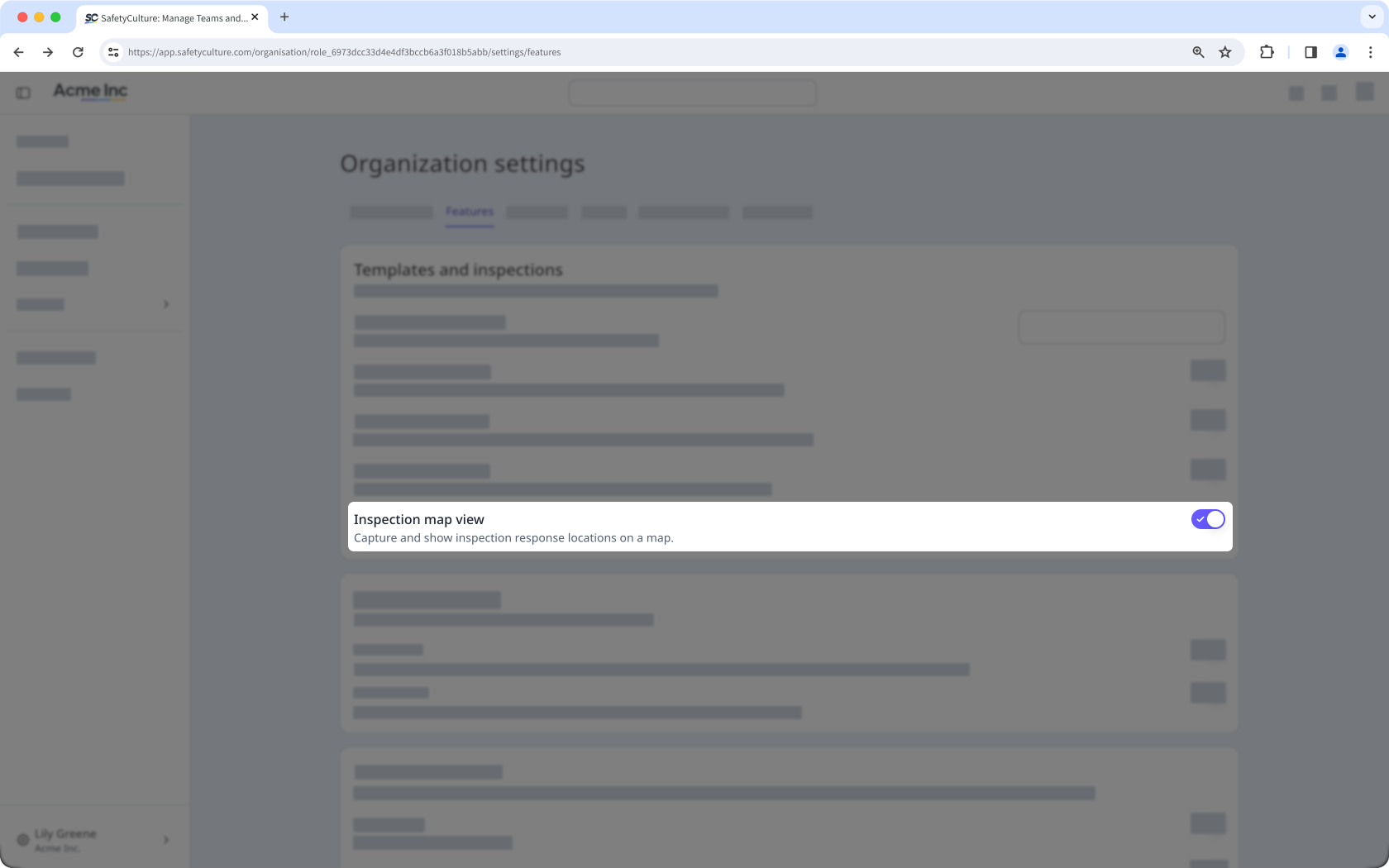
Klicken Sie unten links auf der Seite auf den Namen Ihrer Organisation und wählen Sie Organisationseinstellungen aus.
Wählen Sie am oberen Rand der Seite Funktionen aus.
Aktivieren oder deaktivieren Sie im Abschnitt „Vorlagen und Prüfungen“ die Option „Prüfungs-Kartenansicht“.