AI in SafetyCulture

Last updated: July 21, 2026

Request additional AI credits for your organization

Learn how to request additional AI credits for your organization so your team can keep using AI Assistant without interruption.

Request additional credits

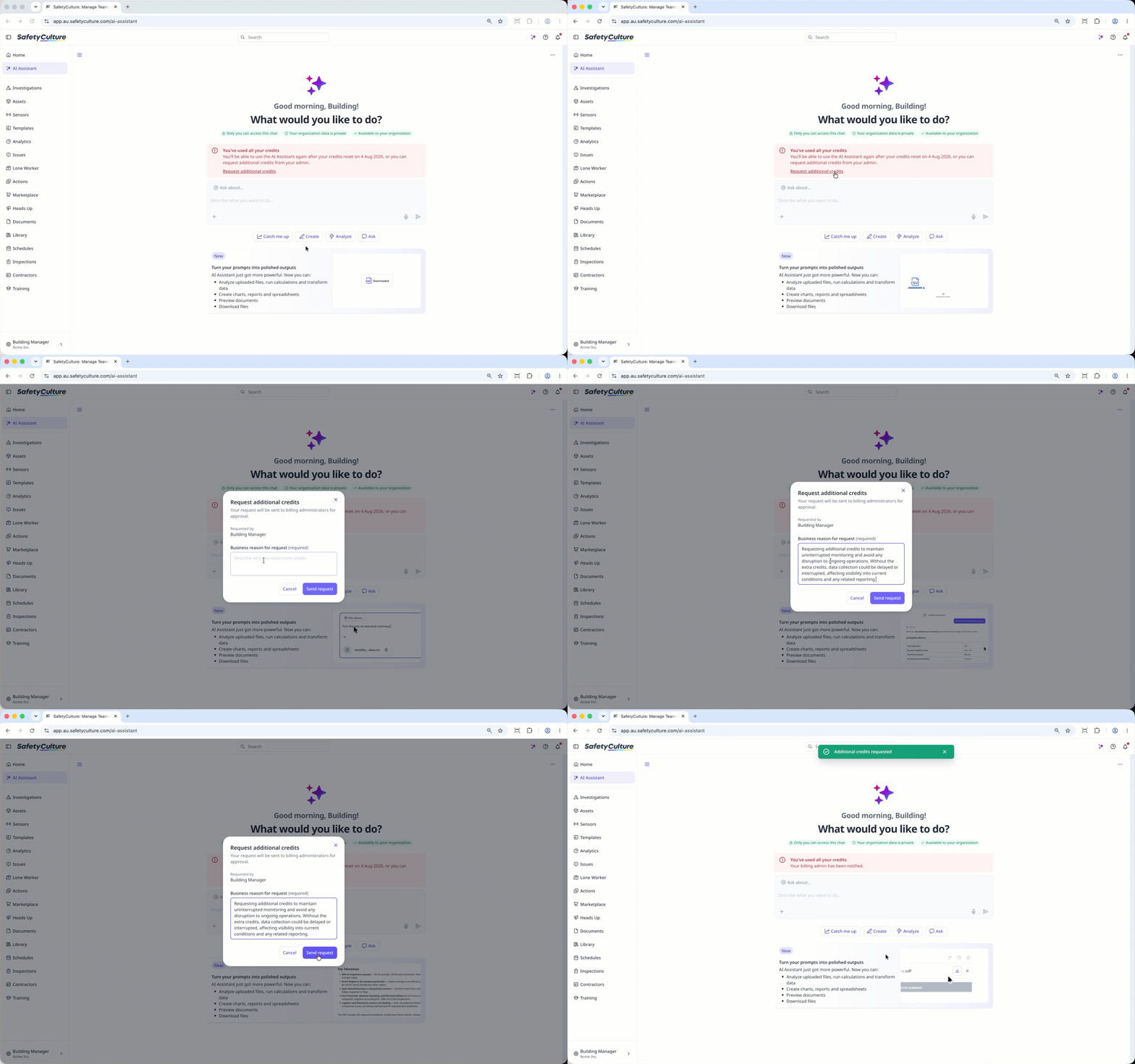
  1. Log in to the web app (opens in new tab).

  2. Click AI Assistant in the sidebar or click on the right-hand side of the top bar.

  3. Click Request additional credits in the usage credit alert at the center of the page.

  4. In the pop-up window, enter the reason for the request.

  5. Click Send request.

Click 'Request additional credits' to notify your billing admin for approval.

Was this page helpful?

SafetyCulture
App Store
Google Play