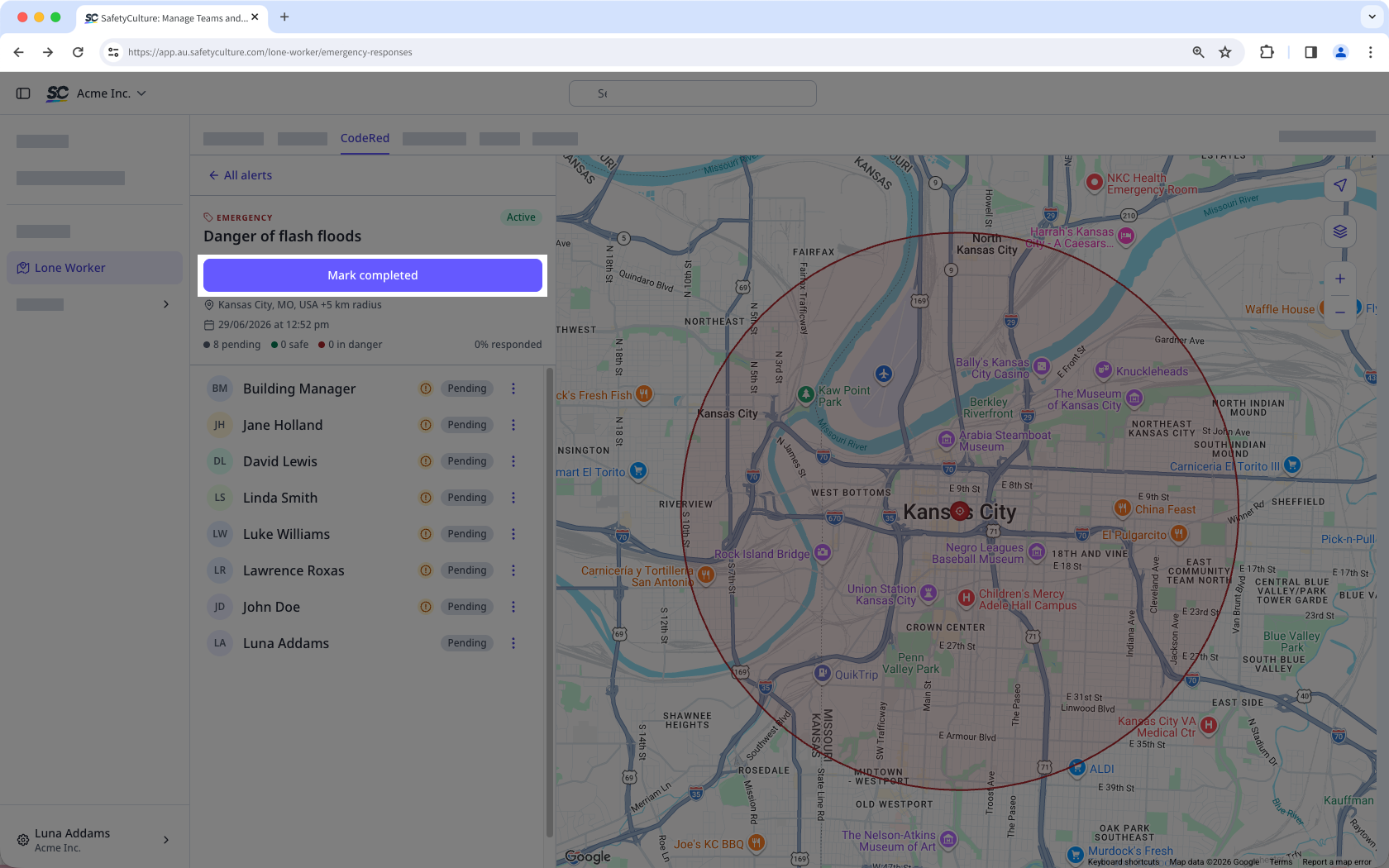
What are CodeRed alerts?
CodeRed is an emergency alert tool in Lone Worker that lets managers reach lone workers instantly during a crisis. When an emergency affects multiple workers, managers need a fast way to reach everyone at once and confirm their status.
Managers can create an alert, select recipients to notify by location, group, or site, and send it simultaneously via push notification, SMS, and automated call. Workers can then respond with a single tap to confirm they're safe or that they need help, and managers see those responses in real time. CodeRed assures workers that they're safely monitored while giving managers a clear way to act immediately.
Create and send an alert
Select Lone Worker in the sidebar or select it in More.
Click CodeRed at the top of the page.
Click Create new.
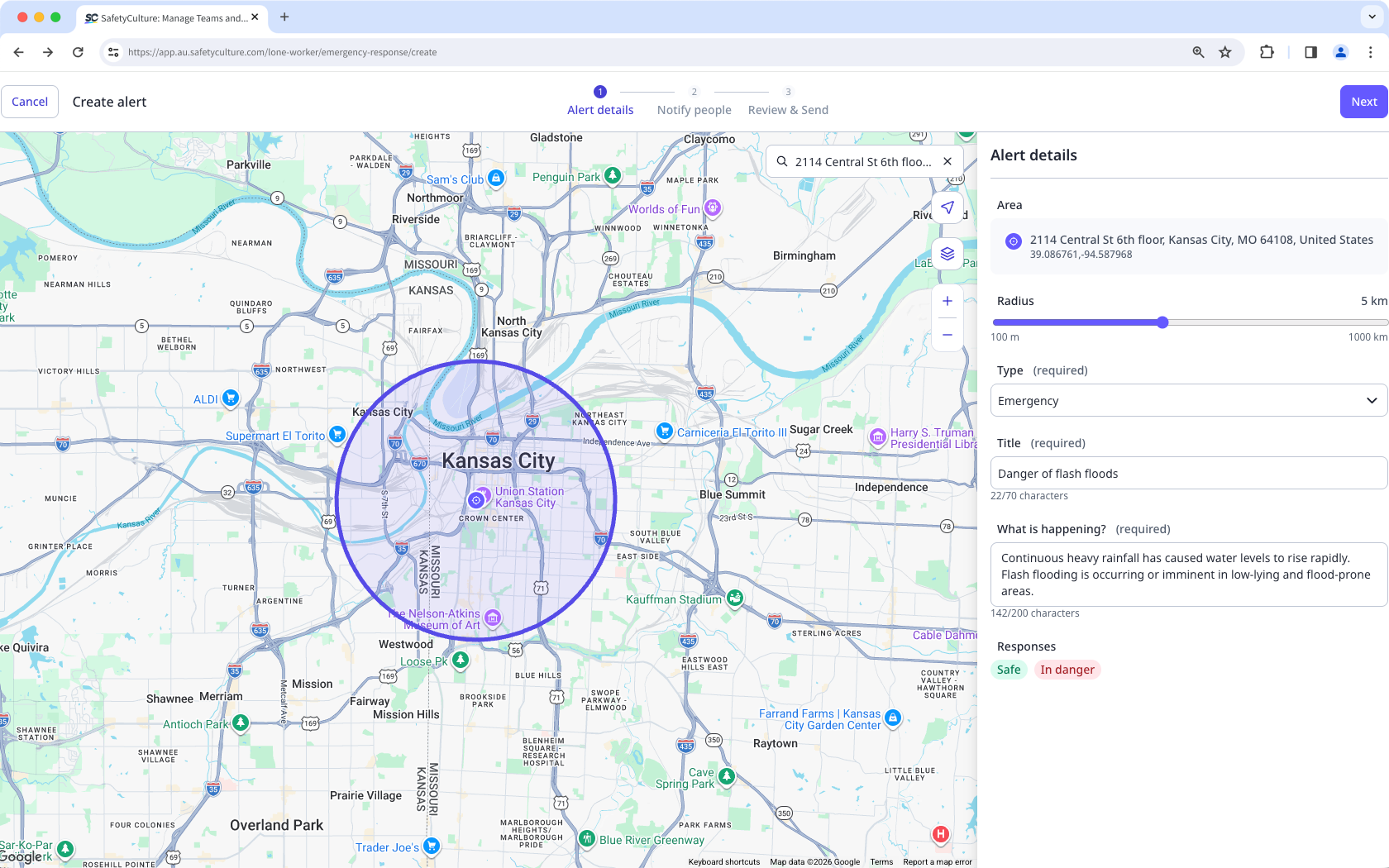
In Alert details, configure the following:
Area: Click the location on the map or search for an address.
Radius: Adjust the radius from the center to define the alert-covered area.
Type: In the dropdown menu, select the alert type:
Emergency: Select this alert type to ask workers to confirm their safety. Workers respond by tapping I'm safe or In danger.
Notification: Select this alert type to share information that workers need to acknowledge. Workers respond by tapping Acknowledged.
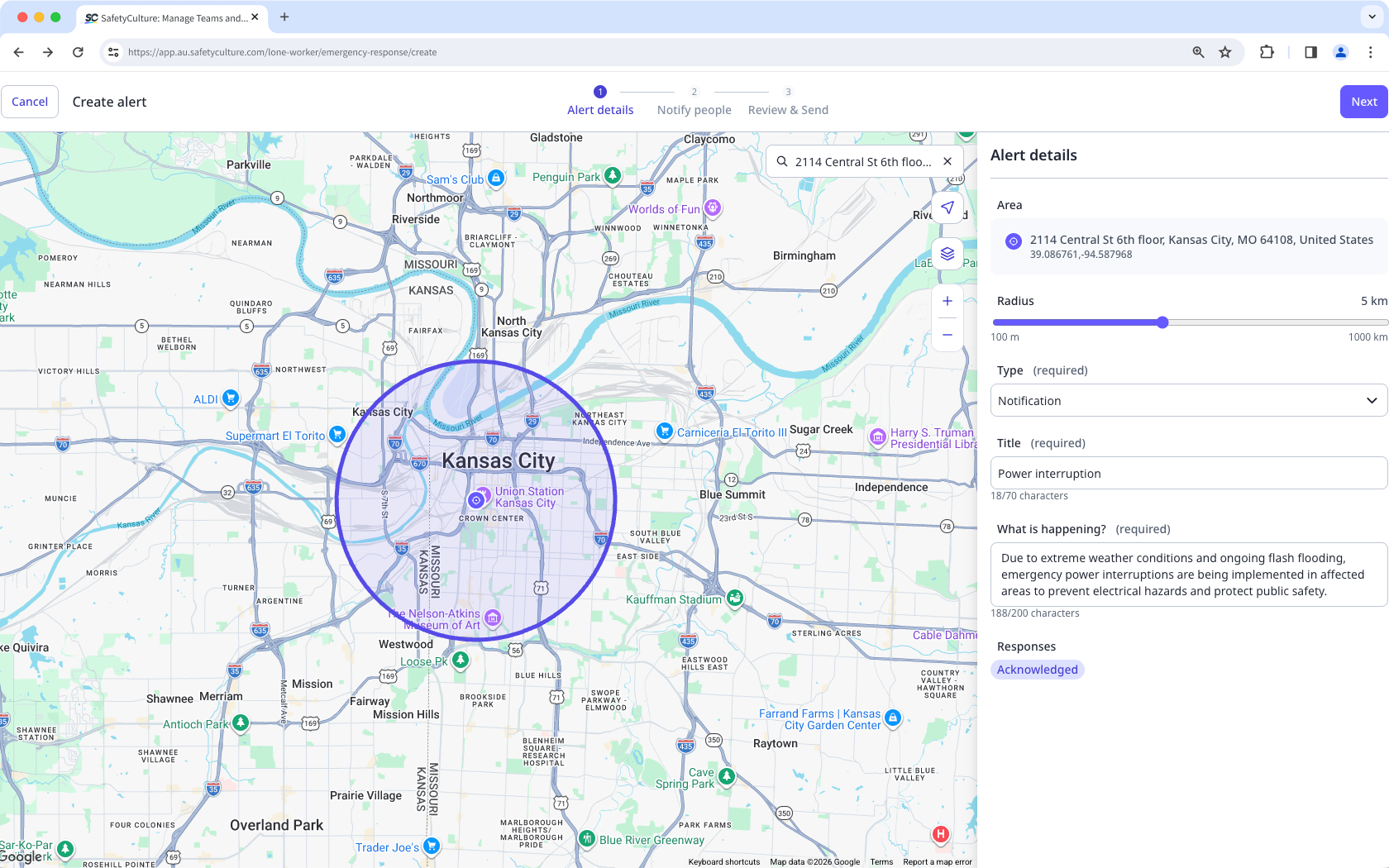
Title: Enter the title of your alert.
What's happening?: Add detailed information on the reason for the alert.
Responses: Default responses are set when you select the alert type.
Click Next on the upper-right of the page.
In Notify people, select Inside or Outside the location radius or those with Active work. Alternatively, you can select workers according to their group or site.
Select the individual users.
Click Next on the upper-right of the page.
In Review & Send, review the details and the message of your alert.
Select the channels to notify.
Click Send alert on the upper-right of the page.
CodeRed response options for workers are set by alert type. Emergency alerts use I'm safe and In danger. Notification alerts use Acknowledged.
Resend an alert
Select Lone Worker in the sidebar or select it in More.
Click CodeRed at the top of the page.
Select the active alert you want to resend.
Click on the right-hand side of the user's name and select the channels to notify.
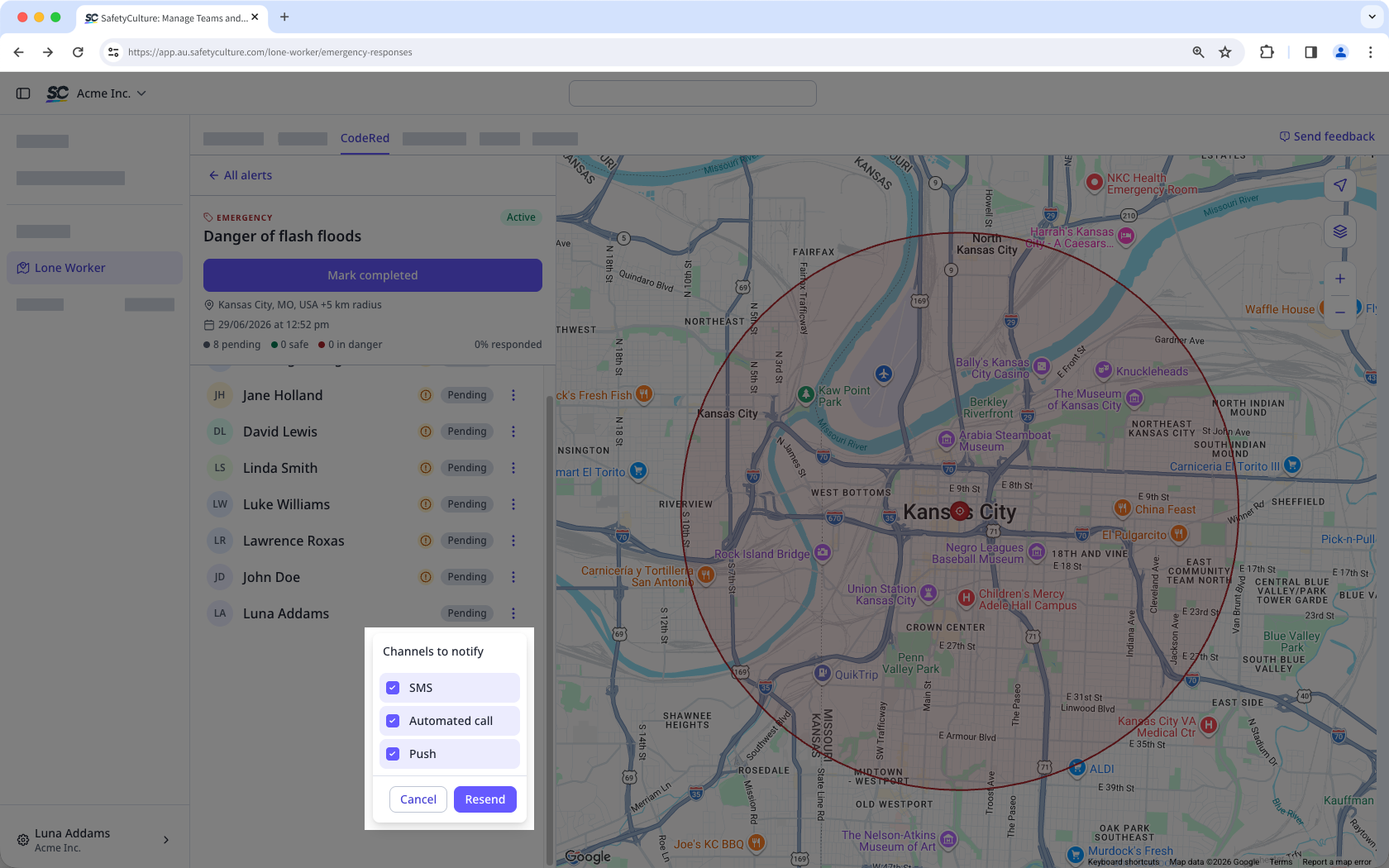
Click Resend.
Complete an alert
Select Lone Worker in the sidebar or select it in More.
Click CodeRed at the top of the page.
Select the active alert you want to mark as completed.
Click Mark completed.