What you'll need
Names for investigation categories and detail fields must be unique. You can also create up to 25 categories to use in your investigations and add up to 25 detail fields to your categories.
Duplicate an investigation category
Select Investigations in the sidebar or select it in More.
Select Settings at the top of the page.
In the "Investigation categories" section, click on the category's right-hand side and select Duplicate.
In the pop-up window, enter the name of the category or use the default duplicate category name.
Click Create.
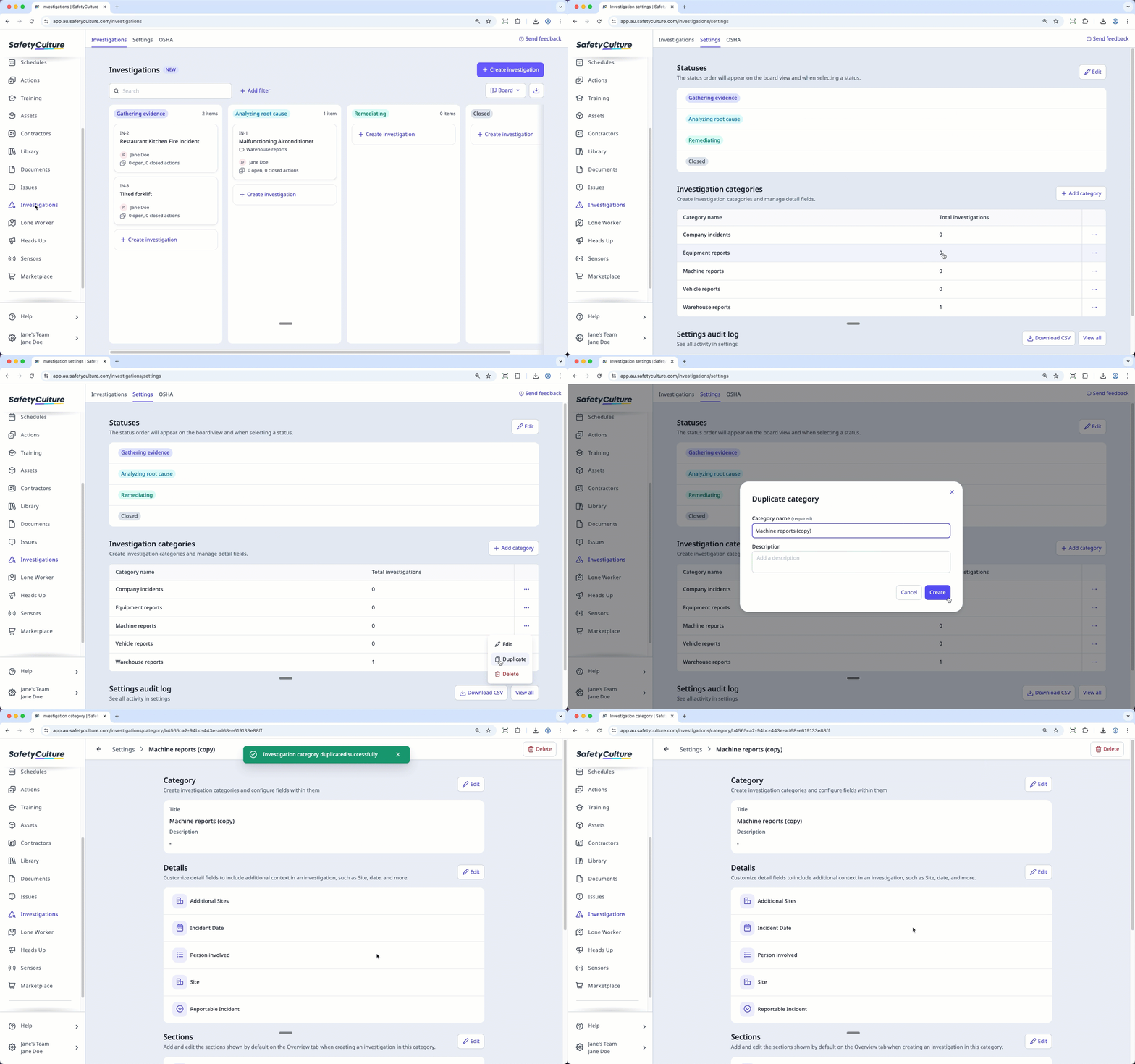
When you duplicate a category, the detail fields and sections under that category are also duplicated.