What you'll need
Deleting is irreversible, and we cannot restore permanently deleted items. Confirmation is always required before any deletion, so be sure you're not accidentally deleting the wrong item.
Delete an investigation category
Select Investigations in the sidebar or select it in More.
Select Settings at the top of the page.
In the "Investigation categories" section, click on the category's right-hand side and select Delete.
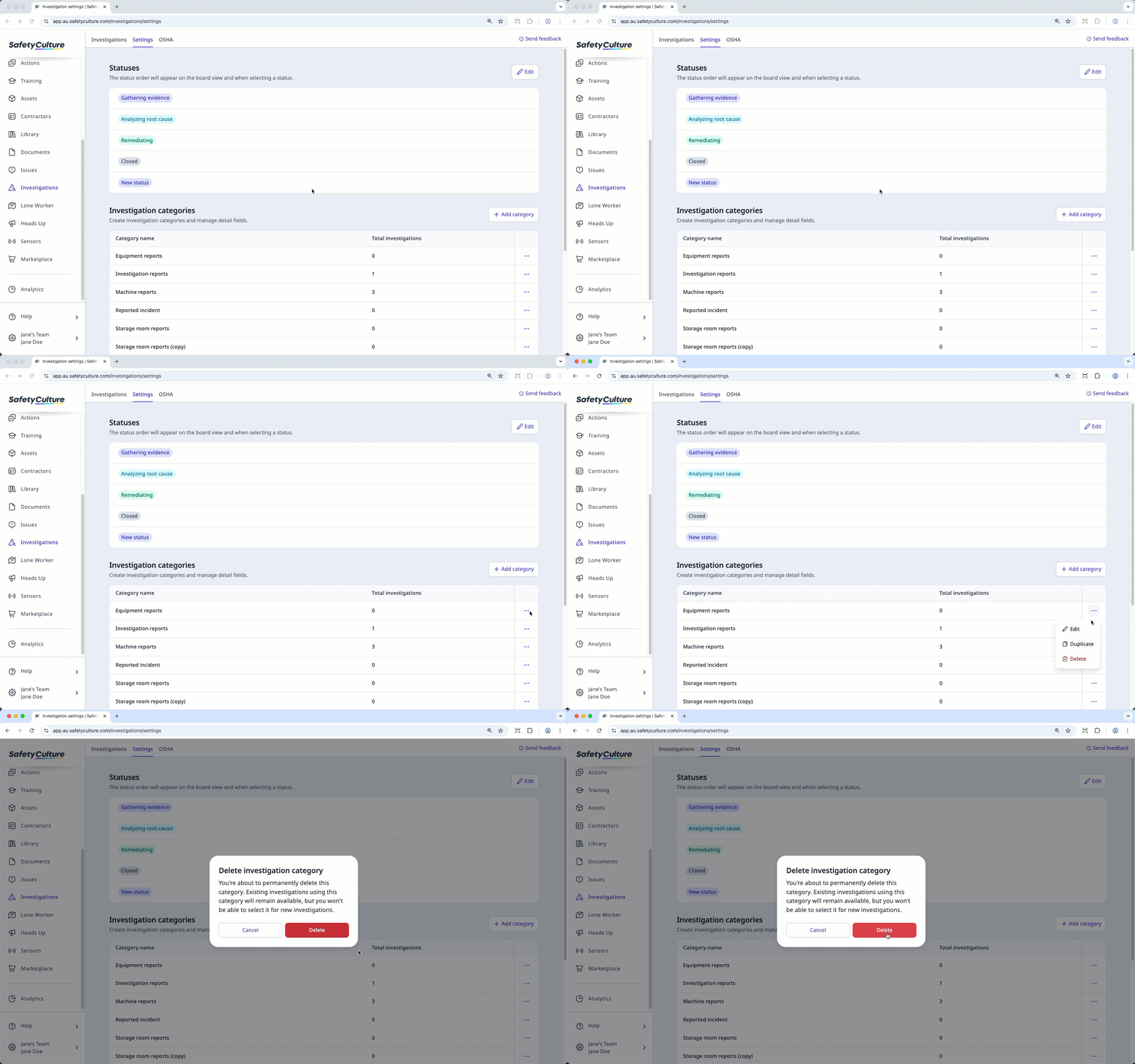
In the pop-up window, click Delete.
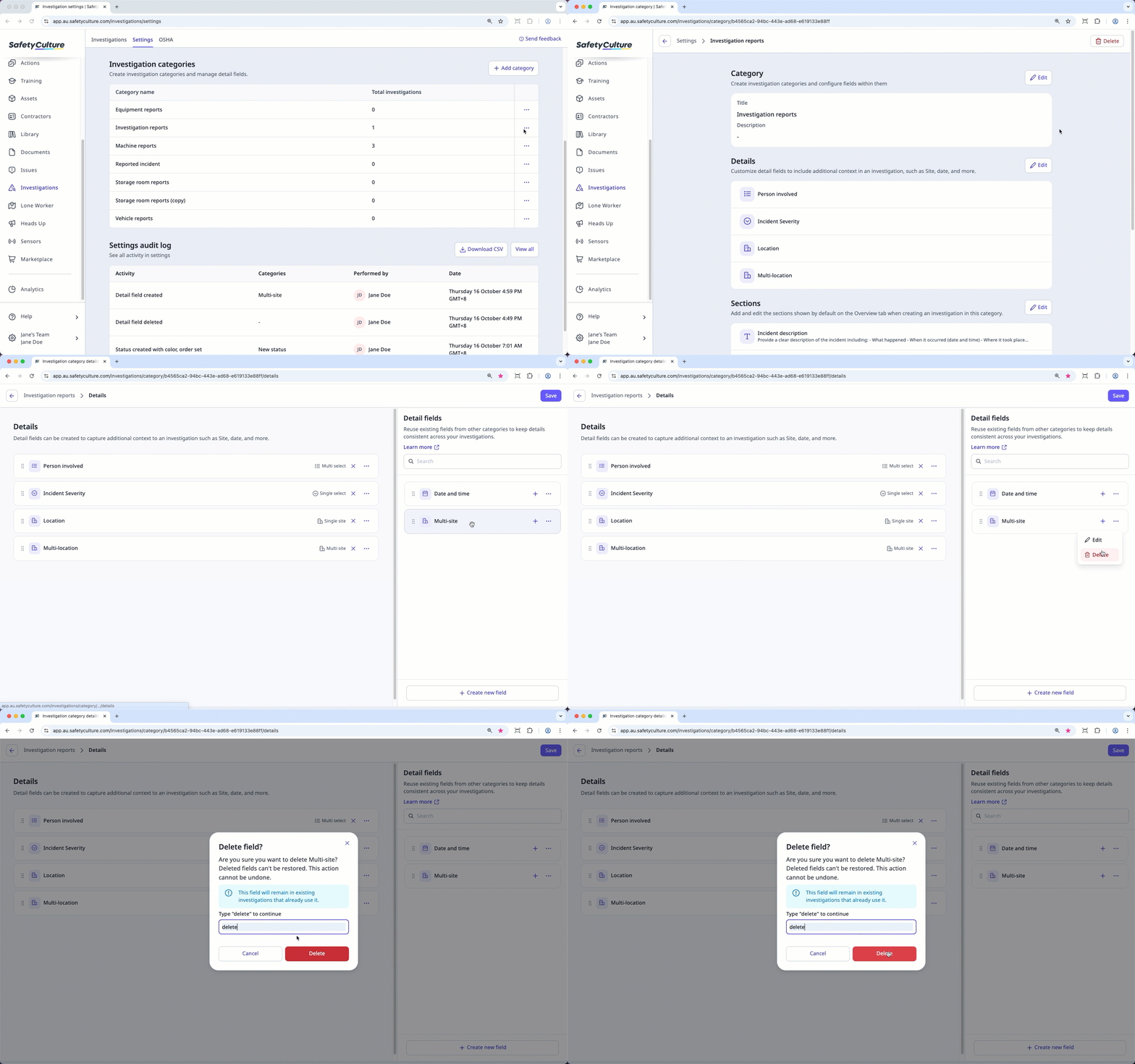
Delete an investigation detail field
Select Investigations in the sidebar or select it in More.
Select Settings at the top of the page.
Select an investigation category.
In the "Details" section, click Edit.
Click on the right-hand side of the detail field that you want to delete and select Delete. You can only delete detail fields that aren't added to your investigation category.
In the pop-up window, type "delete" and click Delete.
Click Save on the upper-right corner of the page.