What are investigation audit logs?
Investigation audit logs in SafetyCulture track every change to an investigation, showing who did what and when. They include the activity type (such as status updates or fields edits), the user who performed it, timestamps, and related metadata. You can use them to verify actions, meet compliance, and quickly troubleshoot or report incidents at the investigation or organization level. These logs help your team increase transparency and accountability in every investigation, allowing immediate follow-ups and reviews. You can also download these logs as CSV, which your teams can use for compliance reviews, timeline analysis in a spreadsheet/BI tool, or to attach a portable record to incident reports.
What you'll need
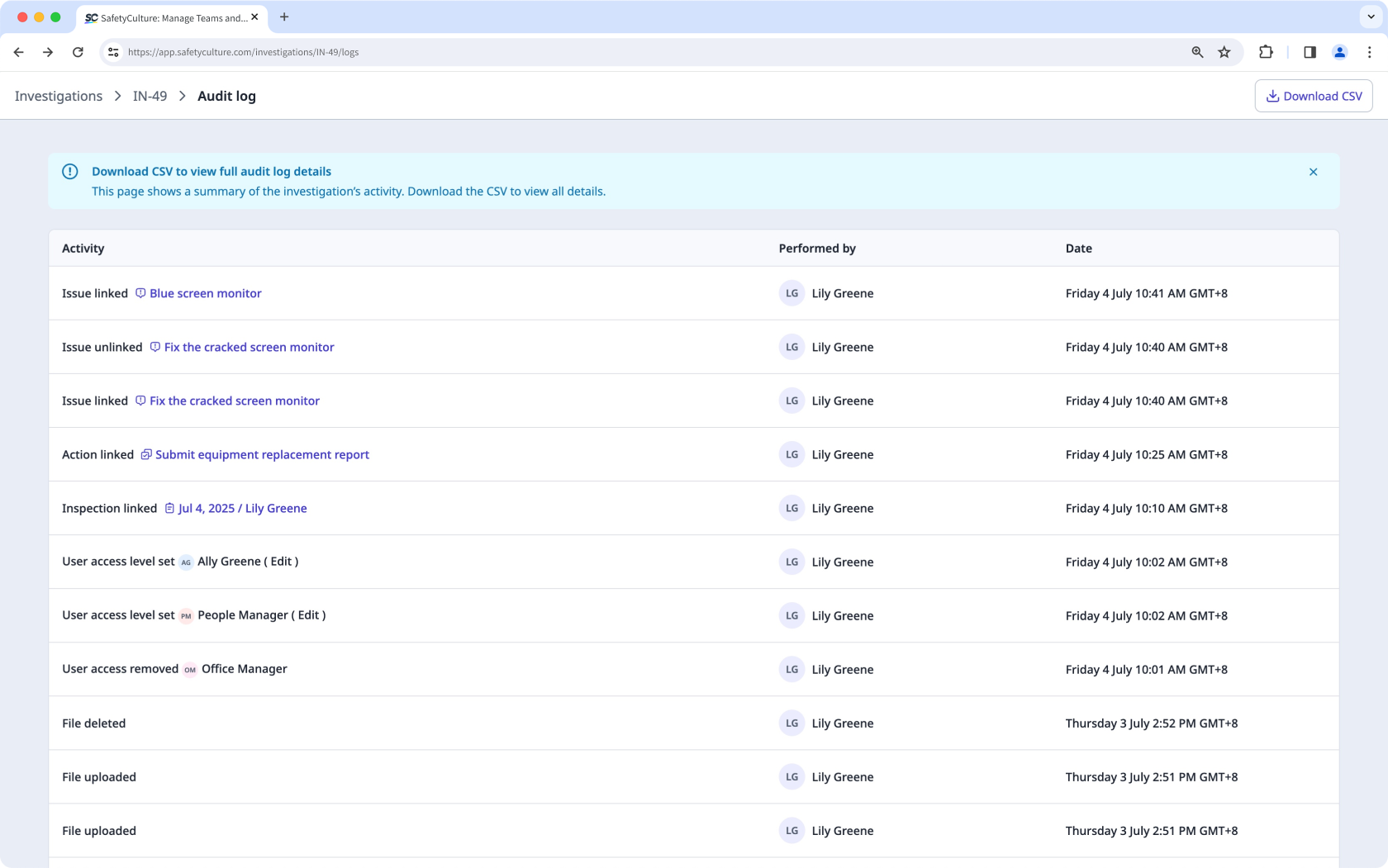
View and download an investigation's audit log
Select Investigations in the sidebar or select it in More.
Select the investigation.
Click on the upper-right of the page and select
 View audit log.
View all activities about the investigation.
Click Download CSV to download the audit log as a CSV.
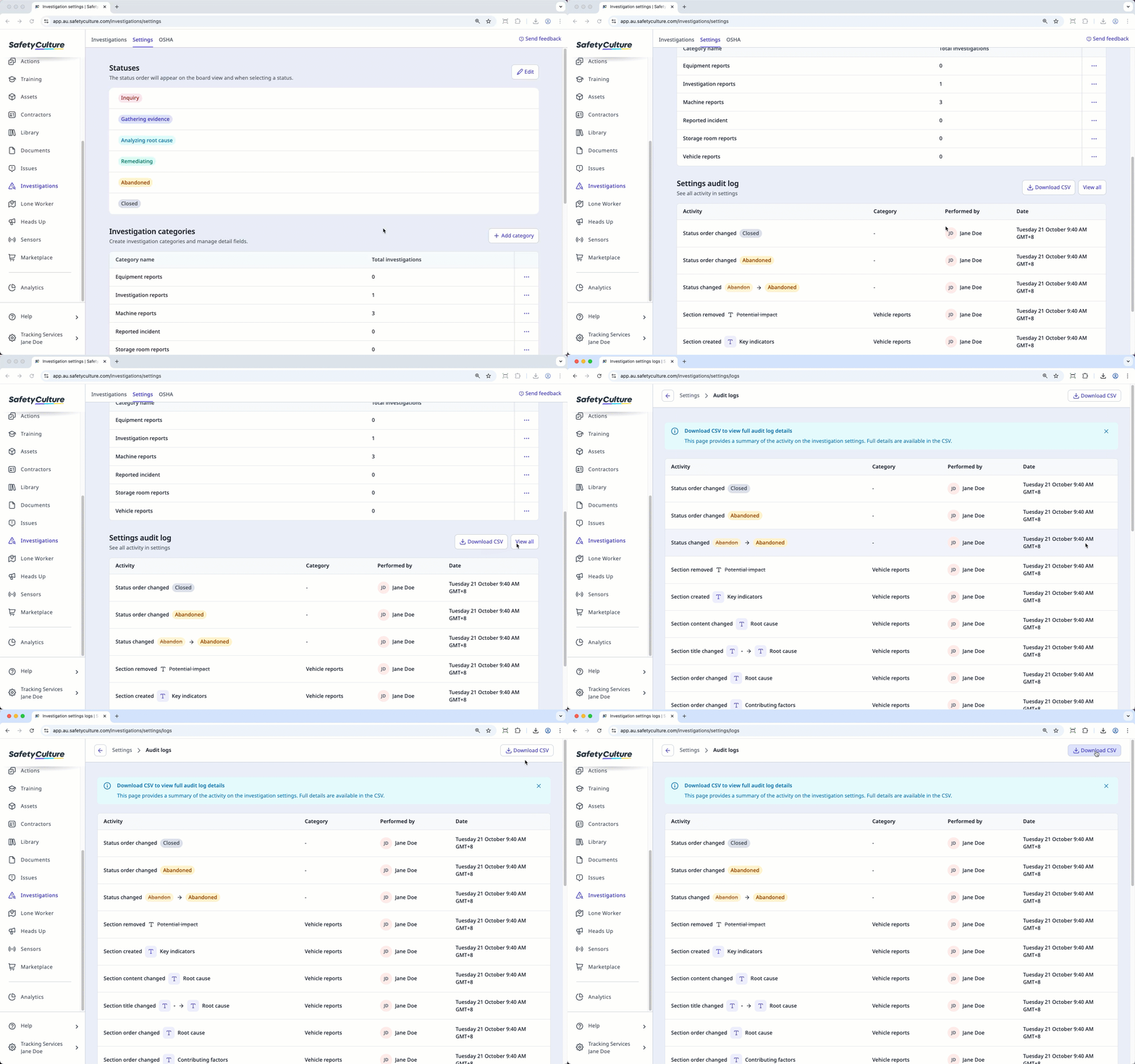
View and download your organization's audit log
Select Investigations in the sidebar or select it in More.
Click Settings at the top of the page.
In the "Settings audit log" section, view the five most recent activities. Click View all to review all activities across every investigation setting in your organization.
Click Download CSV to download the audit log for your organization as a CSV.