SafetyCulture

Contractors

Last updated: June 4, 2026

Delete companies

Learn how to delete companies individually and in bulk via the web app to keep the company list organized.

Deleting a company is irreversible. Once you delete a company, it can no longer be restored.

Delete a company

  1. Log in to the web app.

  2. Select Contractors in the sidebar or select it in More.

  3. Click on the company's right-hand side and select Delete. The Companies tab in the dashboard with a company’s "Delete" button visible.
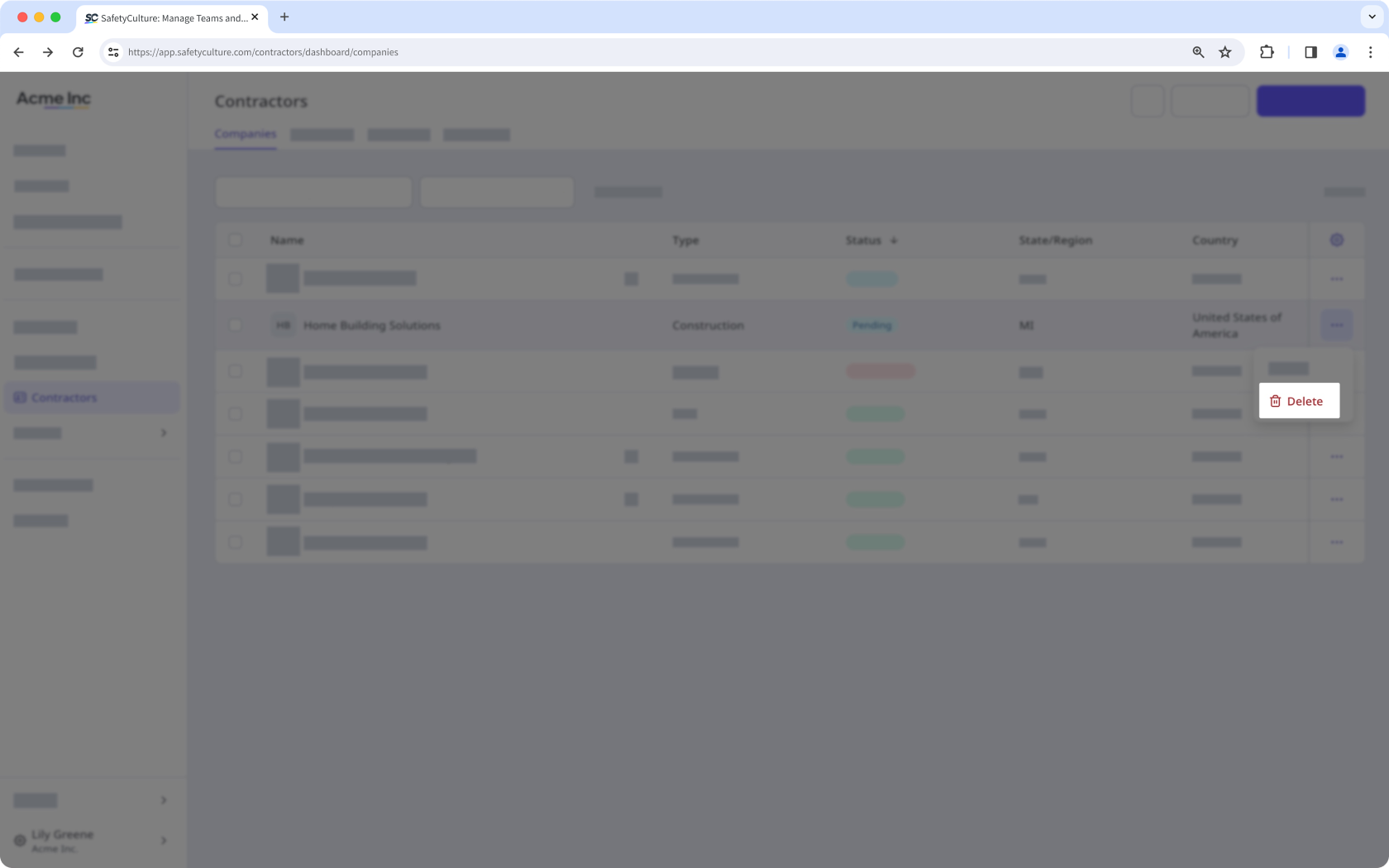
  4. In the pop-up window, click Delete company.

Bulk delete companies

  1. Log in to the web app.

  2. Select Contractors in the sidebar or select it in More.

  3. Check the companies’ boxes and click Delete on the lower-right of the page. The Companies tab in the dashboard with the "Delete" button visible.
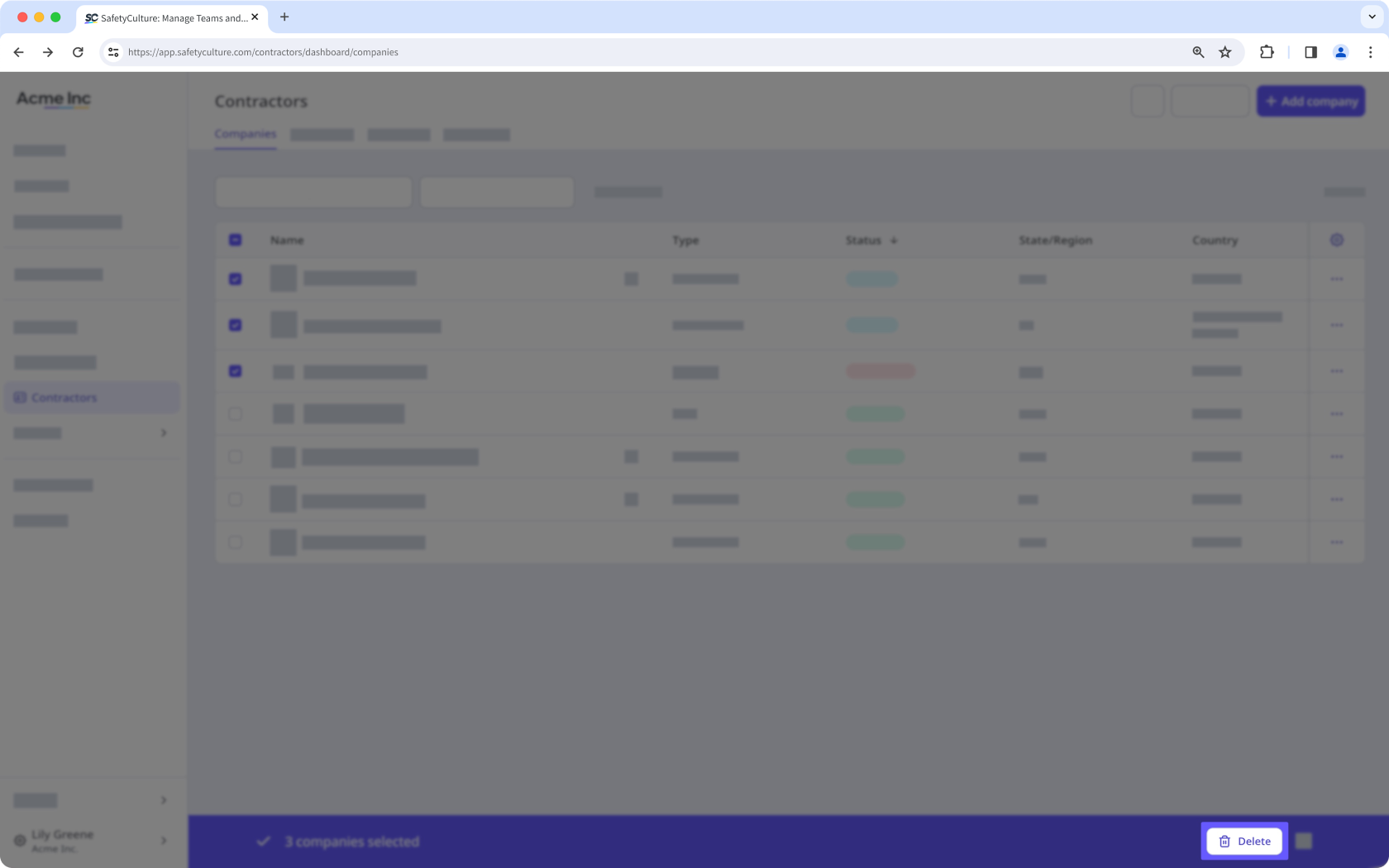
  4. In the pop-up window, click Delete.

Was this page helpful?

SafetyCulture
App Store
Google Play