
What are action labels?
Action labels are a feature that can be used to organize related actions in a way that makes it easier to identify them quickly. By assigning labels to actions, you can group them together based on their similarities, such as their priority level, the team member responsible for completing them, or the project they are associated with. This can help you to better manage your actions and ensure that nothing falls through the cracks.
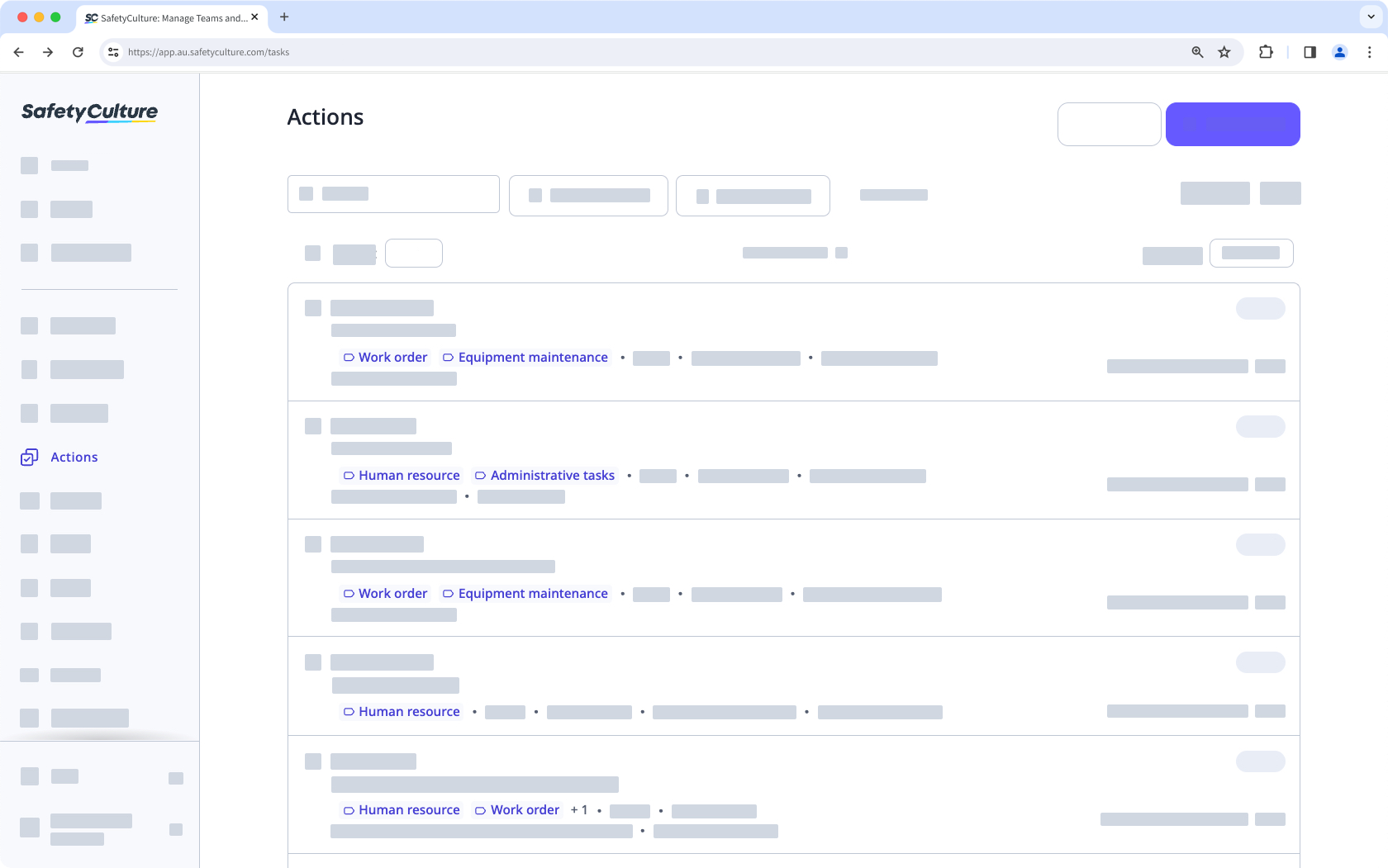
If you have "Actions: Settings" permission, you can manage action labels for your organization.
What you'll need
You can add up to 100 labels per action.
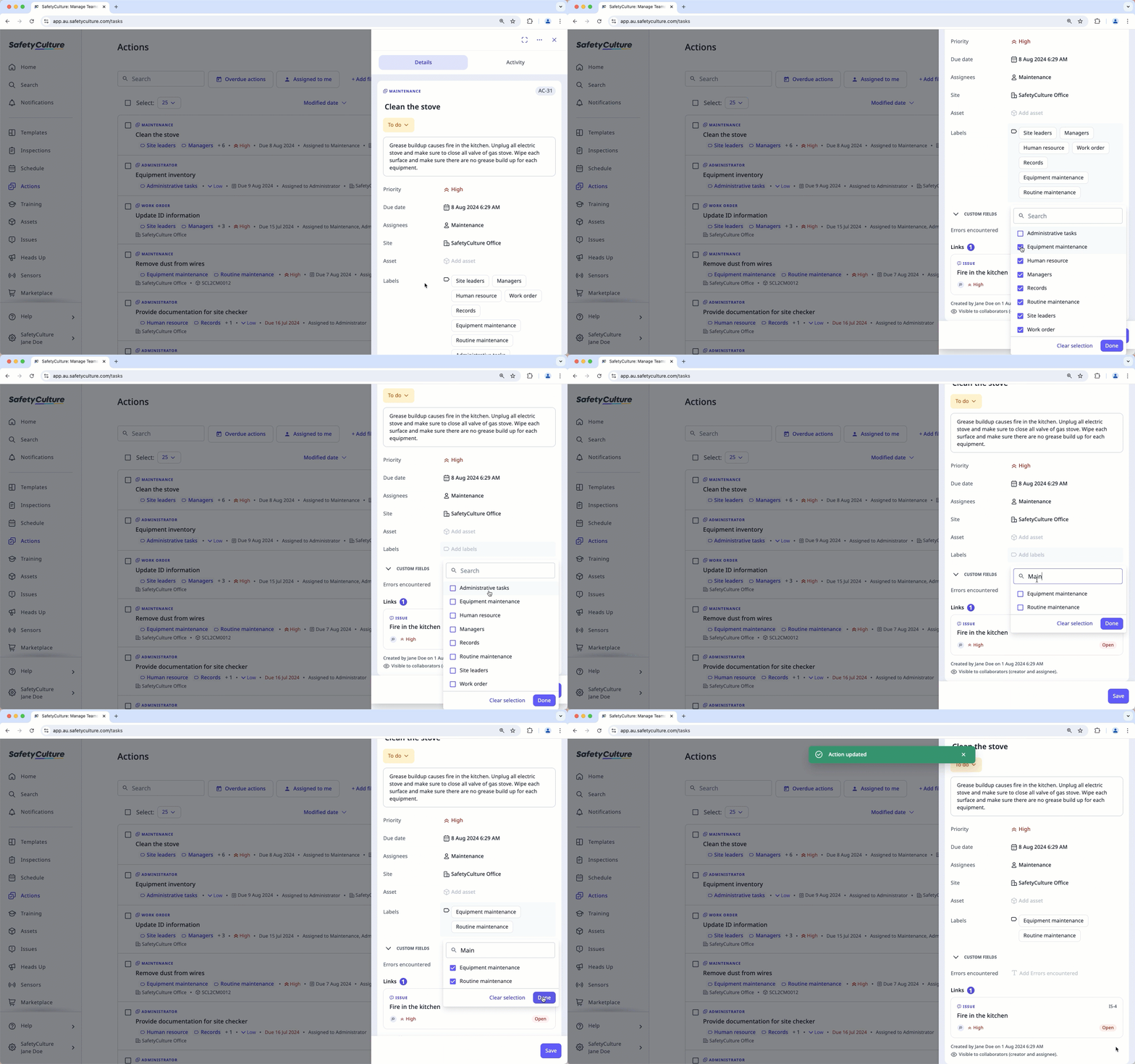
Add or remove a label from an action
Select Actions in the sidebar or select it in More.
In the side panel, click Add labels or the existing labels.
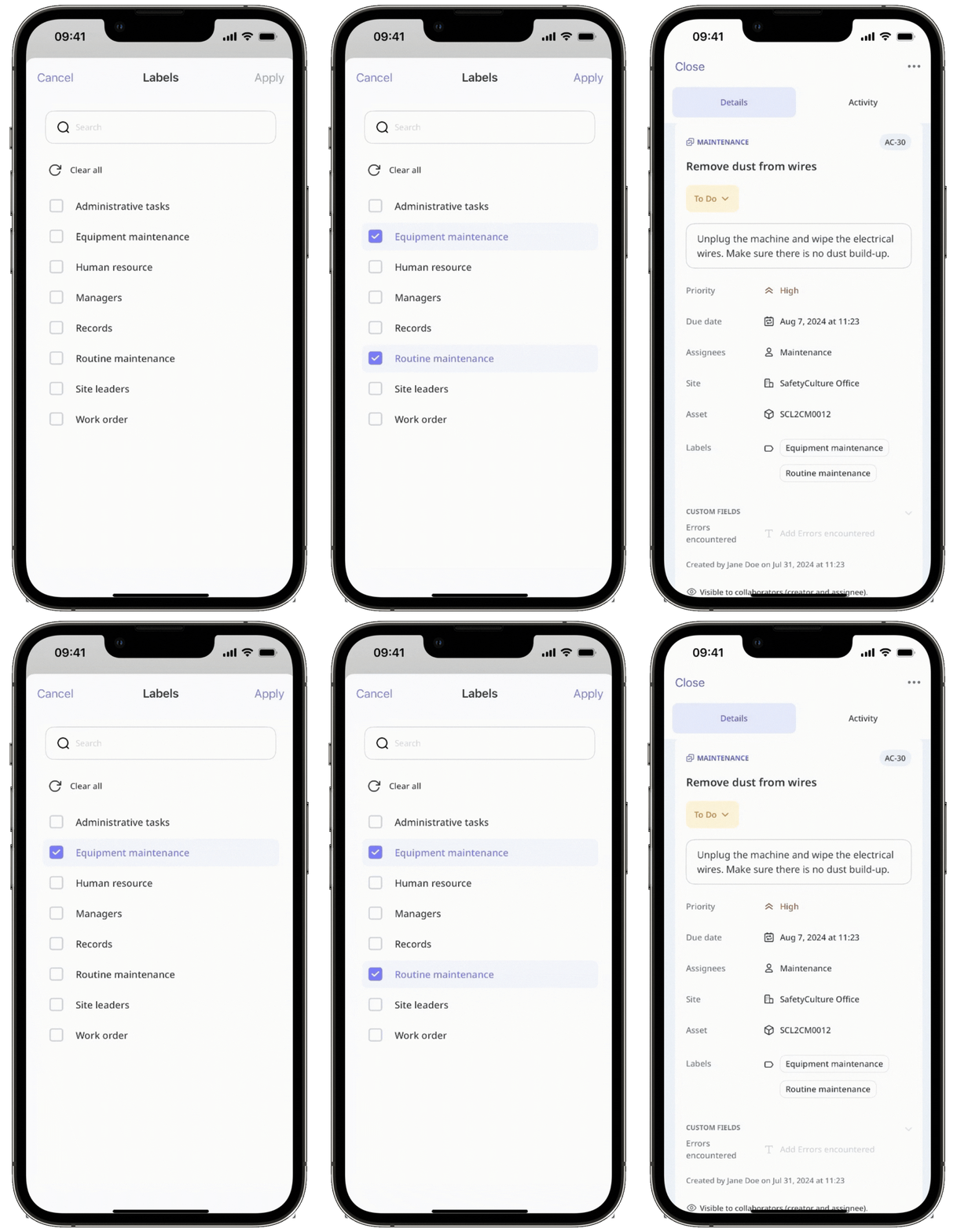
Add or remove labels by checking or unchecking the boxes next to each label. You can also search for specific labels to add or remove. You can also remove all labels by clicking Clear selection.
Click Done.
Click Create or Save on the lower-right corner of the page.
Assigning and unassigning actions in bulk is only available in List view. If you're on Calendar view, switch List on the upper-right of the page.
Please also note that you can only bulk manage up to 100 actions at a time.
Bulk add labels to actions
Select Actions in the sidebar or select it in More.
Check the actions' boxes. Remember that you can only bulk update the labels of up to 100 actions at a time.
Click Update labels on the lower-right corner of the page.
Select the labels and click Done. You can also search for labels you want to add.
In the pop-up window, click Update labels.
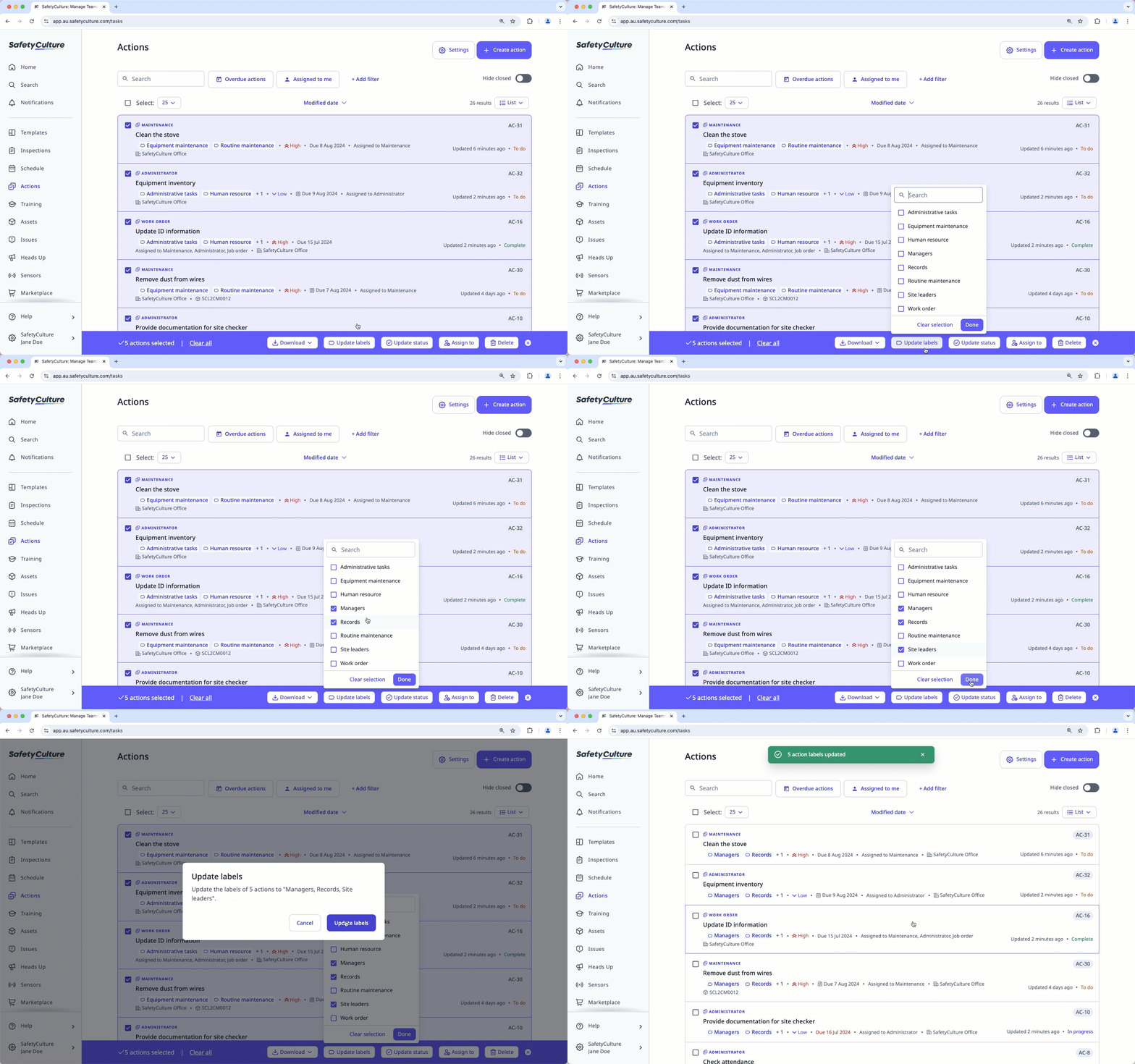
Bulk removing labels from actions isn't available.


