
Why duplicate Analytics dashboards and charts?
Duplicating dashboards lets you create a new version of an existing Analytics dashboard so you can share the same insights with different teams without rebuilding your setup. This is useful when you need similar dashboards for different sites or stakeholder groups and want to keep your reporting consistent. For example, you can create copies for site managers, area managers, or senior leaders, or build variations for different projects or functions. This helps you work faster, maintain consistent reporting, and reduce the time spent recreating charts and layouts.
If your Analytics permission allows you to create only certain dashboard types, your new dashboard will use the dashboard type your permission level supports.
Duplicate a dashboard
Select Analytics in the sidebar or select it in More.
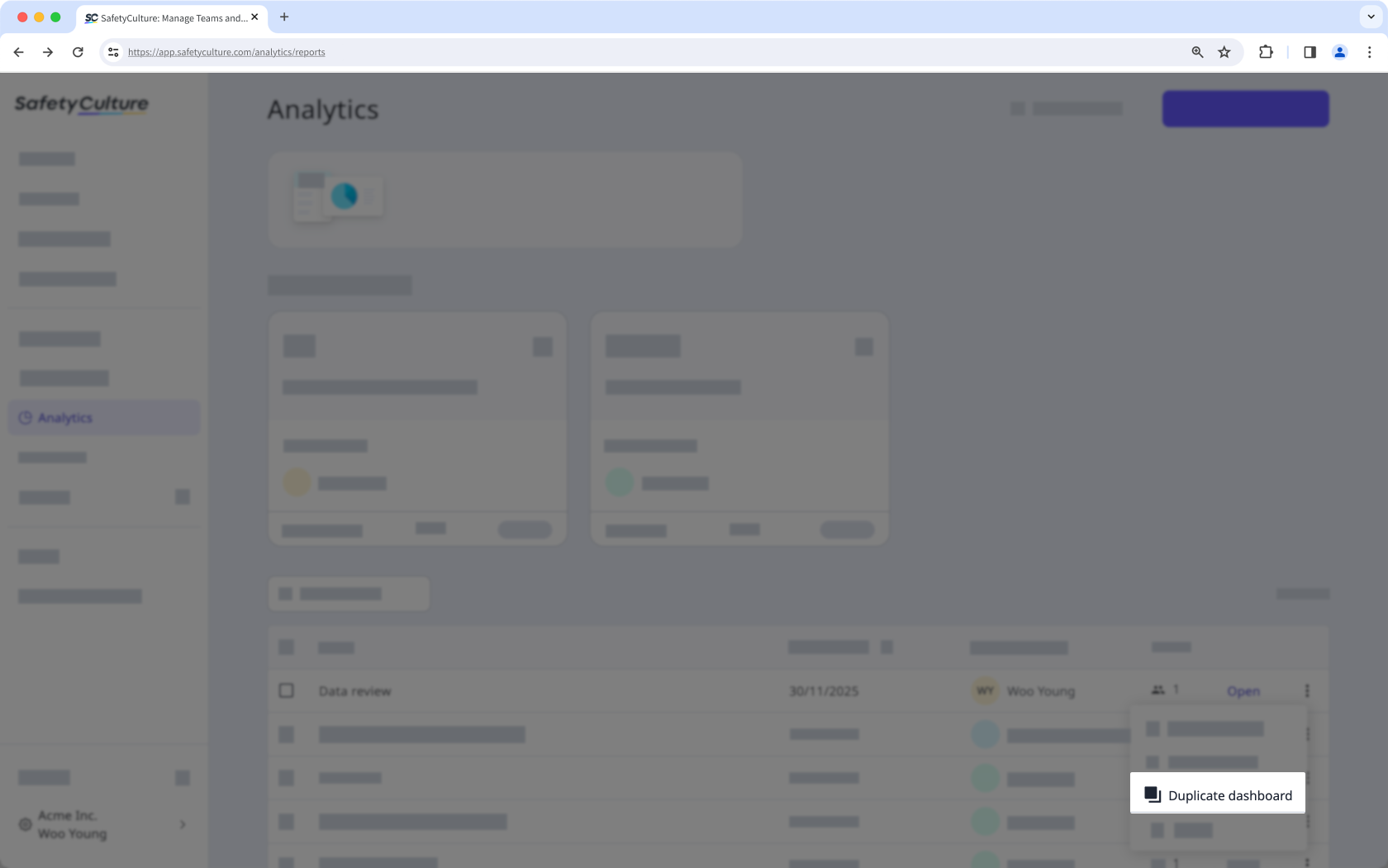
Click on the dashboard's right-hand side and select Duplicate dashboard.
Duplicate a chart
Select Analytics in the sidebar or select it in More.
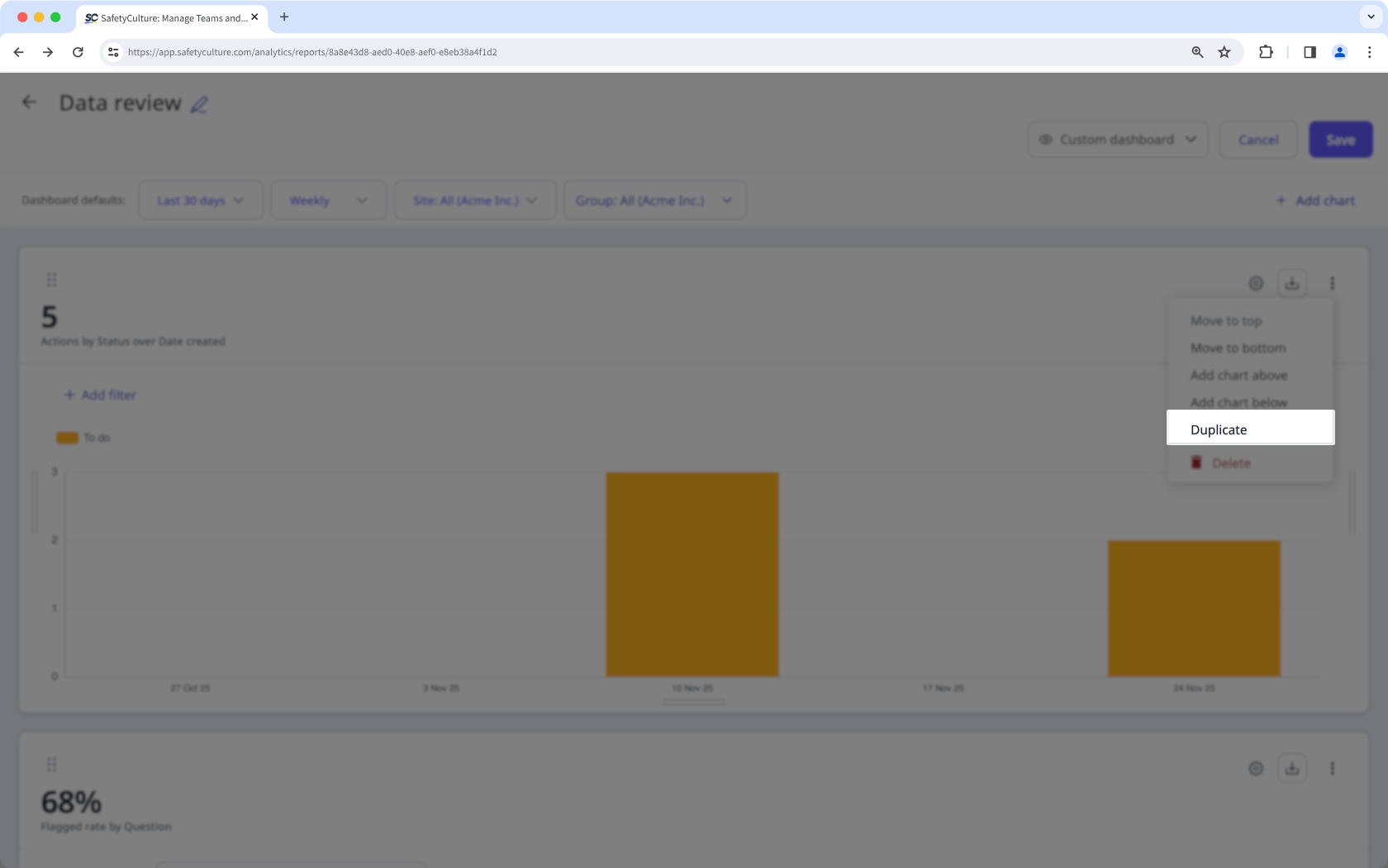
Click on the upper-right of the chart and select Duplicate.
Click Save on the upper-right of the page.


