What is the Shared Library?
The Shared Library is a centralized library of templates and template collections, which can be made accessible to other organizations you frequently work with. You can create and manage shareable template collections from a single location, including the ability to restrict template content from being edited.
With a centralized library, people you collaborate with can easily find the templates they need without searching through multiple sources. It's worth noting that the Shared Library is distinct from the Library, which is designed for public access to templates.
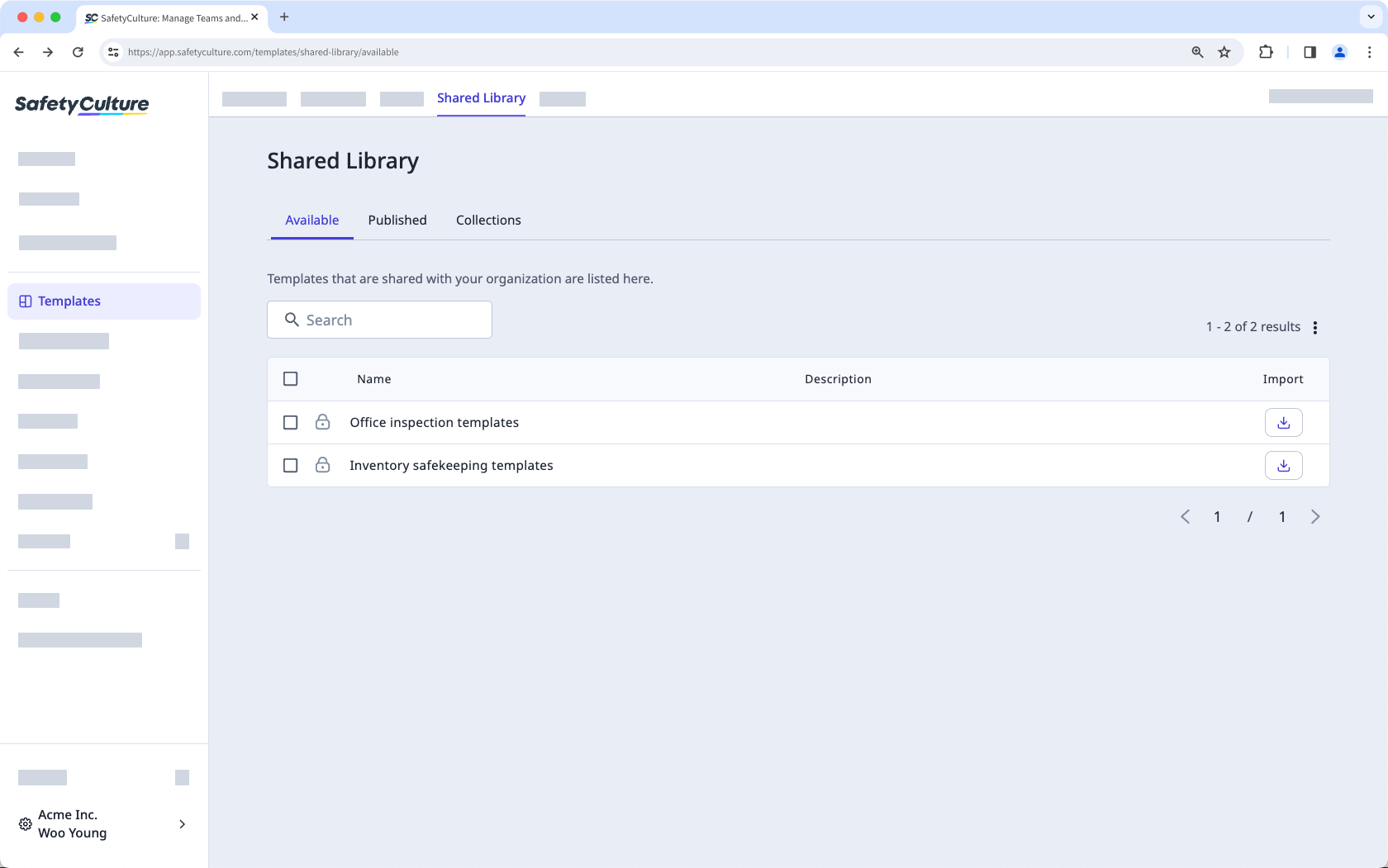
A collection is a template organization tool within the Shared Library. It's similar to a template folder, but you have the option to share it with users outside of your SafetyCulture organization.
Global Response Sets are organization-specific and won’t be available to other organizations when templates are shared via the Shared Library.
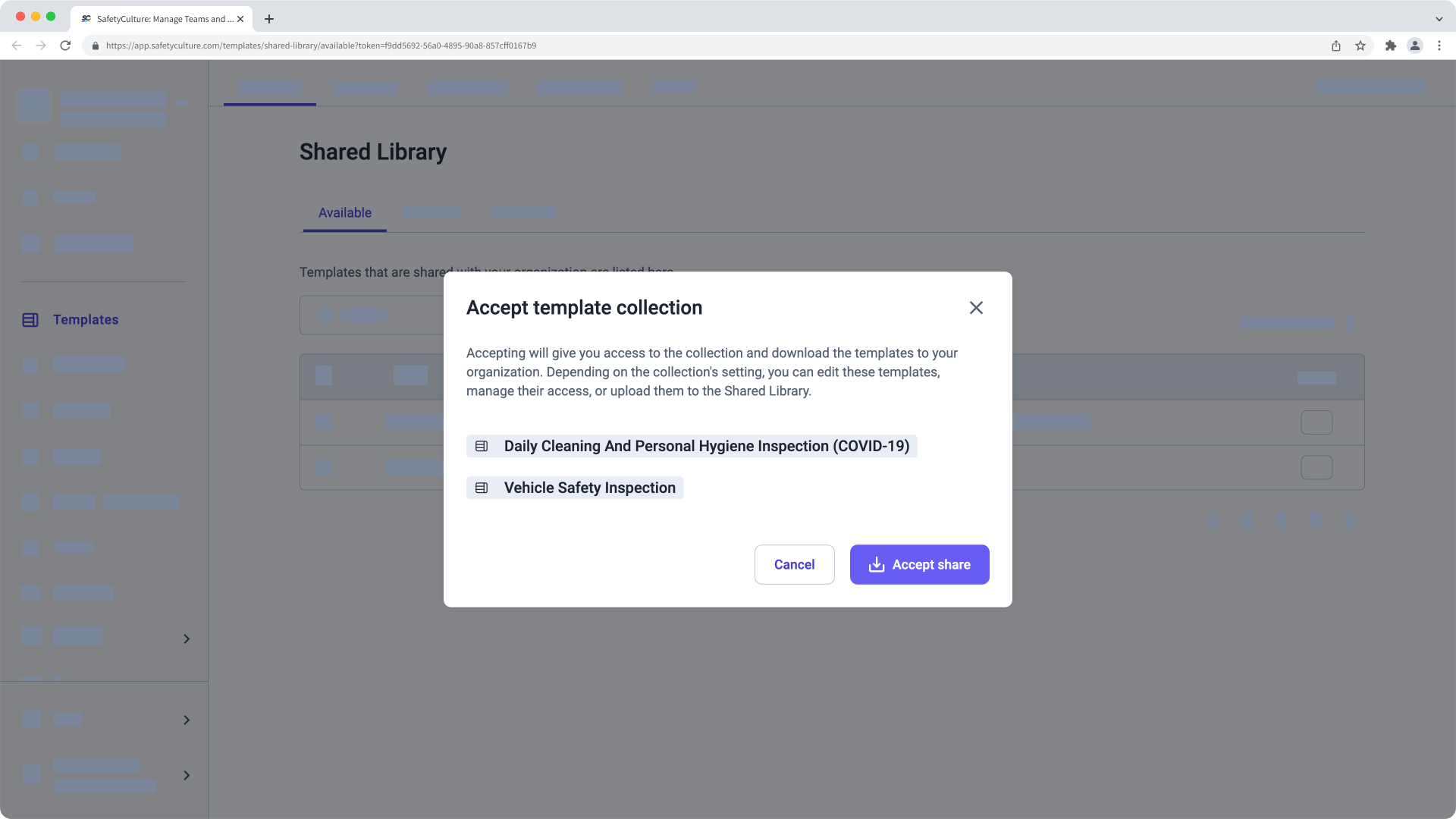
1. Accept a template collection invite
Depending on how an organization shares a template collection with you, you may receive an email to accept the template collection invite. If the template collection has been shared with you via email, click Accept in the email.
After opening the template collection invite link, log in to the web app (opens in new tab).
In the pop-up window, click Accept share.
2. Import a template from a template collection
Select Templates in the sidebar or select it in More.
Select Shared Library at the top of the page.
In the "Available" tab, click on the template's right-hand side. You can also import multiple templates at a time by checking each template's box on the left-hand side and clicking Import at the bottom of the page.
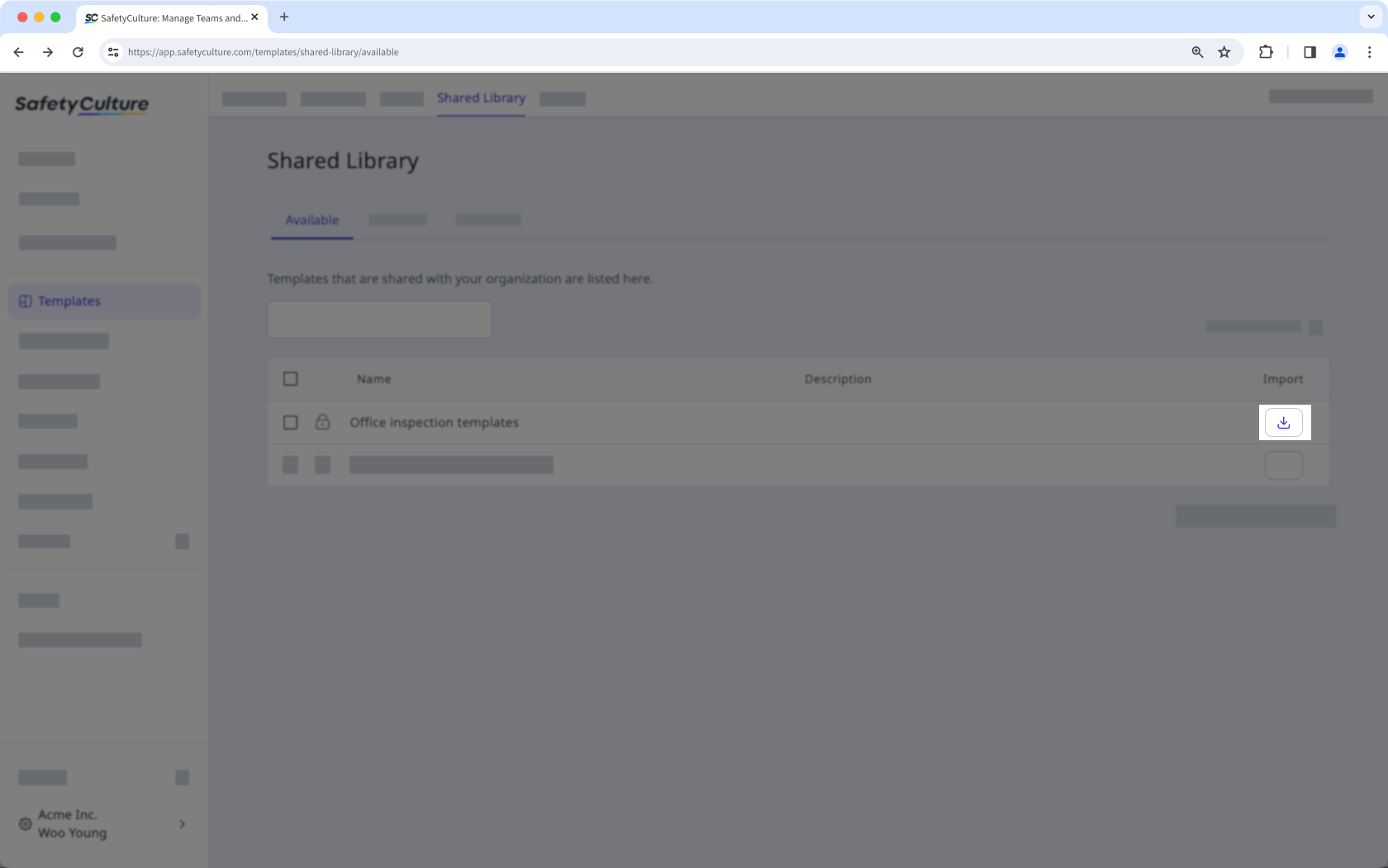
Once an organization shares a template collection with you, any changes they make to that collection will automatically be reflected in your "Available" tab.