
Why share inspection QR codes?
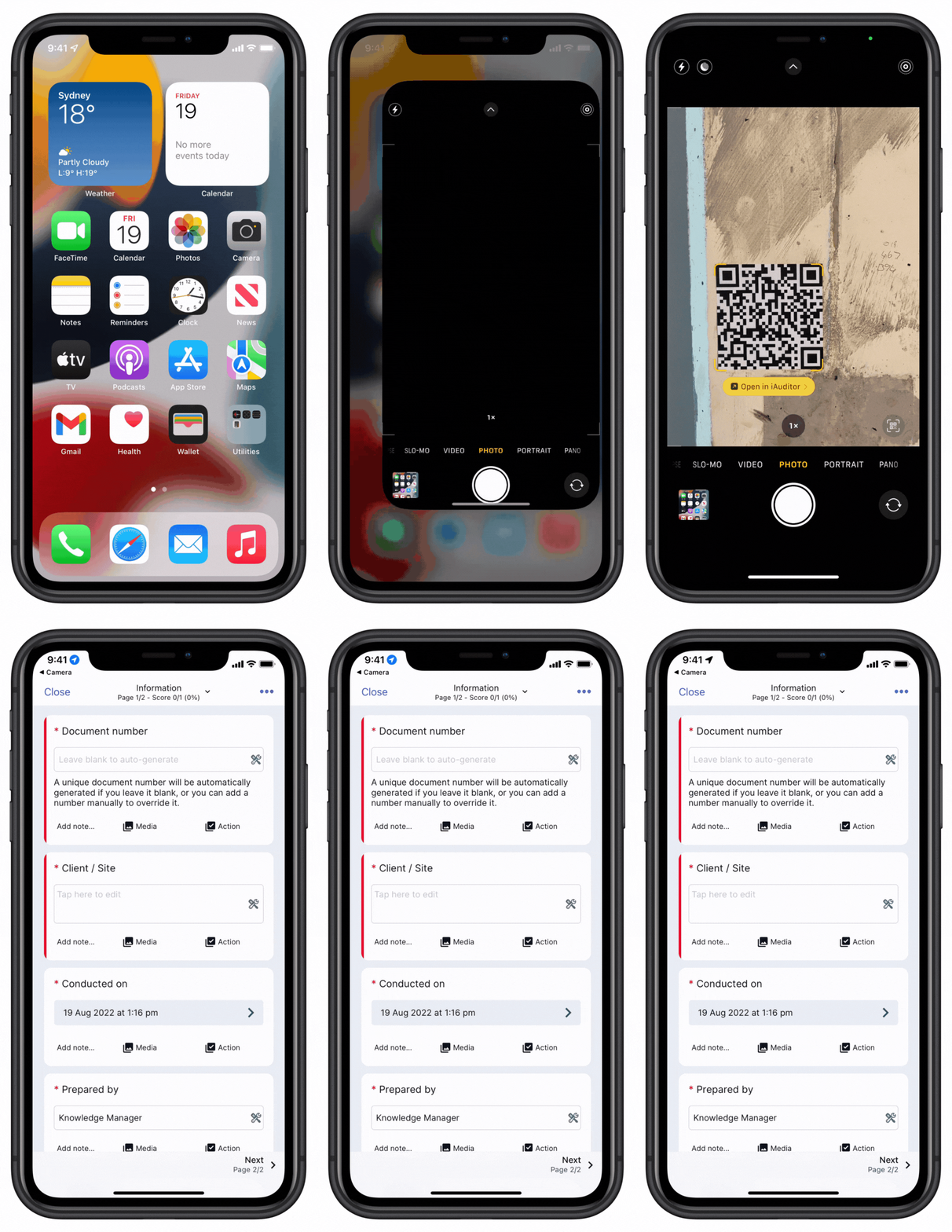
Inspection QR codes are scannable codes that open a specific inspection in the SafetyCulture mobile app so your team can start the right inspection quickly without searching through templates. As an admin, you can generate and share QR codes across your organization or print and place them on assets or locations so teams always know which inspection to use.
Sharing QR codes is especially useful in busy areas, locations with shared equipment, or for new team members who may not be familiar with your templates. By allowing users to scan and start an inspection instantly, QR codes can help reduce missed or incorrect inspections and lower the risk of errors, non-compliance, and incomplete records.
What you'll need
Starting an inspection from a QR code is supported only on the mobile app. You can create web app deep links for your team members to start inspections via the web app.
Share an inspection QR code
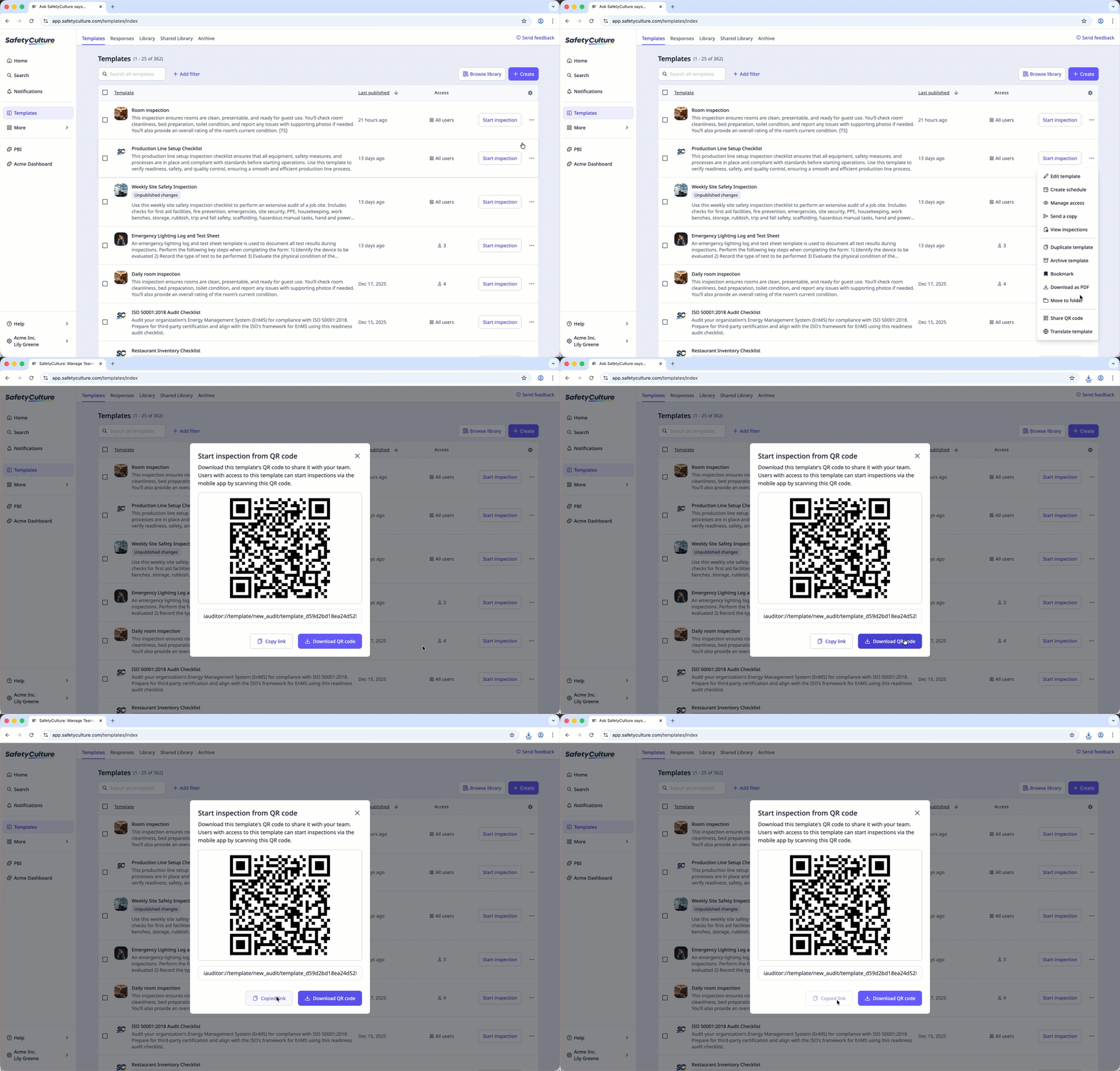
Select Templates in the sidebar or select it in More.
Click on the right-hand side of the template and select Share QR code.
In the pop-up window, click Download QR code on the bottom of the page. If you prefer to use a link, click Copy link to copy it.
Print the QR code or share the link so your team members can start inspections easily.
To scan a start inspection QR code, team members must have access to the template and have the SafetyCulture mobile app installed on their mobile device.


