What are deep links?
Deep links are direct URLs that bypass standard navigation to take users straight to a specific location within the SafetyCulture web app or mobile app using uniform resource identifiers (URIs). These are essential for simplifying complex workflows, as they remove the need for team members to manually navigate through the platform.
For example, you can share a link that opens a pre-filled inspection or direct users to a file for quick reference. This reduces "time-to-action" and ensures your team has the exact context they need the moment they open the app, preventing navigation errors and improving overall data accuracy.
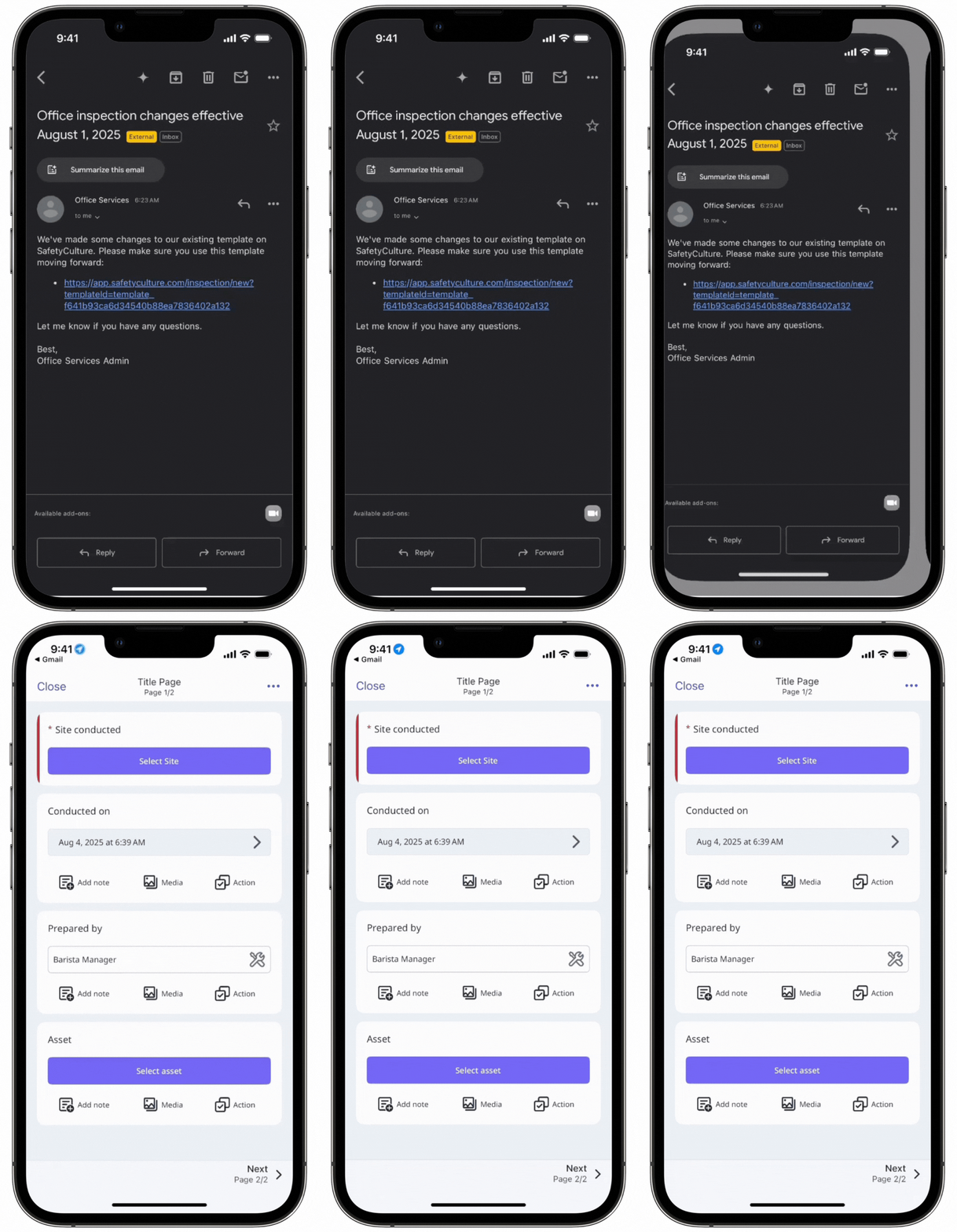
Depending on the deep links you're creating and sharing with your team, users will need access to the relevant entities for them to open deep links successfully.
SafetyCulture deep links
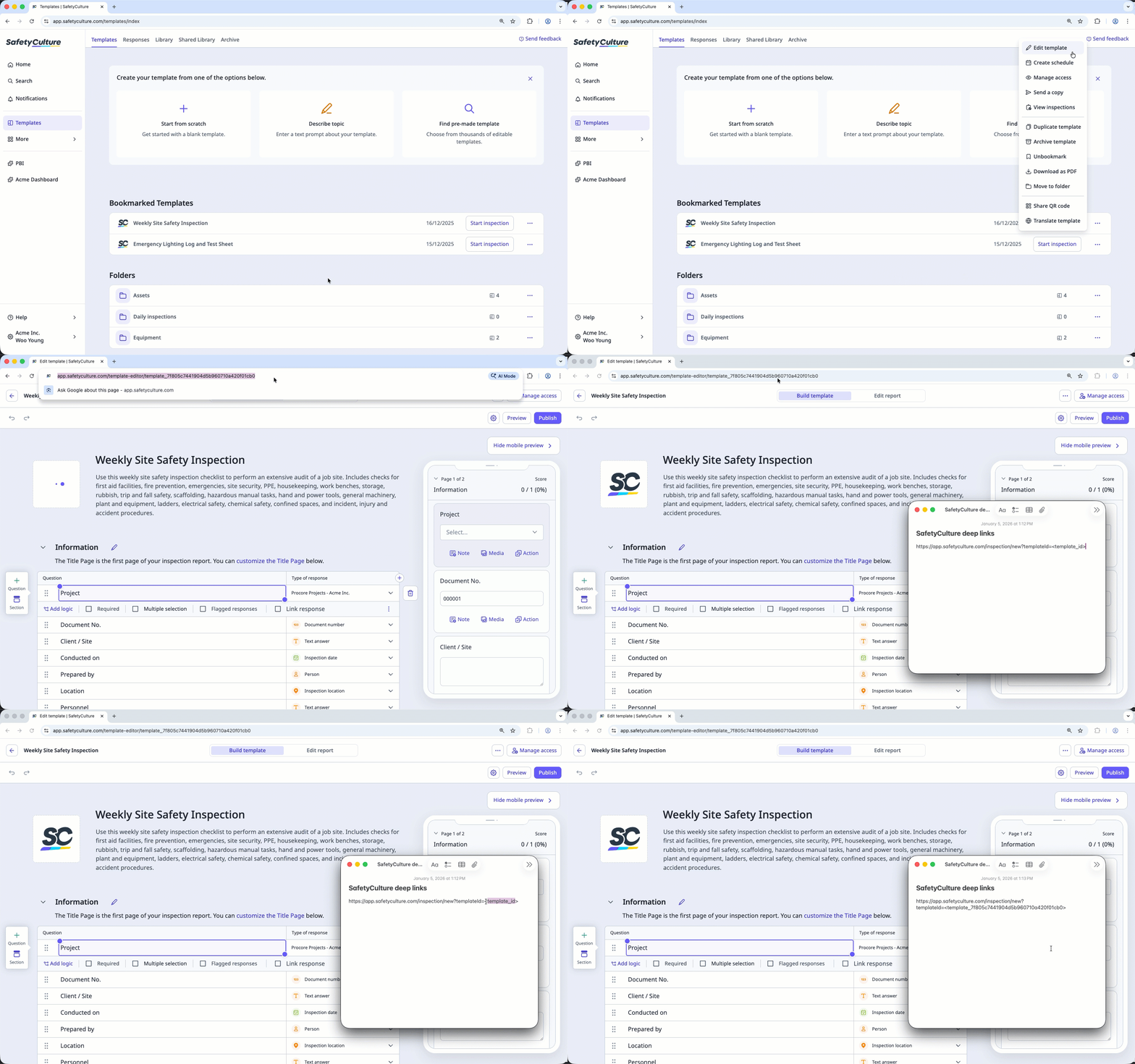
Use the deep link formats in the tables and replace each placeholder (like <template_id>) with the correct ID.
Web app
Use case | Deep link format | Examples |
|---|---|---|
Start an inspection | https://app.safetyculture.com/inspection/new?templateId=<template_id> | https://app.safetyculture.com/inspection/new?templateId=<template_id> |
Edit an inspection | https://app.safetyculture.com/inspection/<inspection_id> | https://app.safetyculture.com/inspection/audit_212a63de0cf4452586cb41204bd91eec |
Edit an inspection from a question | https://app.safetyculture.com/inspection/<inspection_id>?item=<item_id> | https://app.safetyculture.com/inspection/audit_dcf0930716874369a66da13ad474bfff?item=8f2f287e-be6e-470c-a2e2-a0fd8ab966ae |
Edit an inspection from a page | https://app.safetyculture.com/inspection/<inspection_id>?page=<page_number> | https://app.safetyculture.com/inspection/audit_212a63de0cf4452586cb41204bd91eec?page=3 |
View an inspection report | https://app.safetyculture.com/report/audit/<inspection_id> | https://app.safetyculture.com/report/audit/audit_212a63de0cf4452586cb41204bd91eec |
Start a course | https://app.safetyculture.com/training/learn/course/<course_id> | https://app.safetyculture.com/training/learn/course/66737966f7397b3bc9e0a377 |
Open an asset profile | https://app.safetyculture.com/assets/<asset_id> | https://app.safetyculture.com/assets/a33d56ae-1c91-40b0-a62e-98ab47ef75a0 |
View a file | https://app.safetyculture.com/documents/document/<document_id> | https://app.safetyculture.com/documents/4fd97bb7-cb92-4dd6-8724-6ff4bc9672d4 |
Mobile app
Use case | Deep link format | Examples |
|---|---|---|
Start an inspection | iauditor://template/new_audit/<template_id> | iauditor://template/new_audit/template_fcbc86fd41a74180921347e4be53bdf2 |
Start and pre-fill an inspection | iauditor://template/new_audit/<template_id>?<item_id>=<response> Depending on the response you want to pre-fill, you may need to encode it for the deep link to work. For example, spaces should be replaced with "%20", so "Surry Hills" would be encoded as "Surry%20Hills". You can refer to the URL encoding list (opens in new tab) for guidance. | iauditor://template/new_audit/template_fcbc86fd41a74180921347e4be53bdf2?f3245d44-ea77-11e1-aff1-0800200c9a66=72%20Foveaux%20Street%2C%20Surry%20Hills |
Edit an inspection | iauditor://audit/<audit_id> | iauditor://audit/audit_7d228b49406741fab40599a1ed0c87cb |
Edit an inspection from a question | iauditor://audit/<audit_id>/item/<item_id> | iauditor://audit/audit_7d228b49406741fab40599a1ed0c87cb/item/65f92f7e-a88b-4388-b7d8-281445a55404 |
Start a course | iauditor://training/learn/course/<course_id> | iauditor://training/learn/course/66737966f7397b3bc9e0a377 |
Open an asset profile | iauditor://asset/profile/<asset_id> | iauditor://asset/profile/a33d56ae-1c91-40b0-a62e-98ab47ef75a0 |
View a file | https://app.safetyculture.com/documents/document/<document_id> | https://app.safetyculture.com/documents/4fd97bb7-cb92-4dd6-8724-6ff4bc9672d4 |
Users part of multiple organizations will be prompted to select from which organization they want to open the deep link.
Create a deep link
Find the action you need in the table.
If the item already exists in the SafetyCulture web app, you can usually copy the ID from the address bar.
If the placeholder uses something you can’t view from the address bar, get it from the source that provides it (for example, an API response or your internal system).
Replace the placeholders in the deep link format.
Test the deep link.
Web app deep links: Paste into a browser.
Mobile app deep links: Open the link on the latest mobile app.