Why use signature response questions?
With SafetyCulture, you can create personalized templates by adding questions with a range of unique response types. Signature response questions are a great way to help your team to sign off on inspections and raise their accountability over inspection results. 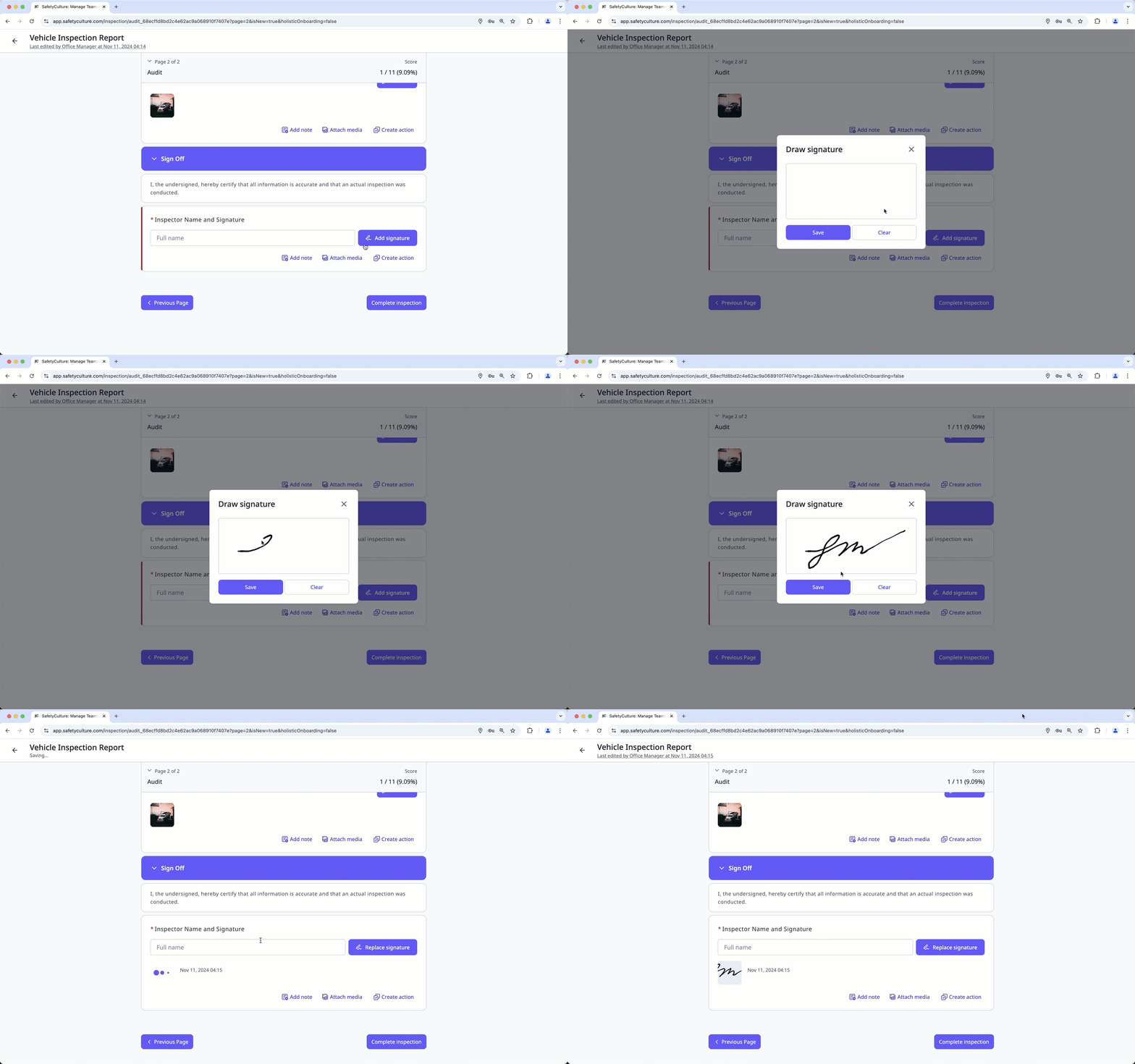
What you'll need
Published changes made to templates only apply to new inspections moving forward.
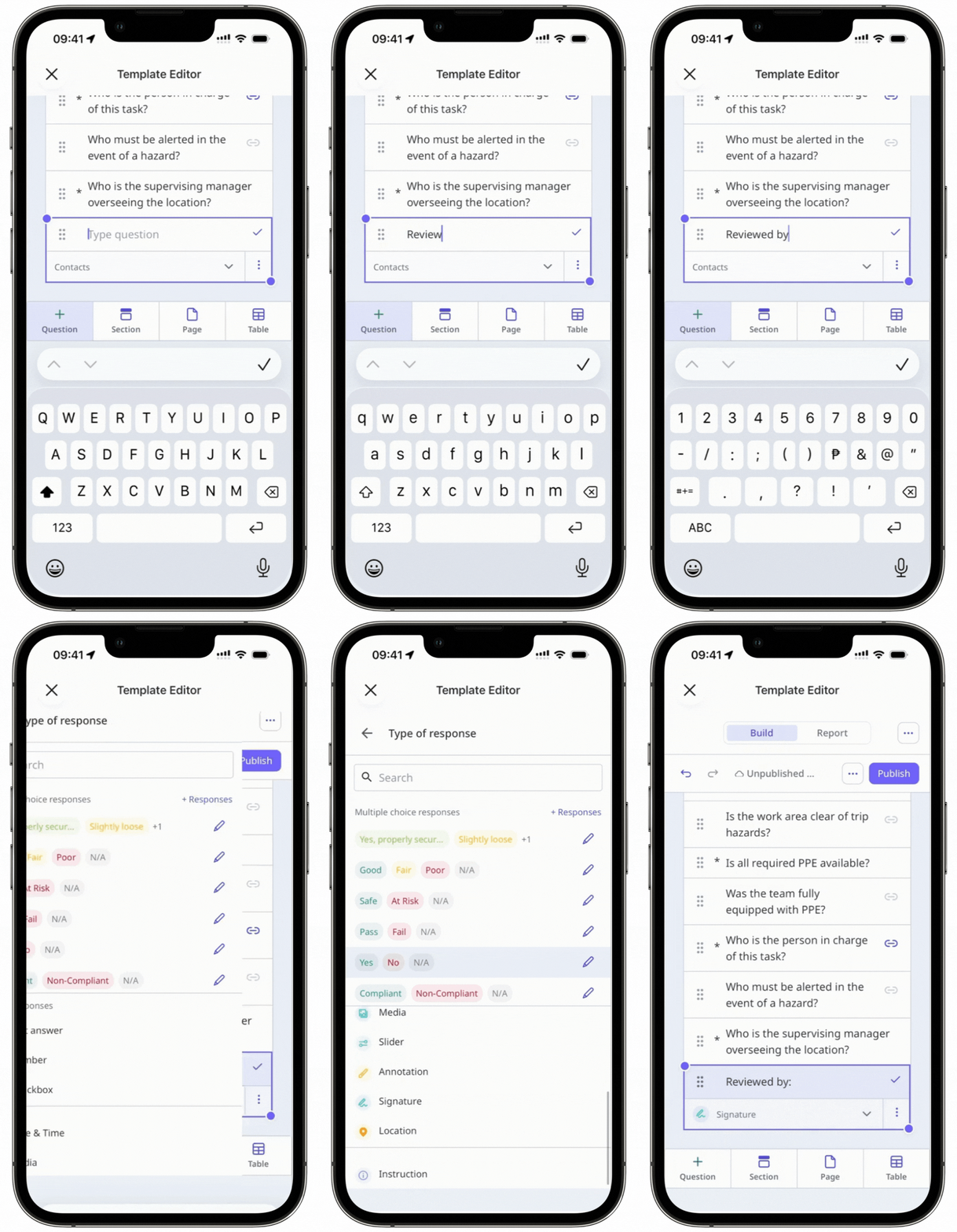
Create a signature response question
Select Templates in the sidebar or select it in More.
Click the template and select Edit template in the side panel.
Add a new question or select an existing one.
Click on the right-hand side, under "Type of response" and select Signature.
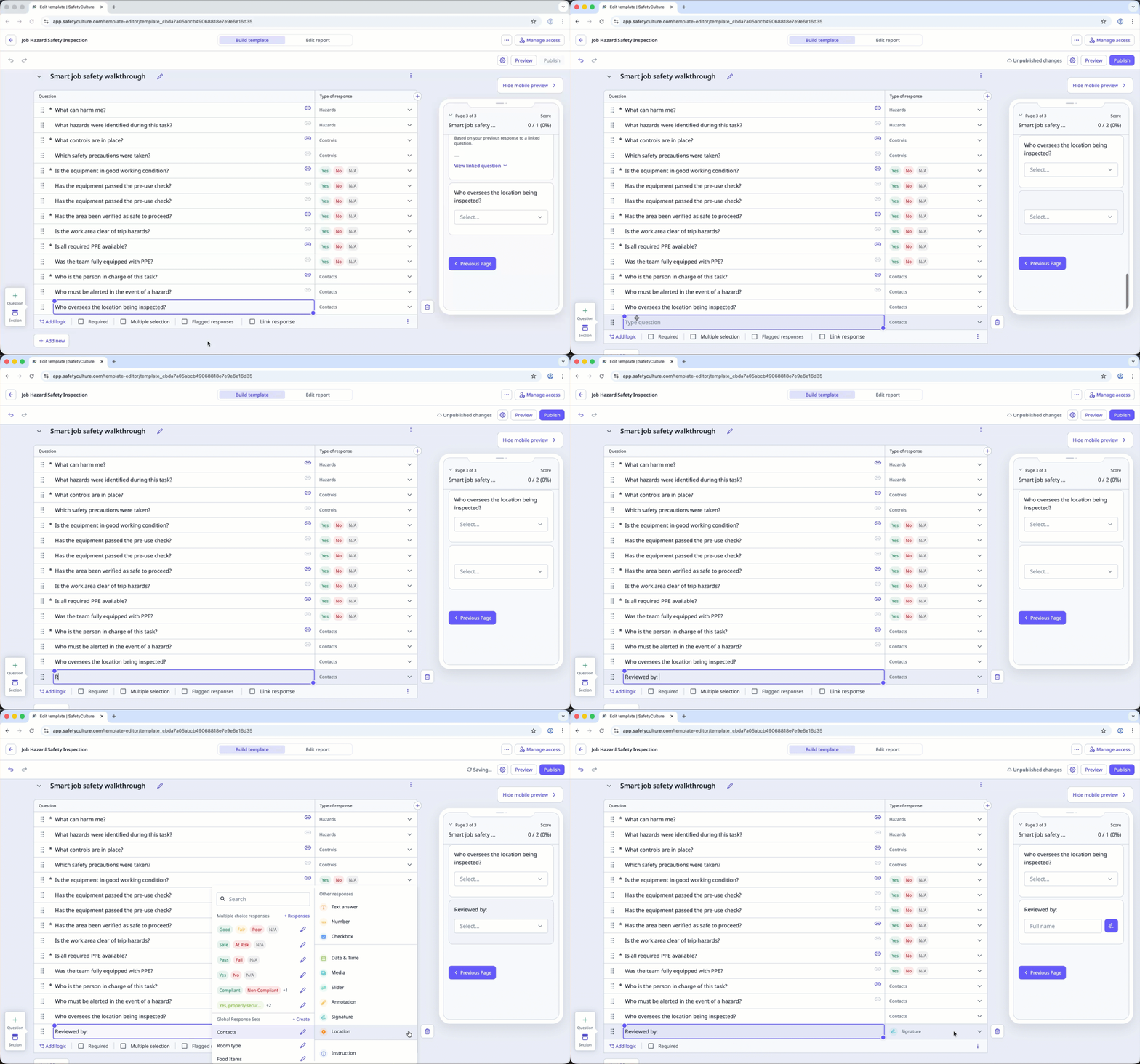
Click Publish on the upper-right of the page to publish the template. If you're not ready to publish the template, you can go back to the templates list and come back when you're ready.