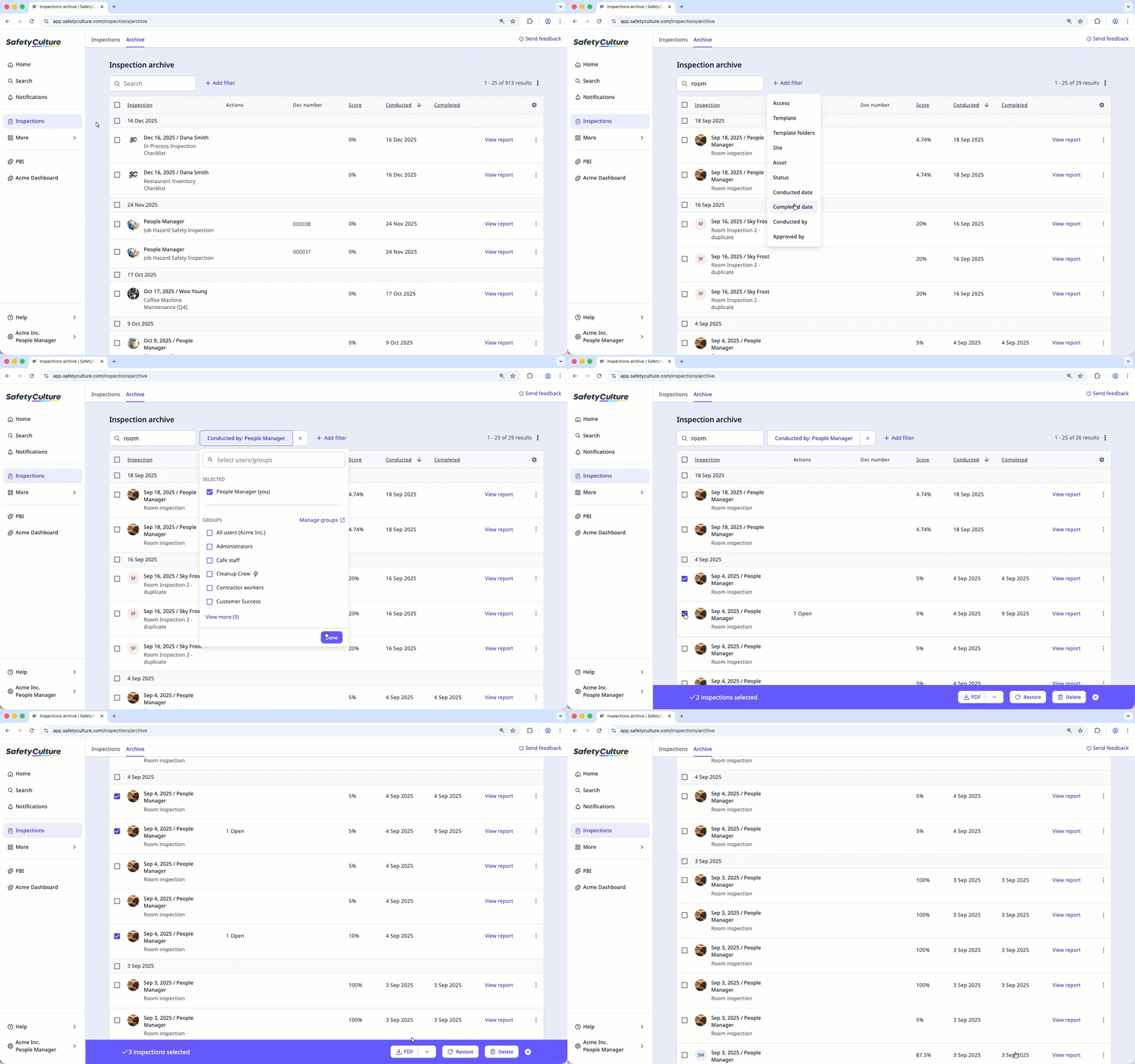
If you want to export your archived inspections, you can export them individually or in bulk as PDF, Word, Excel, or CSV files without restoring them.
What you'll need
Restore an archived inspection
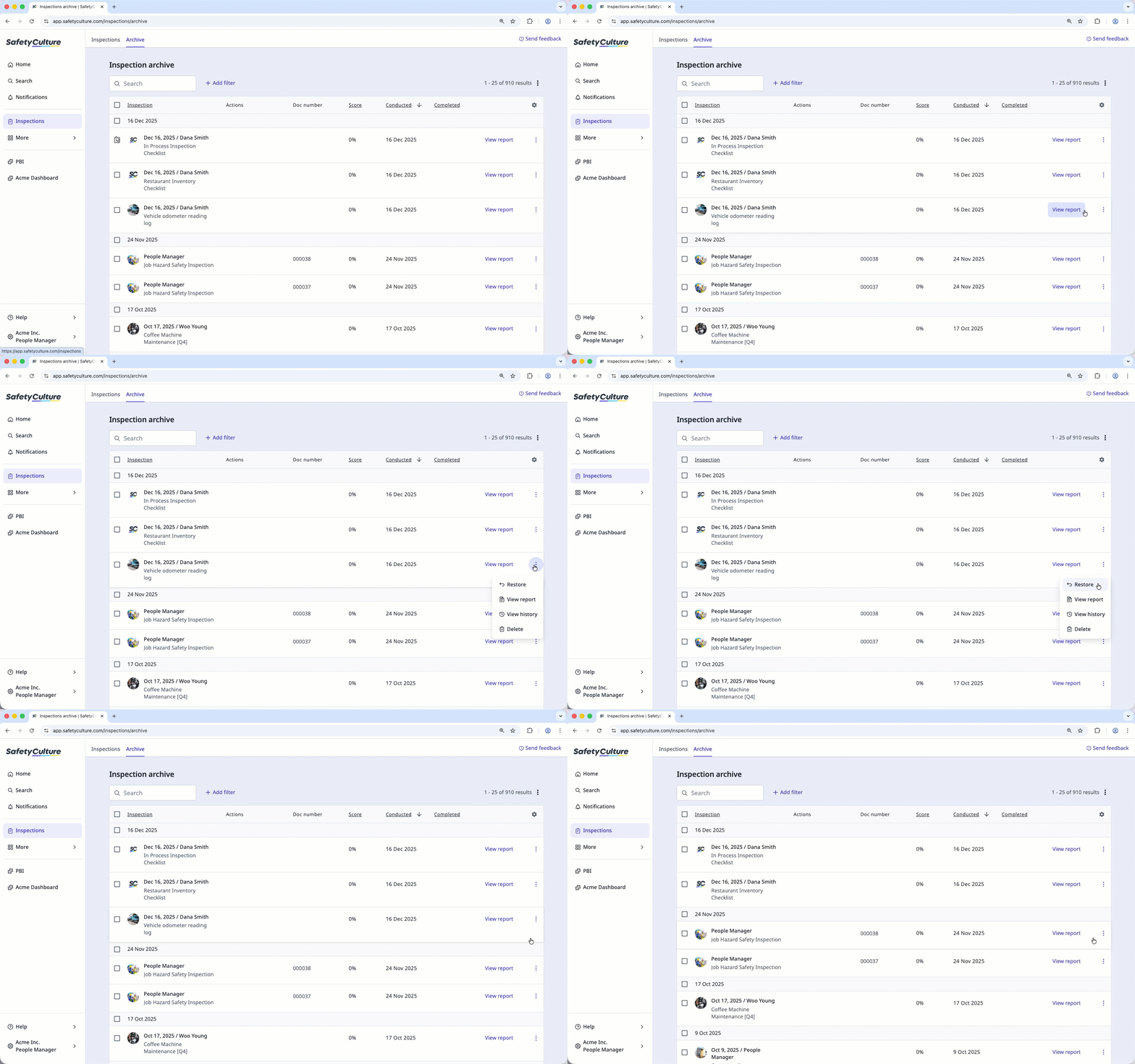
Select Inspections in the sidebar or select it in More.
Select Archive at the top of the page.
Click next to the inspection and select Restore.
Bulk restore archived inspections
Select Inspections in the sidebar or select it in More.
Select Archive at the top of the page.
Select the inspections you want to restore by checking the boxes on the left-hand side of each inspection. You can narrow down the inspection list using the search box on the upper-left of the page or by clicking Add filter and selecting filter options.
Click Restore at the bottom of the page.