Deleting is irreversible, and we cannot restore permanently deleted items. Confirmation is always required before any deletion, so be sure you're not accidentally deleting the wrong item.
Delete an issue QR code
Select Issues in the sidebar or select it in More.
Select QR codes at the top of the page.
Click on the right-hand side of the issue QR code and select Delete.
In the pop-up window, enter "delete" and click Delete.
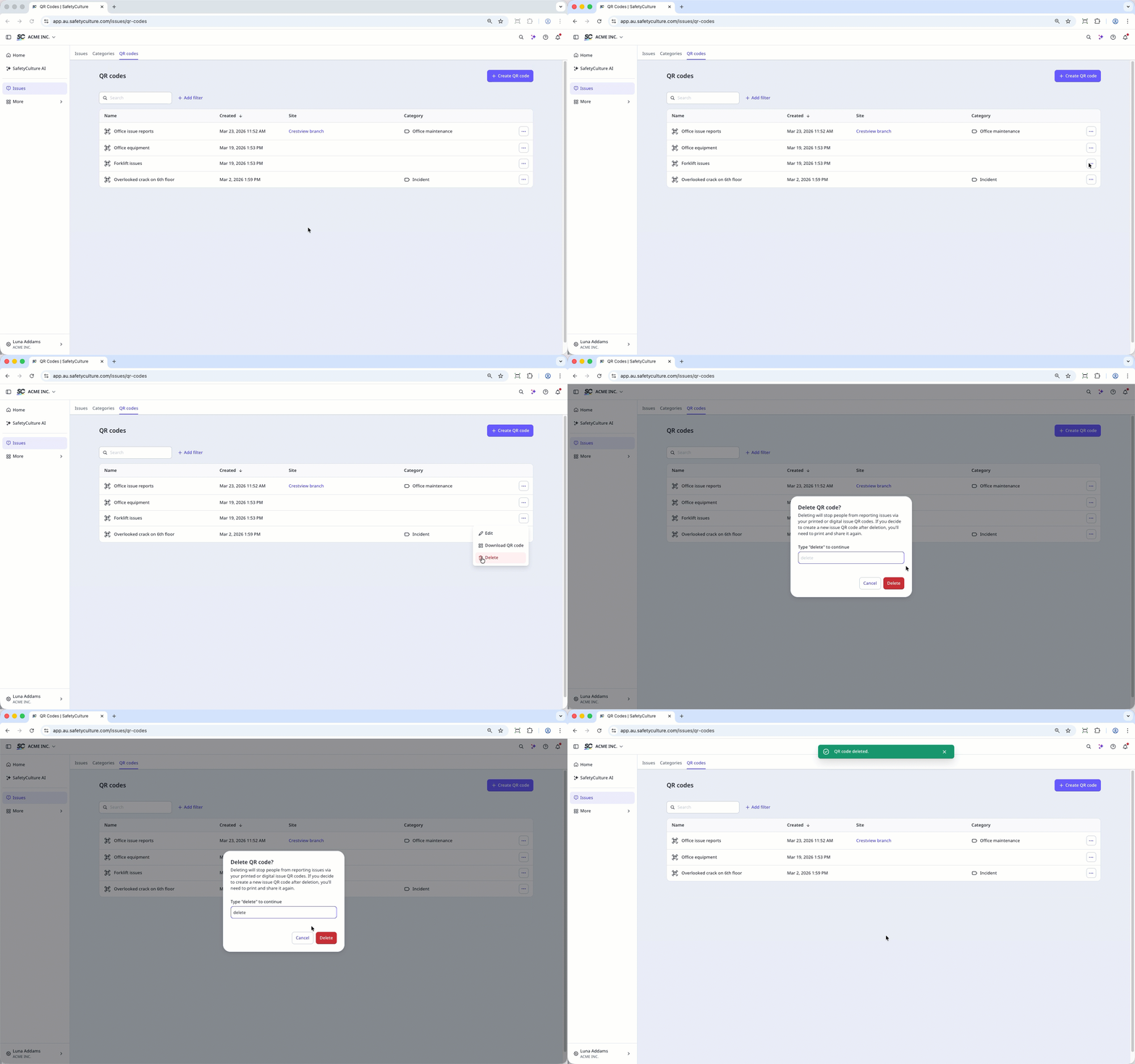
Once an issue QR code and link is deleted, the next issue QR code and link generated will be new rather than reactivation of the old ones. This means you would need to share the new issue QR code or link again for your team to access.