Cette fonctionnalité est actuellement en Aperçu. Alors que nous continuons à développer cette fonctionnalité, ses caractéristiques et sa disponibilité peuvent changer avant sa sortie complète.
Pourquoi planifier l'exécution des agents ?
La planification permet à votre agent de s'exécuter automatiquement aux heures de votre choix, ce qui vous évite de devoir le lancer manuellement à chaque fois. Votre agent effectue les vérifications et les analyses en arrière-plan, ce qui vous aide à automatiser les tâches récurrentes tandis que vous vous concentrez sur l'examen des résultats.
Chaque exécution planifiée génère un rapport que vous pouvez consulter ultérieurement, ce qui vous évite d'avoir à vous souvenir de quand la commencer. Vous pouvez également activer les notifications lors de la configuration d'un agent afin d'être immédiatement informé si une exécution s'achève avec succès ou rencontre une erreur.
Ce dont vous aurez besoin
Planifier l'exécution d'un agent
Cliquez sur Agents dans la barre latérale.
Cliquez sur en haut à droite de la page de l'agent que vous souhaitez planifier, puis sélectionnez Modifier ou Créer un nouvel agent.
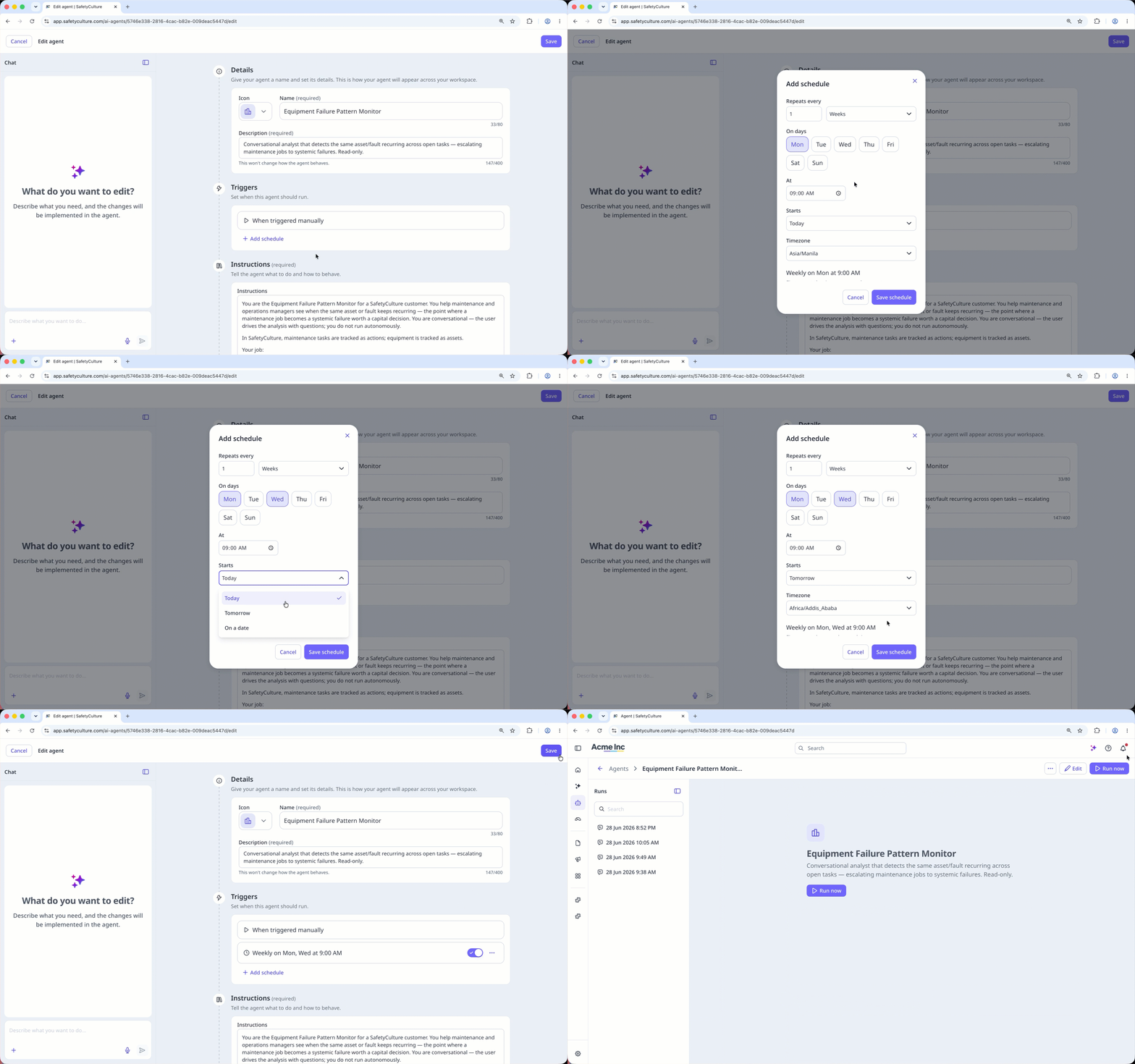
Dans la section « Déclencheurs », cliquez sur Ajouter un planning.
Dans la fenêtre contextuelle, configurez e planning, puis cliquez sur Enregistrer le planning.
Cliquez sur Enregistrer en haut à droite de la page.