¿Qué significa ver las ubicaciones de las respuestas de inspección en un mapa?
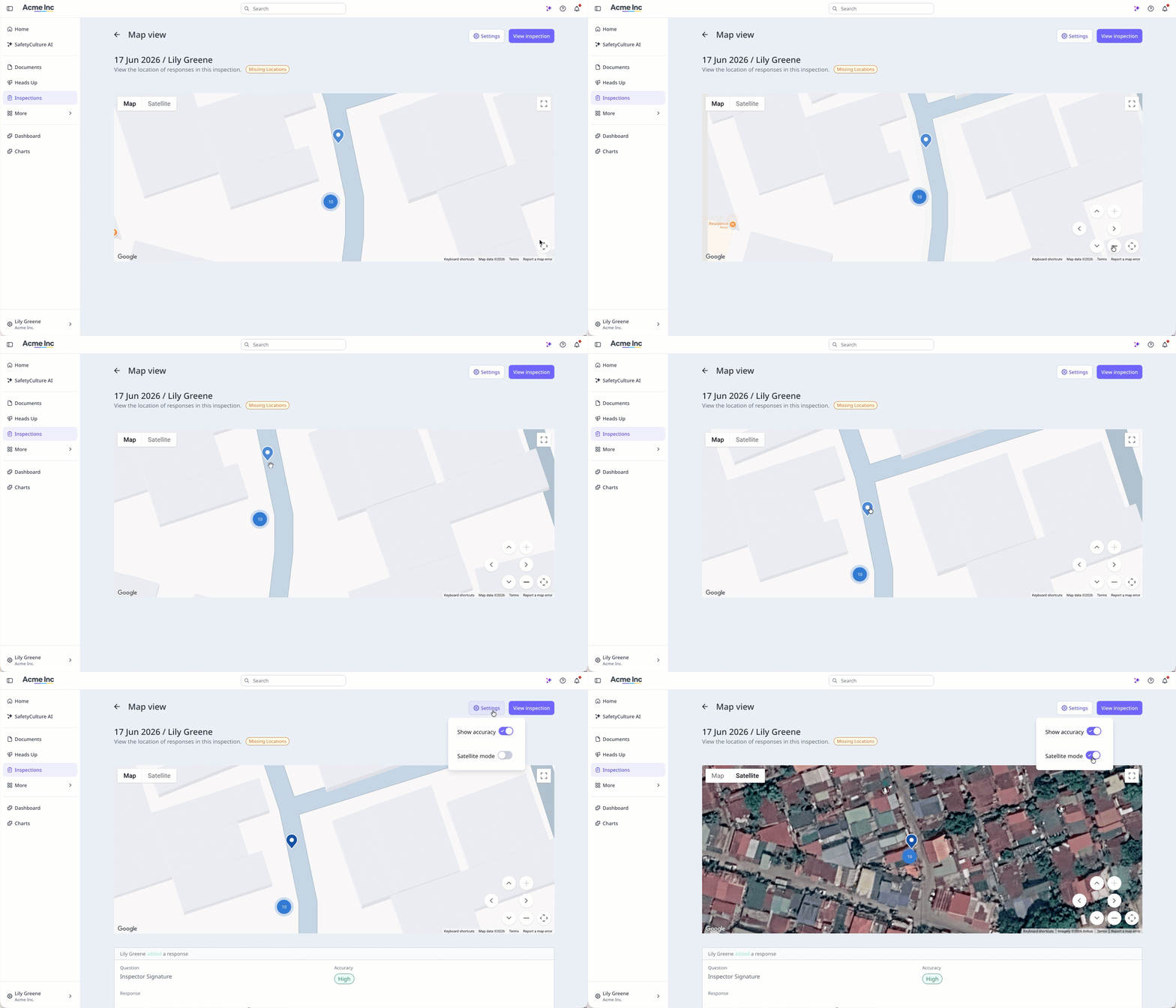
Ver las ubicaciones de las respuestas de las inspecciones en un mapa muestra dónde se registró cada respuesta durante una inspección, lo que le proporciona un registro visual de dónde completó su equipo el trabajo. Cada ubicación se captura mediante la aplicación móvil cuando el acceso a la ubicación está activado para el dispositivo, y el mapa muestra la precisión de cada ubicación registrada. Si el dispositivo no logra capturar los datos de ubicación, la vista de mapa no estará disponible para esa inspección. Esto ayuda a los equipos que necesitan confirmar que las inspecciones se realizaron en el lugar correcto, especialmente cuando el trabajo está distribuido en varios sitios.
Lo que necesitarás
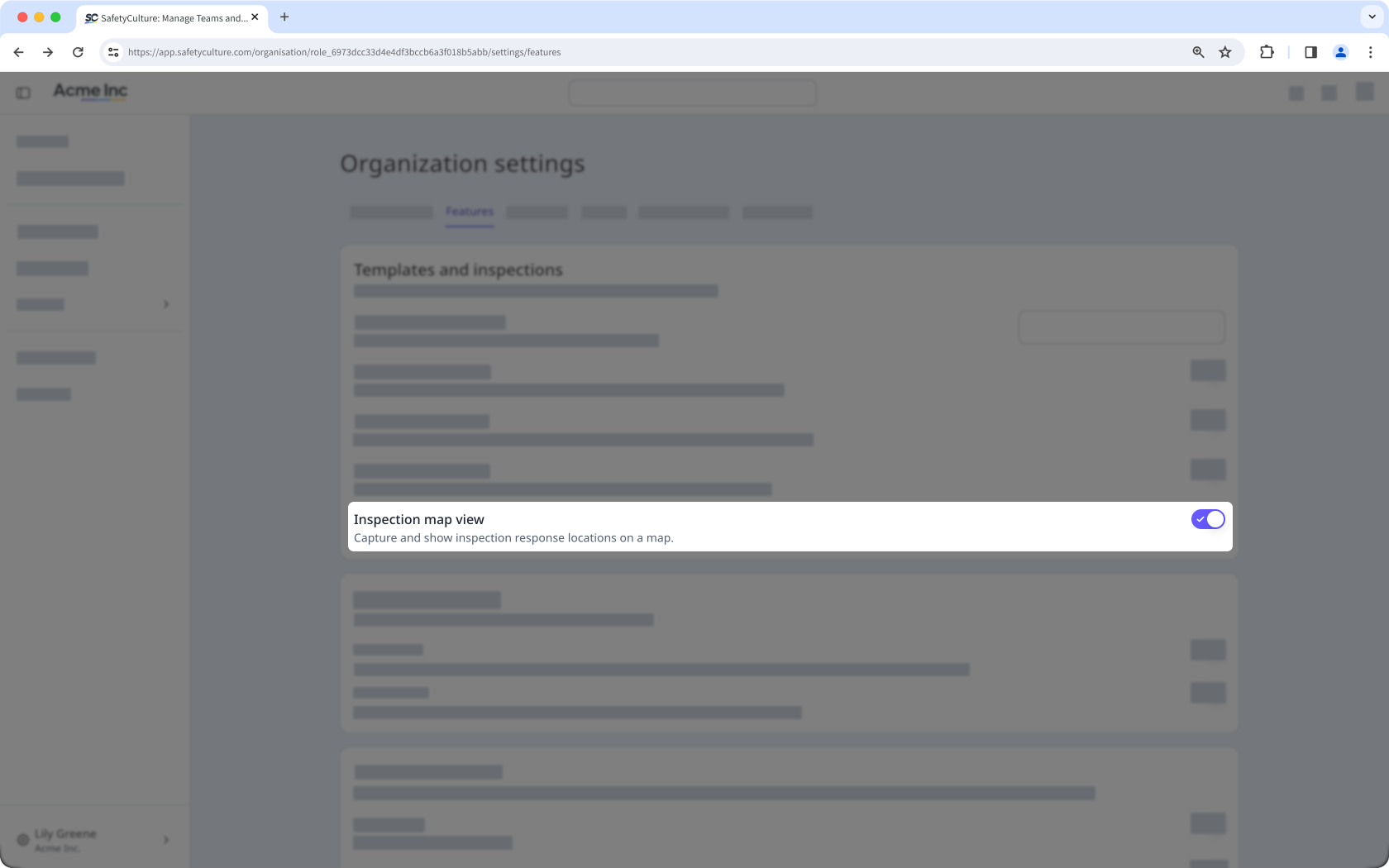
Si la vista de mapa de inspecciones está activada en su organización, también puede ver el ajuste de ubicaciones de respuesta en los ajustes de plantillas del editor de plantillas. El ajuste se aplica a todas las plantillas de la organización.
Activar o desactivar la vista de mapa de inspecciones
Haga clic en el nombre de su organización en la esquina inferior izquierda de la página y seleccione Ajustes de la organización.
Seleccione Características en la parte superior de la página.
En la sección «Plantillas e inspecciones», active o desactive «Vista de mapa de inspecciones».