What can I do with file uploads and document generation in AI Assistant?
The AI Assistant allows you to upload your own files and generate downloadable documents directly from your conversation. You can work from files you've uploaded, data from your organization in SafetyCulture, like inspection results, actions, and assets, or a combination of both. This saves your team from moving data between tools, so you can go from raw information to a finished document in one place.
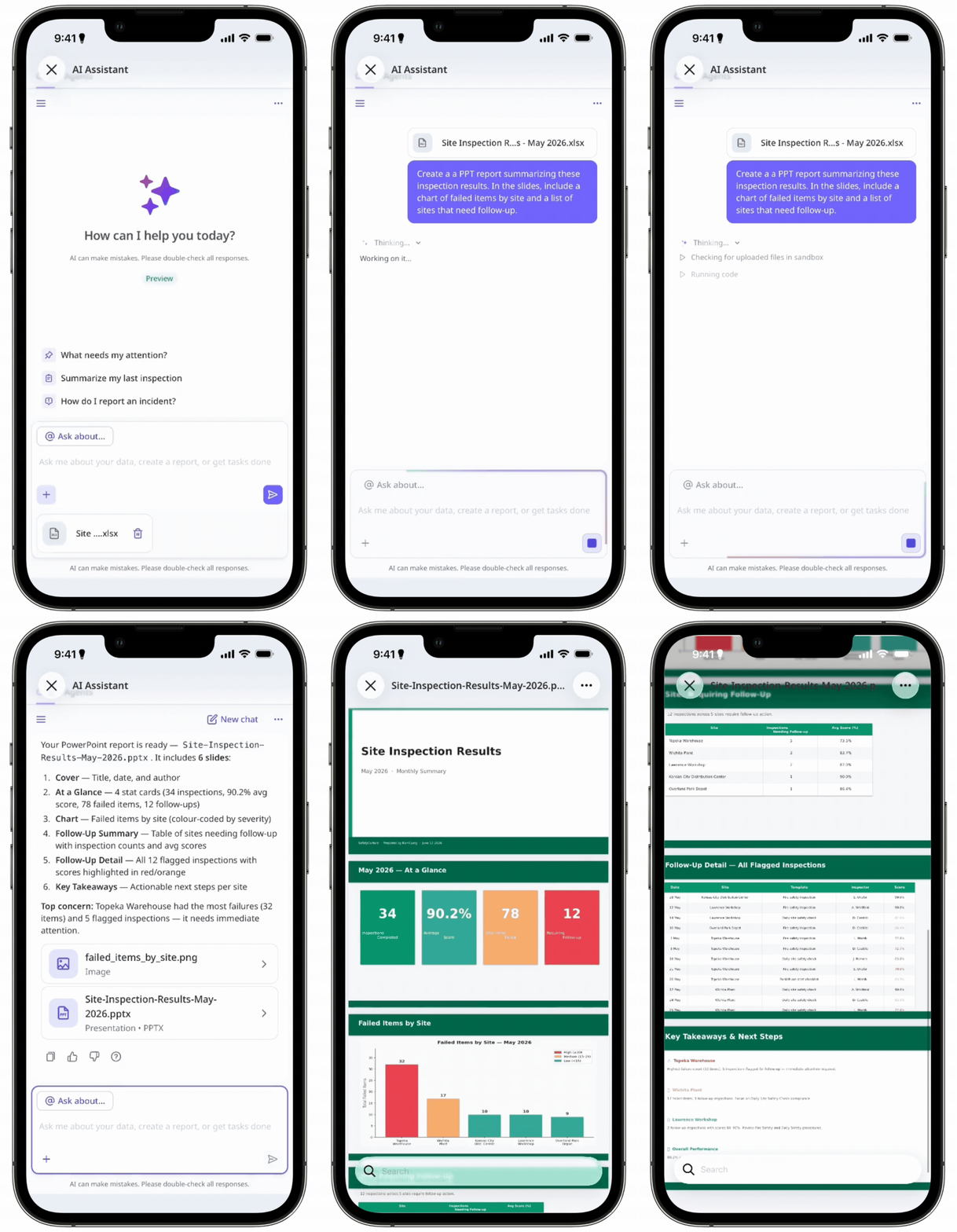
For example, instead of exporting inspection data and building a report manually, you can ask the AI Assistant to pull your organization's records and receive a formatted, downloadable report in chat. Or if you're reviewing a supplier's documentation, you can upload their PDF and ask the AI Assistant to summarize the key findings. This saves your team from moving data between tools, so you can go from raw information to a finished document in one place.
With the AI Assistant, you can:
Upload photos, PDFs, Word documents, Excel spreadsheets, PowerPoint files, and CSV files for the AI Assistant to analyze.
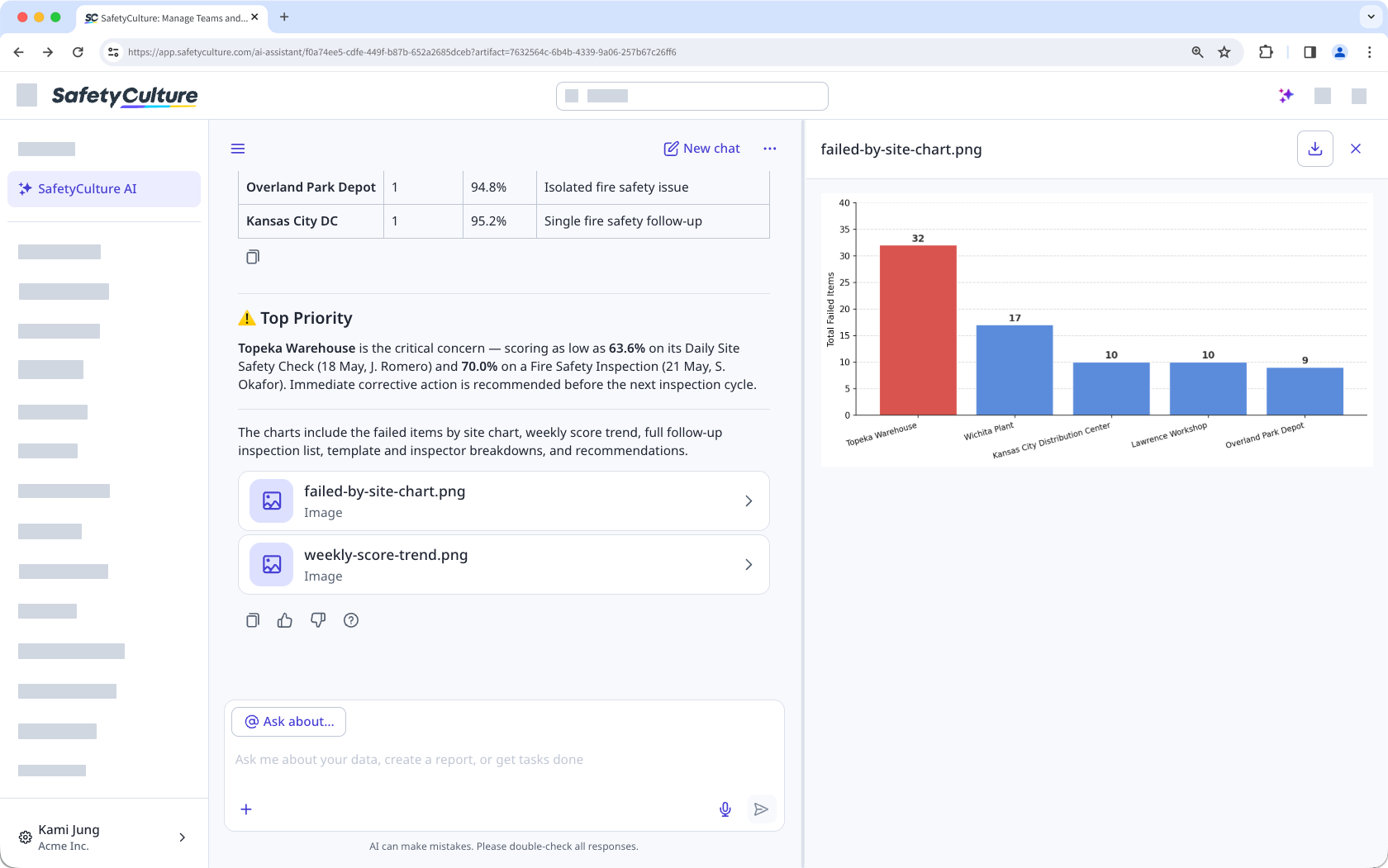
Generate downloadable files from chat, such as charts, formatted reports, and data summaries.
For example, instead of exporting inspection data and building a report manually, you can ask the AI Assistant to pull your organization's records and receive a formatted, downloadable report in chat. Additionally, instead of reading through a supplier's documentation, you can upload their PDF and ask the AI Assistant to summarize the key findings.
Lo que necesitarás
Supported file types
File upload
File type | Web app | Mobile app |
|---|---|---|
Images | GIF, JPEG (JPG), PNG, and WEBP files up to 20 MB. | Same as the web app. |
Documents | CSV, DOC, DOCX, PPTX, XLS, and XLSX files up to 20 MB. PDF files up to 20 MB and under 100 pages. | Same as the web app. |
File generation
File type | Web app | Mobile app |
|---|---|---|
Images | GIF, JPEG (JPG), PNG, and WEBP files up to 50 MB. | Same as the web app. |
Documents | CSV, DOCX, PDF, PPTX, and XLSX files up to 50 MB. | Same as the web app. |
Los archivos generados solo se pueden descargar a su dispositivo. No puede guardarlos directamente en otras funciones de SafetyCulture ni en almacenamiento externo como Google Drive o SharePoint.
Generar un documento
Click Asistente de IA in the sidebar or click on the right-hand side of the top bar.
Optionally, click to upload the files you want to base your document on.
Enter a prompt that describes the document you want. You can work from your uploaded files, your organization's data, or both.
Click the generated file in the conversation to review its contents.
In the preview panel, click on the upper-right of the page to save the file to your device.
Limitaciones
El Asistente de IA no puede editar los archivos que suba. Puede analizarlos y generar nuevos documentos basados en ellos. Su archivo original permanece sin cambios.
Los archivos y los documentos generados solo existen dentro de la conversación actual. El Asistente de IA no puede acceder a los archivos de conversaciones anteriores.
El Asistente de IA no puede crear imágenes fotorrealistas ni generadas por IA. Puede generar gráficos y diagramas como parte de sus documentos.