What are user API tokens?
User API tokens are authentication keys tied to individual user accounts. They allow integrations to access SafetyCulture data on behalf of those users, respecting group and site membership permissions. As an administrator, you can view all user API tokens created in your organization and manage them directly. This ensures you maintain security, prevent unauthorized use, and keep integrations running smoothly.
Administrators can only view and delete tokens. Users need to generate their own tokens from their profile settings.
What you'll need
View user API tokens in your organization
Click your organization name on the lower-left corner of the page and select Integrations.
Select API tokens from the tab at the top of the page.
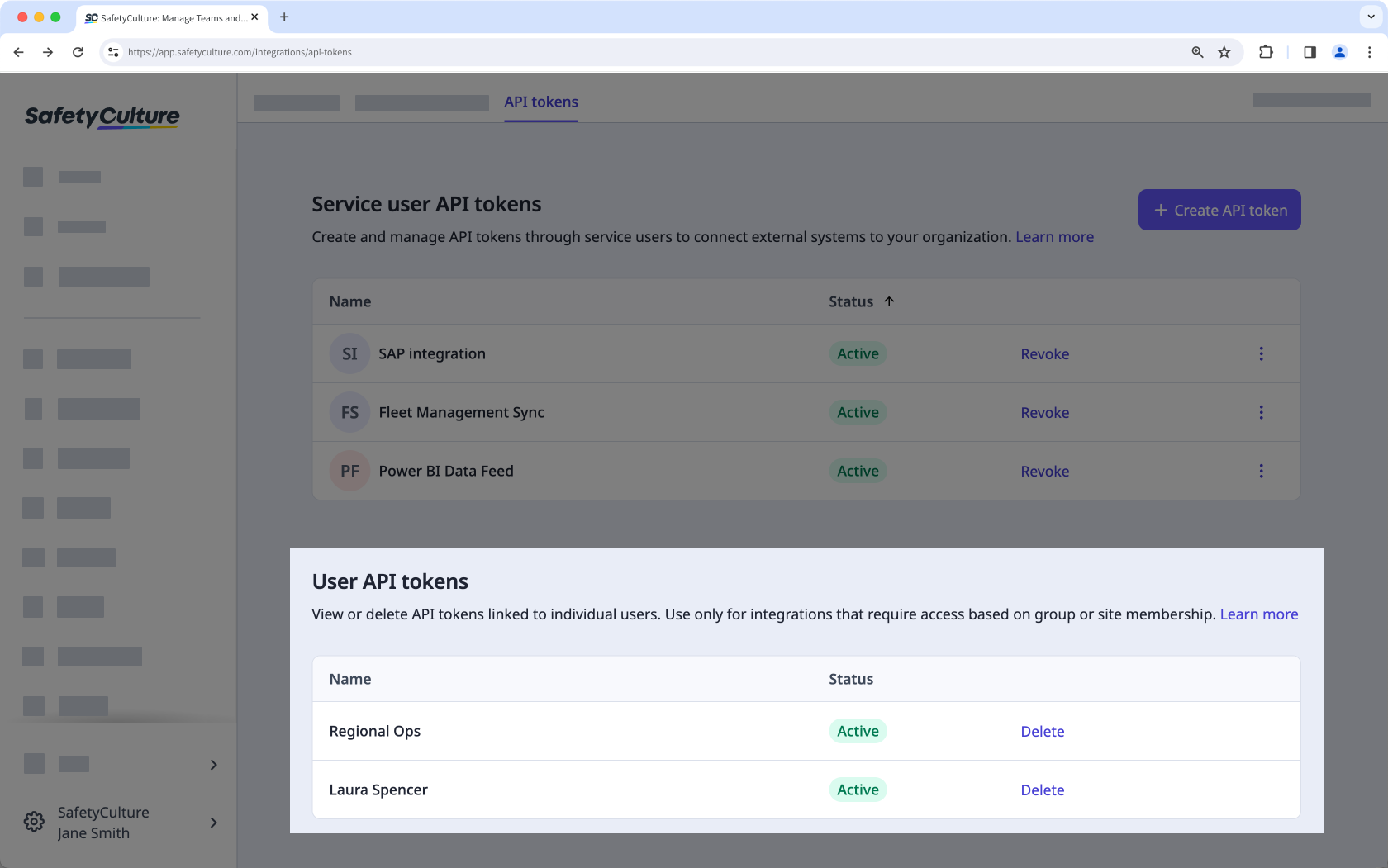
In the "User API tokens" section, view the list of tokens.
Delete a user token in your organization
Click your organization name on the lower-left corner of the page and select Integrations.
Select API tokens from the tab at the top of the page.
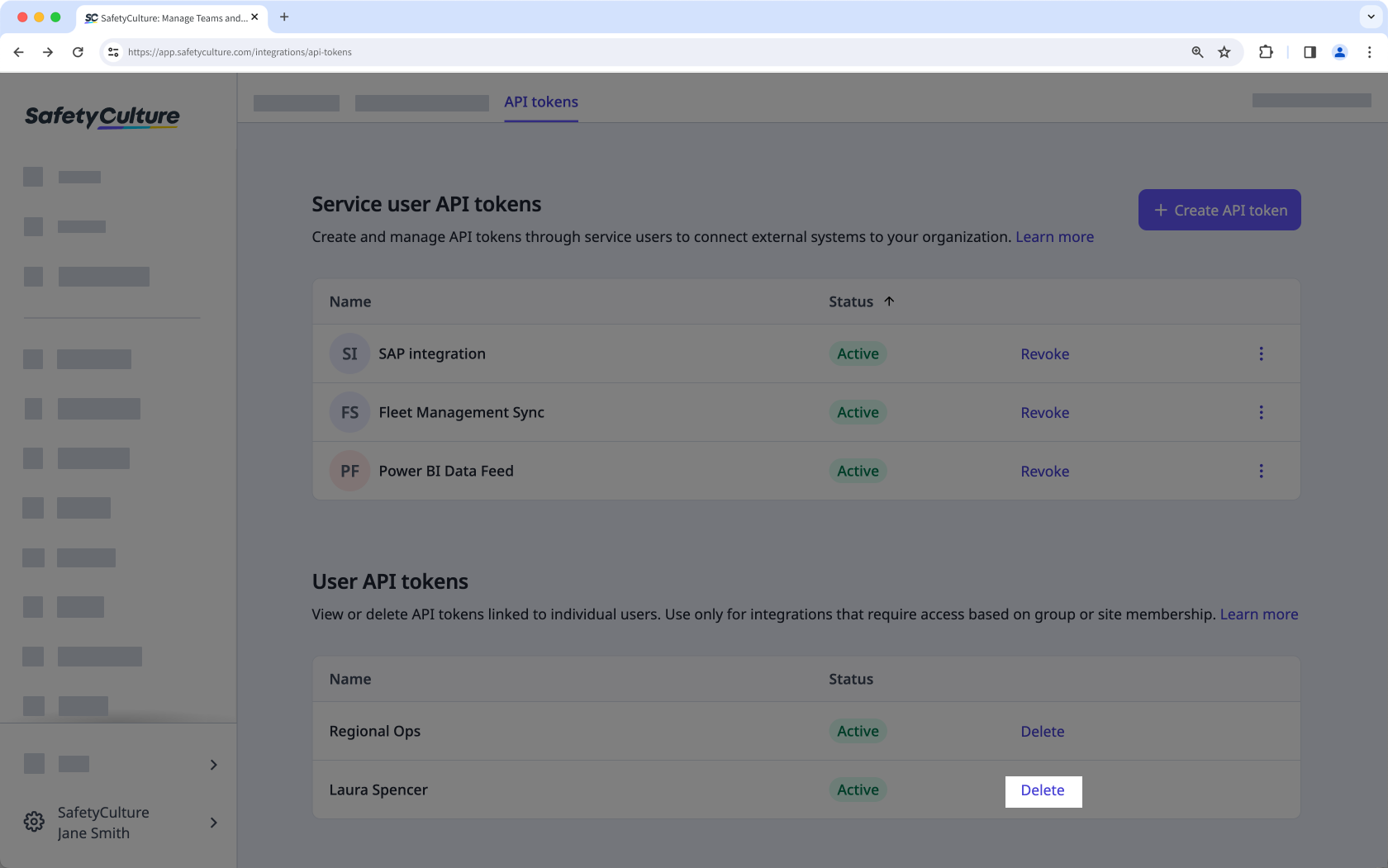
In the "User API tokens" section, click Delete next to the user API token.
In the pop-up window, click Delete.
Deleting a user API token will immediately stop any integrations relying on it from working. Make sure to confirm its use before deleting.