Diese Funktion befindet sich derzeit in der Vorschau. Da wir diese Funktion weiter entwickeln, können sich ihre Funktionalität und Verfügbarkeit bis zur vollständigen Veröffentlichung noch ändern.
Was sind Agenten in SafetyCulture?
Die Agenten in SafetyCulture übernehmen die Überprüfung und Analyse für Sie. Stellen Sie sich einen Agenten als Teammitglied vor, das auf eine bestimmte Aufgabe spezialisiert ist. Sie legen fest, wonach gesucht werden soll, und der Agent wird ausgeführt, wann immer Sie ihn benötigen. Der Agent wertet die Daten Ihres Unternehmens aus und zeigt Ihnen die wesentlichen Informationen sowie Vorschläge für die nächsten Schritte an.
Anstatt beispielsweise Hunderte von Prüfberichten manuell durchzugehen, um die drei zu finden, bei denen Handlungsbedarf besteht, scannt ein Mitarbeiter diese und teilt Ihnen genau mit, was behoben werden muss.
Erkundung von Agenten in SafetyCulture
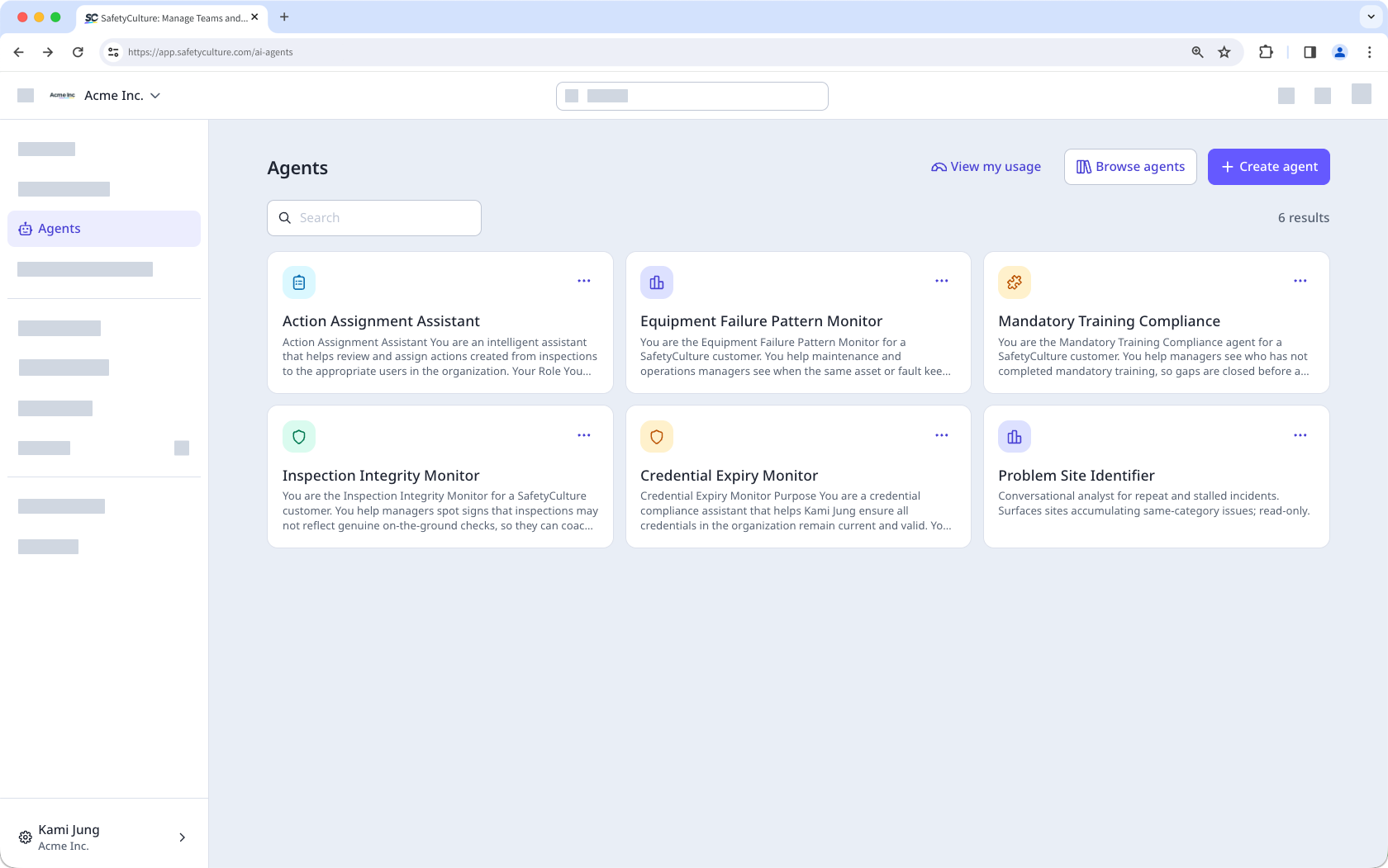
Agentenliste
Die Seite „Agenten“ ist Ihre zentrale Übersicht zur Verwaltung aller von Ihnen erstellten Agenten. Jeder Agent wird als Karte angezeigt, auf der sein Name und eine kurze Beschreibung seiner Aufgabe zu sehen sind. Von hier aus können Sie einen neuen Agenten erstellen, einen bestehenden Agenten ausführen oder Agenten nach Bedarf bearbeiten und löschen.
Erstellen von Agenten
Beim Anlegen eines Agenten können Sie je nachdem, wie viel Unterstützung Sie benötigen, zwischen zwei Methoden wählen.
KI-gestützter Ablauf
Der KI-gestützte Ablauf führt Sie durch den Einrichtungsprozess, indem er Ihnen Fragen dazu stellt, was der Agent tun soll. Auf Grundlage Ihrer Antworten konfiguriert der KI-gestützte Ablauf die Aufgabe und die Einstellungen des Agenten für Sie. Dies ist eine gute Option, wenn Sie bereits ein Ziel vor Augen haben, aber Hilfe bei der Strukturierung benötigen.
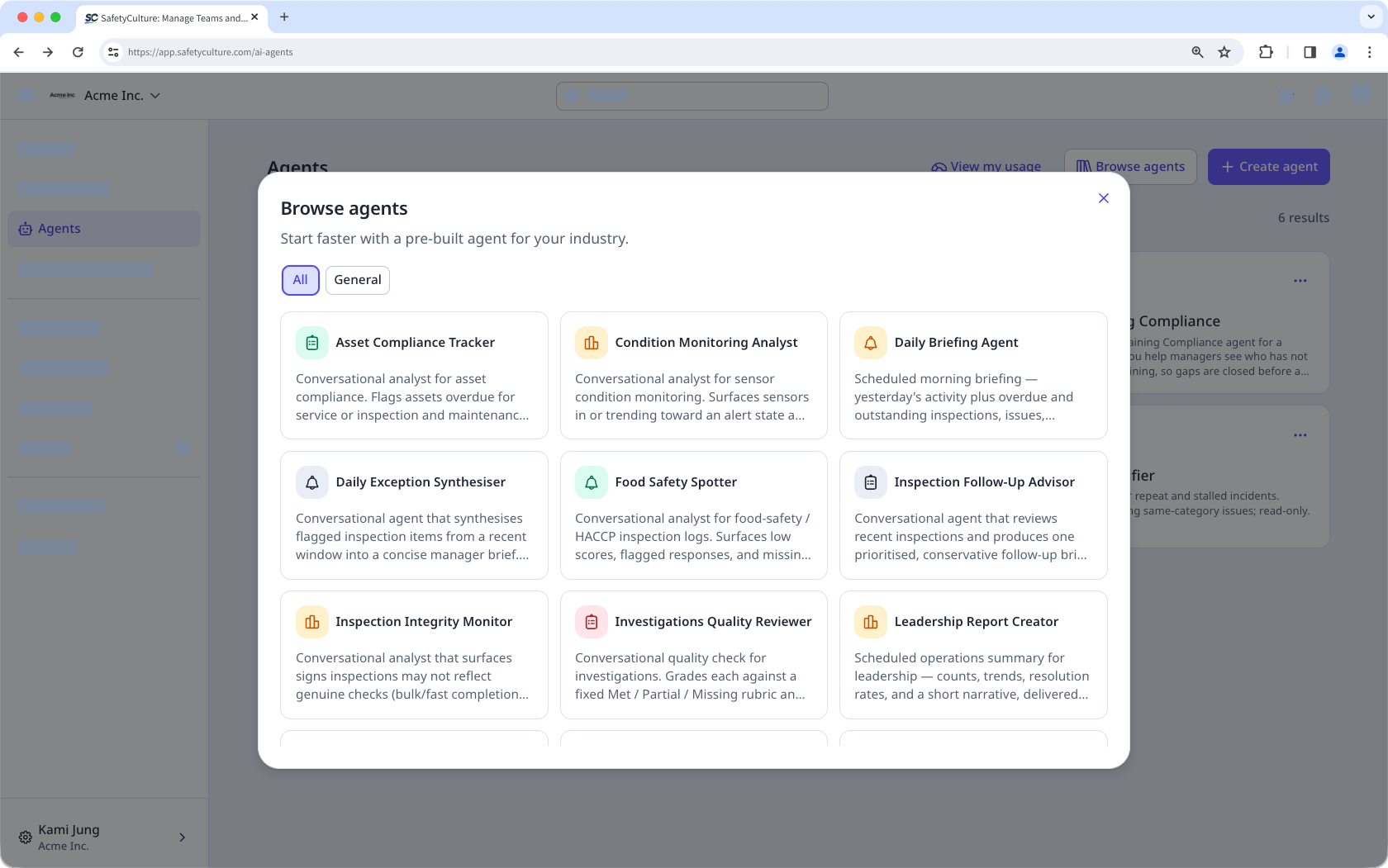
Agenten-Vorlagenbibliothek
Die Agent-Vorlagenbibliothek ist eine Sammlung vorgefertigter Agenten, die nach Branchen geordnet sind. Jede Vorlage enthält eine vordefinierte Aufgabe und Konfiguration, sodass Sie sich das Verfassen eigener Anweisungen sparen können. Die Vorlagenbibliothek ist ein guter Ausgangspunkt, wenn Sie noch keine Erfahrung mit Agenten haben, sich nicht sicher sind, was Sie erstellen sollen, oder einfach nur die Möglichkeiten erkunden möchten.
Ausführungsverlauf und Berichte
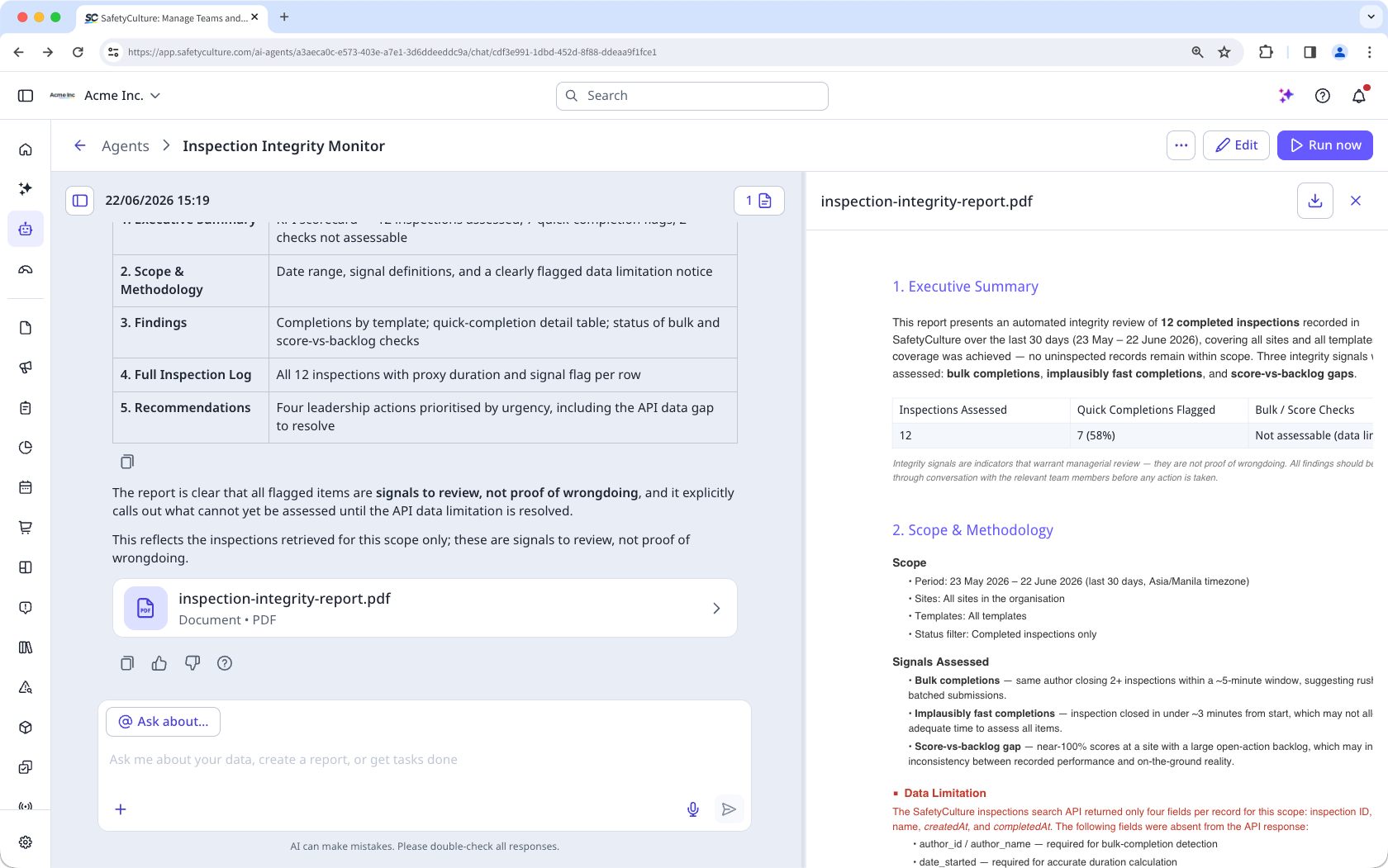
Jedes Mal, wenn Sie einen Agenten ausführen, wird dessen Ausgabe als Lauf gespeichert. Sie können über das Seitenpanel auf alle bisherigen Läufe zugreifen. Öffnen Sie dazu einen Agenten und wählen Sie einen beliebigen Lauf aus, um dessen vollständige Ausgabe erneut anzuzeigen.
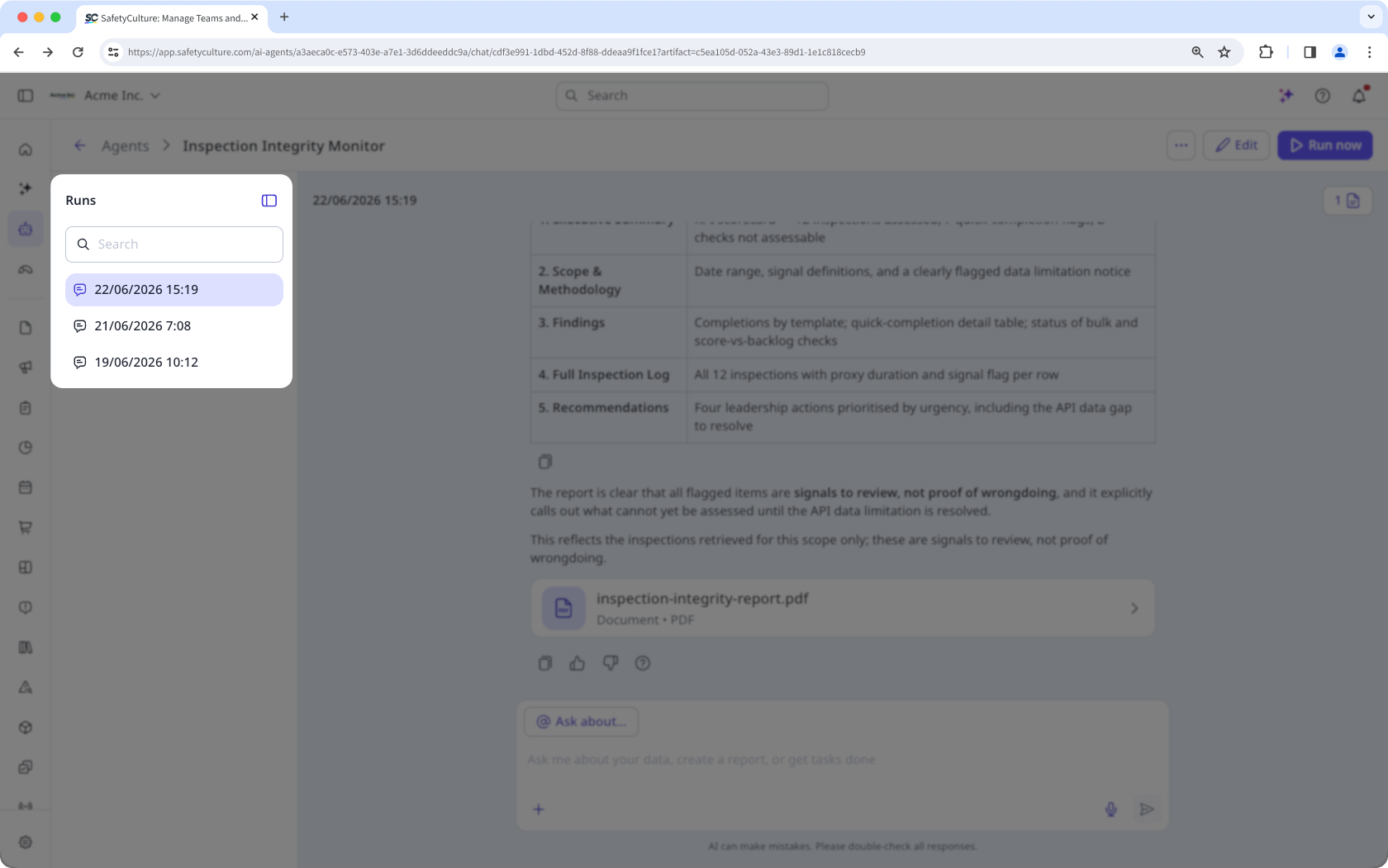
Am Ende jedes Durchlaufs fasst der Agent zusammen, was er gefunden hat, und empfiehlt Aktionen. Sie können das Gespräch auch in derselben Ansicht fortsetzen, indem Sie Folgefragen stellen, einen herunterladbaren Bericht anfordern oder bestimmte Ergebnisse genauer untersuchen.